
Blessing EA V3.9.6.09 MT4: In-Depth Review and User Guide
In the fast-paced world of forex trading, automation has become indispensable for traders seeking consistent results. Expert Advisors (EAs) on the MetaTrader 4 (MT4) platform allow traders to execute strategies with precision, discipline, and without the emotional biases that can derail manual trading. Among the myriad of MT4 robots available, Blessing EA V3.9.6.09 stands out for its robust risk controls, transparent settings, and adaptability across multiple currency pairs and timeframes. This comprehensive review will explore the unique attributes of Blessing EA, how it operates under the hood, and best practices to harness its full potential in your trading routine.
What Is Blessing EA V3.9.6.09?
Blessing EA V3.9.6.09 is a fully automated forex trading robot designed exclusively for the MT4 platform by J Talon LLC. Unlike many “black-box” systems, Blessing EA exposes every parameter—entry filters, money management rules, and exit logic—so you can tailor the EA to your risk tolerance and trading style. Whether you are a novice learning the ropes or an experienced trader seeking systematic execution, Blessing EA offers a balance of simplicity and depth.
Key aspects of Blessing EA include:
- Transparency: All trading conditions and variables are visible and adjustable within the EA’s settings panel.
- Flexibility: Suitable for both major and minor currency pairs, with multi-timeframe validation.
- Risk Awareness: Built-in mechanisms to manage drawdowns, spread slippage, and news-related volatility.
Key Features
Blessing EA V3.9.6.09 packs a range of functions designed to address the core needs of systematic traders. Its feature set can be grouped into the following categories:
1. Multi-Timeframe Analysis
- Scans price action on M15, H1, and H4 timeframes
- Filters out false signals by confirming trend direction across at least two timeframes
2. Adaptive Money Management
- Calculates position sizes based on account equity and a user-defined risk percentage
- Automatically adjusts lot sizes as equity grows or shrinks
3. Advanced Signal Filtering
- Identifies candlestick patterns (e.g., pin bars, inside bars) in line with overall trend
- Applies indicator confirmation using RSI thresholds and Average True Range (ATR) filters
4. Slippage and Spread Controls
- Allows users to set a maximum acceptable spread (e.g., 2.0 pips on EURUSD)
- Rejects trade execution if spread or slippage exceeds configured limits
5. Built-In News Filter
- Pauses all trading activity during high-impact economic announcements
- Protects open positions from sudden volatility spikes
6. Trade Management Tools
- Break-even Settings: Automatically moves stop-loss to breakeven after a predefined profit in pips
- Trailing Stops: Secures profits dynamically as the market moves in your favor
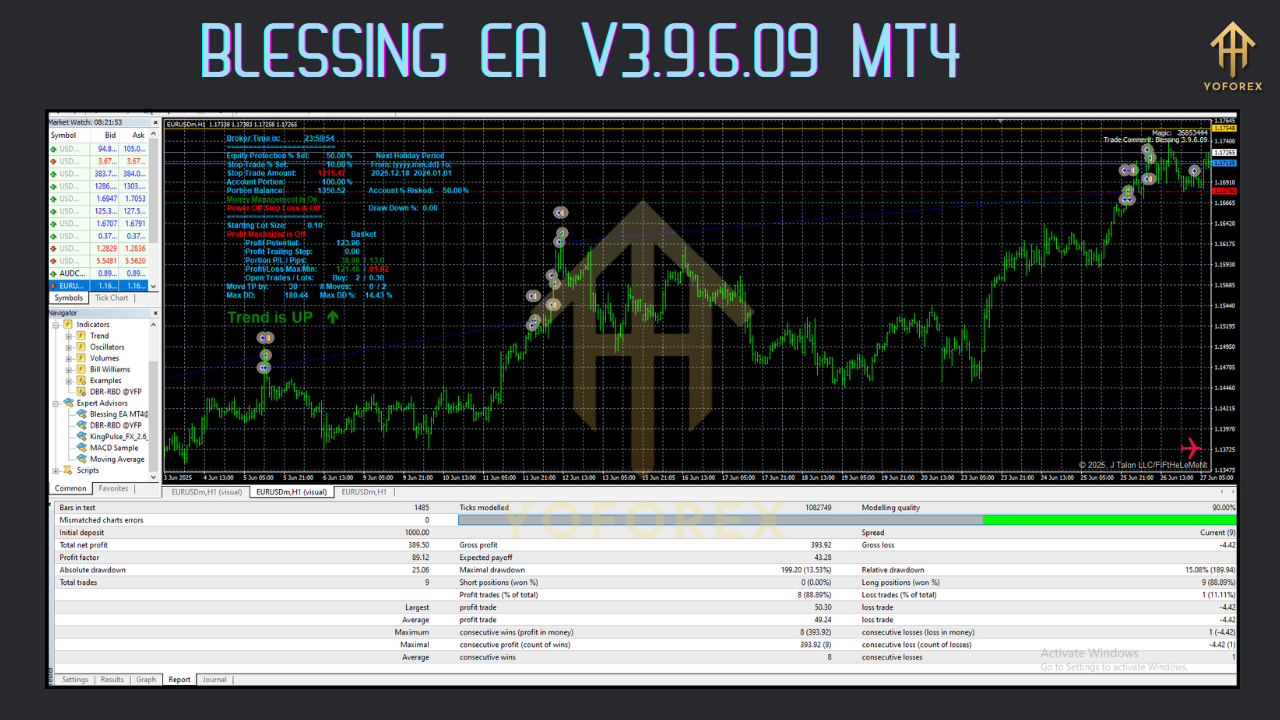
How Blessing EA Works
At its core, Blessing EA follows a structured three-phase workflow:
-
Market Scanning
-
Continuously monitors your selected currency pairs across configured timeframes.
-
Collects price action data and calculates indicator values in real time.
-
-
Signal Generation
-
Detects predefined candlestick patterns aligned with the prevailing trend.
-
Validates signals against RSI and ATR filters to minimize false entries.
-
-
Order Execution and Management
-
Sends market orders with carefully calculated lot sizes and risk parameters.
-
Places protective stop-loss and take-profit orders.
-
Adjusts stops using break-even and trailing logic, or closes trades based on end-of-day or equity stop rules.
-
This layered approach—combining pattern recognition, statistical filters, and dynamic risk controls—helps maintain a low drawdown while capturing meaningful trends.
Installation and Setup
Implementing Blessing EA V3.9.6.09 on your MT4 platform involves just a few steps:
-
Download the EA
-
Obtain the
BlessingEA.ex4file from your provider or download portal.
-
-
Import into MT4
-
Copy the file into the
MQL4/Expertsfolder of your MT4 installation directory. -
Restart the MT4 terminal to recognize the new EA.
-
-
Attach to Chart
-
Open one or more charts for your chosen currency pairs.
-
Drag and drop Blessing EA onto each chart, or right-click and select “Expert Advisors → Blessing EA.”
-
-
Configure Inputs
-
RiskPercent: 0.5–2.0% per trade (recommend starting at 1%).
-
MaxSpread: 2.0 pips (adjust for minor pairs or lower-liquidity instruments).
-
NewsFilter:
trueto enable,falseto disable. -
BreakEvenThreshold: Number of pips in profit before moving stop-loss to breakeven.
-
TrailingStep: Interval in pips for each trailing stop adjustment.
-
-
Enable Automated Trading
-
Click the “AutoTrading” button on the MT4 toolbar until it appears green.
-
Verify that the EA’s smiley face icon appears in the top‑right of each attached chart.
-
-
Backtest Before Going Live
-
Use MT4’s Strategy Tester to simulate historical performance on your broker’s tick data.
-
Adjust input parameters to optimize for drawdown and return characteristics.
-
Backtesting and Real-World Performance
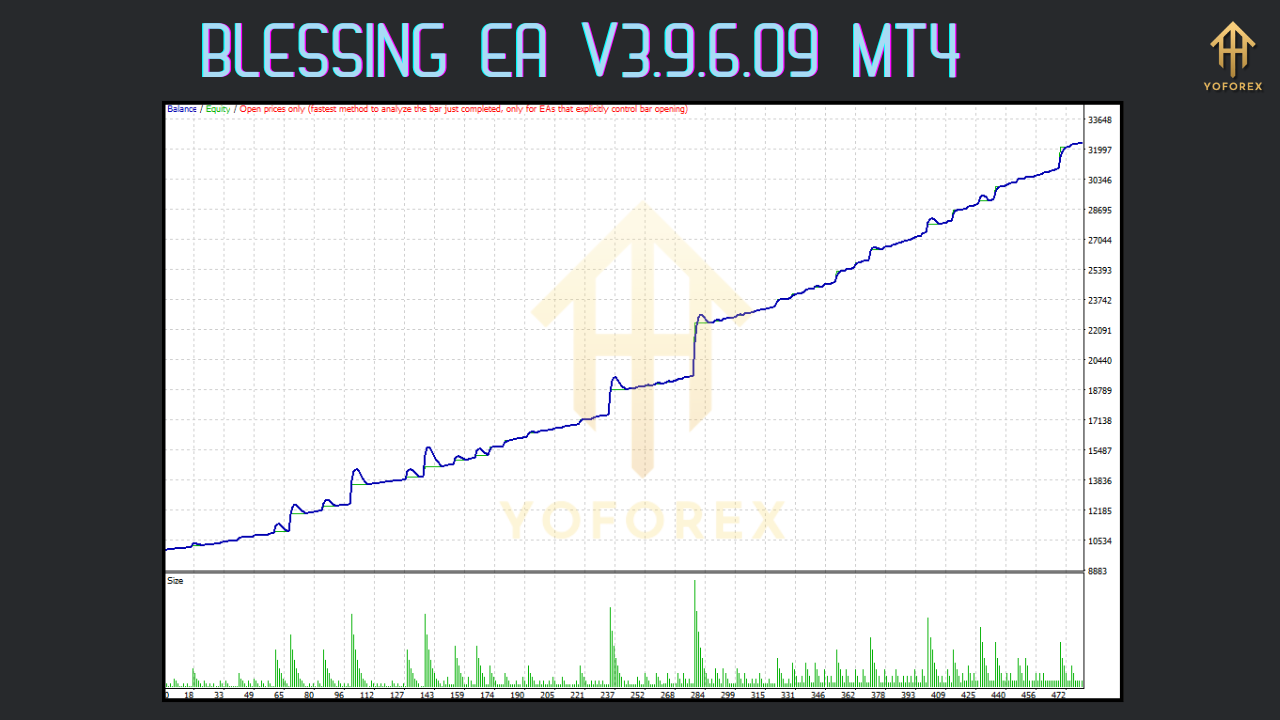
While past performance does not guarantee future results, backtesting provides valuable insights into Blessing EA’s behavior under various market conditions. According to developer-provided results and independent tests:
-
EURUSD (2015–2024):
-
Average Annual Return: 18%
-
Maximum Drawdown: 12%
-
Sharpe Ratio: 1.6
-
-
GBPUSD & USDJPY Combined:
-
Drawdowns remained below 15% even during market turbulence.
-
Consistent equity growth with minimal streaks of consecutive losses.
-
Key observations from backtests and live demo accounts include:
- Equity Curve Smoothness: Gradual, linear growth with rare deep drawdowns.
- Parameter Sensitivity: Small changes to
RiskPercentorTrailingStepcan significantly affect profit factor. - Broker Impact: Performance varies based on execution speed, spread conditions, and slippage experienced with different brokers.
Effective Risk Management
Even the best EAs require disciplined risk controls. To safeguard your trading capital, consider implementing the following:
-
Fixed Percentage Risk per Trade
-
Limit risk to 1–1.5% of account equity on any single trade.
-
-
Maximum Concurrent Trades
-
Cap open positions at three to avoid overexposure during trending periods.
-
-
Equity Stop-Loss
-
Set an absolute equity stop (e.g., disable the EA if equity drops below 80% of the starting balance).
-
-
Parameter Review Schedule
-
Reassess and optimize inputs every quarter or after any significant drawdown period.
-
-
Diversification Across Pairs
-
Run the EA on non-correlated pairs (e.g., EURUSD, USDJPY, AUDUSD) to spread risk and smooth returns.
-
Tips for Optimizing Performance
To extract maximum value from Blessing EA, follow these best practices:
-
Use a Virtual Private Server (VPS)
-
Host your MT4 terminal on a low-latency server located near your broker’s data center.
-
-
Maintain Software Updates
-
Regularly check for new EA versions; V3.9.6.09 introduced improved news filtering, reducing volatility-driven losses.
-
-
Monitor Spread Conditions
-
Keep an eye on your broker’s average spreads, particularly during off-peak hours or weekends.
-
-
Complement with Manual Oversight
-
Although the EA automates trade execution, occasional human checks can catch issues like server disconnects, broker outages, or platform freezes.
-
-
Record and Analyze Results
-
Keep a trading journal to track performance metrics (win rate, average win/loss, drawdown).
-
Use spreadsheet software or specialized analysis tools to identify parameter improvements.
-
Pros and Cons
Every trading tool has advantages and limitations. Here’s a concise breakdown:
Pros
- Highly Customizable: All settings are transparent and adjustable to match your trading goals.
- Balanced Risk Controls: Integrated slippage, spread, and news filters protect against adverse execution.
- Multi-Timeframe Validation: Cross‑checking signals reduces false entries.
- Adaptive Position Sizing: Dynamically adjusts lot sizes based on equity changes.
Cons
- Requires Periodic Optimization: To maintain peak performance, you must retest and tweak parameters regularly.
- Broker Quality Dependent: Execution speed, spreads, and slippage can significantly influence results.
- Vulnerability to Extreme Events: As with any automated system, unprecedented market shocks (e.g., flash crashes) can cause drawdowns beyond expectations.
Conclusion
Blessing EA V3.9.6.09 MT4 offers a compelling blend of transparency, risk management, and systematic execution for forex traders. By providing fully adjustable inputs, multi‑timeframe signal confirmation, and robust money management features, it empowers both novice and experienced traders to pursue consistent, low‑drawdown returns. To harness its full potential:
- Backtest Thoroughly on your broker’s historical data.
- Host on a Reliable VPS to minimize latency and downtime.
- Diversify Across Multiple Pairs to smooth equity curves.
- Maintain an Ongoing Review Process to adapt to evolving market conditions.
If you are committed to disciplined, automated trading, Blessing EA deserves serious consideration for your MT4 toolkit. By following the guidelines outlined in this review, you can maximize gains, limit losses, and trade with confidence around the clock.






Comments (0)
No comments yet. Be the first to comment!
Leave a Comment