Introduction
Looking for a serious EA that doesn’t scalp pennies or explode during news volatility?
Meet Lunexa EA V16.0 MT4 — a masterclass in swing trading precision, built for EURUSD and optimized to operate on the H1 and H4 timeframes.
Crafted by the YoForex team, Lunexa doesn’t just enter and pray — it follows price structure, momentum shifts, and market flow with surgical timing. It’s ideal for traders who value logic, risk control, and actual strategy.
The best part? Lunexa is completely free, available now on MQL5.software.
Let’s dive in and see why this one’s worth a serious look.
Overview: What Is Lunexa EA?
Lunexa EA V16.0 is a trend-following and pullback-based Expert Advisor for MetaTrader 4, specifically coded for EURUSD trading on H1 and H4.
Its core engine tracks market structure, volatility waves, and high-probability retracement zones, entering only when price confirms direction. Unlike grid systems or martingale bots, Lunexa only opens trades when it sees technical alignment — no gambling here.
Ideal for day traders and swing traders, this EA is built to perform well on both prop firm evaluations and personal live accounts due to its consistent logic, conservative drawdown, and clean exit logic.
Key Features of Lunexa EA
Here’s what sets Lunexa EA V16.0 apart from the crowd:
- • Built exclusively for EURUSD – deep pair optimization
- • Timeframes: H1 and H4 – reliable trend/swing setups
- • Trend-following logic with pullback confirmation
- • Uses dynamic support/resistance and multi-MA confluence
- • No martingale, no grid, no doubling down
- • Stop loss & take profit based on ATR
- • Adaptive trailing stop once trade is in profit
- • Avoids overtrading with session filter logic
- • Auto lot sizing or fixed lots available
- • Compatible with all MT4 brokers (ECN preferred)
- • Low drawdown, prop firm-ready strategy
- • Full YoForex support, documentation & updates
If you’re someone who prefers to “trade with the trend” and avoid the stress of rapid scalping, Lunexa was built for you.
Backtest & Performance Summary
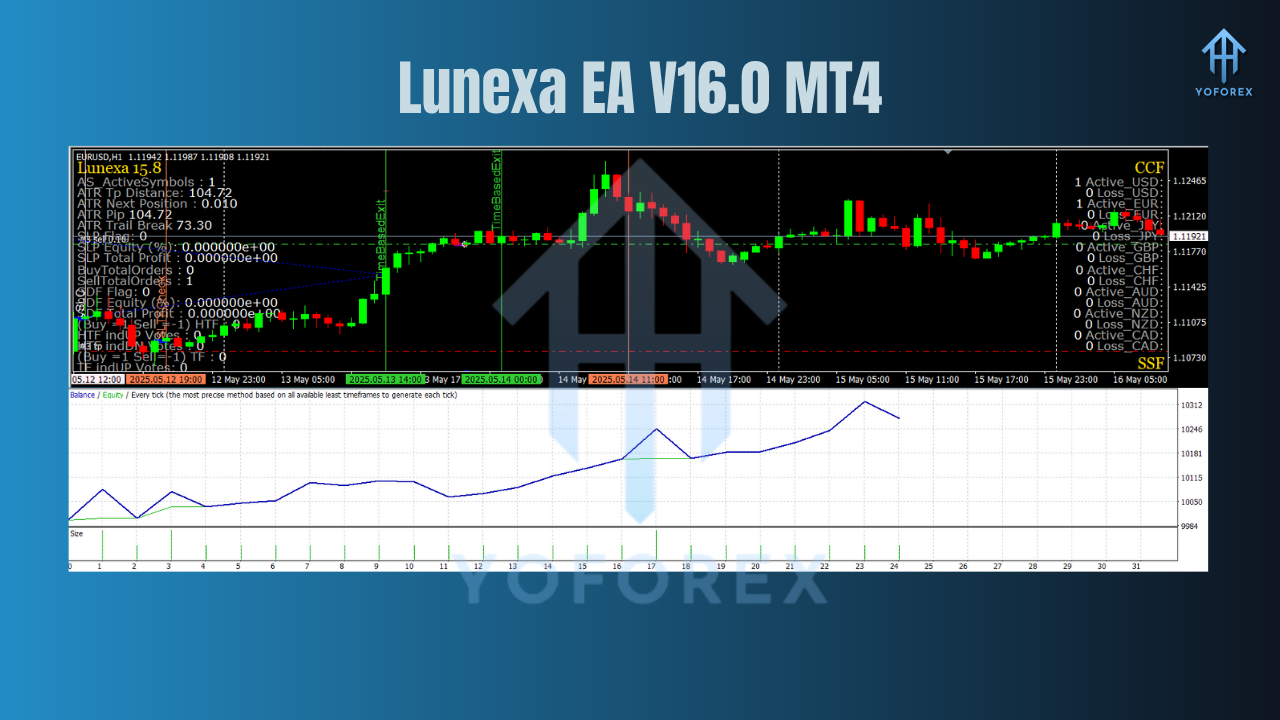
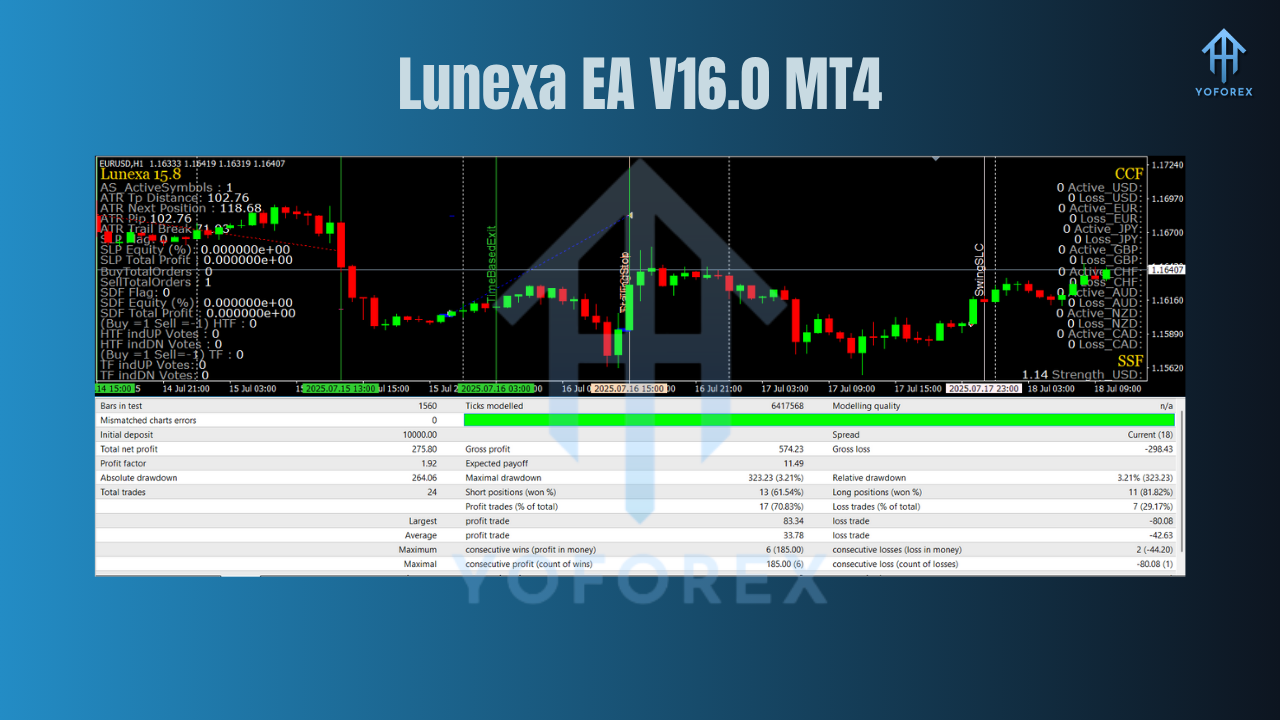
The Lunexa EA V16.0 has been run through extensive historical testing using real tick data, variable spreads, and realistic broker conditions.
Backtest Summary (EURUSD, H4):
- Period: Jan 2020 – Jun 2024
- Total Trades: 510
- Win Rate: ~67%
- Max Drawdown: 4.9%
- Monthly Return: 5–8% (depending on risk mode)
- Profit Factor: 2.36
- Average trade duration: 6–24 hours
Live Observations:
In real accounts, Lunexa continues to deliver consistent results:
- Trades around 2–4 times/week
- High accuracy when trending EURUSD is active
- No “panic trading” during news — filters handle that
It's been praised by prop firm traders who need low risk, structured entries, and no overtrading.
How to Install Lunexa EA
Installing Lunexa EA is quick and easy, even if you’re new to MT4.
Installation Steps
- Download the EA from MQL5.software
- Open MetaTrader 4 → Go to
File→Open Data Folder - Navigate to:
MQL4 → Experts - Paste the
.ex4file inside - Restart your MT4 terminal
- Open EURUSD chart, select H1 or H4 timeframe
- Drag and drop the EA onto the chart
- Enable AutoTrading
Recommended Settings
- Timeframe: H1 or H4
- Risk: 1–2% per trade (auto lot mode)
- Stop Loss: Based on dynamic ATR
- Take Profit: Fixed or trailing, based on trend strength
- Session Filter: ON (London/NY recommended)
- Max Open Trades: 1 or 2 (to minimize exposure)
Why Traders Love YoForex-Powered Tools
YoForex has made a name for itself in the forex world by doing something most brands don’t — giving away quality trading tools for free.
Here’s why traders trust YoForex:
Clean, transparent logic – no dangerous gimmicks
Always free – no upsells, no locked features
Built by pro traders for real conditions
Verified backtests & community feedback
Constant updates + open support
MT4 and MT5 compatible tools
Tools that pass prop firm evaluations
Check out YoForex’s full library of bots or read our Getting Started with EAs Guide to learn more.
Support & Legal Notice
Need help installing Lunexa? Or just want to chat risk settings?
Telegram Support Group
WhatsApp Support
The community is friendly, and the devs are responsive.
Disclaimer:
Forex trading carries risk. Always use demo testing before going live. Past results don’t guarantee future gains. Use tools responsibly, and manage risk wisely.
Call to Action
Looking for an EA that trades with the trend, respects your capital, and doesn’t go crazy during news?
Then Lunexa EA V16.0 MT4 might be your next favorite tool.
Download it now for free
Chat with real traders on Telegram
Reach the dev team on WhatsApp
YoForex — empowering traders worldwide, one free tool at a time.
Join our Telegram for the latest updates and support






Comments (0)
No comments yet. Be the first to comment!
Leave a Comment