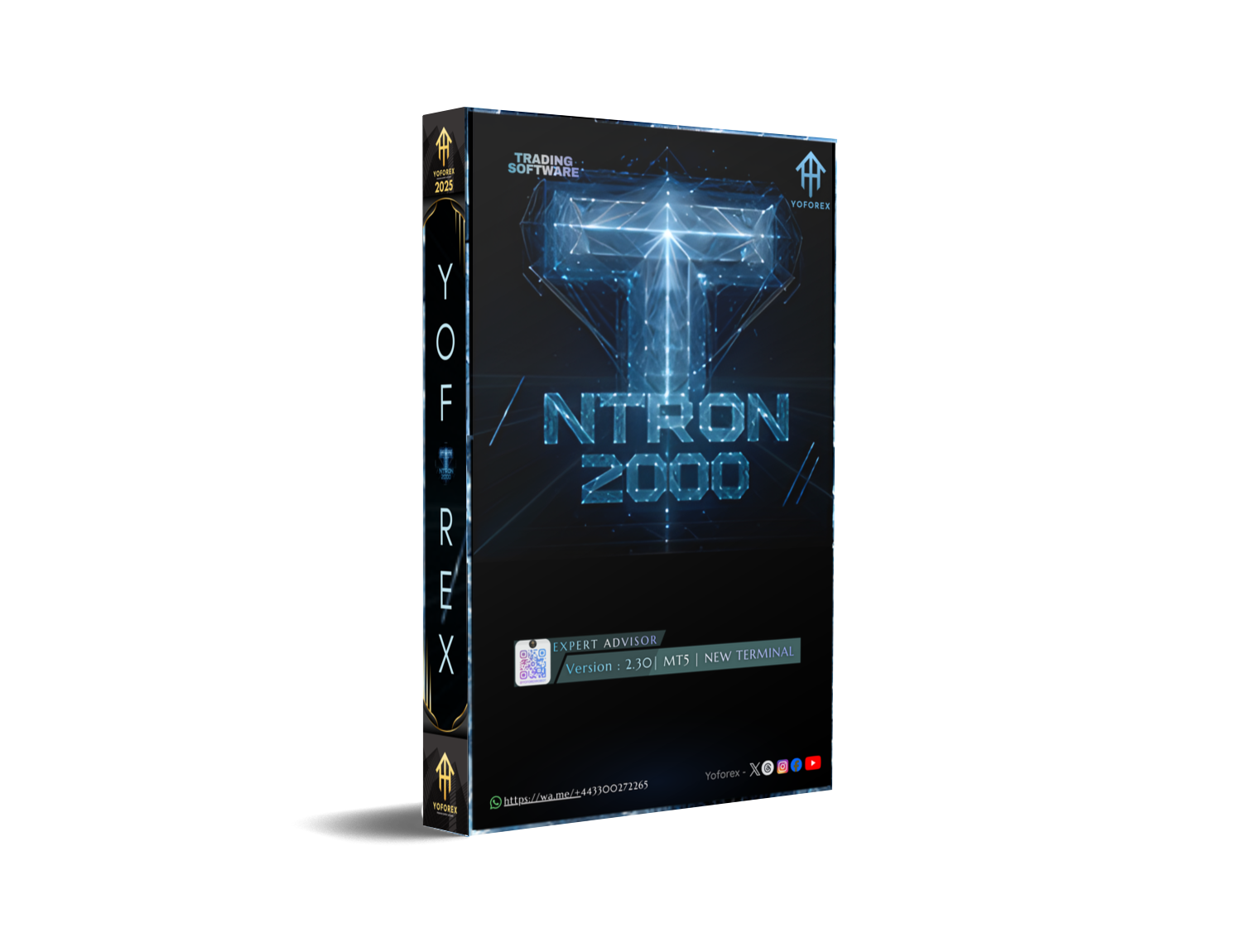
Content The automated trading landscape for MetaTrader 5 has seen a significant shift in 2025 with the introduction of hybrid algorithms. Among these, the NTRon 2OOO EA V2.30 stands out as a specialized tool designed exclusively for the gold market. This expert advisor claims to merge fundamental news analysis with technical depth of market simulation, offering traders a sophisticated approach to handling the notorious volatility of XAUUSD.
In this guide, we will explore the functionality of the NTRon 2OOO EA V2.30, discuss its latest features, and provide a comprehensive manual on how to install, configure, and optimize this robot for your trading accounts. whether you are a complete beginner or an experienced algorithmic trader, understanding the mechanics behind this tool is essential before you deploy it on a live capital account.
The Evolution of Gold Trading Algorithms
Trading gold is fundamentally different from trading major currency pairs like EURUSD or GBPUSD. Gold is driven heavily by geopolitical tension, inflation data, and central bank policies. Traditional robots that rely solely on moving averages or Bollinger Bands often fail because they cannot account for sudden news spikes.
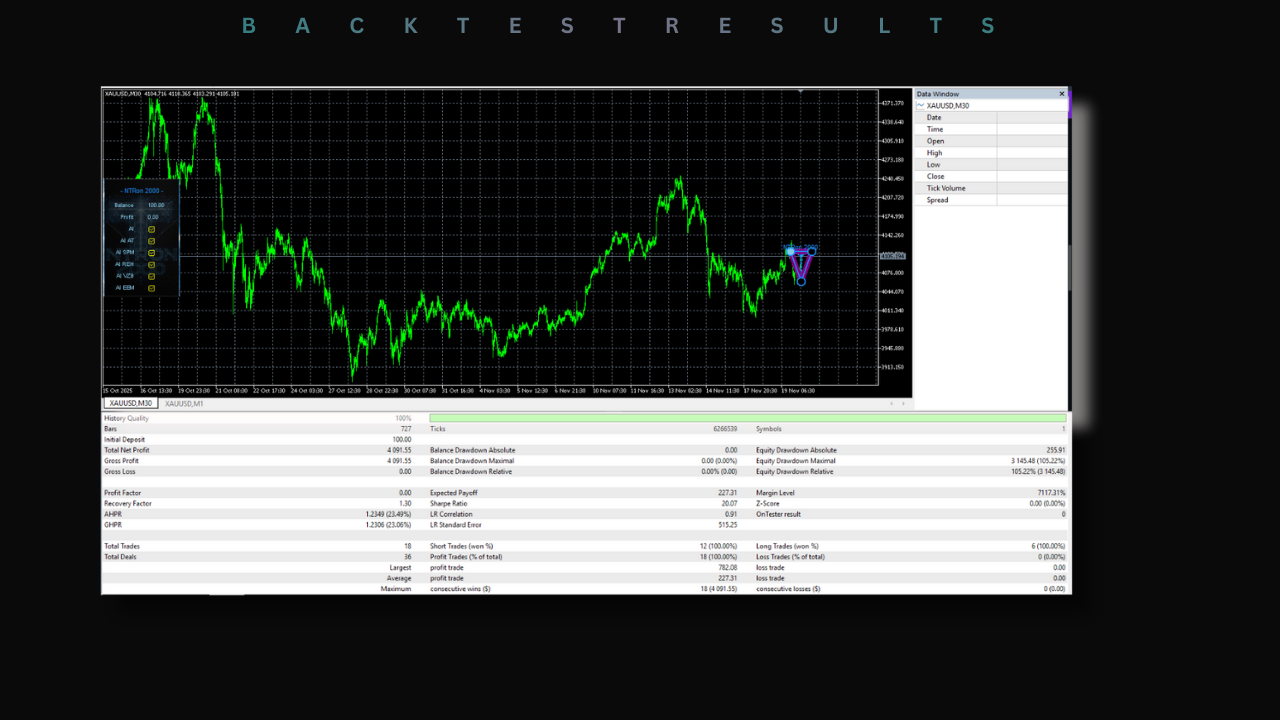
The NTRon 2OOO EA V2.30 attempts to solve this problem by introducing a dual-engine architecture. The first engine focuses on the technical microstructure of the market, specifically looking at tick volume to simulate the order book. The second engine is a fundamental filter designed to interpret market sentiment. This combination allows the software to theoretically avoid trading during chaotic market conditions while capitalizing on clear, institutional-backed trends.
New Features in Version 2.30
The version 2.30 update brings several critical enhancements over its predecessors. The most notable change is the improved sensitivity of the news filter. Previous versions struggled with latency when processing economic calendar data, but the V2.30 build has optimized code to reduce the delay between a news release and the robot's reaction.
Another significant update is the refinement of the entry logic. The developer has adjusted the depth of market simulation to better detect false breakouts. In the gold market, price often spikes above a resistance level to trigger stop losses before reversing. The new algorithm is designed to wait for these liquidity grabs to complete before entering a trade, thereby increasing the win rate of the system.
Understanding the Strategy Logic
To use this software effectively, you must understand how it thinks. The NTRon 2OOO EA does not trade frequently. It is not a high-frequency scalper that opens hundreds of trades a day. Instead, it acts more like a sniper.
The strategy begins by analyzing the higher timeframe trend. If the trend is bullish, the EA looks for buying opportunities. However, it will not buy simply because the price is rising. It waits for a pullback to a key support level. Once price reaches this support, the depth of market simulator activates. It looks for a cluster of tick volume that suggests institutional buyers are stepping in to defend that price level. Only when this volume is confirmed, and the news filter gives a clear signal, will the EA execute a buy order.
This conservative approach is what differentiates it from dangerous grid systems that keep buying as the price falls. While the NTRon 2OOO EA may have periods of inactivity where it opens no trades for days, this is a safety feature intended to preserve capital during low-probability market conditions.
Installation Instructions for MetaTrader 5
Installing the NTRon 2OOO EA V2.30 requires precision to ensure all features, especially the news filter, work correctly. Follow these steps carefully to set up the software on your terminal.
First, you need to download the EX5 file provided in the link below. Once downloaded, open your MetaTrader 5 platform. Go to the File menu in the top left corner and select Open Data Folder. This will open the directory where your terminal stores all its data. Navigate to the MQL5 folder and then open the Experts folder. Paste the downloaded EX5 file into this directory.
After pasting the file, return to your MT5 terminal. Open the Navigator panel (usually on the left side) and right-click on the Expert Advisors heading. Select Refresh. You should now see the NTRon 2OOO EA V2.30 listed in your navigator.
Before attaching the EA to a chart, you must configure the terminal settings to allow the EA to communicate with external news servers. Go to the Tools menu and select Options. In the window that opens, navigate to the Expert Advisors tab. Check the box that says Allow WebRequest for listed URL. In the list below that checkbox, you must add the specific URLs required for the news filter. These are typically provided in the user manual included with the download. Without this step, the news analysis feature will not function, and the EA may take risky trades during high-impact news.
Optimizing Settings for XAUUSD
The default settings of the NTRon 2OOO EA V2.30 are generally tuned for the XAUUSD pair on the M30 timeframe. However, depending on your broker and account size, you may need to make adjustments.
The most critical setting is the Lot Size. Gold is a volatile asset, and a small movement in price can result in significant profit or loss. For a standard account balance of 1000 USD, it is recommended to start with a lot size of 0.01. Do not be tempted to increase this until you have seen consistent performance for at least three months.
Another important parameter is the Spread Filter. Spreads on gold can widen dramatically during the market rollover period (usually 5:00 PM New York time) and during news releases. If the spread is too high, it puts you at a disadvantage immediately upon opening a trade. Set the maximum spread filter to a reasonable level for your broker. If your broker averages a spread of 20 points, set the filter to 35 or 40 to allow for minor fluctuations but prevent trades during extreme widening.
The Importance of Low Latency
Because the NTRon 2OOO EA uses tick volume analysis, the speed at which it receives data is crucial. If you are running this EA on a home computer with a standard internet connection, you may be missing out on the precise entry points the strategy relies on.
It is highly recommended to use a Virtual Private Server (VPS) for this robot. A VPS is a remote computer that runs 24/7 and is located very close to your broker's servers. This reduces latency, ensuring that the tick data the EA analyzes is as current as possible. Using a VPS also ensures that your robot remains active even if your home internet disconnects or your electricity goes out.
Risk Management Protocols
No automated system is immune to losses. The NTRon 2OOO EA V2.30 is designed to minimize risk, but it cannot eliminate it entirely. You must implement your own risk management protocols to protect your account.
First, never use funds you cannot afford to lose. Automated trading involves significant risk. Second, regularly withdraw your profits. If the EA generates a profit of 10% in a month, withdraw that profit or move it to a separate savings account. This ensures that you are banking your gains and reducing your market exposure over time.
Third, monitor the EA's performance. While it is an automated tool, it should not be left completely unattended for weeks at a time. Check the terminal once a day to ensure the connection is stable and that there are no error messages in the Experts journal tab. If you notice the EA taking trades that violate its own logic, such as buying immediately before a major news event, it may indicate a configuration error or a change in market conditions that requires you to pause the system.
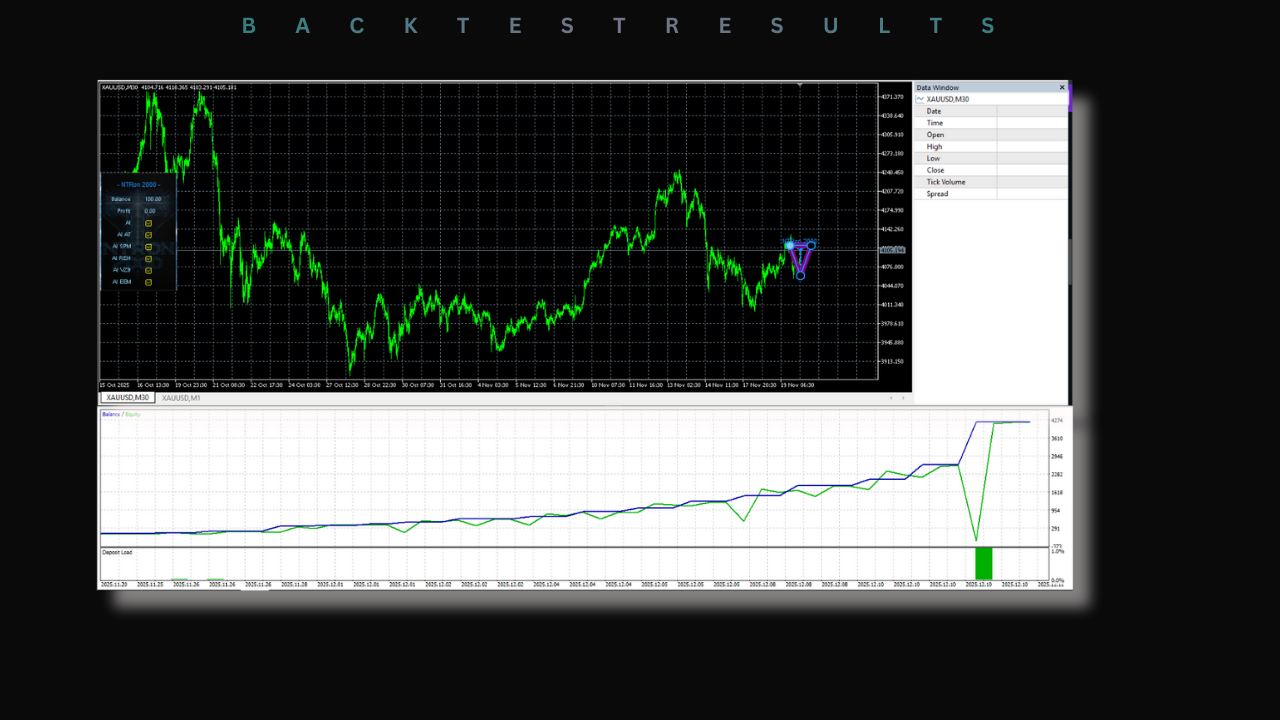
Common Troubleshooting Tips
If you find that the EA is not taking any trades, the most common cause is the news filter blocking entries. Check the journal tab in the toolbox at the bottom of the MT5 window. If you see messages related to news events, it means the filter is working correctly and simply keeping you out of dangerous markets.
If you see an error message saying "DLL Disabled," you need to go back to the Expert Advisor settings in the Tools menu and ensure that "Allow DLL imports" is checked. Some advanced calculations in the V2.30 update may require external libraries to function.
Another common issue is an "Invalid License" or "Authentication Failed" error. This usually happens if you are using an outdated version or if the EA is locked to a specific account number. Ensure you have the latest version downloaded from the link provided and that your account details are correct.
Final Thoughts
The NTRon 2OOO EA V2.30 represents a modern approach to gold trading, moving away from simple indicators and towards a more comprehensive analysis of market structure and sentiment. While it requires a proper setup and a reliable trading environment to function optimally, it offers a robust toolset for traders looking to automate their XAUUSD strategies.
By following the installation and optimization steps outlined in this guide, you can position yourself to take full advantage of what this software has to offer. Remember that patience is key in algorithmic trading. Allow the system the time and space it needs to execute its edge, and always prioritize the preservation of your capital over the pursuit of quick profits.
For any assistance with setup, configuration, or general inquiries about the robot, please reach out to our support team. We are available to help guide you through the process and ensure your trading operations run smoothly.






Comments (0)
No comments yet. Be the first to comment!
Leave a Comment