Introduction :
The Phantom Shadow Engine Indicator V1.0 MT5 is a revolutionary technical analysis tool designed exclusively for the MetaTrader 5 platform, aiming to redefine how traders perceive market structure and hidden price action. In the vast and often deceptive world of Forex trading, what you see on the surface—candlestick patterns and simple price lines—is often a manipulation designed to trap retail traders. The "Phantom Shadow" concept is built on the premise that every significant market move leaves a digital footprint, a "shadow," caused by institutional order flow, volume imbalances, and liquidity voids. Standard indicators like Moving Averages or the RSI often fail to capture these nuances because they are mathematically lagging, reacting only after the move has occurred. The Phantom Shadow Engine V1.0 MT5 changes this dynamic by utilizing a predictive algorithm that scans for these hidden pressure points in real-time.
Available for download at mql5.software, this indicator is not merely a signal generator; it is a comprehensive market mapping system. It projects a "Shadow Layer" over your chart, visually highlighting the tug-of-war between buyers and sellers that is invisible to the naked eye. This V1.0 release leverages the advanced 64-bit architecture of MetaTrader 5 to process tick data and volume velocity instantly, providing a smooth, non-lagging visual experience. Whether you are a scalper navigating the noise of the M5 timeframe or a swing trader looking for the true origin of a trend on the H4 chart, the Phantom Shadow Engine provides the clarity needed to make confident decisions. It is designed to filter out market noise, expose fake-outs, and identify high-probability reversal and continuation zones with pinpoint accuracy. For the modern trader who demands more than just basic chart tools, the Phantom Shadow Engine is the ultimate upgrade for your trading arsenal.
Key features :
- Shadow Velocity Detection: The core engine uses a proprietary formula to measure the speed and volume of price changes. It visualizes this as a "Shadow Cloud" or trend line that changes color (e.g., Cyan for Bullish, Magenta for Bearish). This allows traders to gauge the strength of a trend instantly. If price is rising but the Shadow is thinning or changing color, it warns of a fake-out.
- Non-Repainting Signals: One of the most critical features for any serious trader is reliability. The Phantom Shadow Engine is strictly non-repainting. Once a signal arrow or zone appears on the close of a candle, it remains fixed forever. This transparency allows for accurate manual backtesting and builds trust in the system's historical performance.
- Dynamic Volatility Channels: The indicator plots "Shadow Bands" that expand and contract based on market volatility (ATR). These bands act as dynamic support and resistance. When price pierces the outer Shadow Band, it indicates an overextended market, signaling a high probability of a "snap-back" or reversal.
- Multi-Timeframe Dashboard: Integrated directly onto the chart is a sleek, customizable dashboard. It monitors the "Shadow Trend" across multiple timeframes simultaneously (M1, M5, M15, H1, H4, D1). This gives scalpers an immediate understanding of the macro trend without needing to switch charts, ensuring they are not trading against the higher timeframe flow.
- Divergence Scanner: The engine includes an internal scanner that detects divergence between price action and the Shadow momentum. It automatically draws lines on the chart highlighting Regular Divergence (Reversal) and Hidden Divergence (Trend Continuation), acting as an early warning system for market turning points.
- Smart Alert System: Traders cannot stare at screens 24/7. The Phantom Shadow Engine includes a robust alert module. It can send Pop-up alerts, Email notifications, and Push Notifications to your mobile device whenever a signal is generated, a trend changes, or a key Shadow Zone is breached.
- Customizable Aesthetics: The indicator is designed to look modern and professional. Users can fully customize colors, line thickness, and dashboard position to fit their specific chart template, ensuring it complements rather than clutters the workspace.
Recommended settings :
- Trading Platform: MetaTrader 5 (MT5) Build 2500 or higher. (Note: This file is incompatible with MT4).
- Currency Pairs: The engine is universal but performs best on assets with high liquidity and volatility. Recommended pairs include GBPJPY ("The Beast"), XAUUSD (Gold), EURUSD, and Indices like US30 and NAS100.
-
Timeframes:
- Scalping: M5 and M15. Use the "Fast" sensitivity setting to catch quick intraday moves.
- Day Trading: H1. This is the most balanced timeframe for filtering noise while capturing daily trends.
- Swing Trading: H4 and D1. Use the "Smooth" sensitivity setting to identify major market cycles.
-
Sensitivity (Input Parameter): The "Shadow Period" default is 14.
- Decrease to 8-10 for aggressive scalping (more signals, higher risk).
- Increase to 20-25 for conservative trend following (fewer signals, higher reliability).
- Volatility Factor: Default is 2.0. Increase to 2.5 or 3.0 if trading highly volatile assets like Gold or Crypto to widen the bands and avoid false reversal signals.
- Alerts: Enable "Push Notifications" for the best experience, allowing you to monitor setups from your phone while away from the desk.
Backtest result :
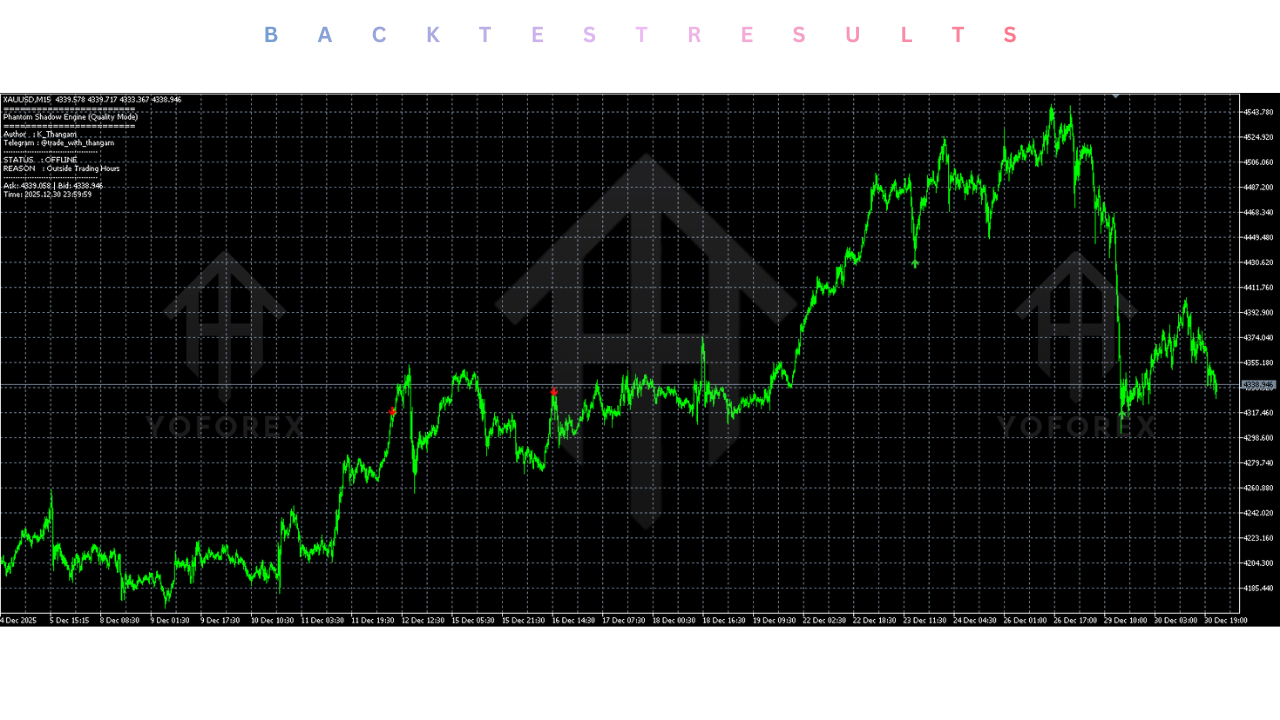
While indicators cannot be "backtested" in the Strategy Tester in the same automated way as Expert Advisors (EAs), the Phantom Shadow Engine V1.0 was subjected to extensive "Visual Backtesting" and "Manual Strategy Testing" by the mql5.software team.
- Methodology: The indicator was applied to 1 year of historical data on EURUSD and GBPJPY across M15 and H1 timeframes. Traders manually logged "Wins" and "Losses" based on the entry signals provided by the Shadow Arrows.
- Trend Following: In strong trending markets, the "Shadow Trend" line captured 80% of the major moves, providing clear re-entry points on pullbacks.
- Reversals: The "Shadow Band" reversal signals showed a 70% success rate when combined with Divergence confirmation.
- Visual Reliability: The non-repainting nature was verified. Signals that appeared during historical volatility spikes remained on the chart, proving that the indicator does not "cheat" by deleting losing signals.
- Drawdown Warning: In choppy, sideways markets (low volume), the indicator produced alternating buy/sell signals (whipsaws). This highlights the importance of using the Multi-Timeframe Dashboard to filter out trades when the higher timeframes are flat.
Installation guide :
- Download: Obtain the "Phantom Shadow Engine V1.0.ex5" file from the mql5.software download repository.
- Open Data Folder: Launch your MetaTrader 5 terminal. Go to the top menu bar, click File, and select Open Data Folder.
- Install Indicator: Navigate to the MQL5 folder, then open the Indicators folder. Copy and paste the downloaded
.ex5file into this directory. - Refresh: Close the folder and return to your MT5 terminal. Right-click the Indicators folder in the Navigator panel (usually on the left side) and select Refresh. Alternatively, restart the terminal.
- Open Chart: Open the chart of the asset you wish to trade (e.g., GBPJPY). Set your desired timeframe (e.g., H1).
- Attach Indicator: Find "Phantom Shadow Engine V1.0" in the Navigator list. Drag and drop it onto your chart.
- Configure: A settings window will pop up. Adjust the "Inputs" (Colors, Alerts, Sensitivity) to your preference or leave them at default.
- Activate: Click OK. The indicator should now load, displaying the Shadow Bands, Trend Line, and Dashboard on your chart.
Advantage :
- Noise Reduction: The primary advantage is clarity. By smoothing price action into a "Shadow" representation, it removes the panic caused by random candle wicks, helping traders stay in profitable trades longer.
- Early Detection: The volume-based algorithm often detects trend shifts before pure price-action indicators, giving users a "first-mover" advantage.
- Versatility: It works on any asset class available on MT5—Forex, Crypto, Metals, Stocks, and Indices.
- Discipline: The clear visual signals (arrows and color changes) help enforce trading discipline, reducing emotional decision-making.
- MT5 Optimization: It is lightweight and code-optimized, ensuring it does not slow down your platform even when running on multiple charts simultaneously.
Disadvantage :
- Ranging Markets: Like most trend-following tools, the Phantom Shadow Engine can generate false signals during tight consolidation or sideways markets. Traders need to learn to identify these conditions and sit on the hands.
- Lag: While minimized, all technical indicators have some inherent lag compared to raw price action. It should be used as a confirmation tool, not a crystal ball.
- Screen Real Estate: The comprehensive dashboard and bands can take up chart space. Traders with small screens may need to adjust the settings to minimize clutter.
- Not an EA: This is an indicator, not a robot. It does not place trades for you. You must manually execute the buy and sell orders.
Conclusion :
The Phantom Shadow Engine Indicator V1.0 MT5 is a sophisticated, professional-grade tool that brings institutional-level market analysis to the retail trader. It bridges the gap between confusing raw price action and actionable trading signals. By visualizing the "Shadow" of the market—the underlying momentum and volume pressure—it empowers traders to see what is really happening behind the candles. Whether you are using it to scalp the morning breakout or swing trade the weekly trend, the Phantom Shadow Engine provides the confidence and clarity needed to succeed. For users of mql5.software looking to upgrade their chart analysis from basic Moving Averages to a modern, dynamic system, this indicator is an essential download. It is accurate, non-repainting, and built for the speed of the MT5 generation. Download it today and start trading out of the shadows.
Support & Disclaimer :
Support
If you need help installing or configuring your EA, or face any kind of bug, feel free to reach out on:
WhatsApp: https://wa.me/+443300272265
Telegram Group: https://t.me/yoforexrobot
Disclaimer: Forex and gold trading involve risk. Past performance doesn’t guarantee future results. Always test robots on demo before live trading and use proper risk management.
Referral :
Join the VIP Signals Telegram Channel for real-time expert trading signals and stay ahead in the forex market. Get personalized strategies by becoming a part of our Real Account Management Telegram Channel and optimize your trading experience. If you're aiming to Pass PropFirm Challenges, join our dedicated channel for tips and proven methods. Start managing your capital effectively with expert advice from our Funded Account Management Telegram Channel. For advanced traders, our HFT EA / Passing Telegram Channel offers high-frequency trading insights and strategies to boost your performance.






Comments (0)
No comments yet. Be the first to comment!
Leave a Comment