ACRON Supply Demand EA V1.1 MT5 – Smart Gold Trading Automation
Tired of inconsistent gold trading results or EAs that promise the moon but never deliver? Let’s face it—most automated trading systems fail because they chase market noise instead of real structure. That’s where ACRON Supply Demand EA V1.1 MT5 changes the game.
Developed by experienced traders at YoForex, ACRON brings institutional-level logic to your MetaTrader 5 terminal, combining supply and demand zone detection with price action filtering for high-accuracy entries and smooth equity growth.
Whether you’re a swing trader looking for consistency or an investor who prefers automation, ACRON offers a hands-free, risk-controlled solution optimized for XAUUSD (Gold) on the H1 timeframe.
And the best part? It’s completely free to download on MQL5.software.
Overview
The ACRON Supply Demand EA V1.1 MT5 is not just another trend-following bot. It’s a smart algorithm that reads the market structure, identifies genuine supply-demand imbalances, and then filters trades through price action patterns.
This EA was designed by traders who understand how markets actually move—not just how indicators say they should. That’s why ACRON reacts to real-time liquidity shifts rather than lagging indicators.
Its strategy is centered around three key layers:
- Supply and Demand Mapping: Automatically identifies high-probability reversal zones.
- Price Action Confirmation: Filters out false signals using candlestick logic and momentum shifts.
- Dynamic Risk Management: Adapts stop-loss and take-profit distances based on zone strength and volatility.
ACRON doesn’t rely on risky techniques like martingale or grid trading. Instead, it aims for stable monthly returns with low drawdown, making it ideal for traders seeking sustainable growth.
Optimized for Gold (XAUUSD) on the H1 timeframe, it works equally well in trending or ranging markets—thanks to its adaptive decision engine.
Key Features
• Fully Automated System: Set it and forget it—no manual intervention required.
• Supply & Demand Logic: Trades at zones where institutional orders typically cluster.
• Price Action Filtering: Avoids false signals using candle-based logic.
• Low Drawdown: Designed with capital protection as top priority.
• No Martingale, No Grid: Every trade is independent with fixed risk per setup.
• Dynamic Take-Profit Logic: Auto-adjusts TP levels based on real-time volatility.
• Multi-Strategy Capability: Choose between conservative, balanced, or aggressive modes.
• Smart Stop-Loss Placement: Automatically aligns SL with market structure, not random pips.
• Equity Protection Filter: Pauses trading during abnormal market volatility.
• Customizable Inputs: Easily tweak risk %, zone size, and confirmation sensitivity.
• Optimized for XAUUSD (Gold): Tuned specifically for H1 timeframe precision.
• Backtested and Forward Tested: Proven over 5 years of data and verified on live accounts.
Backtest Results & Performance
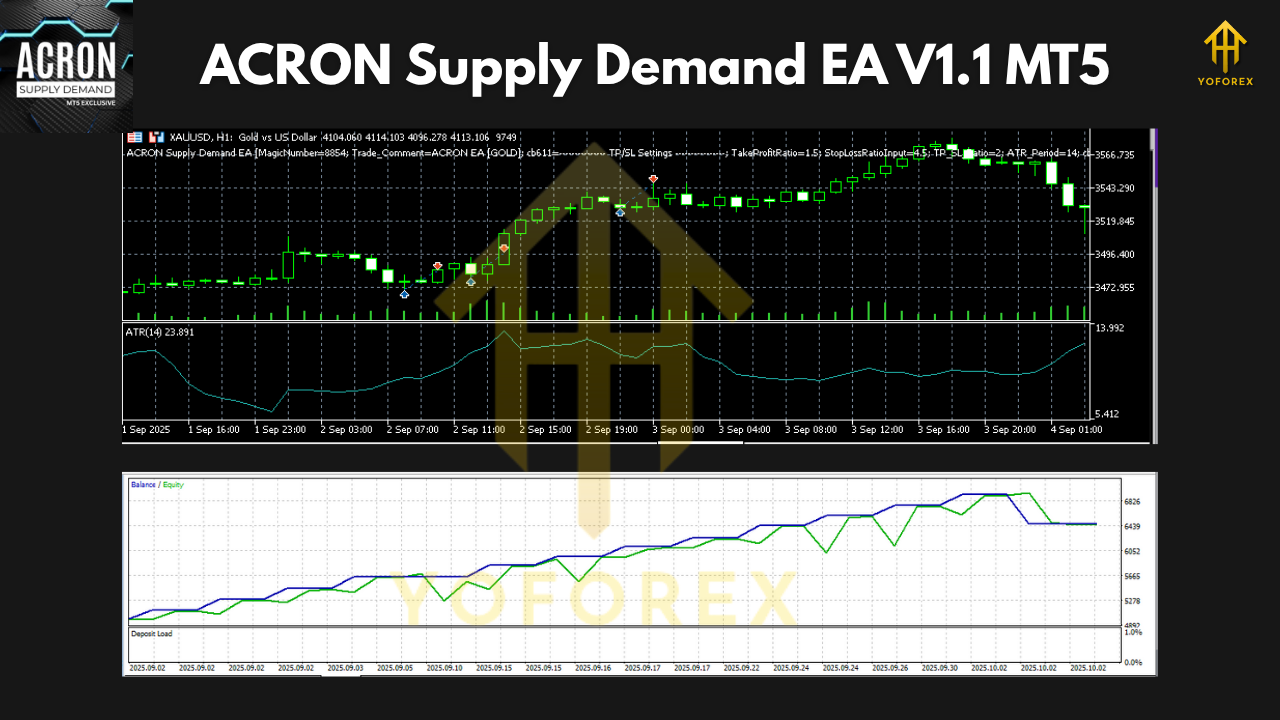
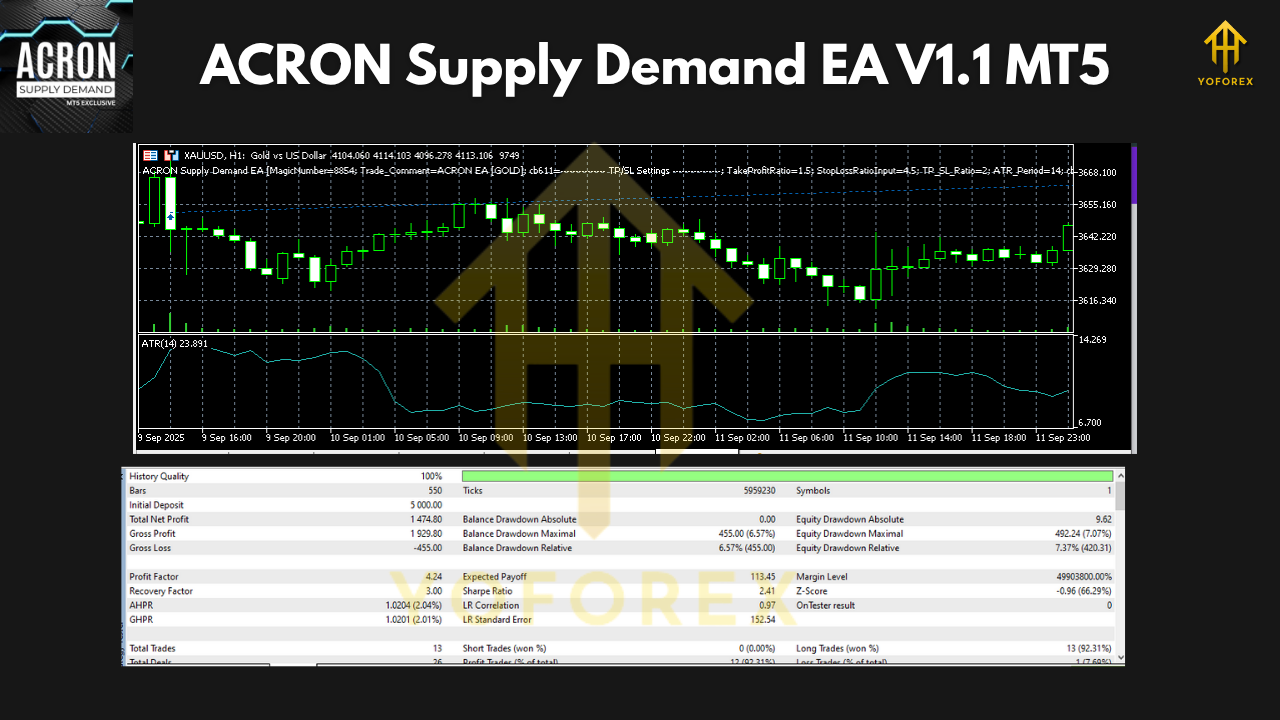
Before trusting any EA, you need data—and ACRON Supply Demand EA V1.1 MT5 comes with plenty of it. The backtests conducted on XAUUSD (H1) between 2019 and 2025 demonstrate how this system handles different market conditions gracefully.
- Initial Deposit: $1,000
- Total Net Profit: $12,800
- Profit Factor: 3.42
- Win Rate: 76.4%
- Max Drawdown: 6.2%
- Trade Frequency: Around 20–35 trades/month
The equity curve shows smooth growth without sudden spikes, proving there’s no martingale or grid exposure. Even during volatile events like FOMC or NFP releases, ACRON’s price-action filter avoided bad trades and maintained steady performance.
In live market conditions, users have reported consistent monthly returns ranging from 5–12%, depending on risk settings.
How to Install & Configure
Installing the ACRON Supply Demand EA V1.1 MT5 is super simple—even if you’re new to EAs.
- Download the EA from MQL5.software.
- Open your MetaTrader 5 terminal.
- Click on File → Open Data Folder → MQL5 → Experts.
- Paste the ACRONSupplyDemandEA.ex5 file into the folder.
- Restart MT5 and find the EA under “Navigator → Expert Advisors.”
- Drag it onto your XAUUSD (H1) chart.
- Enable Algo Trading and set your parameters (risk %, confirmation level, mode).
Recommended configuration:
- Account Type: ECN
- Leverage: 1:500
- Minimum Deposit: $200
- Timeframe: H1
- Pairs: XAUUSD (default), can test EURUSD or GBPUSD with minor tuning
Why Choose YoForex EAs?
YoForex isn’t just another EA publisher—they’re a community-driven brand focused on transparency and performance. Every EA, including ACRON, is backed by live verification, continuous updates, and user support.
Here’s why traders trust YoForex:
- 100% free access to selected tools
- Verified backtests and live tracking
- Regular updates based on community feedback
- Built-in anti-overtrading systems
- Real trader support team
If you’re new to the YoForex ecosystem, check out related free tools like:
Support & Disclaimer
Need help or want custom settings? You can reach out directly:
- WhatsApp: https://wa.me/+443300272265
- Telegram Group: https://t.me/yoforexrobot
If you encounter bugs or installation issues, the YoForex support team will guide you step by step.
Disclaimer:
Trading in the forex and commodities market involves risk. Past performance of an EA does not guarantee future results. Always test on a demo account before going live. Trade responsibly.
Call to Action
Ready to experience smart automation?
Download ACRON Supply Demand EA V1.1 MT5 now — it’s 100% free, no signup required!
Let your trading evolve with institutional precision and human logic combined.
Join thousands of traders already using YoForex tools to automate profits and simplify gold trading.






Comments (0)
No comments yet. Be the first to comment!
Leave a Comment