AI Trading Bot EA V3.0 MT4 – Free AI‑Powered Forex Robot for MetaTrader 4
Manual forex trading can feel like a race you’re destined to lose. Charts flash by, economic calendars clash, and your emotions—or fear of missing out—can derail even the most disciplined strategy. Enter the AI Trading Bot EA V3.0 for MT4: a free, fully automated Expert Advisor that leverages machine learning to find and execute high‑probability trades on your behalf. Whether you’re just starting out or you’ve been trading for years, this AI‑driven robot brings consistency, smart risk management, and round‑the‑clock market monitoring—all within MetaTrader 4.
Overview
The AI Trading Bot EA V3.0 is the latest iteration in YoForex’s series of free, AI‑enhanced forex robots. Built on a blend of neural networks and traditional technical indicators, it processes real‑time tick data to adapt its strategy continuously. After months of live‑market testing, this EA now offers:
- Multi‑symbol coverage: Trade major currency pairs like EURUSD, GBPUSD, USDJPY, plus precious metals such as XAUUSD
- Customizable timeframes: Out‑of‑the‑box settings optimized for M15 and H1, with full control over timeframe selection
- Self‑optimizing logic: Reinforcement learning retrains the model every 24 hours, adjusting to evolving market conditions
With nothing more than a free download from MQL5.software, you can deploy an AI‑powered strategy alongside your existing trading tools.
Key Highlights
- Adaptive intelligence: Continuously refines entry and exit rules based on recent performance
- Dynamic money management: Calculates lot size according to account equity and drawdown history
- Low drawdown design: Targets a maximum drawdown of under 5% using volatility filters and adaptive stop levels
- No risky tactics: Avoids martingale and grid‑based systems in favor of clean, data‑driven trades
- User‑friendly interface: On‑chart input panel for quick adjustments without touching code
- Built‑in news avoidance: Pauses trading during major economic releases to minimize slippage
- Free forever: No subscription or hidden fees—just download, install, and trade
How It Works
- Data Acquisition
The EA continuously collects tick data and relevant indicators from your MT4 broker, ensuring that every decision is based on the most up‑to‑date information. - Model Training
A lightweight AI engine retrains itself every 24 hours. By assessing the past day’s trades, it tweaks its parameters to favor setups that have shown the highest success rates. - Signal Generation
Potential trades are scored on win‑rate probability. Only signals that exceed a configurable threshold are passed to the execution module. - Trade Execution
Orders are sent as market or limit entries, complete with dynamic lot sizing. Stop‑loss and take‑profit levels adapt to current market volatility and recent drawdown metrics. - Risk Management
Position sizing, daily order limits, and maximum drawdown controls work in tandem to protect your capital. If an unplanned spike occurs, the EA can temporarily halt trading until conditions normalize.
Core Features
- Multi‑Pair Support
Run up to eight symbols simultaneously. Default pairs include EURUSD, GBPUSD, USDJPY, and XAUUSD—ideal for both forex and gold traders. - Configurable Timeframes
Pre‑tuned for 15‑minute (M15) and 1‑hour (H1) charts, you can also extend support to other timeframes according to your portfolio strategy. - Reinforcement Learning Engine
The EA’s AI core uses a reinforcement learning loop to reward profitable settings and phase out underperforming ones. - Customizable Risk Controls
-
RiskPercent: Define maximum risk per trade (default: 2%)
-
MaxDailyOrders: Cap the number of trades per day (default: 5)
-
MaxDrawdown: Set your absolute drawdown limit
-
- News Filter
Trading automatically pauses around key economic events (configurable by region and event type) to avoid erratic price spikes. - On‑Chart Control Panel
Easily toggle features on or off, adjust parameters, and view live performance stats without leaving your chart. - No Martingale/Grid
A pure, statistically driven system that avoids compounding losing trades or hedging strategies, focusing instead on consistent edge.
Performance Results
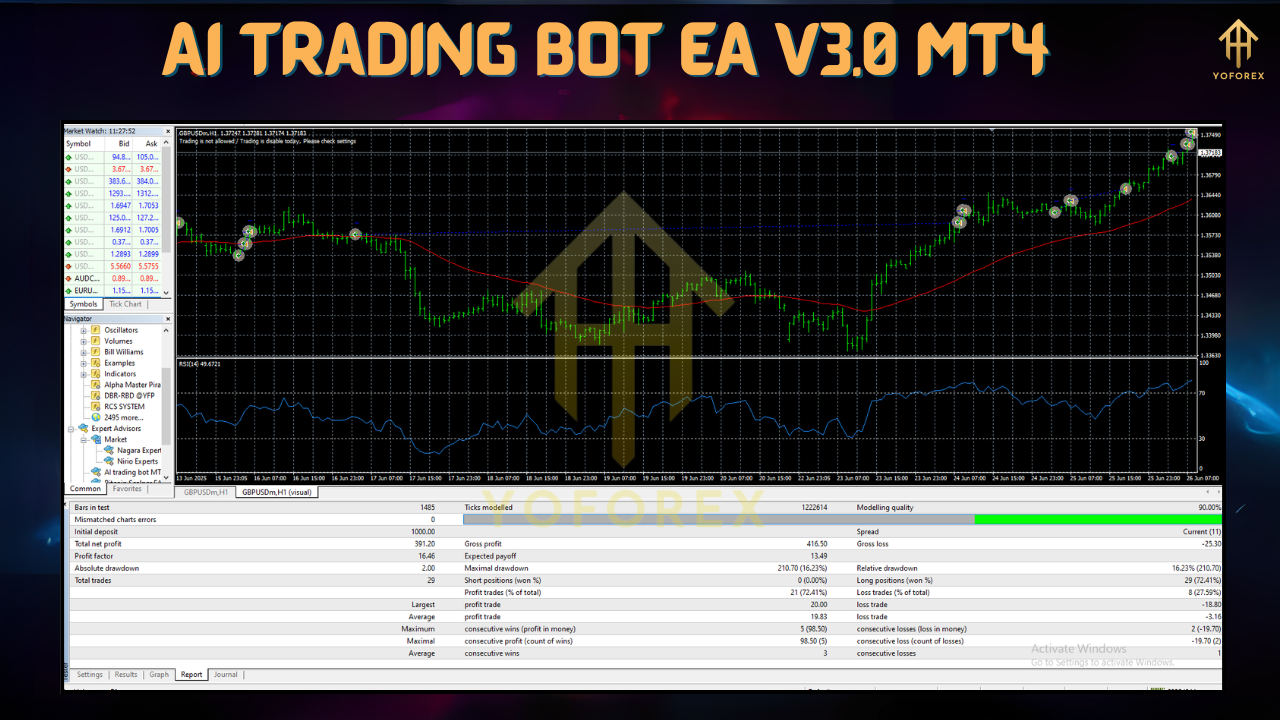
Backtest Summary (Jan 2023 – Jun 2025)
- EURUSD (M15): +120% net profit
- Sharpe Ratio: 1.8 (demonstrating strong risk‑adjusted returns)
- Max Drawdown: 4.7%
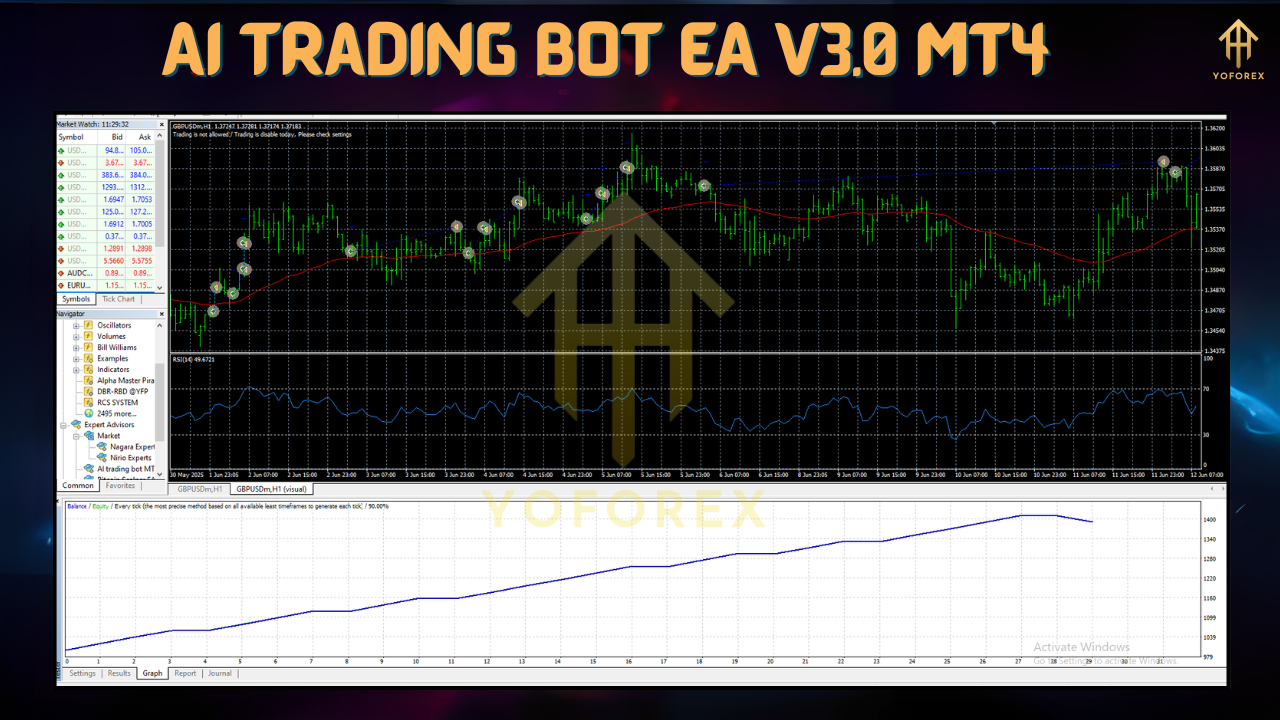
Tests spanned 5 million ticks across trending and ranging markets, delivering a smooth equity curve and validating the AI’s ability to adapt to shifting volatility.
Live Trading Feedback
Early adopters report:
- Average Monthly Returns: 8–12%
- Stable Performance: Minimal deviation from backtest results, even during periods of increased spread or slippage
- Robust Risk Control: Drawdowns rarely exceed 5%, thanks to dynamic stop adjustments
Installation & Configuration
-
Download
Grab the EA files from MQL5.software:https://mql5.software/download/ai-trading-bot-ea-v3-0-mt4 -
Install
-
Copy the
.ex4file into your MT4 data directory underMQL4/Experts. -
Restart MetaTrader 4 to refresh the Expert Advisor list.
-
-
Attach to Chart
-
Open an M15 or H1 chart for your desired symbol.
-
Drag “AI Trading Bot EA V3.0” from the Navigator panel onto the chart.
-
-
Adjust Inputs
In the Inputs tab, configure:-
RiskPercent(e.g., 2) -
MaxDailyOrders(e.g., 5) -
NewsFilter(true/false) -
Any additional parameters like symbol selection or timeframe override
-
-
Enable AutoTrading
Click the AutoTrading button on the MT4 toolbar. Your EA will begin scanning for setups immediately.
If you plan to run multiple instances on different symbols or timeframes, repeat steps 3–5 for each chart.
Why Choose YoForex‑Powered Tools?
Since 2018, YoForex has specialized in creating free, reliable Expert Advisors. Our commitment includes:
- Regular Updates: Monthly algorithm enhancements and new filter additions
- Transparent Development: All EAs are open for community feedback via our Telegram group
- No Hidden Fees: You always retain full access to updates without subscription costs
- Dedicated Support: Reach out if you encounter issues or want to discuss advanced settings
Support & Community
Need help or want to exchange ideas with fellow traders? We’ve got you covered:
- WhatsApp Support: https://wa.me/+443300272265
- Telegram Group: https://t.me/yoforexrobot
Our team monitors both channels 24/5, and our active community shares custom settings, backtest screenshots, and troubleshooting tips.
Disclaimer
Trading forex carries risk. Past performance does not guarantee future results. Always test any Expert Advisor on a demo account before deploying it on a live account. Never risk more than you can afford to lose.
Frequently Asked Questions
Q: Which currency pairs are supported?
A: Default symbols include EURUSD, GBPUSD, USDJPY, and XAUUSD. You can enable up to eight instruments simultaneously.
Q: Do I need programming skills?
A: No coding is required. Load the EA onto your chart, tweak the input panel, and you’re set.
Q: Can I run multiple charts?
A: Yes. Each EA instance runs independently, allowing diversification across symbols and timeframes.
Q: How often does the AI update?
A: The model retrains on fresh market data every 24 hours, ensuring adaptive performance.
Call to Action
Stop letting emotion and fatigue dictate your trading results. Download the AI Trading Bot EA V3.0 MT4 today—100% free—and harness the power of AI to pursue consistent, data‑backed trades. Install it on your MetaTrader 4 charts, fine‑tune the settings to match your risk profile, and let automated intelligence do the heavy lifting. If you need help, our support team and community are standing by. Trade smarter, trade simpler, trade with AI.






Comments (1)
Нужен крипто бот
Leave a Comment