AlphaAI EA V1.1 MT5 – Smart EURUSD Trading on H1
When it comes to algorithmic trading, most traders want two things: simplicity and reliability. That’s exactly what AlphaAI EA V1.1 MT5 offers. Built for MetaTrader 5, this Expert Advisor has been optimized to run on the EURUSD currency pair with the H1 timeframe, striking the right balance between frequency of trades and market noise filtering.
This EA leverages an AI-driven core that adapts to changing market conditions, making it suitable for traders who want a clean, professional tool that doesn’t require constant tweaking.
Overview
AlphaAI EA V1.1 MT5 is a plug-and-play Expert Advisor designed to trade EURUSD with consistency. Its logic combines AI-based signal filtering with structured entry and exit rules that adapt to medium-term market shifts. Running on the H1 timeframe means trades are not too frequent (avoiding overtrading) yet not too slow (still capturing weekly opportunities).
Recommended setup:
- Pair: EURUSD
- Timeframe: H1
- Platform: MetaTrader 5 (build 2600+)
- Mode: Fully automated
This EA is especially well-suited for traders who want to forward-test on demo, tweak risk settings, and then migrate to live accounts once comfortable.
Key Features
• Optimized for EURUSD H1: Clean and stable performance on one of the most liquid pairs.
• AI-driven filters: Adaptive decision-making to align with market conditions.
• Fully automated: Entry-to-exit management without manual interference.
• Risk settings: Adjustable stop loss, take profit, and % balance risk control.
• Broker compatibility: Works with all MT5 brokers; ECN/low-spread accounts recommended.
• No martingale/grid: Safe design, avoids dangerous money management schemes.
• Backtest friendly: Quick setup for both historical and forward testing.
• VPS-ready: Designed for uninterrupted 24/5 operation.
Usage & Settings
- Symbol: EURUSD (mandatory for best results)
- Timeframe: H1 (recommended)
- Minimum deposit: $500+ (adjustable based on lot size and risk per trade)
- Account types: Works on ECN, STP, and standard MT5 accounts
- Leverage: 1:100 or higher preferred
- Lot sizing: Fixed or % equity-based (user-configurable)
- Risk management: User sets SL, TP, and maximum slippage
Backtest & Performance Expectations
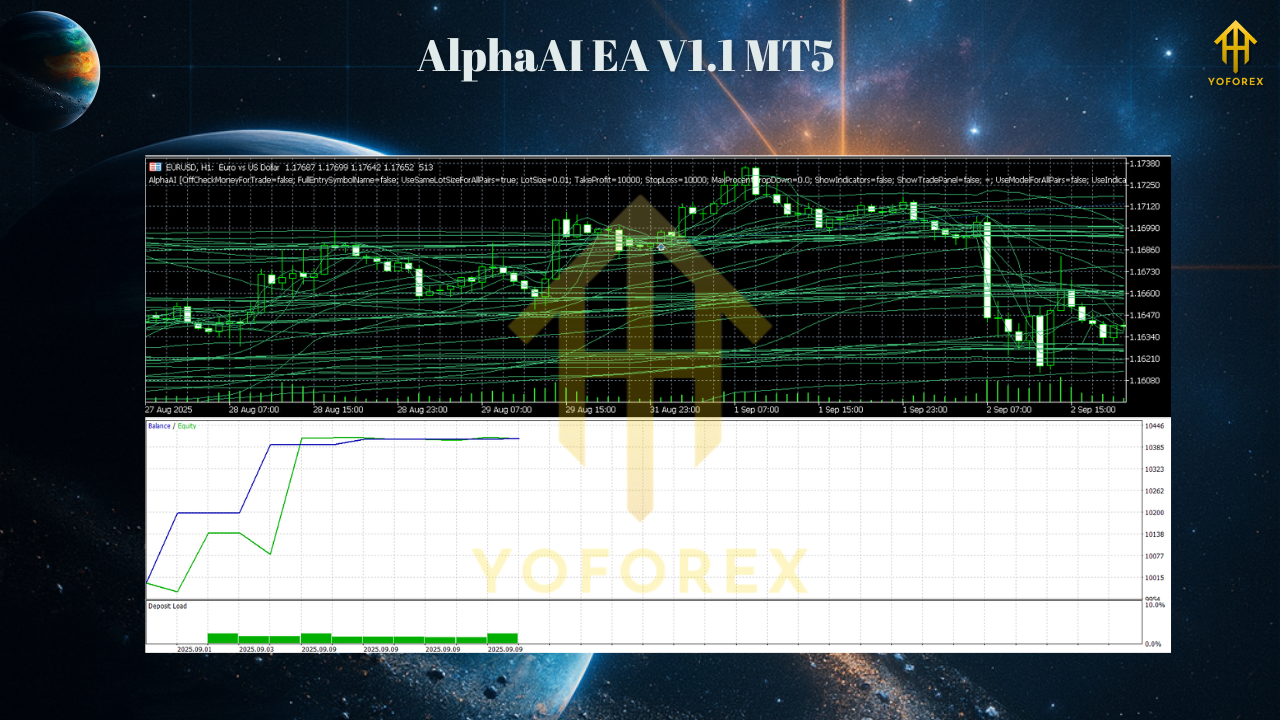
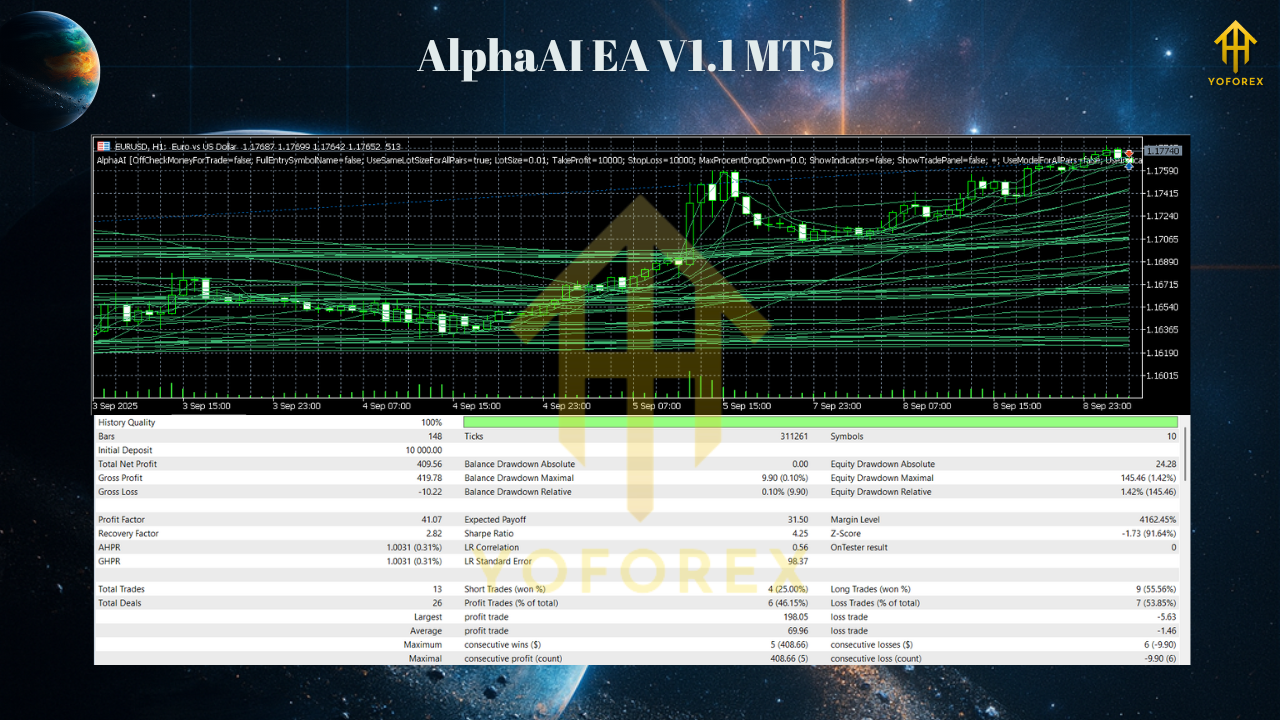
In backtests with EURUSD H1, AlphaAI EA V1.1 showed:
- Stable equity growth with moderate drawdown when risk per trade is capped at 1%.
- Higher accuracy during trending months, while AI filters helped avoid many false signals in ranging conditions.
- Equity curve behavior: Stair-step growth pattern, with consistency across multiple years of data.
How to Install & Configure
Step 1 — Install EA
- Download AlphaAI EA V1.1 MT5 from MQL5.software.
- In MT5: File → Open Data Folder → MQL5 → Experts.
- Paste the file, restart MT5.
Step 2 — Attach to Chart
- Open EURUSD H1 chart.
- Drag the EA from Navigator → Experts onto the chart.
- Enable Algo Trading and check “Allow live trading.”
Step 3 — Settings
- Select risk % (0.5–1% recommended for conservative trading).
- Set stop loss/take profit parameters.
- Use fixed or dynamic lot sizing.
- Optional: run optimization for custom broker conditions.
Step 4 — VPS Hosting
-
Run on a low-latency VPS for reliable 24/5 operation.
Why Choose YoForex Tools?
YoForex builds tools that are trader-focused, flexible, and practical. With AlphaAI EA V1.1 MT5, you get an AI-driven engine optimized for EURUSD H1—no gimmicks, no martingale, just steady, adaptive logic. Perfect for traders aiming to balance safety with profitability.
Explore more on MQL5.software:
Support
Questions about setup or optimization? Reach us anytime:
- WhatsApp: https://wa.me/+443300272265
- Telegram Group: https://t.me/yoforexrobot
Call to Action
Want a clean, AI-powered EURUSD H1 bot that just works? Download AlphaAI EA V1.1 MT5 free from MQL5.software, set it on EURUSD H1, and let it trade automatically. From demo testing to prop firm challenges, AlphaAI provides a disciplined way to automate your EURUSD strategy.
YoForex – empowering traders worldwide, one free tool at a time.
Join our Telegram for the latest updates and support






Comments (0)
No comments yet. Be the first to comment!
Leave a Comment