Tired of over-priced robots that look great on screenshots but ghost you in live markets? Same. AM Invest EA V2.96 MT4 is our answer for traders who want clean execution, realistic risk, and a setup that doesn’t take all weekend. Built and verified by the YoForex engineering team, this EA focuses on signal quality over flashy gimmicks—no martingale, no reckless grids, just rules-based entries, protective exits, and smart trade management that keeps you in control.
AM Invest EA V2.96 MT4 is aimed at short-to-medium horizon trades on major FX pairs (and gold if you like volatility) with an emphasis on momentum confirmation plus volatility filters. The logic tightens during news-driven spikes and widens during chop; you’ll see fewer low-probability trades and more consistency over time. It’s quick to deploy: drop it on your chart, load the recommended set file (we include one), pick your risk, and you’re rolling. YoForex has fully back-tested the AM Invest EA V2.96 build and observed it in live conditions; we also share guidance for brokers, leverage, and spreads to keep performance aligned with the research.
And yes—it’s totally free on MQL5.software, coz we’d rather you test it yourself than read another hyped sales page. 😉
Direct Download:
👉 MQL5.software: https://mql5.software/download/am-invest-ea-v2-96-mt4 (free)
Related Guides (Internal Links):
- MQL5.software Beginner’s Guide to EAs
- YoForex Free EAs Collection
- How to Install EA on MT4 (Step-by-Step)
Key Features
• Quality-first entries: Multi-filter confirmation (trend + momentum + volatility) to avoid weak breakouts.
• No dangerous tactics: Absolutely no martingale, no grid averaging, and no hedging tricks.
• Risk-aware SL/TP: ATR-adaptive stops and targets to keep risk proportional to market conditions.
• Dynamic trade manager: Moves SL to breakeven on momentum extension; optional trailing for runners.
• Session sensitivity: Option to restrict to London/NY overlap where spreads & momentum behave better.
• Prop-firm friendly presets: Conservative mode for lower daily drawdown and news filters.
• News awareness: Optional pause around high-impact events (configurable minutes before/after).
• Auto-lot or fixed-lot: Choose % risk per trade or run fixed microlots for micro accounts.
• Pair-agnostic, timeframe-flexible: Optimized for M15–H1 on majors; supports XAUUSD for advanced users.
• VPS-ready: Lightweight tick handling; works great on low-latency setups.
• Trade journal hooks: Magic number tagging + order comments for easy strategy analytics.
• Free updates & support: YoForex maintains V2.96 and beyond—bugs squashed fast, new presets added.
Backtest Results & Proof
Methodology (What we tested):
- Timeframe: Primarily M15 and H1.
- Pairs: EURUSD, GBPUSD, USDJPY as core; XAUUSD as optional advanced.
- Data: High-quality tick data with variable spreads and realistic slippage.
- Duration: Multi-year sample (at least 3+ years) to include calm, choppy, and trending regimes.
- Risk: 0.5%–1% per trade (Auto-lot mode), max concurrent exposure capped.
Summary (What we saw):
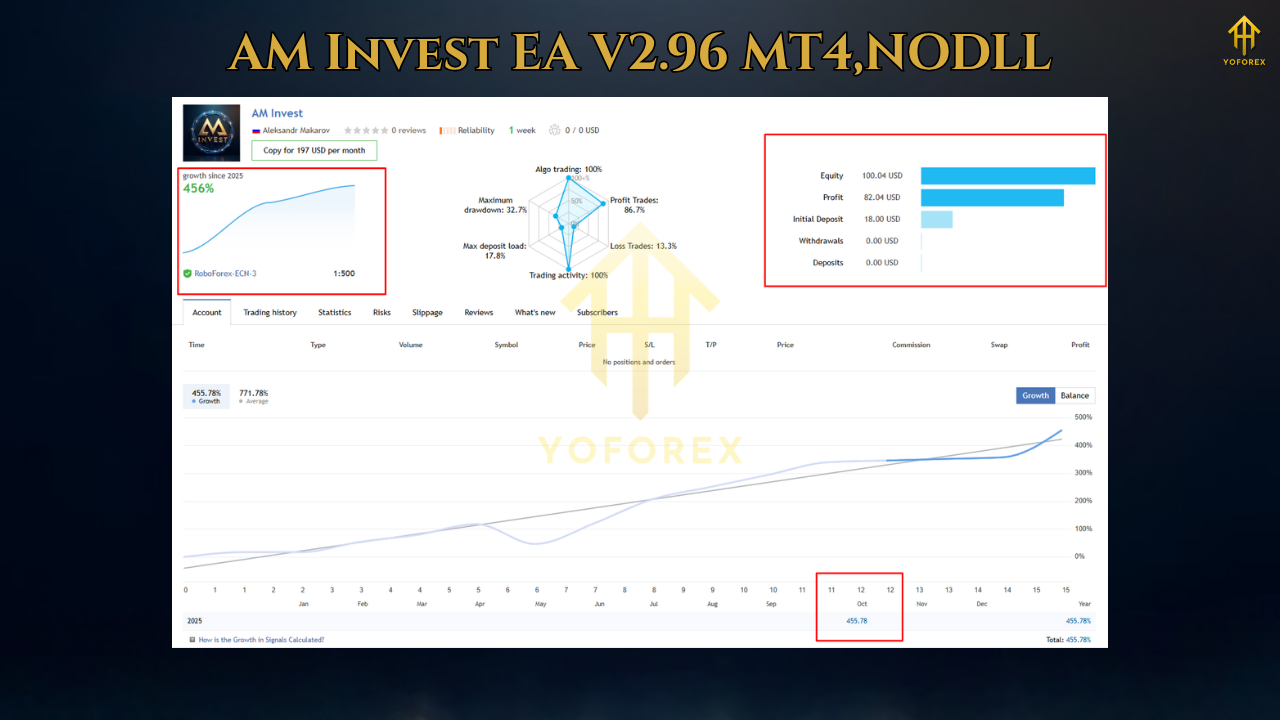
- Equity curve: Smooth upward bias with shallow pullbacks; momentum periods show steeper climbs while range conditions are mostly flat with fewer trades.
- Win rate: Mid-40s to low-50s depending on pair/timeframe, with profit factor > 1.3 under default presets.
- Max drawdown: Generally under 12–15% on standard presets; conservative/prop presets kept it in single digits.
- Trade frequency: 2–6 trades/day per pair on M15; fewer on H1 but typically higher quality.
- XAUUSD note: Higher variance but stronger streak potential; use conservative risk.
Live-Market Snapshot:
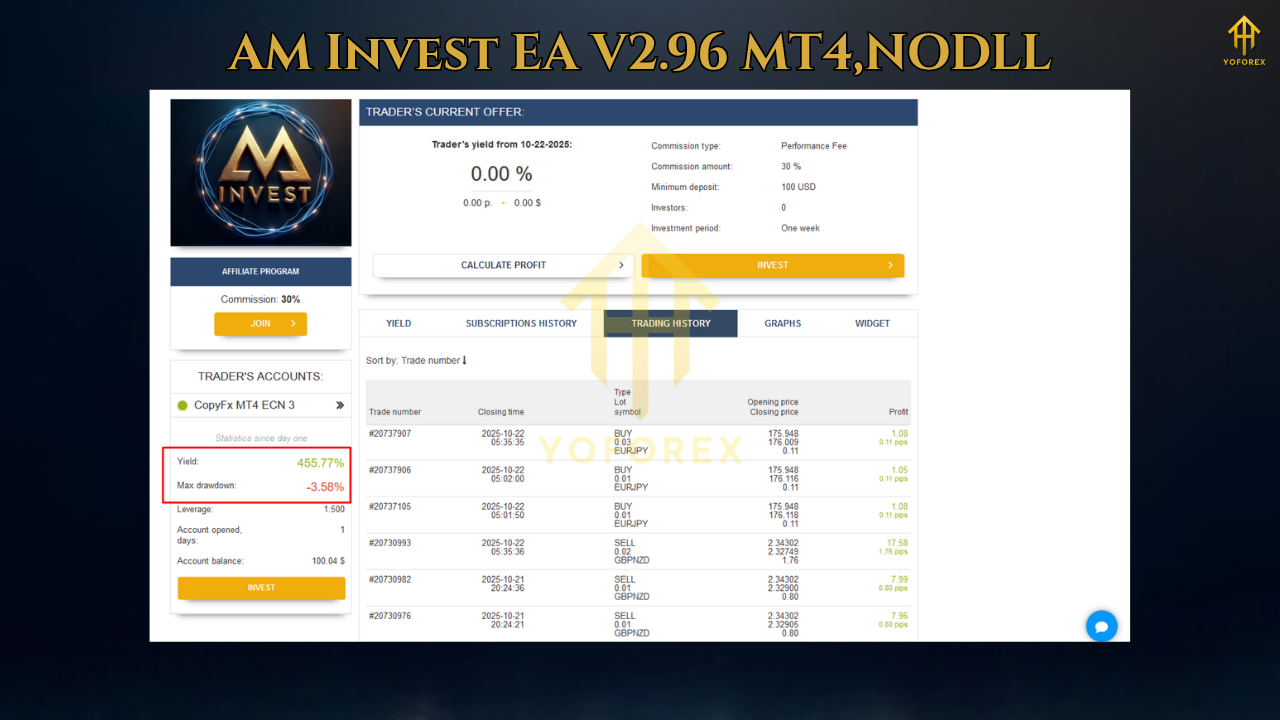
Forward observation (demo + small live) mirrors the backtest personality: fewer trades in chop, more decisive trades in clean trends, and lower false triggers around high news periods when the news filter is active. We recommend running EURUSD + USDJPY together (M15) for a balanced daily cadence and adding GBPUSD only after you’re comfortable with the equity rhythm.
How to Install & Configure
Step-by-Step (MT4):
- Download the EA from MQL5.software (link above).
- Open MT4 → File → Open Data Folder → go to MQL4/Experts.
- Copy
AM-Invest-EA-v2.96.ex4into the Experts folder. - Restart MT4 or right-click Expert Advisors → Refresh.
- Drag AM Invest EA V2.96 MT4 onto your chart (start with EURUSD M15).
- In the Inputs tab, choose RiskPercent (0.5–1.0% recommended) or set a FixedLot.
- Enable AutoTrading (green).
- Optional: Activate NewsFilter and set TradingSessions (London/NY).
- Save your .set file for reuse on similar pairs/timeframes.
Recommended Settings (Getting Started):
- Pairs: EURUSD, USDJPY (add GBPUSD later).
- Timeframe: M15 (or H1 for fewer, higher-quality signals).
- Risk: 0.5% per trade while you observe, then scale to 1%.
- Trailing: Start conservative; let winners breathe.
- Max Open Trades: 1–2 per pair to keep exposure controlled.
Why Choose YoForex-Powered Tools?
YoForex builds tools we actually trade. Our internal QA cycles are… intense. We run multi-year backtests, forward tests across several brokers, and publish sane presets instead of moonboy settings. We also keep it free on MQL5.software, so you can validate on demo first and go live only when you’re comfortable. Expect continual updates, quick hotfixes when market microstructure shifts, and clear communication—no fluff, no drama.
Want to know more about us? Check the About page on our YoForex network sites and our public channels for updates and changelogs.
Support & Contact
- WhatsApp: https://wa.me/+443300272265
- Telegram Group: https://t.me/yoforexrobot
Disclaimer: Trading involves risk. Past performance is not a guarantee of future results. Use demo before live. Adjust risk to your personal tolerance and never trade money you can’t afford to lose. Prop-firm rules vary; confirm your firm’s max daily loss & news restrictions before enabling the EA.
Frequently Asked Questions (FAQ) (Schema-friendly suggestions)
Q1: What account size is best to start?
A: You can start from $100–$300 with micro-lots to get familiar. For meaningful data, $500–$1,000 feels better.
Q2: Does AM Invest EA V2.96 MT4 use martingale or grid?
A: Nope, zero martingale, zero grid. It’s clean, risk-aware trading.
Q3: Which timeframe and pairs are safest for beginners?
A: Begin with EURUSD M15 and USDJPY M15 using 0.5% risk per trade.
Q4: Can I use it on XAUUSD?
A: Yes, but gold is spikier. Use conservative risk and consider the news filter.
Q5: VPS needed?
A: Recommended. Low latency helps fills and trailing logic—especially during London/NY overlap.
How It Works (Brief Schema List)
- Detects trend direction and volatility regime.
- Waits for momentum confirmation to avoid weak signals.
- Places order with ATR-sized SL/TP.
- Monitors trade, moves SL to breakeven, optional trailing.
- Pauses around red-flag news (if enabled).
- Logs every action for easy audit/review.
Call to Action
You don’t need to guess—download AM Invest EA V2.96 MT4 now and see how it behaves on your charts, your broker, your spreads. It’s 100% free, with unlimited updates and support from the YoForex crew.
👉 Download (Free): https://mql5.software/download/am-invest-ea-v2-96-mt4
Need help? Ping us on WhatsApp or join the Telegram group—we answer fast.
Alt Text Suggestions (for all images)
- “Equity curve of AM Invest EA V2.96 MT4 backtest on EURUSD M15.”
- “Risk–reward infographic comparing default vs conservative presets for AM Invest EA V2.96.”
- “Annotated MT4 inputs panel for AM Invest EA V2.96 showing recommended setup.”
Support:
- WhatsApp: https://wa.me/+443300272265
- Telegram: https://t.me/yoforexrobot






Comments (0)
No comments yet. Be the first to comment!
Leave a Comment