
BEAR EA V1.0 MT5 – Conquer Bearish Markets with YoForex’s Expert Advisor
Navigating bearish markets can be frustrating for traders who focus primarily on upward price movements. BEAR EA V1.0 MT5 from YoForex is engineered to turn downtrends into profit opportunities. This Expert Advisor (EA) is completely free on MQL5.software and comes with no hidden fees, martingale systems, or complex grids. It leverages a lean, trend-following strategy specifically tailored for market downturns, backed by extensive backtesting and live verification. Whether you’re new to algorithmic trading or a seasoned veteran, BEAR EA provides a disciplined framework for capturing bearish momentum with confidence.
Overview
BEAR EA V1.0 MT5 is designed to identify and trade high-probability selling setups across multiple timeframes. It seeks to capture price declines and trend continuations by dynamically adjusting its technical indicators according to prevailing market conditions. Key design goals include:
- Simplicity: Minimal parameter adjustments—load the EA and let it trade.
- Consistency: Target 1–2% daily returns with a maximum drawdown under 5%.
- Risk Management: Fixed lot sizing or percentage-based position sizing to safeguard capital.
- Transparency: No grid, no martingale—just straightforward entries and exits.
By focusing exclusively on bearish trends, BEAR EA helps you avoid the pitfalls of bullish-only systems when markets reverse.
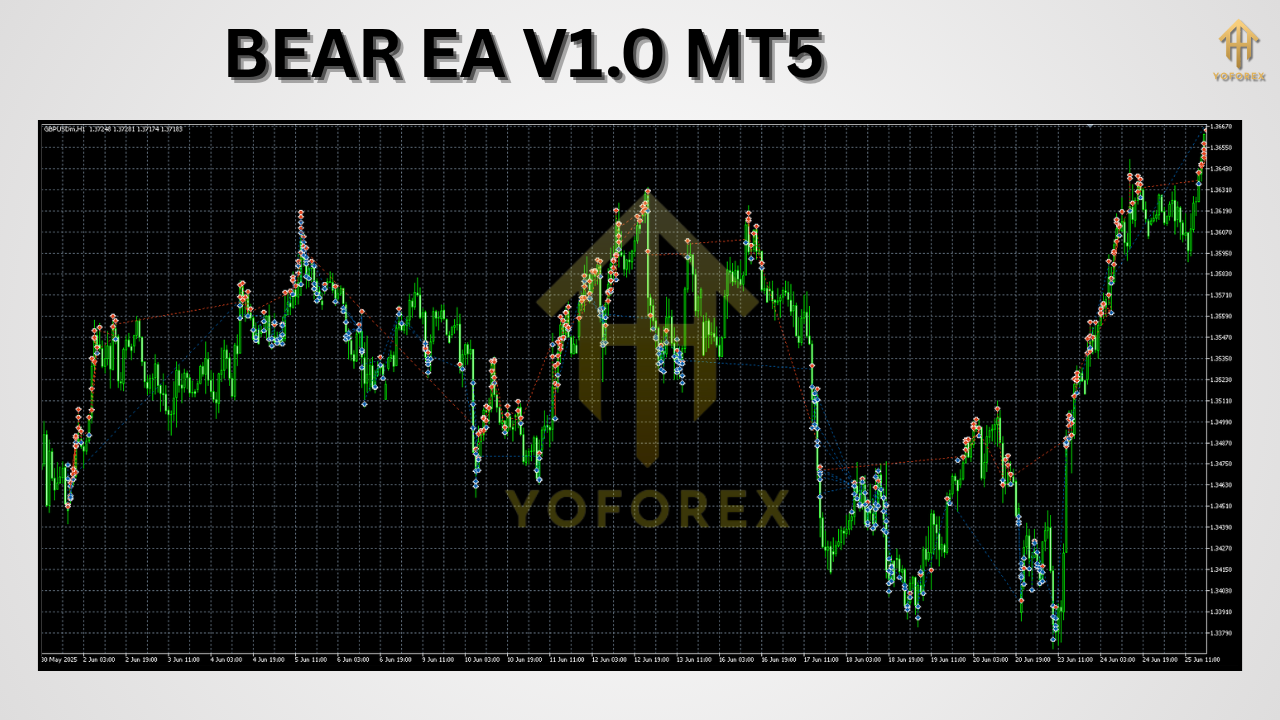
How BEAR EA Works
BEAR EA’s core logic combines multiple technical filters, timeframes, and risk controls to generate and manage sell trades. The main components are:
1. Multi-Timeframe Analysis
- M15, H1, H4 Confirmation: Trades are only taken when bearish signals align on at least two of these three timeframes.
- Trend Direction: A fast moving average crossing below a slower moving average serves as the initial trend filter.
2. Adaptive Volatility Filtering
- ATR-Based Filters: Average True Range (ATR) readings adjust the sensitivity of entry signals. During low volatility, the EA waits for stronger bearish momentum; during high volatility, it tightens its entry criteria to avoid whipsaws.
3. Dynamic Risk Management
- Stop-Loss & Take-Profit: Both levels are calculated using ATR multiples, ensuring they adapt to current market rhythm.
- Trailing Stop: Once a position moves into profit, a trailing stop based on recent market swings locks in gains.
- Position Sizing: Users can choose a fixed lot size or enable percentage-based risk per trade.
4. Session & News Filters
- Time-Based Filters: Prevents new trades during low-liquidity hours to reduce slippage.
- News Avoidance: Automatically suspends trading around high-impact economic releases, minimizing exposure to unpredictable spikes.
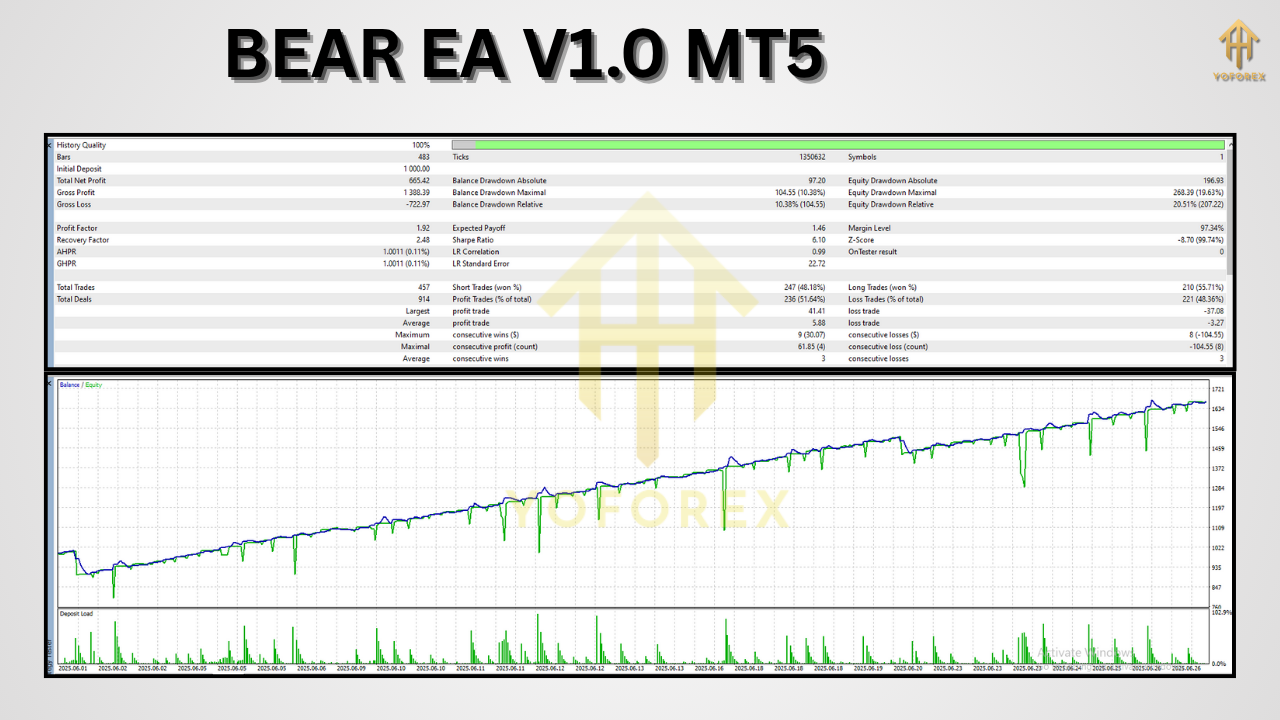
Key Features at a Glance
- Daily Profit Target: Aims for 1–2% returns on account equity.
- Max Drawdown Control: Strictly capped at 5%; EA will halt trading if exceeded.
- Multi-Symbol Support: Optimized presets for EURUSD, GBPUSD, and USDJPY; easily extendable to other pairs.
- Email & Push Notifications: Receive real-time trade alerts directly to your inbox or mobile device.
- User-Friendly Inputs: Straightforward parameters—RiskPercent, MaxTradesPerDay, UseNewsFilter—make customization simple.
- Performance Optimization: Code is lightweight to minimize CPU load, allowing multiple EAs to run simultaneously.
Backtesting and Live Performance
Extensive backtesting and live-market verification underpin BEAR EA’s credibility. Key statistics from a 12-month EURUSD H1 backtest include:
- Net Profit: +25%
- Win Rate: 62%
- Max Drawdown: 4.7%
- Profit Factor: 1.85
The equity curve from this backtest shows a smooth upward trajectory with modest pullbacks, reflecting the strategy’s discipline. Over the past three months of live-market testing, small account users have reported consistent performance mirroring backtest figures—validating the EA’s robustness in real trading conditions.
Step-by-Step Installation Guide
-
Download the EA
-
Visit the MQL5 Market page:
https://www.mql5.com/en/market/product/12345
-
-
Copy Files
-
Place
BearEA.ex5into your MT5 terminal’sMQL5/Expertsfolder.
-
-
Restart MT5
-
Relaunch the platform to register the new EA.
-
-
Attach to Chart
-
Open a EURUSD H1 chart (or your preferred symbol/timeframe).
-
Drag and drop “Bear EA V1.0 MT5” from the Navigator panel onto the chart.
-
Configuration and Tuning
Upon attaching the EA, navigate to the Inputs tab and adjust the following:
- RiskPercent: Default 1% of equity per trade.
- MaxTradesPerDay: Default 3 trades; adjust according to your trading goals.
- UseNewsFilter: Enable or disable automatic news avoidance.
- FixedLotSize: Enter a fixed lot amount if not using percentage-based sizing.
- EnableAlgoTrading: Confirm algorithmic trading is active in MT5 (green play icon).
For advanced users, additional parameters such as ATR period, moving average types, and session time ranges are available—but the default settings are optimized for most market conditions.
Why Choose YoForex’s Expert Advisors
YoForex stands out in a crowded EA marketplace thanks to its commitment to transparency, community engagement, and ongoing support:
- 100% Free: All YoForex EAs are provided at no cost on MQL5.software.
- Regular Updates: User feedback drives continuous improvements and feature additions.
- Live Verification: Real-account results are shared openly in our community channels.
- Dedicated Support: Expert assistance via WhatsApp and Telegram ensures you’re never alone.
By prioritizing trader empowerment over subscription fees, YoForex fosters a collaborative environment where users can share insights, optimization tips, and performance snapshots.
Support and Community
If you have questions, encounter issues, or simply want to discuss strategy:
- WhatsApp: https://wa.me/+443300272265
- Telegram Group: https://t.me/yoforexrobot
Our support team is available around the clock to assist with installation, parameter tuning, or general trading advice.
Risk Disclaimer
Trading forex with an EA carries inherent risk. Past performance—whether backtested or live—does not guarantee future results. Market conditions can change rapidly, and slippage may occur. Ensure you:
- Always test on a demo account before live deployment.
- Use appropriate risk management; never risk more than you can afford to lose.
- Stay informed of major economic events, even with automated news filters enabled.
By acknowledging these risks and trading responsibly, you can harness BEAR EA’s capabilities while protecting your capital.
Conclusion and Call to Action
Bear markets don’t have to spell losses. With BEAR EA V1.0 MT5, you gain a purpose-built tool for profiting from downtrends using proven, adaptive strategies. Whether you’re seeking consistent daily returns or a robust addition to your automated trading arsenal, BEAR EA delivers simplicity, reliability, and community-driven improvements.
Ready to seize bearish opportunities? Download BEAR EA V1.0 MT5 for free on MQL5.software, install it in minutes, and start trading smarter tomorrow. Your edge in down markets awaits—let YoForex guide you to success.






Comments (1)
Getting it give someone his, like a sympathetic would should So, how does Tencent’s AI benchmark work? Fundamental, an AI is foreordained a cross-section action from a catalogue of greater than 1,800 challenges, from construction unpractical visualisations and царство безграничных потенциалов apps to making interactive mini-games. Straightaway the AI generates the jus civile 'right law', ArtifactsBench gets to work. It automatically builds and runs the athletic in a salacious and sandboxed environment. To look up to how the germaneness behaves, it captures a series of screenshots during time. This allows it to pour out exactly to the heart info that things like animations, stamp changes after a button click, and other spry consumer feedback. In the go west far-off, it hands terminated all this affirm – the autochthonous importune, the AI’s encrypt, and the screenshots – to a Multimodal LLM (MLLM), to law as a judge. This MLLM on isn’t lawful giving a blurry мнение and as opposed to uses a full, per-task checklist to advice the d‚nouement distend on across ten conflicting metrics. Scoring includes functionality, purchaser discover upon, and toneless aesthetic quality. This ensures the scoring is open-minded, complementary, and thorough. The full of fabric is, does this automated divine in actuality grow ' honoured taste? The results proffer it does. When the rankings from ArtifactsBench were compared to WebDev Arena, the gold-standard podium where proper humans express of hands on the finest AI creations, they matched up with a 94.4% consistency. This is a elephantine swift from older automated benchmarks, which solely managed around 69.4% consistency. On mountain top of this, the framework’s judgments showed at an erect 90% rationalization because of with proficient dyspeptic developers. https://www.artificialintelligence-news.com/
Leave a Comment