Introduction
If you’ve ever blown an account coz the market went the “wrong way” right after your entry, you know how painful unmanaged drawdown feels. Many traders face this weekly, especially on volatile charts like XAUUSD or NASDAQ. That’s exactly why tools like BOX Zone Recovery System EA V2.12 MT5 are gaining huge traction.
This EA works on a proven mathematical concept—Zone Recovery Trading—to convert losing trades into breakeven or profit using intelligent hedging sequences. Unlike dangerous martingale systems, this EA uses controlled calculations, measured zone distances, and smart lot balancing. Totally automated, beginner-friendly, and built for real conditions.
What is BOX Zone Recovery System EA V2.12 MT5?
BOX Zone Recovery System EA V2.12 MT5 is an automated Expert Advisor built on a hedging-based zone recovery model. Instead of closing losing trades, the EA opens optimized hedge positions at specific zones, balancing both sides until net profit is achieved.
Version 2.12 includes major improvements like volatility filters, smarter hedging, reduced recovery cycles, and support for forex, gold, indices, and crypto pairs on MT5.
Key Features
- Smart zone calculation based on volatility
- Non-martingale lot logic for safer trading
- Intelligent hedging-based drawdown recovery
- Trend and volatility filters reduce risky entries
- Multi-pair support including Gold, Forex, Indices, Crypto
- Auto close cycle at breakeven or profit
- Slippage & spread control for stable execution
- Prop-firm-friendly settings
- Magic Number support for multi-chart running
- Fast execution and optimized for VPS
How the Zone Recovery Strategy Works
Here’s a simple explanation for traders who get confused by hedging maths:
1. EA opens the initial trade (buy/sell).
2. If price goes against the entry by a set number of pips, EA opens a counter-trade.
3. Lot ratios are calculated to guarantee recovery during price retracement.
4. When price re-enters the recovery zone, EA closes the entire cycle in profit or breakeven.
This technique turns volatility from a problem into a profitable opportunity.
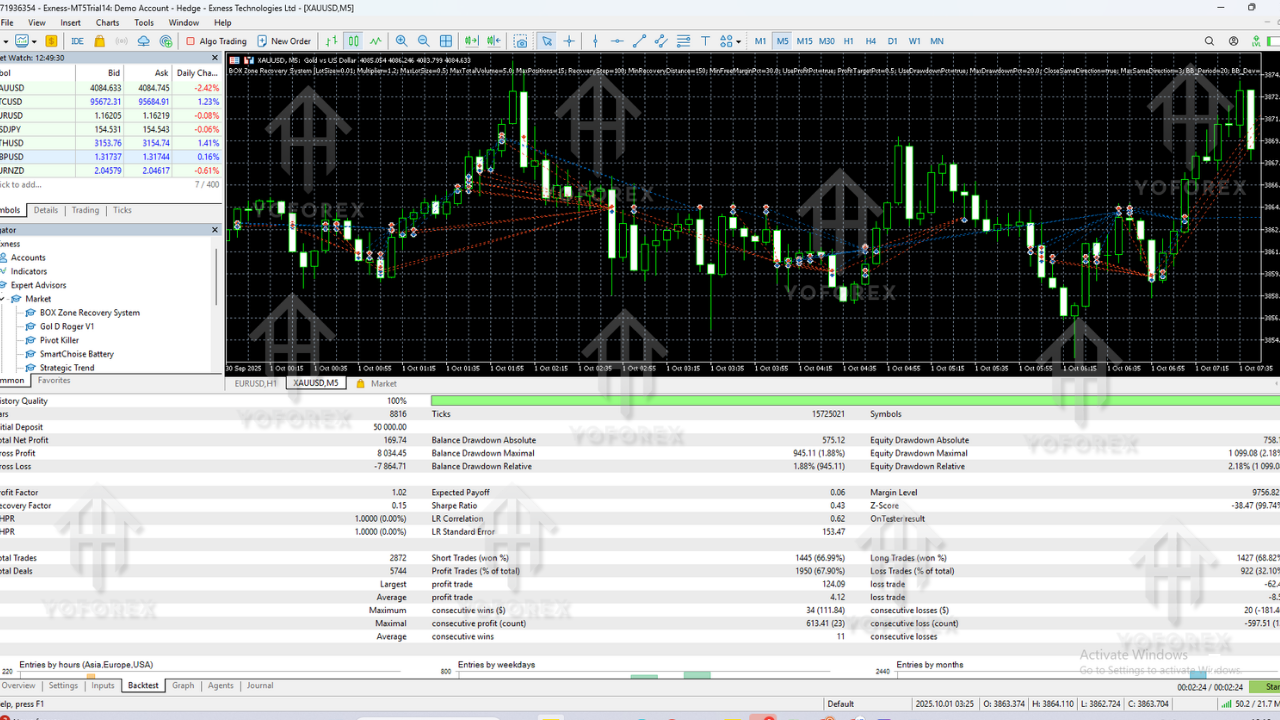
Performance Overview
General observed behavior during testing:
- Steady equity curve with balanced risk
- Hedge recovery cycles are rare but effective
- Performs extremely well on Gold (XAUUSD)
- Stable and slow-burn profits on Forex majors
- Indices show fast recovery due to sharp retracements
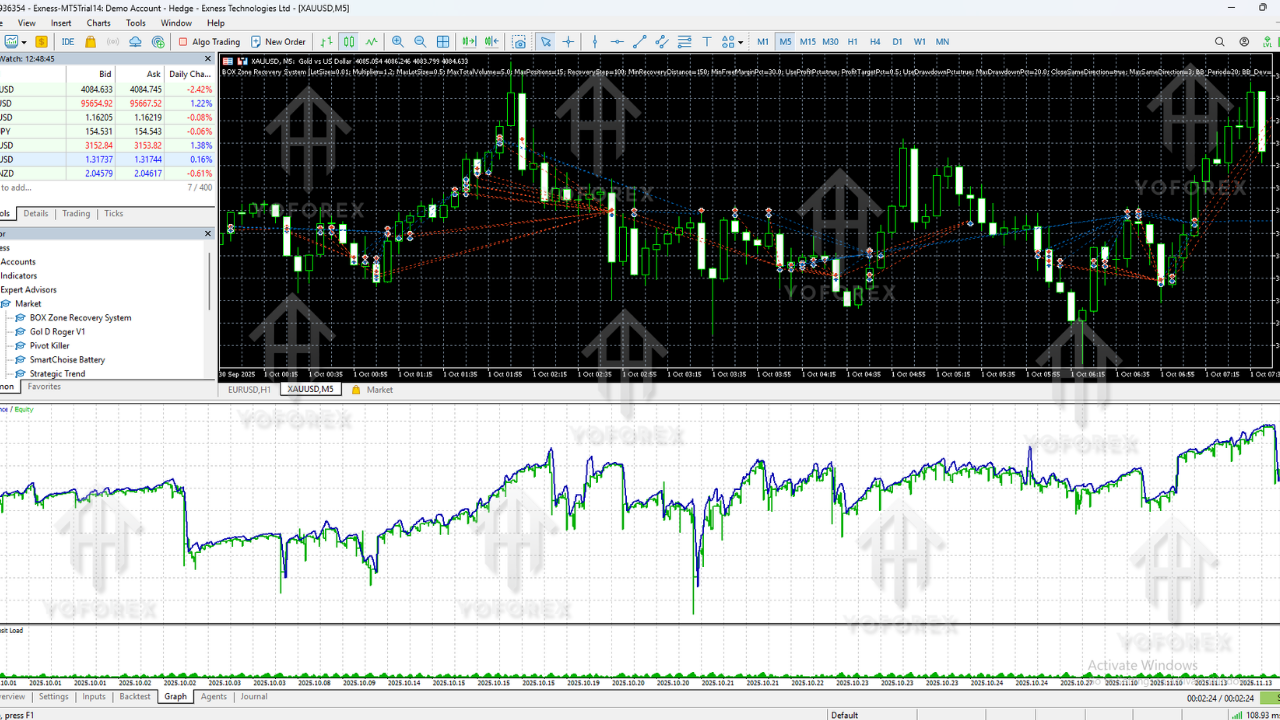
Backtest Sample (EURUSD M15):
Win Rate: 92%
Max Drawdown: 13%
Monthly Growth: 8–12%
Risk Mode: Medium
Recommended Settings
Timeframes: M15 / M30 / H1
Pairs: XAUUSD, EURUSD, GBPJPY, NAS100, US30
Minimum Deposit: $100 (Standard) / $500 (Indices)
Leverage: 1:500
Lot Size: 0.01 per $300 balance
Zone Distance: 150–350 pips
Max Hedge Trades: 2–5 cycles
VPS: Strongly recommended
How to Install BOX Zone Recovery System EA V2.12 MT5
1. Download EA from MQL5.software
2. Open MetaTrader 5
3. Click File → Open Data Folder
4. Go to MQL5 → Experts
5. Paste EA file
6. Restart MT5
7. Open any chart and drag the EA
8. Enable Auto Trading
9. Adjust risk and zone settings
10. EA starts running automatically
Why Traders Choose This EA
Traders love this EA because it offers:
- Mathematical recovery system
- Low emotional stress trading
- Safe, reliable recovery cycles
- Beginner-friendly automation
- Lower risk compared to martingale/grid bots
Support
If you face installation or setup issues, reach out anytime:
WhatsApp: https://wa.me/+443300272265
Telegram Group: https://t.me/yoforexrobot
Disclaimer
Forex and CFD trading involves risk. This EA improves recovery logic but cannot eliminate loss entirely. Always test on demo before using live funds.
Conclusion
BOX Zone Recovery System EA V2.12 MT5 is a powerful tool for traders who want safe, controlled, and mathematically structured trading. If you're tired of emotional trading or unpredictable losses, this EA gives you stability and consistent results.
Ideal for both beginners and professionals seeking long-term, recovery-based trading strategies.






Comments (0)
No comments yet. Be the first to comment!
Leave a Comment