
Channels MTF Indicator MT4 – Spot Support & Resistance with Ease
Tired of constantly flipping between timeframes to identify key levels? Struggling to see the bigger picture when analyzing charts? If you’re a technical trader, you know the importance of accurate support and resistance lines. They guide entry and exit points, help you filter fakeouts, and serve as the backbone of countless profitable strategies. That’s where the Channels MTF Indicator MT4 comes in—it automatically draws multitimeframe channels on your charts so you can focus on decision-making, not manual plotting.
In this blog post, we’ll break down what makes the Channels MTF Indicator so powerful, how it fits into your overall strategy, and how to start using it today on MetaTrader 4. Whether you’re a beginner learning technicals or a seasoned pro managing risk zones, this tool will save you time and keep you one step ahead of the market.
What Is Channels MTF Indicator for MT4?
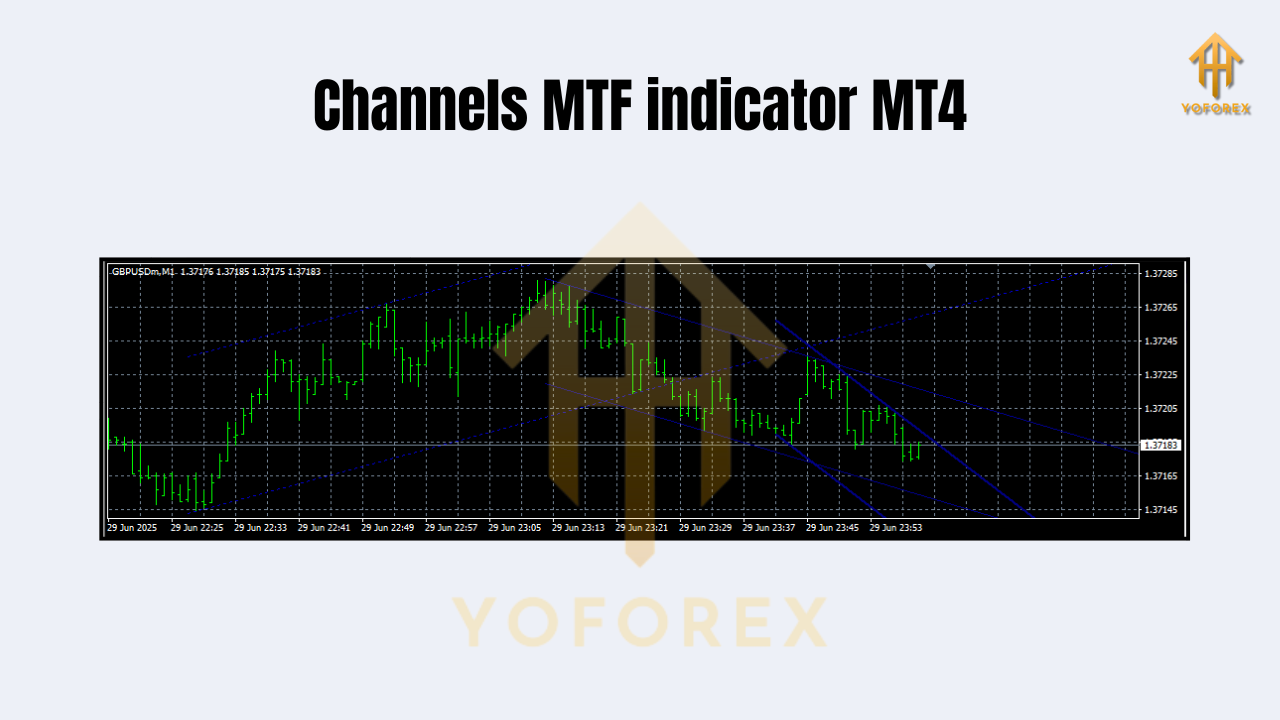
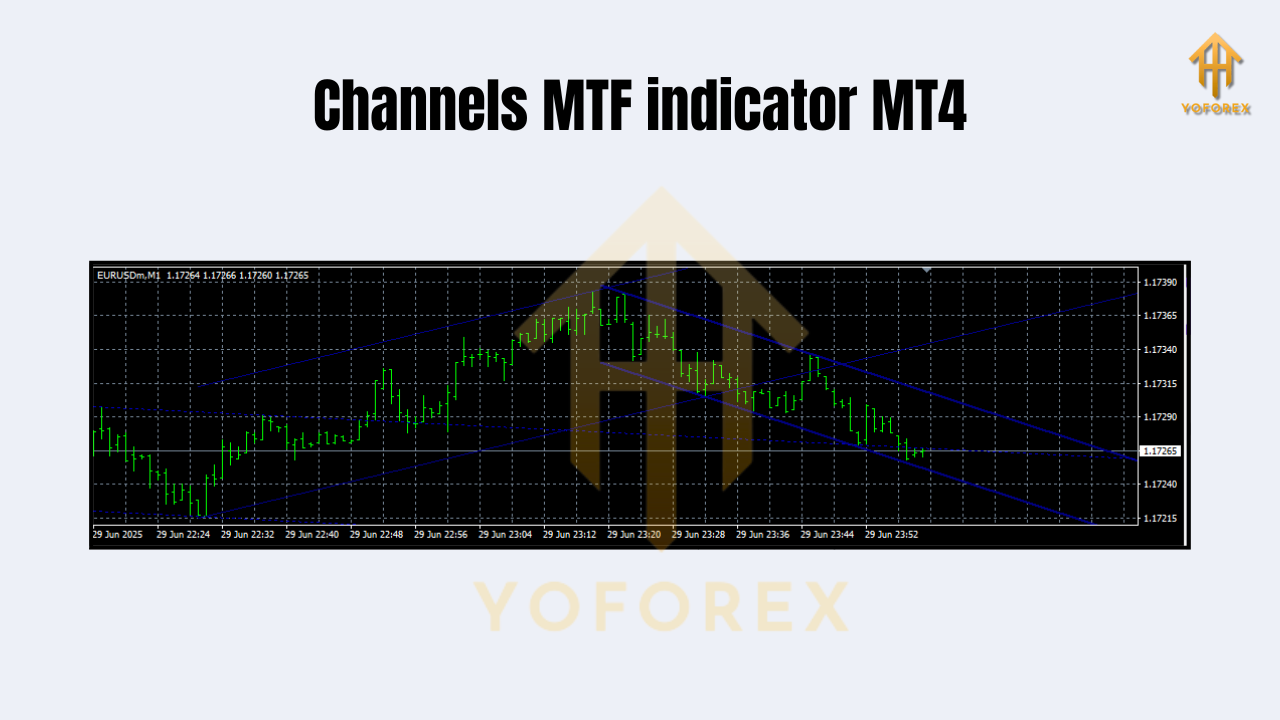
The Channels MTF (Multi-Time Frame) Indicator is a technical tool designed for MetaTrader 4 that automatically plots channel lines based on selected higher timeframes. These channels serve as visual representations of dynamic support and resistance areas—essentially price corridors where the market has reacted historically.
Unlike traditional single-timeframe tools, this indicator pulls channel data from multiple timeframes (like H1, H4, or D1) and overlays them onto your current chart. The result? You get instant access to higher timeframe market structures without switching charts. You’ll see where price may reverse, consolidate, or break out—all in one glance.
Key Benefits of Using Channels MTF Indicator
Using Channels MTF Indicator brings several technical advantages to your analysis:
- Visual Clarity: Automatically highlights key support/resistance zones across timeframes.
- Multi-Timeframe Efficiency: No more switching charts constantly to spot bigger trends.
- Saves Time: Fully automated—no need to draw channels manually.
- Accuracy: Uses candle highs/lows and historical data to mark precise zones.
- Trend Confirmation: Use channel direction to confirm bullish or bearish momentum.
- Breakout Detection: Spot potential breakout or reversal points as price nears channel boundaries.
- Scalping to Swing: Useful for all styles—scalping, day trading, swing trading.
- Works on All Pairs: Whether you trade XAUUSD, EURUSD, or indices—this indicator adapts.
- Customization: Choose timeframes and channel settings that fit your strategy.
- No Repainting: Once a channel is drawn, it doesn’t change unpredictably.
How It Works
Let’s say you’re trading EURUSD on the M15 chart. The Channels MTF Indicator can project channels based on H1 or H4 data directly onto your current chart. This allows you to see higher timeframe consolidation zones or trend channels without having to guess.
Each channel is typically made up of three lines: the upper boundary (resistance), the median (equilibrium or mean price), and the lower boundary (support). Price tends to bounce within these areas, and breakouts beyond them signal strong directional moves.
You can combine this with indicators like RSI, MACD, or candlestick patterns to build an even stronger confirmation model.
Ideal Use Cases
This tool can be used in multiple ways depending on your trading style:
- Scalpers: Use higher timeframe channels on M5 or M15 to avoid false entries.
- Day Traders: Identify intraday zones of rejection or breakout.
- Swing Traders: Track weekly and daily price channels to determine overall direction.
- Breakout Traders: Enter when price exits a multitimeframe channel with volume confirmation.
- Reversal Traders: Look for touches and rejections at the upper or lower channel boundaries.
How to Install Channels MTF Indicator on MT4
Step-by-step Installation:
- Download the Indicator:
Grab the.ex4or.mq4file from your trusted source (MQL5, ForexFactory.cc, or YoForex tools section). - Open MetaTrader 4:
Go toFile>Open Data Folder. - Locate the Folder:
Navigate toMQL4>Indicators. - Paste the File:
Copy the indicator file into theIndicatorsfolder. - Restart MT4:
Close and reopen your platform or refresh the Navigator. - Apply Indicator:
From the Navigator panel, drag Channels MTF to your chart. - Configure Settings:
Choose the timeframe to pull channel data from (H1, H4, etc.). Customize colors, styles, and width.
Trading Tips Using Channels MTF
- Don’t Chase Breakouts Blindly: Wait for price to close beyond the channel with confirmation.
- Use Stop-Loss Wisely: Place it beyond the channel’s edge if trading reversals.
- Trend-Following? Trade in the direction of the channel slope.
- Watch Volume: Increased volume at channel boundaries can hint at strong breakouts.
Why It Matters in Today’s Market
With the markets becoming more volatile, precision and speed are essential. Manually analyzing higher timeframes wastes time and can lead to missed opportunities. Channels MTF solves this.
Also, with prop firm challenges (like FTMO or MyForexFunds) demanding consistency, having automated structure-based tools keeps your edge tight and your drawdown low.
Final Thoughts
The Channels MTF Indicator for MT4 is one of those underrated gems that can instantly level up your chart reading. It makes complex analysis simple by visually mapping out where the market is likely to react—all while pulling that data from higher timeframes you wouldn’t normally see.
If you're serious about trading and rely on support and resistance (and you should!), this indicator needs to be in your toolbox.






Comments (0)
No comments yet. Be the first to comment!
Leave a Comment