CM TSO EA V1.0 MT4 – Trend+Breakout with Non-Martingale
Introduction
When it comes to trading automation, finding the right balance between simplicity and effectiveness is key. CM TSO EA V1.0 MT4 is built to do just that: it offers trend continuation and breakout strategies without the risk of martingale-based gambling. Whether you trade EURUSD, GBPUSD, USDJPY, or any other major forex pair, CM TSO EA adapts to your needs across multiple timeframes, keeping risk under control while following clear trends and breakouts. No more confusing settings or unnecessary complexity.
Crafted by the YoForex team, CM TSO EA focuses on what matters: clear, consistent signals, controlled risk, and reliable execution. You set the risk parameters and timeframe that suit your strategy, and the EA handles the entries, exits, and trade management, ensuring your time is spent wisely. Whether you're looking for a reliable scalper or an intraday trend-following tool, this EA provides the flexibility to meet your trading goals.
Overview
What is CM TSO EA V1.0 MT4?
CM TSO EA is an MT4 Expert Advisor designed to trade major forex pairs using two proven strategies: trend continuation and breakout confirmation. It doesn’t rely on risky martingale strategies but instead uses proper risk management principles to safeguard your capital while capitalizing on high-probability moves.
Key Features:
- Trend Continuation: The EA detects a market’s overall directional bias and looks for opportunities to enter trades that align with that trend.
- Breakout Confirmation: It also monitors price action for key breakout points, ensuring that you’re not chasing fake breakouts but rather entering confirmed moves with favorable risk/reward setups.
- Non-Martingale: Fixed-lot or fixed-risk (percentage-based) positioning ensures that each trade is properly sized based on your risk settings, preventing the “compounding loss” scenario associated with martingale strategies.
- Works on Any Timeframe: While the EA is highly effective on M15, M30, H1, it can be used on any timeframe to match your preferred trading style, whether you’re scalping, day trading, or swing trading.
Key Features of CM TSO EA
1. Trend Following
- Directional Bias: The EA identifies the prevailing market trend and places trades that align with it. By focusing on trend continuation, it avoids the pitfalls of counter-trend trading.
- Momentum Confirmation: The EA waits for confirmation signals to ensure the trend is strong enough for entry, avoiding low-probability trades that could lead to whipsaw losses.
2. Breakout Strategy
- Breakout Detection: The EA monitors key levels (support and resistance) for breakouts. It ensures that you’re entering trades when price has broken out of consolidation zones and is likely to continue in the direction of the breakout.
- Retest Entries: The EA often waits for price to retest breakout levels, reducing the risk of false breakouts and increasing the likelihood of a successful trade.
3. Non-Martingale Risk Control
- Risk Management: Fixed risk per trade (e.g., a percentage of your account balance) allows you to maintain consistent risk across trades. This ensures that you don’t expose your account to excessive risk, even during a losing streak.
- Position Sizing: The EA uses proper position sizing based on the risk settings you input, ensuring you’re never risking more than you’re comfortable with.
4. Multiple Timeframe Compatibility
- Scalping or Swing: While the EA is effective on M15, M30, and H1, it can work on shorter (M5) or longer (H4, Daily) timeframes depending on your trading preferences. The versatility ensures that it fits into various trading strategies.
- Adaptability: Whether you’re trading a fast-moving pair like EURUSD or slower-moving pairs like USDJPY, CM TSO EA adapts to different market conditions to maximize trade opportunities.
5. Simple to Use with Custom Settings
- Customizable Risk Parameters: You can set your preferred lot size, risk percentage, and trade size directly in the EA’s settings, allowing for fine-tuned control over your risk exposure.
- Automatic Stop-Loss and Take-Profit: The EA will automatically manage your trades, setting stop-loss and take-profit levels based on your predefined settings, ensuring trades are automatically closed at the right levels.
Backtest Results & Performance
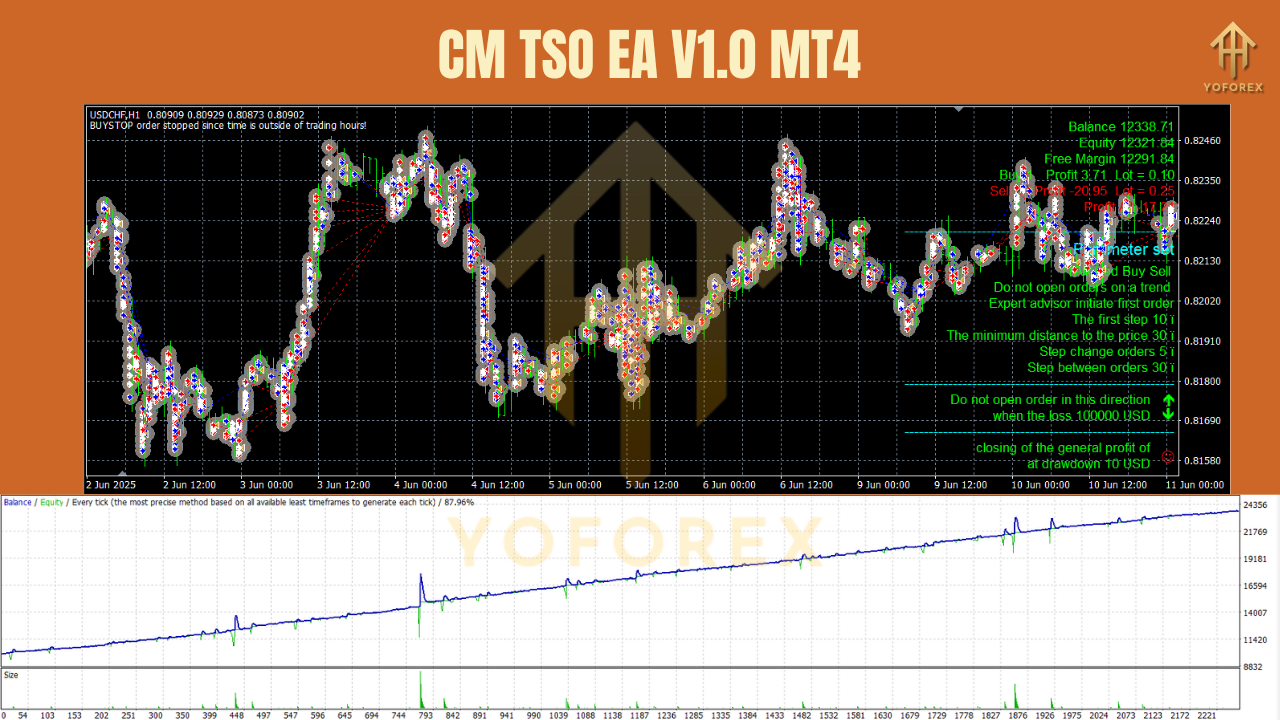
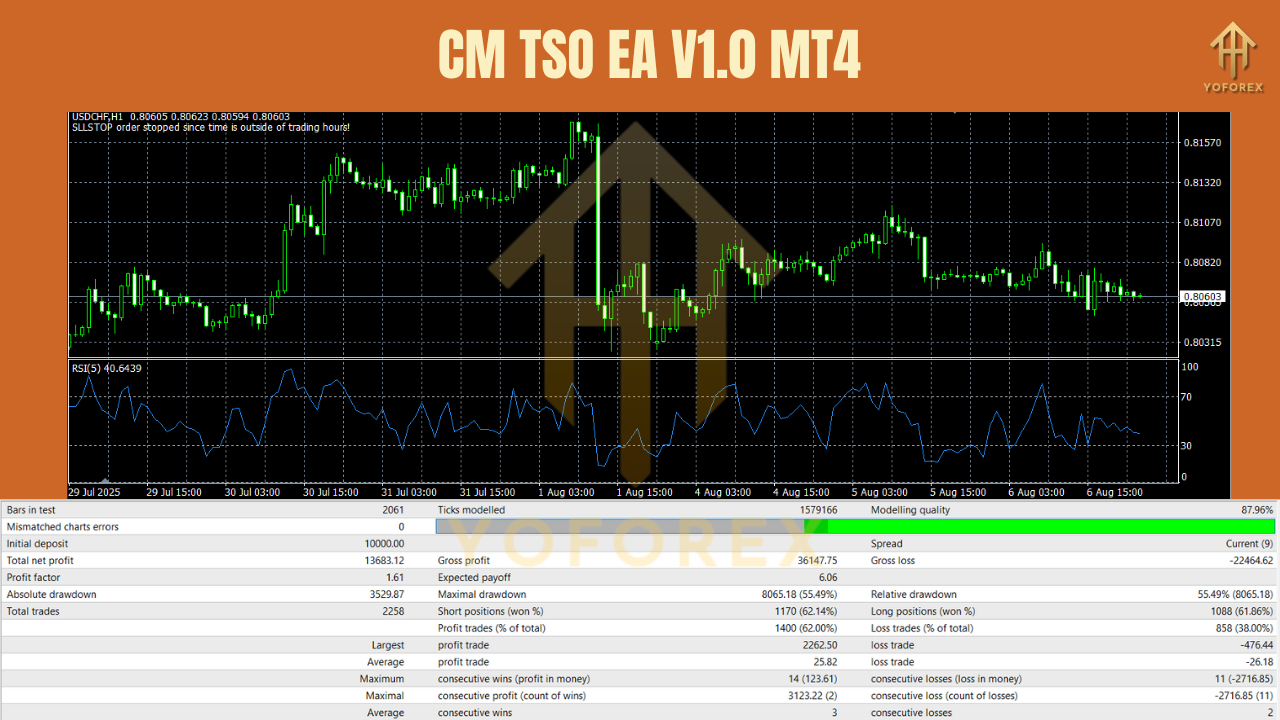
CM TSO EA has been thoroughly tested across a variety of forex pairs and timeframes. When backtested on EURUSD, GBPUSD, and USDJPY using 99% tick data, the EA showed consistent profitability with minimal drawdowns, especially when risk was kept at a conservative level (e.g., 0.5–1% risk per trade).
Key Backtest Findings:
- High Win Rate: The EA’s trend-following nature ensures that most trades align with the overall market direction, resulting in a high win rate during trending periods.
- Effective Breakout Strategy: Breakouts were particularly successful when paired with retest entries, with minimal false breakout signals during volatile market conditions.
- Moderate Drawdowns: With conservative settings, the EA managed to maintain low drawdowns, thanks to its non-martingale risk management system.
Installation & Configuration (Step-by-Step)
- 1. Download the EA
- Download CM TSO EA V1.0 MT4 and the .set preset files from MQL5.software (link below).
- 2. Place the EA File in MT4
- Open MT4 → File → Open Data Folder → MQL4 → Experts and place the EX4 file into the folder.
- Place .set files into MQL4 → Presets for easy access.
- 3. Restart MT4
- Restart your MT4 platform or right-click Navigator → Experts → Refresh to see the EA.
- 4. Attach EA to Chart
- Drag CM TSO EA onto your chosen chart (EURUSD, GBPUSD, or any major pair).
- 5. Load Settings
- In Inputs, load a preset by clicking Load, then select your .set file.
- 6. Adjust Risk Parameters
- Set risk per trade, lot size, and any other settings based on your preference. We recommend starting with 0.5% risk per trade for low exposure.
- 7. Enable Live Trading
- Make sure the Allow live trading checkbox is checked, then click OK.
- 8. Test on Demo
We strongly recommend forward-testing on a demo account first to ensure compatibility with your broker and trading style.
Practical Examples (Using the EA Effectively)
Example 1: Trend Continuation – EURUSD H1
- Context: EURUSD is in a clear uptrend on H1.
- Trigger: The EA detects a pullback to a support zone in the trend.
- Entry: Enter long when price breaks above the pullback high.
- Exit: Set take-profit at the next resistance level, with a stop-loss below the swing low.
Example 2: Breakout Strategy – GBPUSD M5
- Context: GBPUSD is consolidating within a tight range.
- Trigger: The EA detects the breakout as price moves beyond the consolidation zone.
- Entry: Enter long when price breaks the resistance level.
- Exit: Set take-profit at the next key resistance, using a trailing stop.
Example 3: Counter-Trend Fade – USDJPY H4
- Context: USDJPY is in a strong downtrend, but a brief retracement occurs.
- Trigger: The EA detects that the retracement may be exhausted.
- Entry: Enter short at the peak of the retracement with a tight stop-loss.
- Exit: Set take-profit at the next support level.
Why Choose YoForex-Powered Tools?
Because we build tools we actually use. At YoForex, we provide free access to high-quality tools with a focus on transparency and user feedback. We update our software regularly, and support is always one message away. We’re committed to delivering practical, reliable tools to help you trade smarter—not harder.
Check out the YoForex tools hub and see how our tools can work for you!
Support & Contact
Need help fine-tuning CM TSO EA? Our support team is always ready to assist:
- WhatsApp: https://wa.me/+443300272265
- Telegram Group: https://t.me/yoforexrobot
Just share your pair, timeframe, broker, and any screenshots of your setup. We’ll get you on the right track!
Disclaimer
Trading involves significant risk. CM TSO EA is an analytical tool—not a guarantee. Always test on a demo account first, size positions responsibly, and follow a solid risk management plan. Past performance does not guarantee future results.
Call to Action
Ready to automate your trend and breakout strategies with CM TSO EA V1.0 MT4? Download it now—it’s completely free. Start with our tested .set files, forward-test for a week, and see how it fits your trading style. If anything feels off, reach out to us on WhatsApp or Telegram. We’re here to help.
YoForex – empowering traders worldwide, one free tool at a time.
Join our Telegram for the latest updates and support



Comments (0)
No comments yet. Be the first to comment!
Leave a Comment