
Crypto Investor EA V1.1 MT4 — A Purpose-Built Bitcoin Bot for M15 Precision
If you’ve tried to bend a generic forex robot to “work” on Bitcoin, you already know the pain: random whipsaws, slippage nightmares, and settings that make sense for EURUSD but fall apart on BTCUSD. Crypto Investor EA V1.1 MT4 was built to solve exactly that. It’s a next-gen, fully automated Expert Advisor engineered specifically for BTCUSD on the M15 timeframe. Instead of throwing a dozen lagging indicators at the chart, it combines volatility-aware entries, momentum confirmation, and risk-first trade management to capture clean moves—without turning your account into a stress test.
Whether you’re a crypto-curious forex trader or a seasoned BTC scalper, this EA aims to give you speed and discipline that manual trading rarely sustains. It reads live market structure and ticks, adapts to changing volatility, and executes through trusted brokers with rules that stay the same no matter how wild the candle gets. No hype, no get-rich-quick promises—just a robust MT4 expert advisor tuned for Bitcoin’s unique rhythm.
Why a Dedicated Bitcoin EA (and Why M15)?
BTCUSD is not a currency pair—it’s a high-beta, 24/5 (often 24/7 with CFD feeds) risk asset with its own volatility cycles, weekend gaps (depending on broker), and sharp liquidity bursts around U.S. sessions and crypto headlines. Indicators that look smooth on majors can feel late or noisy on BTC.
M15 hits a sweet spot: fast enough to catch momentum waves and mean-reversion pivots, slow enough to filter the micro-noise you see on M1–M5. In our framework, M15 allows the EA to:
- Measure volatility bands and ATR expansion with fewer false starts.
- Confirm momentum with multi-bar structure to avoid single-tick traps.
- Place stops beyond typical BTC wiggles while keeping position size controlled.
The result is an execution rhythm better aligned to Bitcoin’s surge-and-rest behavior.
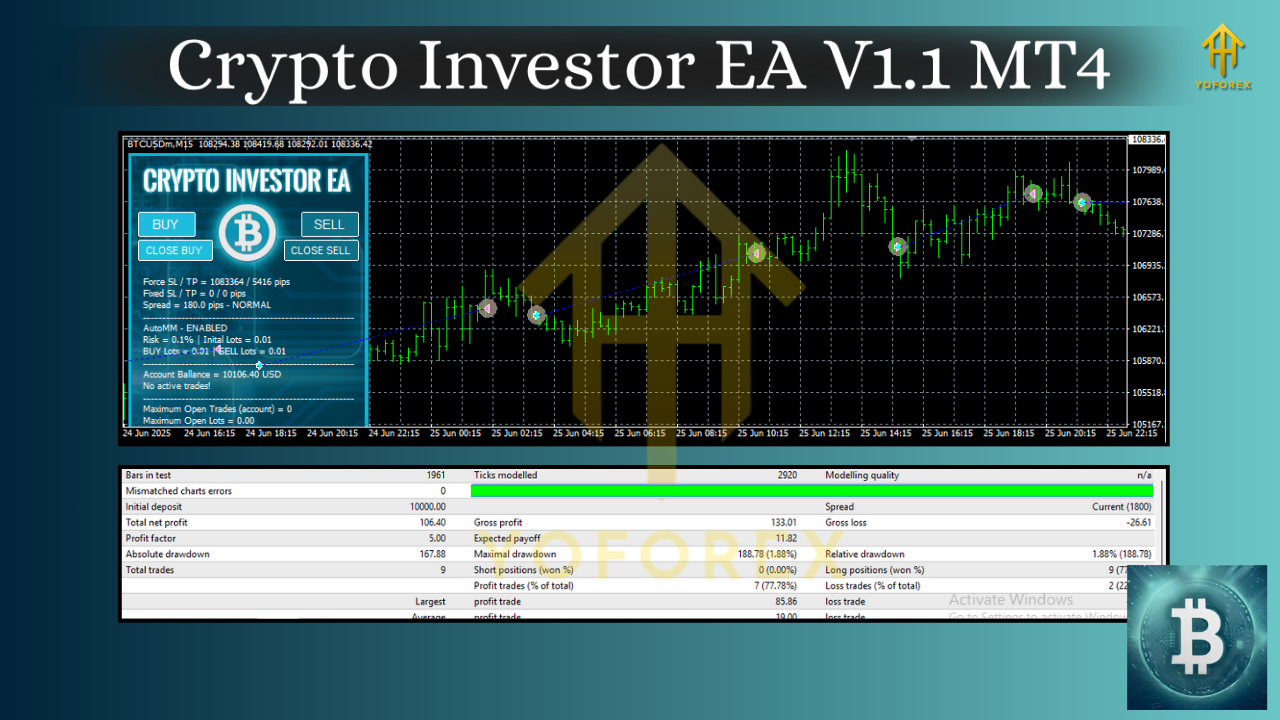
Core Strategy — Volatility + Momentum, Wrapped in Risk Management
Crypto Investor EA V1.1 MT4 uses a two-gate logic:
- Volatility Gate: The EA checks whether the current ATR-normalized range sits within “tradable” bounds. Too quiet? It waits. Too explosive? It throttles risk or stands down.
- Momentum Gate: Once volatility is acceptable, the bot looks for a structured push (break of micro-structure, momentum slope, and spread checks). Only when both gates align does an order fire.
Then the risk engine takes over:
- Pre-defined SL/TP based on current ATR (no “infinite risk”).
- Dynamic trade invalidation when momentum dies or spreads spike.
- Equity-aware position sizing (fixed-fractional by default).
- Optional trailing logic that activates only after partial profit is locked.
There’s no martingale, no grid averaging down. When a trade is wrong, it exits and waits for the next aligned setup. Discipline over drama.
Key Features at a Glance
- Built for BTCUSD (M15): All filters, thresholds, and sizing logic tuned for Bitcoin’s profile.
- Volatility-adaptive entries: Avoids dead zones and hyper-spiky traps.
- Momentum confirmation: Trades with the push, not against it.
- Strict risk controls: Fixed SL/TP, partials, trailing—no martingale.
- Spread & slippage protection: Optional cut-offs for poor conditions.
- Session awareness: Optional filters around high-impact windows.
- News-pause option: Stand aside near major crypto/US macro events (if your MT4 feed supports such filters via add-ons).
- Equity-based lot sizing: Keep risk proportional to account size.
- Broker-agnostic design: Works with ECN/STP brokers that offer BTCUSD CFDs on MT4.
- VPS-ready: Lightweight, consistent CPU load for 24/5 uptime.
- Clean logs & alerts: Understand what it did and why.
- One-chart simplicity: Attach to a single BTCUSD M15 chart and let it run.
Recommended Environment
- Symbol: BTCUSD (CFD symbol name may vary—use your broker’s BTCUSD).
- Timeframe: M15 (mandatory).
- Account Type: ECN/STP preferred; raw spreads + commission is fine.
- Leverage: Your broker’s crypto leverage (often lower than FX). Manage position size accordingly.
- VPS: Strongly recommended for execution stability.
- Broker Conditions: Low spread, reasonable swap/commission, reliable BTC liquidity during major sessions.
Setup & Configuration (Step-by-Step)
- Open BTCUSD on MT4 and set timeframe to M15.
- Copy the EA into
MQL4/Experts/and restart MT4. - Enable AutoTrading, then drag Crypto Investor EA V1.1 onto the BTCUSD M15 chart.
- Inputs to review:
- Risk_Per_Trade (e.g., 0.5%–1.5% per position).
- Max_Spread (in points) to block entries during bad conditions.
- NewsPause/SessionFilters (optional) if you prefer selective trading windows.
- Partial_TP & Trail Activation thresholds.
5. Allow DLL imports only if your broker/EAs require it for spread checks; otherwise keep secure defaults.
6. Save a preset (.set) once you’re comfortable with the inputs.
7. Forward test on demo for several days to validate symbol settings and broker feed behavior before going live.
Tip: Don’t over-optimize. Keep settings conservative, focus on execution quality and consistency.
Risk Management Philosophy
Goal #1 is survival. In crypto, bursts are big—and reversals can be bigger. The EA assumes every trade can be wrong and prices risk accordingly:
- Hard Stop Loss placed at entry—no exceptions.
- Take Profit aligned to current ATR (dynamic range).
- Break-Even & Trail activate only after partial profit; if momentum fades, it can scale out.
- Daily Risk Cap (optional): You can set a daily equity draw cap to pause trading after a limit is hit, preventing “revenge trades” in bad conditions.
This is not financial advice. Always size positions within your personal tolerance and use a demo first.
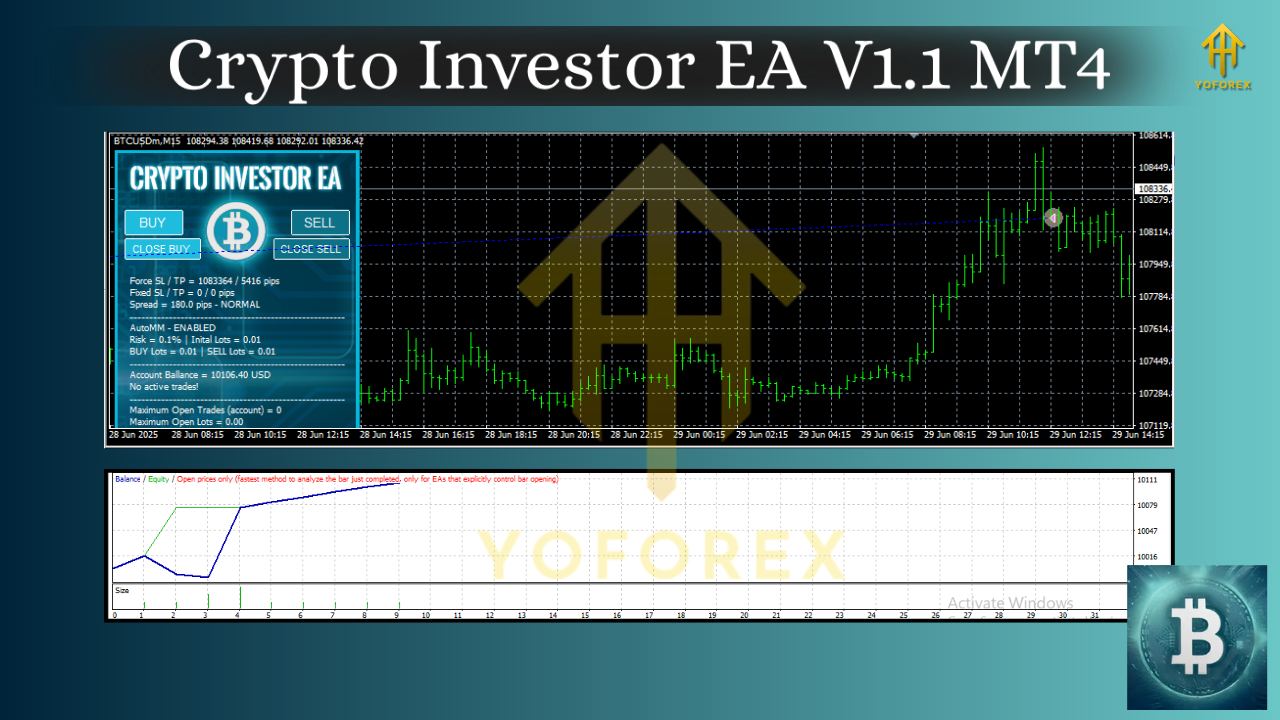
Backtesting & Forward Testing Suggestions
Backtesting BTCUSD on MT4 depends heavily on your tick data quality and broker symbols. For meaningful tests:
- Use high-quality tick data with variable spreads if possible.
- Include commissions and realistic slippage assumptions.
- Test multiple years to include bull, bear, and choppy regimes.
- Walk-forward checks: Periodically adjust/verify parameters rather than curve-fitting a single window.
- Forward test on demo alongside your backtest—execution quality on BTCUSD matters more than perfect historical curves.
What you’re looking for isn’t a perfect equity line—it’s behavioral robustness: controlled drawdowns, stable win/loss distribution, and measured recovery after losing days.
Practical Trading Notes
- News & Macro: Crypto reacts to U.S. CPI, FOMC, ETF headlines, and large exchange events. Consider using the EA’s pause window feature around known releases if your risk tolerance is low.
- Weekends & Gaps: Some brokers show weekend candles, others don’t. Stick to the broker you’ll trade live on, and test there.
- Scaling Up: Start with small risk (e.g., 0.5% per trade), then scale gradually once live execution looks consistent.
Who Is It For?
- Crypto-first traders who want a rules-based BTCUSD engine.
- Forex traders branching into crypto but needing structure and protection.
- Busy professionals who can’t stare at charts—want automation with clear guardrails.
If that’s you, Crypto Investor EA V1.1 MT4 gives a clear, repeatable playbook—no heroic manual clicks required.
Final Word
Crypto markets reward decisiveness and punish overconfidence. Crypto Investor EA V1.1 MT4 doesn’t promise the moon; it promises discipline—a consistent way to engage BTCUSD on M15 with controlled risk, adaptive entries, and transparent logic you can actually audit. Start on demo, get comfortable with your broker’s BTC conditions, and only then move to live with a risk setting you can sleep with.






Comments (0)
No comments yet. Be the first to comment!
Leave a Comment