
Currency Slope Strength Indicator V1.4 MQ4 – Complete Trading Guide
MetaTrader 4 traders are always on the lookout for tools that can help them decode market strength, identify trend shifts early, and avoid false entries. The Currency Slope Strength Indicator V1.4 MQ4 has become one of the most popular strength-analysis tools because it simplifies exactly that. Whether you’re struggling with trend confirmation, false breakouts, or inconsistent entries, this indicator gives you a deep look at currency momentum by comparing slope angles of multiple currency pairs in real time.
This blog takes you through everything you need to know about Currency Slope Strength V1.4 MQ4 — how it works, why traders use it, its features, benefits, settings, and practical use-cases. If you're aiming for cleaner entries and stronger directional confidence in your trades, you’ll want to read till the end.
What Is Currency Slope Strength Indicator V1.4 MQ4?
The Currency Slope Strength Indicator V1.4 is a custom MT4 tool designed to measure and compare the strength of individual currencies by analyzing the slope of price movements. Instead of focusing on just one pair (like EURUSD), it monitors multiple currencies simultaneously and identifies which currency is strengthening and which one is weakening.
This real-time strength data allows traders to catch early trends, confirm ongoing trends, and avoid trading against the market’s true direction.
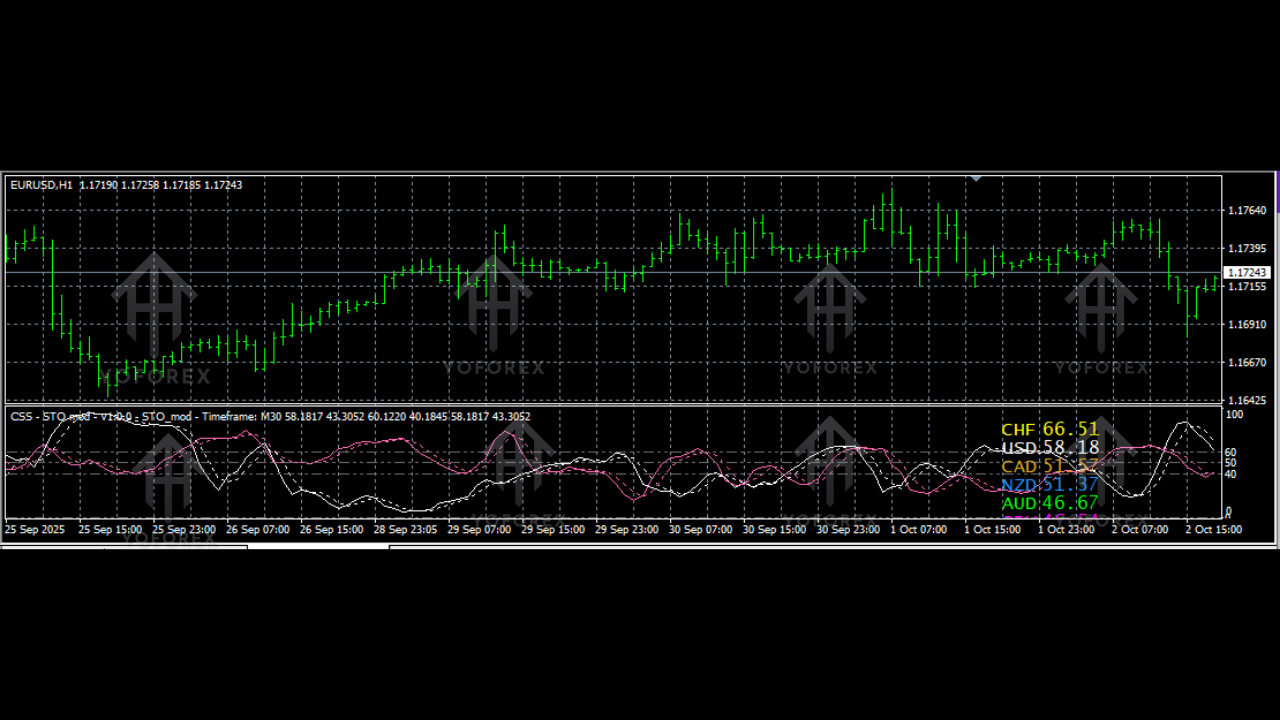
How It Works
The indicator calculates strength using:
- Slope angle (positive slope = strength, negative slope = weakness)
- Price momentum
- Multi-currency comparison
- Directional consistency tracking
When a currency has a steep positive slope, it shows buyers are gaining control. A steep negative slope shows sellers are dominating. The indicator then displays colored lines representing each currency’s performance.
Why Is This Indicator So Valuable?
Most MT4 indicators measure strength using a single pair. The Currency Slope Strength V1.4 MQ4 goes beyond this by breaking each currency into components. For example:
- EURUSD strength = EUR strength vs. USD weakness
- USDJPY weakness = USD weakness vs. JPY strength
This deeper analysis allows traders to see the “true reason” behind market movement.
This solves major trader problems:
- Entering trades without knowing if the base currency is strong
- Getting caught in reversals due to weakening currency trends
- Misinterpreting chart patterns without confirming momentum
- Trading during low-strength sessions resulting in fake breakouts
Traders use the indicator for trend trading, scalping, swing trading, and even news-based entries.
Key Features of Currency Slope Strength Indicator V1.4 MQ4
Below are the standout features that make this indicator highly reliable:
• Real-time currency strength comparison
• Multi-currency analysis in one chart
• Clear slope-angle representation for strength/weakness
• Works for all timeframes (M1 to D1)
• Filters out weak trends to avoid choppy entries
• Identifies strong trend beginnings and reversals
• Color-coded strength lines for easy reading
• Highly optimized to run smooth on MT4
• Customizable settings for slope sensitivity
• Perfect for scalpers, day traders, and swing traders
• Helps build basket trading strategies
• Enhances trend confirmation with visual clarity
How to Use Currency Slope Strength V1.4 MQ4 in Trading
Using the indicator isn’t complicated. Here’s the step-by-step flow:
1. Identify the Strongest Currency
Check which line is pointing upward with strong momentum.
Example: EUR is trending up strongly.
2. Identify the Weakest Currency
Look for a line sharply sloping downward.
Example: USD is weakening.
3. Combine the Two
Strongest currency vs. weakest currency = best pair to trade.
Example: EUR strong + USD weak → EURUSD BUY.
4. Avoid Low-Slope Movements
Flat slopes indicate consolidation — avoid entering trades there.
5. Use Additional Confirmation
Combine with:
- Moving averages
- Support/resistance
- RSI/Trend indicators
- Price action signals
The indicator improves accuracy but doesn’t replace trading discipline.
Backtesting Insights & Expected Performance
Although the Currency Slope Strength Indicator isn't an automated EA, backtesting it on historical charts shows impressive results when combined with a disciplined trading plan.
Backtest Observations
- Strong Trend Confirmation:
When the indicator shows clear divergence (one currency sharply rising and another falling), trend entries have an above-average success rate. - Avoiding Flat Markets:
Slope-flat signals helped avoid low-volatility consolidations, preventing unnecessary losses. - Better Breakout Trading:
Pairing slope strength data with breakout levels resulted in smooth trend continuation trades. - Consistent Swing Signals:
On H1 and H4 timeframes, the indicator produced cleaner swing trading opportunities.
Performance Expectations
- When combined with price action, accuracy increases significantly.
- Works very well during London and New York sessions.
- Helps identify high-probability pairs before major news events.
The indicator does not generate trade signals automatically. Instead, it enhances manual judgment and improves decision quality.
Benefits of Trading with Currency Slope Strength Indicator
Here are the advantages traders experience:
• Increased confidence in trade direction
• Fewer false entries and unnecessary losses
• Ability to trade currency strength instead of guessing
• Clear visual representation of market conditions
• Helps detect early trend shifts
• Improves overall trading discipline
• Works for forex, indices, gold, crypto pairs, and CFDs
• Suitable for both beginners and advanced traders
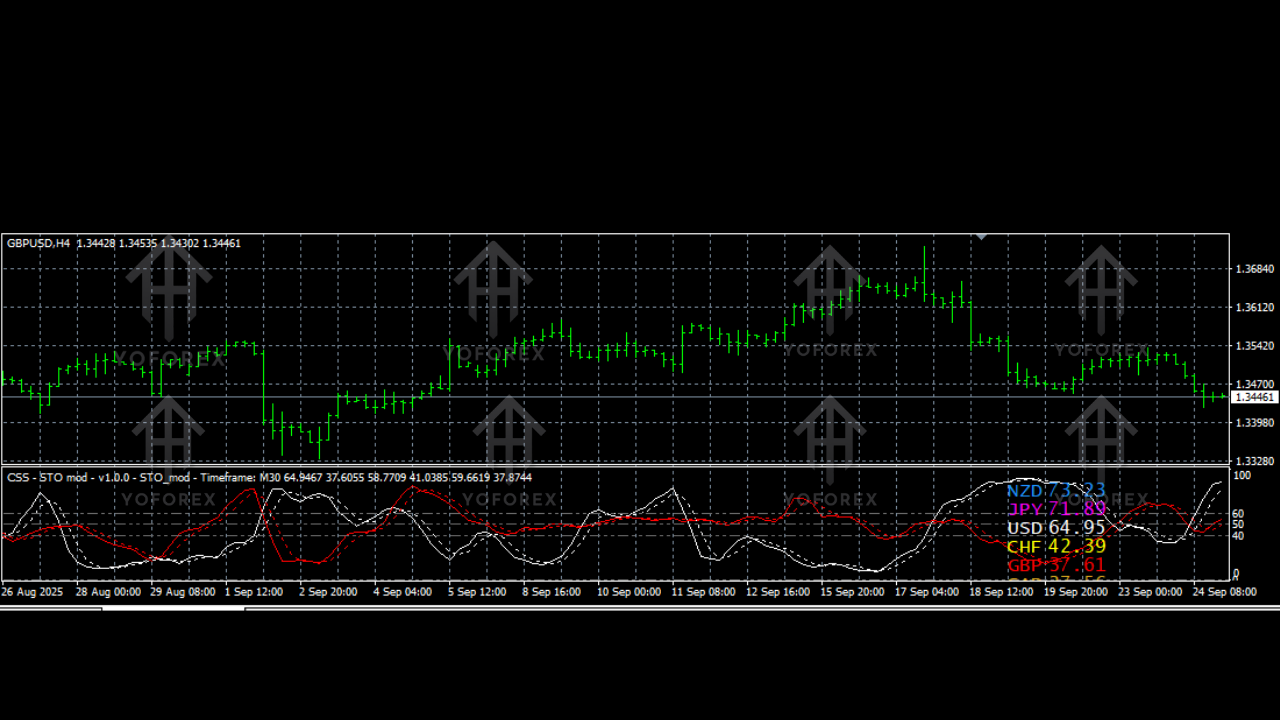
Installation Guide – How to Set It Up
Installing Currency Slope Strength Indicator V1.4 MQ4 is simple.
Step 1 – Download the File
Download the MQ4 file from your trusted source.
Step 2 – Open MT4
Go toFile > Open Data Folder
Step 3 – Copy Indicator File
Navigate to:MQL4 > Indicators
Paste the file here.
Step 4 – Restart MT4
Close and reopen your platform.
Step 5 – Attach to Chart
Go to:Navigator > Indicators > Currency Slope Strength V1.4
Drag it onto any chart.
Step 6 – Customize Settings (Optional)
Adjust slope sensitivity, colors, or display mode.
Recommended Settings for Best Results
• Use M15, M30, H1, or H4 for best strength accuracy
• Turn on multi-currency mode for real-time view
• Use slope sensitivity between 2–4
• Pair with moving averages for confirmation
• Avoid taking trades when all slope lines are flat
These settings keep the display clean while improving trend accuracy.
Conclusion
The Currency Slope Strength Indicator V1.4 MQ4 is one of the most reliable ways to measure true market direction and momentum across multiple currencies. Instead of guessing or relying on lagging indicators, this tool gives you live, visual data about which currencies are truly driving the market. Whether you’re a beginner or advanced trader, adding this to your MT4 toolkit can dramatically improve trend confirmation, entry timing, and overall discipline.






Comments (0)
No comments yet. Be the first to comment!
Leave a Comment