
Dark Gold EA V1.0 MT4 — Precision Scalping on Gold, BTC & Majors
If you’re tired of “black box” robots that promise the moon and then blow up your account, you’ll like this one. Dark Gold EA V1.0 for MT4 is a lightweight, high-frequency scalper that sticks to the basics that actually matter: clean support-and-resistance logic, smart session filters, and tight risk control. It’s designed for XAUUSD, BTCUSD, EURUSD and GBPUSD on M5, M15, and H1—and it doesn’t need a huge balance to get going (min/recommended deposit $100). The goal is simple: automate those quick, mechanical decisions you’d take manually—without the emotion, second-guessing, or revenge trades.
Below, you’ll find a complete overview, setup guidance, recommended risk settings, and a practical FAQ. No fluff—just what you need to go live (after testing, of course).
What is Dark Gold EA V1.0?
Dark Gold EA is an MT4 expert advisor built to exploit micro-imbalances around well-defined levels. The core engine blends two approaches:
- Trend-Following Module – Looks for momentum continuation as price taps a marked S/R zone and then confirms with micro-structure (wick/close relationships and volatility checks).
- Counter-Trend Module – Waits for exhaustion moves into strong levels and hunts for rejection candles, then scales out quickly.
You can run either module solo or let the EA auto-switch based on volatility and spread. Because it’s focused on short-duration trades, execution quality matters—use a broker with tight spreads and stable fills. The EA supports hard SL/TP, break-even, trailing, and spread/news filters to avoid trading during chaotic spikes.
Designed markets & timeframes:
- Pairs: XAUUSD (Gold), BTCUSD (Bitcoin), EURUSD, GBPUSD
- Timeframes: M5, M15, H1
- Min / Recommended Deposit: $100
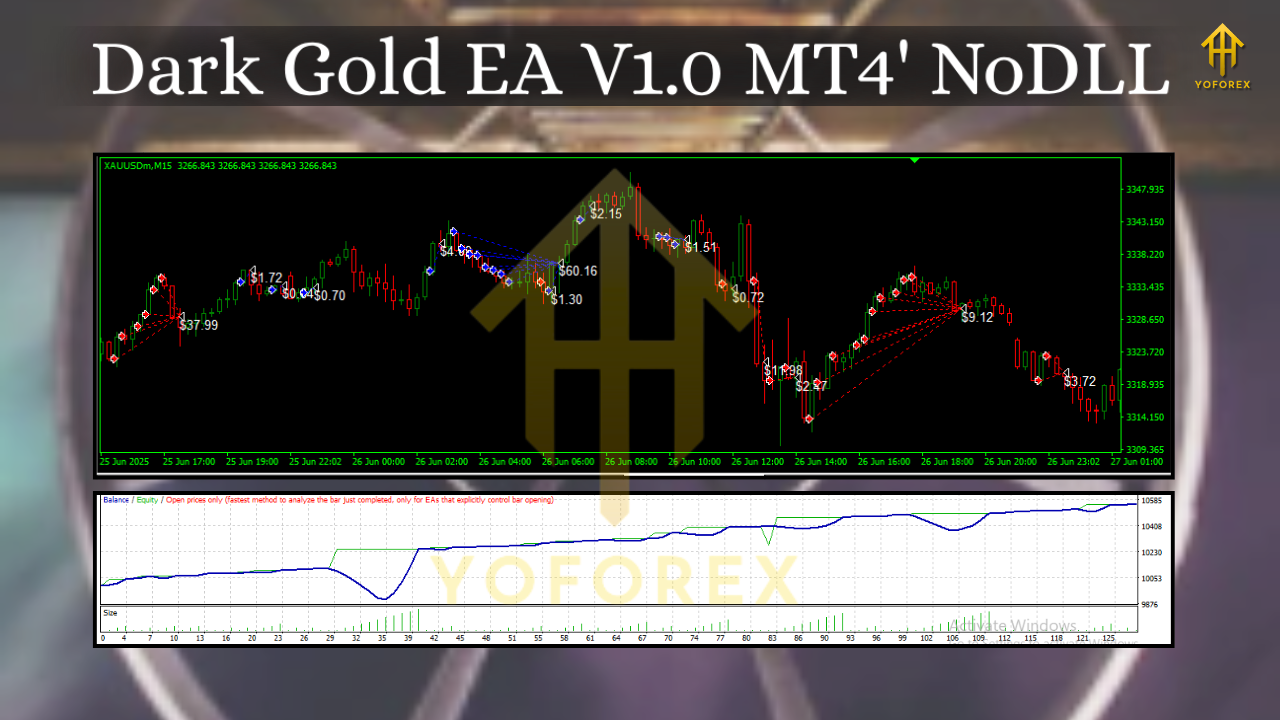
Why it works (and when it doesn’t)
Scalping can be brutally honest. It wins by taking many small edges and quitting when conditions are trash. Dark Gold EA tries to do exactly that:
- Edge: Accurate S/R mapping + candle structure, not blind indicators.
- Filter: Trades only when spread, slippage, and volatility are within your thresholds.
- Exit: Fast profit taking; no “hold and hope.”
- Control: Hard SL always placed; no martingale, no grid by default.
When it struggles: during wild news releases you forgot to filter, during extreme slippage environments, or if you use a high-spread broker. That’s not magic, that’s reality—so we bake in guardrails.
Key Features at a Glance
- Dual Logic: Trend-follow or counter-trend (auto-switch optional)
- S/R Precision: Dynamic zones updated intraday
- Volatility Aware: ATR and candle-body filters to avoid chop
- News Filter: Pause before/after high-impact events (optional)
- Spread Guard: Skip trades when spreads widen beyond your limit
- SL/TP Discipline: Fixed stops + quick take-profits, or trailing logic
- Break-Even & Partial Close: Lock gains early; scale out by levels
- No Martingale: Lot sizes are risk-based, not gambler’s fallacy
- Session Control: Prefer London/NY overlap on Gold & majors
- Execution-First: Slippage cap, order retry rules, and error handling
- Lightweight: Low CPU/memory footprint on typical VPS
- Full Logs: Clear comments, magic numbers, and trade notes
Recommended Settings (Starting Point)
These are baseline ideas to help you start clean. Always forward-test on demo first and adjust to your broker.
Broker & Account
- Type: ECN/RAW or low-spread standard
- Leverage: 1:100–1:500 (choose what your risk plan supports)
- VPS: Strongly recommended (low latency to your broker’s server)
Risk & Money Management
- Risk per trade: 0.5%–1.0% (beginners stick to 0.5%)
- Max concurrent positions: 1–3 (coz stacking too much kills accounts)
- Daily loss limit (soft stop): 2%–3% (EA can pause for the day)
Pair-Specific Hints
- XAUUSD (Gold): M5/M15; trade London/NY overlap; spread ≤ 30–40 points
- BTCUSD: H1 or M15; widen SL due to bursts; confirm with volatility filter
- EURUSD & GBPUSD: M5/M15; prefer London hours; keep spread guard tight
Exits
- TP: 1.0–1.5× SL for trend mode; faster scalps in counter-trend
- SL: Technical level behind the zone; never remove it
- Trailing: Enable only after break-even, keep it conservative
Filters
- News: Pause 15–30 min before/after red-flag events (NFP, FOMC, CPI, etc.)
- Spread Cap: Auto-block entries above your max spread threshold
- Slippage: 1–3 pips on FX; a bit wider on BTC depending on your broker
Installation & Setup (MT4)
- Download/Copy Files – Place the EA file into
MQL4/Experts/. - Restart MT4 – Or right-click Navigator → Refresh.
- Attach to Chart – Open XAUUSD, BTCUSD, EURUSD, or GBPUSD; choose M5, M15, or H1; drag Dark Gold EA onto the chart.
- Enable Algo Trading – Check the smiley face (top toolbar).
- Load Presets – Start with the provided
.setfile (if available) or the recommended settings above. - Broker Check – Verify live spreads in the Market Watch; adjust spread cap accordingly.
- Demo Forward-Test – Minimum a week on your target pair/time window before going live.
Pro tip: Run separate charts per pair/timeframe with unique magic numbers so you can track and optimize each setup independently.
Strategy Notes by Market
Gold (XAUUSD):
Volatile, mean-reverting intraday—but clean directional legs appear around session opens and major news. The EA’s S/R mapping tends to do best when price revisits freshly marked zones. Start with M15, trend module on, counter-trend allowed only when volatility is moderate.
Bitcoin (BTCUSD):
Crypto can print long candle bodies from nowhere. Use H1 first. Keep risk small and SL wider relative to ATR. Consider running strict news filters around crypto-macro headlines.
EURUSD / GBPUSD:
Great for disciplined scalping during London. Use M5/M15 with tight spread limits. If the day is choppy (tiny bodies, long wicks), let volatility filters keep you out—no trade is a position.
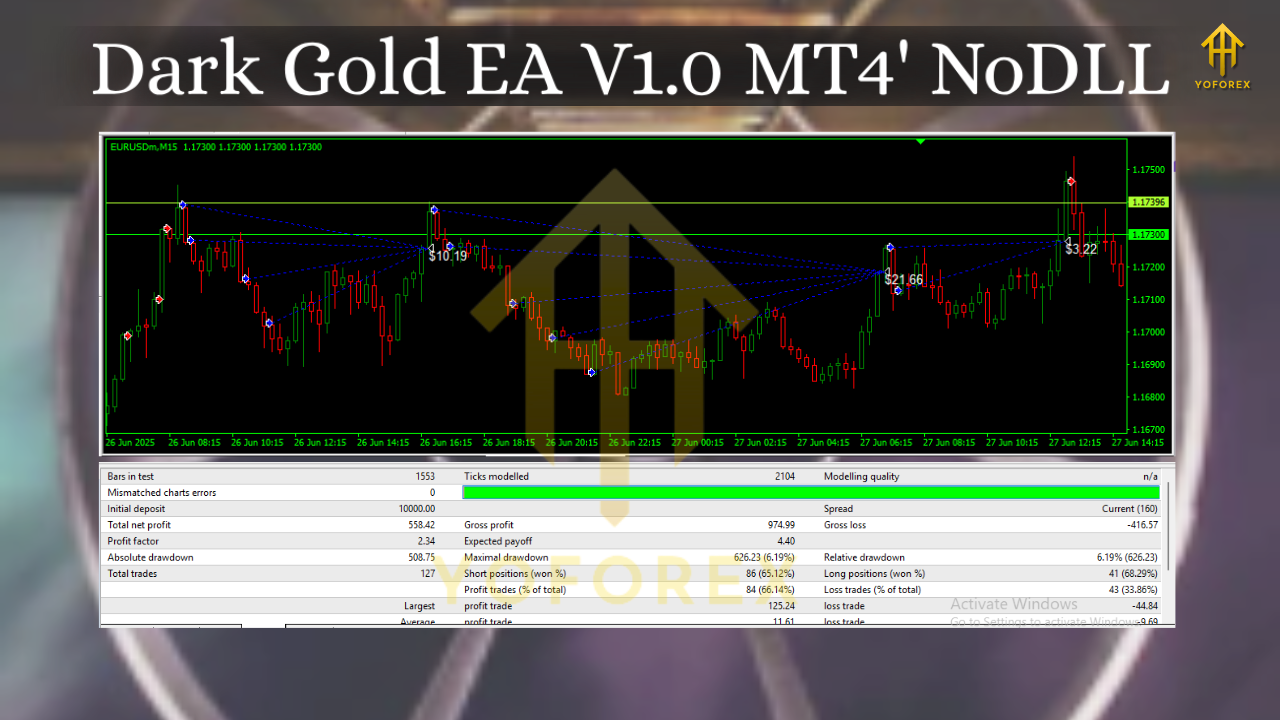
Risk Management Mindset (the boring part that saves you)
- Set a daily stop. If hit, stop trading. Tomorrow is another day.
- Reduce size after losing streaks. Confidence is not a risk metric.
- Scale up only after weeks of consistency. Forward results > backtests.
- Never disable the stop loss. Not once. Not ever.
Troubleshooting & Tips
- “Why no trades today?” Spread or news filters likely blocked entries; check Experts/Journal tabs and EA comments.
- “Too many small losses?” Widen stop slightly and/or reduce counter-trend frequency. Spread might be too high; compare brokers.
- “Missed big moves?” You may be over-filtering volatility. Loosen ATR gates a touch on trend mode.
- “Slippage warnings?” Move VPS closer to the broker; avoid news windows.
Final Thoughts
Dark Gold EA V1.0 MT4 keeps things refreshingly straightforward: spot the level, confirm the context, take the trade, and get out. It’s built for traders who value consistency over drama—those who’d rather bank frequent, smaller wins than swing for home runs and eat massive drawdowns. Will it win every day? No system does. But with clean setup, sensible risk, and a decent broker, it gives you a rules-based workflow you can actually stick to.
Before you go live, forward-test on demo for at least a week in your preferred sessions, then deploy on a small live account. Iterate settings; keep logs; don’t rush sizing. Do that, and you’ll give the EA a fair shot at showing what it can do.






Comments (0)
No comments yet. Be the first to comment!
Leave a Comment