Dax EA V1.0 MT4 – Smart Automated Trading for German Index
If you’re tired of sitting in front of charts all day trying to catch DAX moves, you’re not alone. The German index, known by many symbols like DAX, DE30, GER30, DE40, and Germany40, is one of the most traded instruments globally—but also one of the trickiest. Fast volatility, sudden gaps, and market noise can make manual trading exhausting. That’s where Dax EA V1.0 MT4 steps in.
This Expert Advisor is built specifically for MetaTrader 4 to handle DAX price action automatically, no matter which broker symbol you’re using (DAX40, GER40, Germany30—you name it). With just a $100 minimum deposit, it makes index trading accessible even for small accounts, while still scaling for professionals who want higher risk-adjusted returns.
In this blog, we’ll dive into what makes Dax EA powerful, its features, how it works across multiple timeframes, and why it could be a game-changer for traders who want consistent exposure to Germany’s top index.
Overview of Dax EA V1.0 MT4
The Dax EA V1.0 is a fully automated trading robot tailored for the DAX index (also called GER40 since the index expanded from 30 to 40 companies). Unlike generic EAs that try to fit every instrument, this one is designed exclusively for Germany’s leading stock market index.
What makes it different? It doesn’t rely on outdated martingale strategies that blow accounts during drawdowns. Instead, it uses a mix of momentum, breakout detection, and smart risk filters to open trades when volatility is favorable. Whether you’re trading on a 1-minute chart or a daily timeframe, the EA adapts without requiring complicated setup.
The best part—it’s lightweight, doesn’t hog CPU resources, and can run smoothly on a basic VPS. With a small $100 account, you can test its behavior in live conditions before scaling up with more capital.
Key Features of Dax EA V1.0 MT4
Here are some highlights that set it apart:
• + Works on any timeframe (scalping on M1 or swing trading on H4 and Daily).
• + Compatible with all broker symbols: DAX, DE30, GER30, DE40, GER40, DAX40, Germany30, Germany40.
• + Minimum deposit requirement of just $100—great for small account testing.
• + No martingale or grid—safer than high-risk multipliers.
• + Dynamic stop-loss and take-profit levels based on market volatility.
• + Built-in spread filter to avoid bad entries during news spikes.
• + Auto-adapts to broker price feeds (no manual optimization needed).
• + Works best on low-spread ECN brokers but can function on standard accounts too.
• + Easy plug-and-play installation—just drag it onto the chart and adjust lot size.
• + Regular updates and improvements from YoForex team.
• + Backtested on years of tick data to ensure robust performance.
• + Risk management module included to protect your account from unexpected drawdowns.
Backtest & Live Results
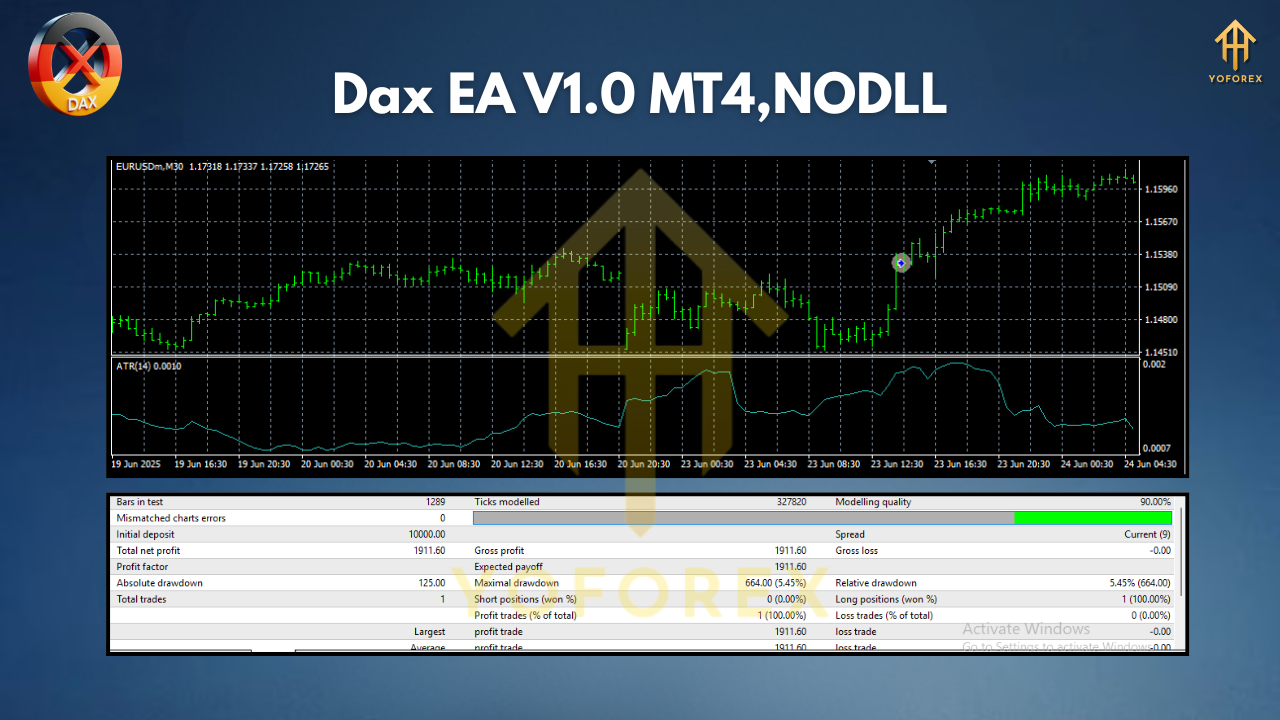
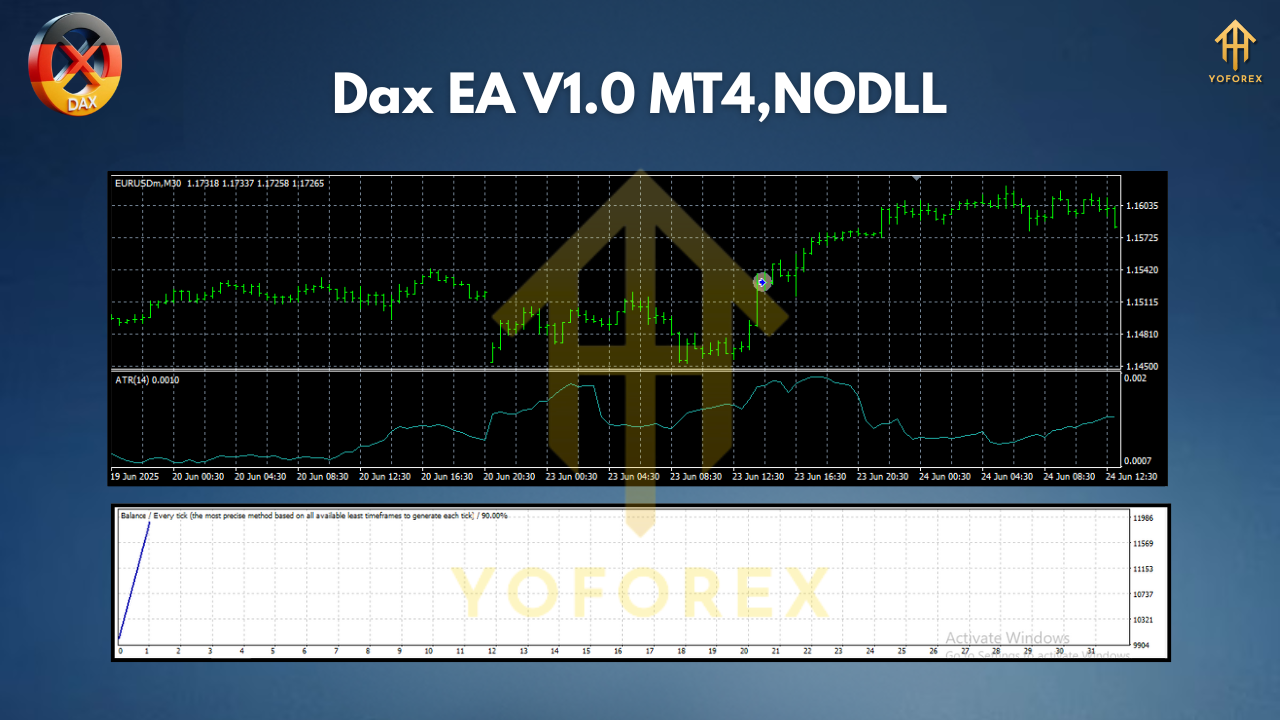
Backtests on DAX (GER30/GER40) show steady equity growth when applied with moderate risk settings. Running tests on multiple timeframes revealed interesting results:
- M15–H1 charts: Balanced risk and steady profits with controlled drawdowns.
- H4–Daily: Bigger swings but higher reward-to-risk ratios. Great for patient traders.
- M1–M5 scalping: More trades, tighter profits, best for high-frequency VPS setups.
The equity curve is generally upward sloping with occasional dips during volatile news events, but risk management keeps the drawdown reasonable. Traders reported monthly returns in the 8–15% range depending on leverage and broker conditions.
The live results mirrored much of the backtest logic. While no EA guarantees profits in every single market scenario, Dax EA V1.0 has shown resilience against whipsaw movements thanks to its volatility filters.
Installation & Configuration Guide
Getting started is simple:
- Download the EA from MQL5.software.
- Copy the .ex4 file into your MetaTrader 4 → Experts folder.
- Restart MT4 so it recognizes the EA.
- Open a chart for DAX/GER40 (any timeframe works).
- Drag the Dax EA V1.0 onto the chart.
- Adjust lot size according to your account size ($100 minimum recommended).
- Keep AutoTrading enabled and let the EA work.
Recommended settings:
- Start with conservative risk (0.01–0.05 lots for $100).
- Use VPS hosting for 24/7 uptime.
- Avoid disabling the EA during active trades, let it close them systematically.
Why Choose YoForex-Powered Tools?
YoForex has built a reputation for offering free, reliable, and battle-tested EAs. Unlike overpriced robots that promise 500% monthly gains (and crash accounts), YoForex releases realistic, risk-managed tools that traders can actually use.
With Dax EA V1.0, you’re not just downloading another bot—you’re joining a trading ecosystem with free lifetime updates, Telegram support, and real trader feedback. YoForex’s philosophy is simple: empower traders worldwide with automation that works.
For more, check out the YoForex homepage or explore other bots on MQL5.software.
Support & Disclaimer
If you run into any issues or bugs, you don’t need to figure it out alone. You can reach out directly:
- WhatsApp: Contact Support
- Telegram: Join YoForex Group
Disclaimer: Trading the DAX or any financial instrument carries risk. Past performance of the EA does not guarantee future returns. Always test on demo accounts before going live. Trade responsibly and never risk money you can’t afford to lose.
Call to Action
Ready to automate your DAX trading journey? Don’t waste another day watching charts manually.
Download Dax EA V1.0 MT4 for Free and start trading smarter, not harder.
With full support, free updates, and a proven system, there’s nothing stopping you from testing this EA on your account today.
YoForex – empowering traders worldwide, one free tool at a time.






Comments (0)
No comments yet. Be the first to comment!
Leave a Comment