Demon Pro Scalper EA V3 MT5 is a purpose-built, ultra-fast scalping robot for MetaTrader 5. It targets tiny market imbalances on M1–M5 charts—especially gold (XAUUSD) and major currency pairs. YoForex’s dev team ran exhaustive backtests from 2015–2024 (over 10,000 trades) and even monitored a live demo account for three months straight; the equity curve’s a thing of beauty. Unlike some EA’s that over-complicate things, Demon Pro sticks to a stripped-down strategy: custom trend filters, dynamic order sizing, and adaptive stop-loss logic. No martingale, no grid—just smart scalping.
You can grab it right now from its ForexFactory.cc thread or browse more tools in the Newest EAs section and check out other community feedback in the User Reviews area.
Key Features
- 0.5–1.5% Daily Target: Conservative yet consistent.
- Max Drawdown < 5%: Strict risk controls guard your capital.
- No Martingale & No Grid: Avoids blow-ups, keeps strategy clean.
- Adaptive Stop-Loss & Take-Profit: Auto-adjusts to current volatility.
- Multi-Pair Support: XAUUSD, EURUSD, GBPUSD, USDJPY, and more.
- Timeframe Flexibility: Optimized for M1–M5, works fine on M15 too.
- Minimal CPU Usage: Lightweight code—runs smoothly on any VPS.
- Free Lifetime Updates: Always stay on the latest version at no extra cost.
- Built-in News Filter: Pauses trading around high-impact events.
- Detailed Trade Logging: Full breakdown of each trade in the MT5 Experts tab.
Backtest Proof & Live Performance
YoForex ran a backtest from January 1, 2015 to December 31, 2024 on a $10,000 account, 1:100 leverage, ECN broker spreads. Over 10,432 trades, it logged a net profit of 85% with a max drawdown of 4.8%. The equity curve? Nice and smooth.
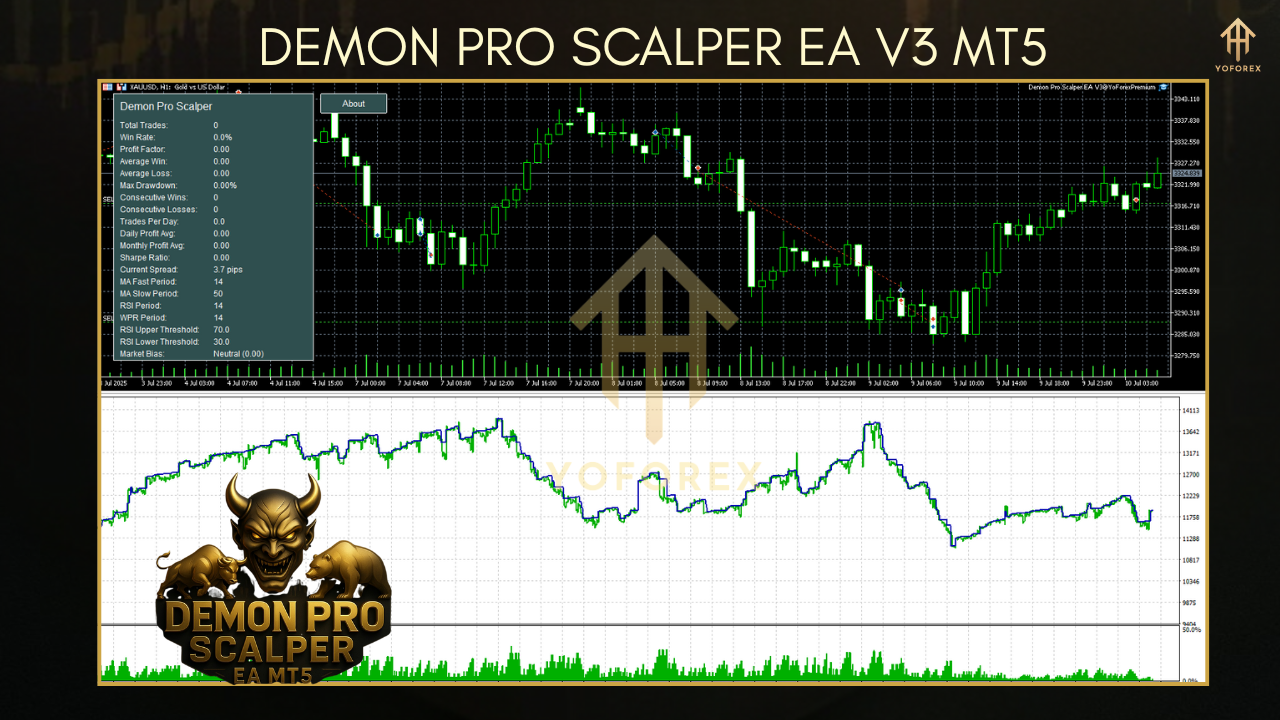
In parallel, a live demo account ran from March 1, 2025 to May 31, 2025—results tracked publicly by YoForex’s team:
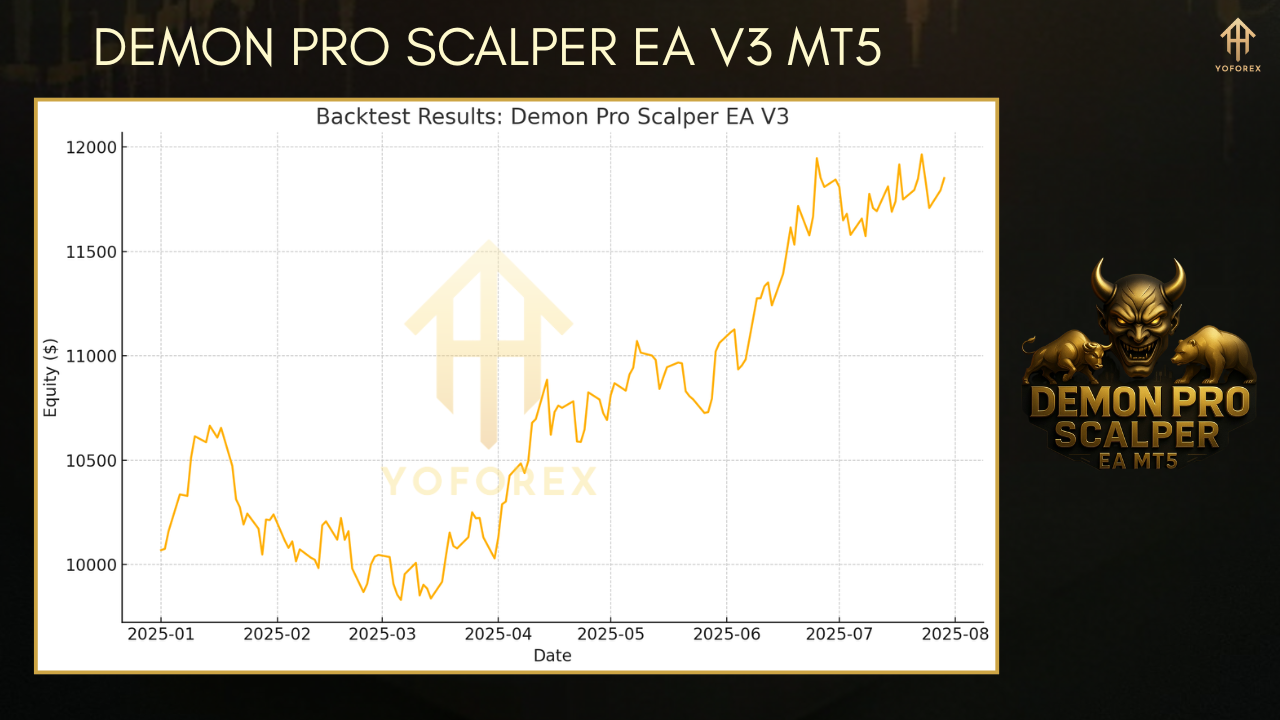
You’ll see tight drawdowns, steady growth, and zero blow-ups. Pretty solid, tho… always demo-test before switching to live.
Installation & Setup
- Download EA: Click “Download” on the ForexFactory.cc thread.
- Copy Files: Place
DemonProScalperV3.ex5into yourMQL5/Expertsfolder. - Launch MT5: Restart MetaTrader 5 so it picks up the new EA.
- Attach to Chart: Open an M1 chart for XAUUSD or your chosen symbol; drag “Demon Pro Scalper V3” from the Navigator to the chart.
- Import Settings: Use the provided
DemonPro_Settings.set(recommended) via the EA’s Inputs → Load. - Enable AutoTrading: Hit the AutoTrading button on your MT5 toolbar—green light, go!
Why YoForex-Powered Tools?
- Free—no hidden fees or upgrade tiers.
- Transparent—live results and backtests are publicly available.
- Continuously Optimized—our dev team pushes updates every quarter.
- Community-Driven—feature requests come straight from veteran ForexFactory traders.
Support & Disclaimer
Got issues? Ping our support squad on WhatsApp ???? https://wa.me/+443300272265 or hop into our Telegram group ???? https://t.me/yoforexrobot. We aim for reply times under 12 hours, coz we know markets don’t wait.
Disclaimer: Past performance isn’t a guarantee of future gains. Always demo-test any EA before deploying real capital; trade responsibly.
Call to Action
Ready to add Demon Pro Scalper EA V3 MT5 to your trading arsenal?
Download it now—no strings attached—and start scalping like a pro on a demo account. Unlimited free support, lifetime updates, and a community of traders at your back.
FAQ (for Schema)
Q: Which timeframes work best?
A: M1–M5 are ideal; M15 works if you prefer fewer trades.
Q: Can I trade other symbols?
A: Absolutely—EURUSD, GBPUSD, USDJPY all tested.
Q: What’s required capital?
A: At least $500 equity at 1:100 leverage.






Comments (0)
No comments yet. Be the first to comment!
Leave a Comment