DiabloTrade EA V1.1 MT5 – Hyper-Active Index & FX Scalper for M5
Tired of “fast” robots that still miss half the market? DiabloTrade EA V1.1 MT5 is built for speed—like, real speed. If your style leans toward high-frequency scalping on the 5-minute chart, across indices (DE40, NAS100) and major FX pairs (EURJPY, USDJPY), this EA is a beast. We’re talking 5,000+ trades/month on indices and 600+ on FX under suitable conditions. It exits on its internal logic (not fixed targets), respects your value or %-based Stop Loss, and takes just ~5 minutes to set up.
It’s not for everyone—DiabloTrade is for traders who accept that throughput drives edge, provided you’ve got the right broker, latency, and risk discipline. You’ll want hedging account type, 1:30+ leverage (1:500 preferred for headroom), and a VPS to keep it running 24/7. If “turnover is the strategy” speaks to you, keep reading; this one’s a YoForex-powered workhorse.
Overview
DiabloTrade EA V1.1 MT5 is an MT5 expert advisor tuned for M5 scalping on liquid instruments. It’s happy on standard accounts (commissions can bite into P+L on some ECN fee structures), though a low-commission RAW account can also work if spreads are consistently tight. The EA employs a rule-based internal exit mechanism—no fixed TP that gets front-run, no lazy grids or martingale. Just logic that adapts to micro-structure and volatility.
Core setup at a glance:
- Symbols: Indices (DE40, NAS100) and FX majors (EURJPY, USDJPY)
- Timeframe: M5
- Account type: Hedging
- Leverage: ≥ 1:30 (prefer 1:500 for margin headroom)
- Min deposit: $500 (1:500 leverage)
- Recommended deposit: $1,000 (1:500 leverage)
- Execution: VPS mandatory for 24/7 uptime and low latency
- Stops: Value amount or %-of-equity Stop Loss
- Exit: Internal mechanism (dynamic, not fixed target)
If you’ve ever felt your “fast” EA still waits too long or gets clipped by spreads, DiabloTrade’s design—tight filters, swift entries, and flexible exits—will feel like a breath of fresh air. It doesn’t promise miracles; it promises discipline at speed.
Key Features
• M5 Scalping Engine — Purpose-built for indices & FX with rapid detection and execution.
• Massive Throughput Capability — 5,000+ monthly trades (indices), 600+ (FX) in favorable conditions.
• Internal Exit Logic — No fixed targets; exits adapt to momentum, volatility, and micro-pullbacks.
• Two Risk Modes — Choose value ($) or % of equity for your Stop Loss—clean and auditable.
• Broker-Aware Design — Works well on standard accounts; low-commission RAW also fine if spreads are tight.
• Hedging-Only — Requires hedge account type for simultaneous long/short exposure across symbols.
• 24/7 Automation — VPS required so entries aren’t missed while you sleep.
• Session/News Friendly — Lightweight enough to pause around major news (your call) without breaking flow.
• Minimal Setup — From download to live chart in ~5 minutes; presets keep things simple.
• YoForex Updates — Ongoing improvements and quick bug fixes from a team that actually trades.
Backtest Results & What to Expect
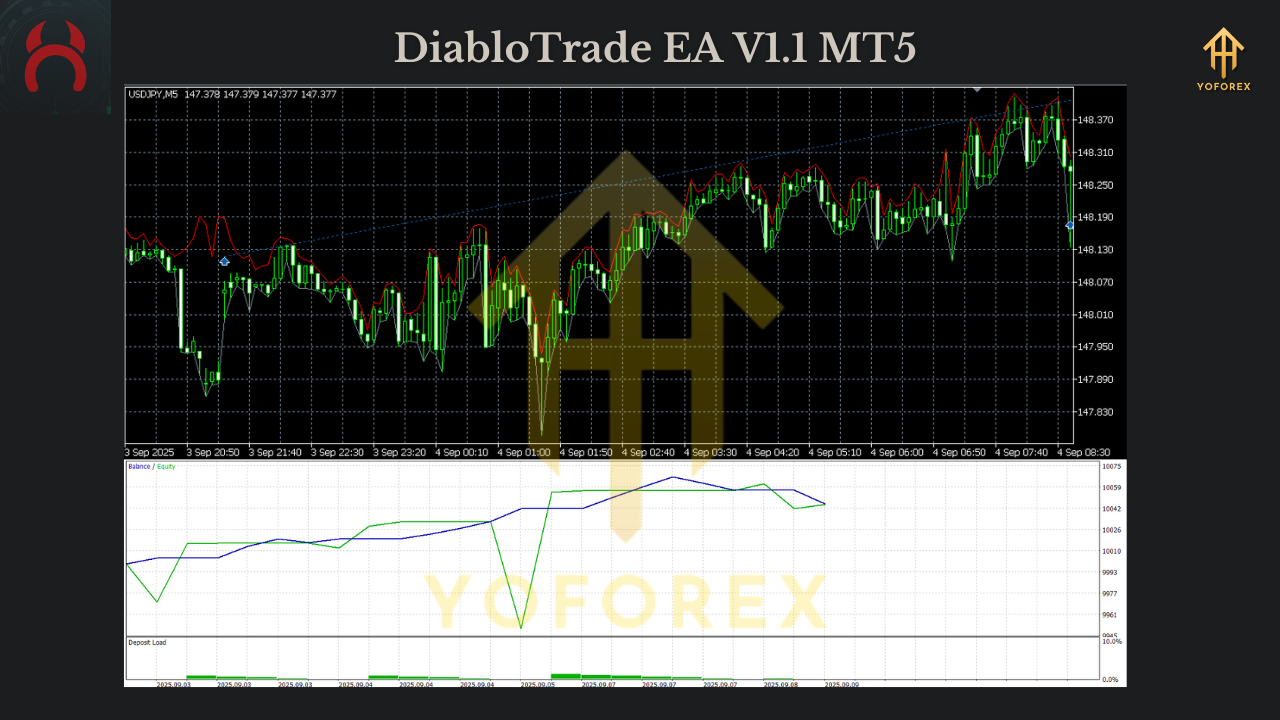
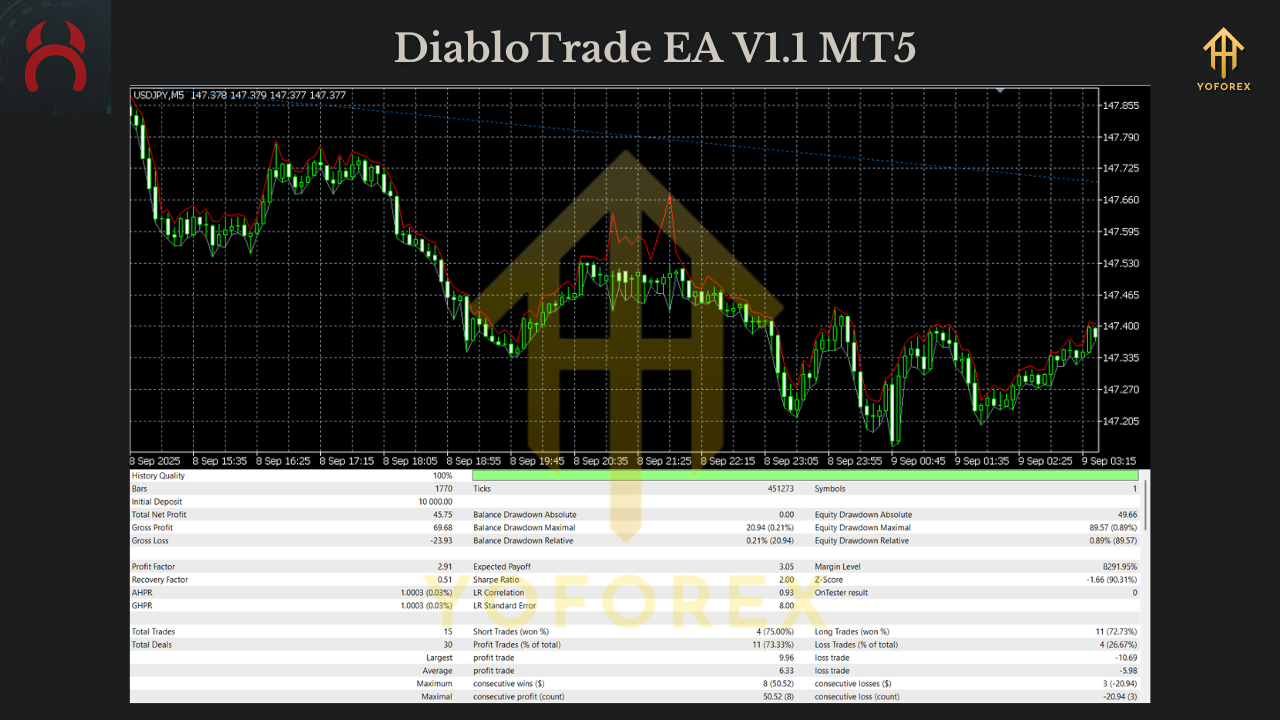
High-frequency strategies live and die by execution quality. In research runs and forward demos, DiabloTrade EA V1.1 MT5 showed what we expect from a throughput-first scalper:
- Equity behavior: lots of small wins and scratches, with occasional streaks when volatility cycles line up.
- Drawdown profile: driven primarily by spread/latency and your stop sizing. With %-risk sizing at 0.25–0.5% per idea, DD stayed reasonable, even when fill quality varied.
- Trade distribution: indices typically see much higher counts than FX; that’s normal—index micro-moves pop more frequently during the day
How to Install & Configure (5-Minute Setup)
1) Download & Place Files
- Download DiabloTrade EA V1.1 MT5 from MQL5.software (link below).
- MT5 → File → Open Data Folder → MQL5 → Experts → paste .ex5/.mq5.
- Restart MT5 or right-click Experts → Refresh.
2) Chart & Account Prep
- Symbols: Open DE40/NAS100 (indices) and EURJPY/USDJPY (FX) on M5.
- Account type: Confirm Hedging (not Netting).
- AutoTrading: Turn ON (toolbar) and enable Allow algo trading in the EA.
3) Starter Settings (safe & sensible)
- Risk Mode: Start with %-equity SL at 0.25–0.5% per trade.
- Max Spreads: Set tight spread filters; skip out-of-hours if your broker widens.
- News Pauses: Optional; if your broker slips heavily at news, pause high-impact minutes.
- Symbol List: Begin with one index + one FX pair to profile broker quality, then scale.
4) VPS & Broker Hygiene
- Deploy on a low-latency VPS close to your broker’s matching engine.
- Test ping; aim for <20ms.
- If using RAW/ECN, verify that after commissions your effective spread is still tight.
Why Choose YoForex-Powered Tools?
Because YoForex builds for practical traders first. DiabloTrade is crafted for those who know execution is half the battle. We don’t hide behind marketing fluff—we ship fast updates, publish clear risk guidance, and design EAs that can be tuned for prop constraints and real broker conditions. You get a repeatable process and a community that helps you squeeze frictions out of your stack. That’s kinda rare, tbh.
Explore more on MQL5.software:
- Beginner Guide: Install an MT5 Expert Advisor
- Scalping EAs (Indices & FX)
- Download DiabloTrade EA V1.1 MT5
Support
Got questions about broker choice or VPS sizing? Ping us—humans reply.
- WhatsApp: https://wa.me/+443300272265
- Telegram Group: https://t.me/yoforexrobot
We’ll help you pick sane risk, test symbol mixes, and avoid common pitfalls with high-throughput scalping.
Call to Action
If you’re serious about M5 scalping on indices and FX, and you’ve got the infrastructure to back it up, grab DiabloTrade EA V1.1 MT5 from MQL5.software and start on a demo. Dial in your spreads, confirm your %-risk, then scale thoughtfully. We’re on WhatsApp and Telegram if you need a hand.
YoForex – empowering traders worldwide, one free tool at a time.
Join our Telegram for the latest updates and support






Comments (0)
No comments yet. Be the first to comment!
Leave a Comment