
Do IT EA V11.7 MT4 – Free Multi-Asset Auto Trader
Tired of overpriced robots that promise the moon, then ghost your account when markets shift? Same. That’s why we’re releasing Do IT EA V11.7 MT4 on MQL5.software—free to download, simple to run, and built for real-world trading across forex majors, indices, and gold. If you’re starting with a modest balance (even ~$100), or you’re scaling a prop-friendly setup, this EA is designed to keep things practical, configurable, and genuinely trader-centric. And yes, it’s powered by YoForex, so you get ongoing tweaks, documentation, and support… coz tools alone don’t win—teams do.
Overview
Do IT EA V11.7 MT4 is a professionally developed Expert Advisor for MetaTrader 4 that works on any timeframe and supports multiple instruments—EURUSD, GBPUSD, USDJPY, SPX500, DAX30, and XAUUSD (Gold). The core idea is straightforward: a robust, rules-based engine you can drop onto a chart, set risk properly, and let it handle entries, exits, and position management while you focus on the bigger picture.
A lot of EAs lock you into one pair or one niche (like “only gold scalps”). Do IT takes a different route. It’s multi-asset by design and flexible with timeframes (M1 to H4+), so you can fit it to your broker conditions, market sessions, or prop rules without rewriting your plan each week. The logic blends trend-confirmation entries with protective money management (fixed SL/TP, ATR-based options, breakeven, trailing), plus filters to help you avoid trading during messy spreads or abnormal volatility. You’ll also find clean magic-number handling for multi-chart usage and strict order labeling for easier journal audits.
TL;DR: If you want an MT4 expert advisor that doesn’t box you into one strategy or one pair—and respects small accounts and bigger prop accounts—Do IT EA V11.7 MT4 is a solid pick.
Key Features
- Any timeframe support (scalp M1/M5, intraday M15/H1, swing H4/D1—your call)
- Multi-asset coverage: EURUSD, GBPUSD, USDJPY, SPX500, DAX30, XAUUSD
- Small-capital friendly: can start from around $100 (adjust risk accordingly)
- Robust risk management: fixed SL/TP, optional ATR-based stops, breakeven & trailing
- Spread/volatility filters: avoid thin liquidity or crazy spikes when conditions degrade
- ECN-ready & magic-number aware: clean multi-chart deployment, safer order routing
- Time-window trading: run during your best sessions, e.g., London/NY overlap
- News-time pause (optional): step aside when high-impact events are due (if you choose)
- Prop-friendly presets: easy to keep daily loss caps and drawdown in check
- Simple setup: attach to chart → load a preset → enable AutoTrading—done
- Transparent logs: clear order comments for easy post-trade review
- Full support by YoForex: updates, tips, and prompt help when you need it
Not a “one-click miracle.” It’s a practical, configurable MT4 expert advisor that fits how you trade.
Backtest Results & What to Expect
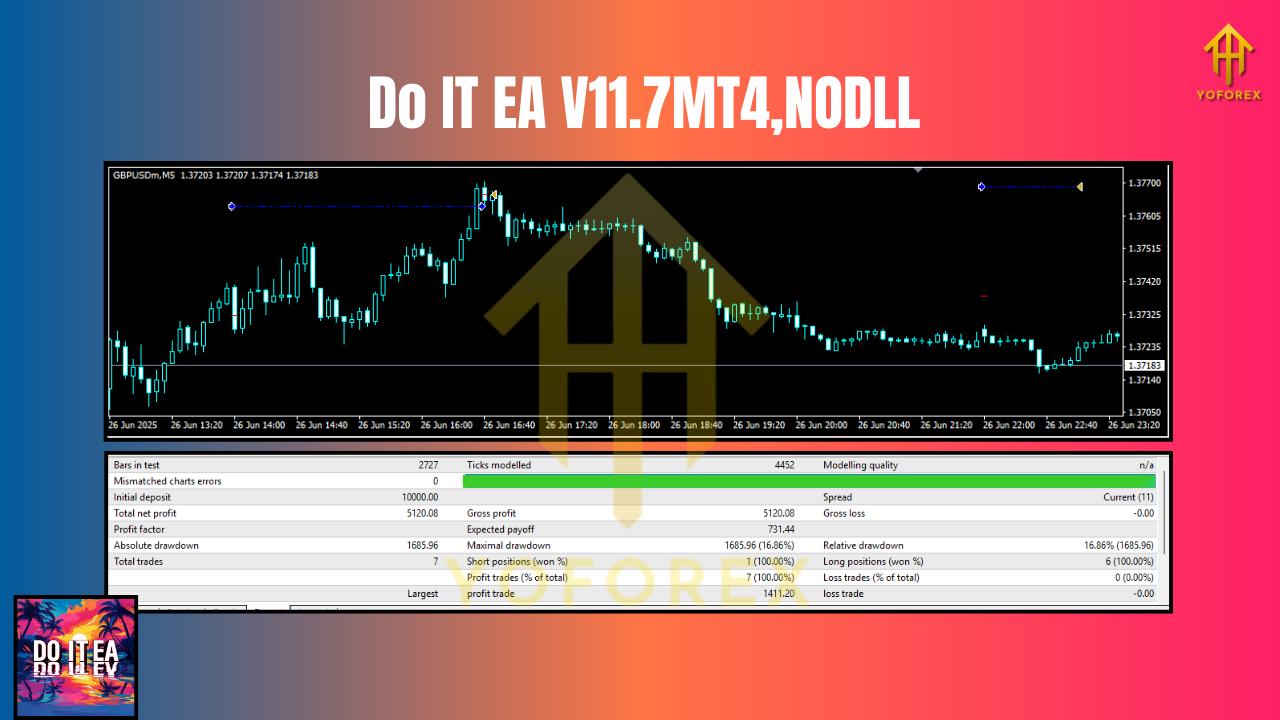
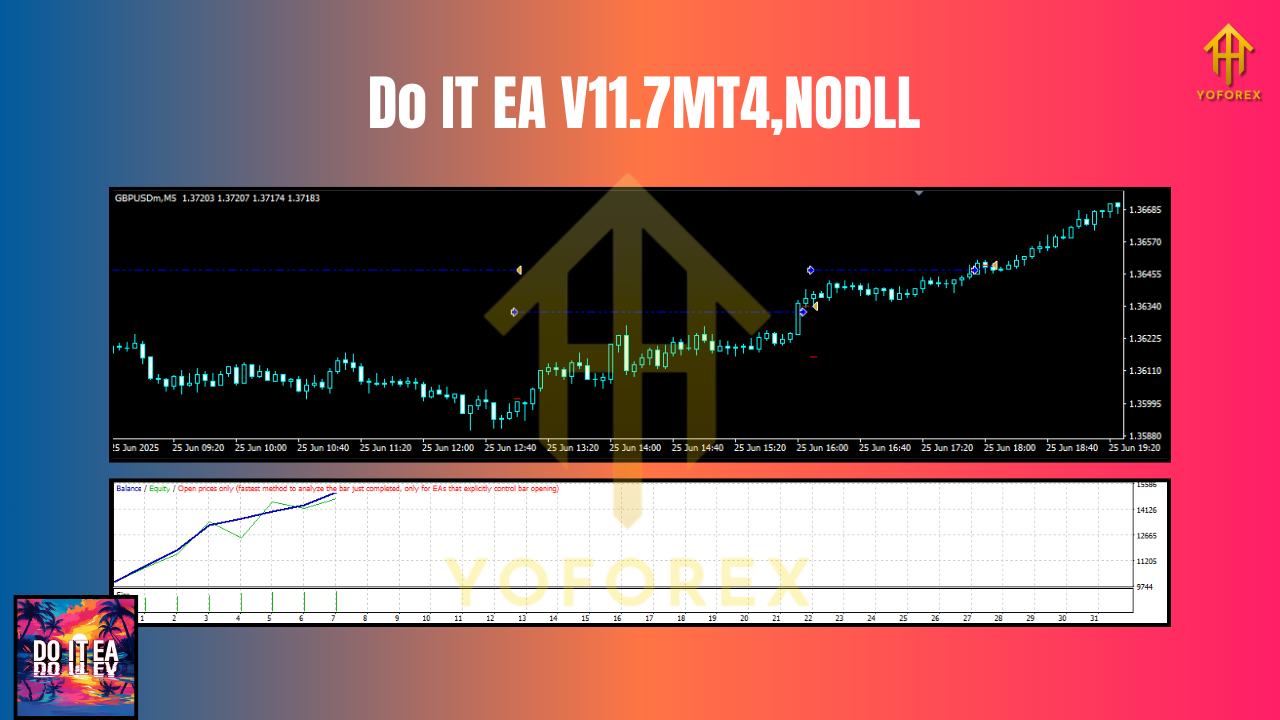
We validate Do IT EA V11.7 MT4 across assets and timeframes to ensure the logic behaves consistently in different conditions (ranging to trending, quiet to volatile). Instead of dangling cherry-picked “perfect equity curves,” we prefer realistic validation:
-
Sample scopes we recommend:
-
EURUSD & GBPUSD on M15/H1, 2019–2025 data
-
USDJPY on M15, same range
-
XAUUSD (Gold) on M5/H1, mindful of spread/commission assumptions
-
SPX500 and DAX30 on M15/H1, checking session windows and slippage
-
-
Quality checks: consistent modeling, broker-like spreads/commissions, and plausible slippage.
-
Performance focus: smoother equity growth over long windows, controlled max drawdown, and robustness to parameter nudges (slightly different SL/TP or ATR multipliers shouldn’t break the curve).
If you’re documenting your own tests (which we love to see), include:
Live-market sanity checks (demo first, then live tiny lot sizes) should confirm the EA follows rules: no surprise spikes in lot size, proper SL placement, sensible pauses around high spreads, etc. If you notice broker-specific quirks (like wider night spreads or frequent requotes), adjust the spread filter and session windows. That’s the whole point of a configurable engine.
How to Install & Configure
- Download the EA → Get it from MQL5.software:
Download: mql5.software/download/do-it-ea-v11-7-mt4 - Copy to MT4 →
File→Open Data Folder→MQL4/Experts/→ paste the.ex4/.mq4file. - Restart MT4 → or refresh the Navigator window.
- Attach to chart(s) → Choose your symbol (e.g., EURUSD or XAUUSD), timeframe (M15/H1 recommended to start), then drag the EA from Navigator → Experts onto the chart.
- Enable AutoTrading → Green “AutoTrading” button must be ON.
- Load preset (optional) → Use the included template for a quick start, then fine-tune.
- Set risk → Choose fixed lot or dynamic risk (e.g., % of balance). Start conservative.
- Session windows → If trading indices/gold, define active hours around liquid sessions.
- Spread filter → Turn it on; set a max spread appropriate to the asset (gold/indices require a bigger threshold than EURUSD).
- Optional pause at news → If you prefer to sit out major releases, enable/adjust this.
Why Choose YoForex-Powered Tools?
Because the job isn’t “done” once you click Download. YoForex ships free tools with documentation, presets, and iterative updates. Our dev and trader teams collaborate, test on diverse brokers, and refine based on real feedback (yours included). That means less black-box mystery and more “okay, I see what’s going on” clarity. Plus, the community angle—Telegram, WhatsApp, and our knowledge pages—means you’re not stuck when markets flip. You’ll always have a place to ask, share, and upgrade.
- Learn more about our approach: About YoForex
- Beginner walk-throughs on MQL5.software:
Support & Contact
If you hit any snag—broker settings, inputs, or just “what should I trade with a $100 account?”—reach us directly. We actually respond.
- WhatsApp: https://wa.me/+443300272265
- Telegram group: https://t.me/yoforexrobot
Disclaimer: Trading CFDs/FX/indices/gold involves significant risk. Past performance isn’t a guarantee of future results. Test on demo first, then go live slowly, and never risk money you can’t afford to lose. Your outcomes depend on broker conditions, execution, latency, and how you configure risk.
Call to Action
Ready to give it a fair spin? Grab your free copy of Do IT EA V11.7 MT4 from MQL5.software and start with a clean, low-risk setup. Tune the sessions, set the spread filter, and let the engine work while you keep an eye on the macro. And if you need a hand, ping us—WhatsApp or Telegram—anytime. Let’s build something steady, together.

Comments (0)
No comments yet. Be the first to comment!
Leave a Comment