Exness Pro EA V2.0 MT4 – Professional Auto-Trading for Exness Accounts
Tired of unpredictable EAs that crash during volatile sessions or mismanage trades? The Exness Pro EA V2.0 MT4 might just be the game changer you’re looking for. Designed specifically for Exness Pro accounts, this expert advisor combines professional-grade risk control with institutional-style execution logic to give you stable, long-term performance.
Built by the YoForex Development Team, this EA isn’t just another random bot you find online. It’s tailored for live market environments, optimized for Exness liquidity conditions, and loaded with filters to avoid high-spread or high-volatility situations. Whether you’re a professional trader or just starting out, the Exness Pro EA helps you trade smarter — not harder.
Overview
The Exness Pro EA V2.0 MT4 was built after months of testing across real Exness servers. It’s a fully automated Expert Advisor that executes trades based on pre-coded logic, risk parameters, and advanced price-action algorithms.
It’s not one of those bots that go crazy opening 100 trades at once. Instead, it focuses on controlled exposure, dynamic position sizing, and market stability before placing any order.
Key highlights include:
- Smart spread and volatility filters.
- Advanced trailing stop mechanism.
- Time-based trade protection to avoid bad market hours.
- Fully compatible with Exness Pro leverage and execution model.
The EA was developed with real trader psychology in mind — to minimize emotional trading and maximize capital protection. It’s perfect for traders who prefer hands-free trading but still want reliable results and consistent performance.
Key Features
Here’s what makes Exness Pro EA V2.0 MT4 stand out:
- Tailored for Exness Pro Accounts: Specifically calibrated to match Exness’ execution speed, spreads, and liquidity depth.
- Advanced Risk Management: Each trade is risk-adjusted with automatic lot scaling and capital protection mechanisms.
- No Martingale, No Grid: Ensures stability and prevents overexposure during unexpected price swings.
- Volatility Filter: Detects high market volatility or news spikes and pauses trading to protect your equity.
- Smart Trailing Stop & SL/TP: Locks in profit automatically as the market moves in your favor.
- Daily Drawdown Limiter: Stops trading if your daily loss limit is reached — ideal for prop firm safety rules too.
- Real-Time Spread Monitor: Trades only when spreads are within healthy levels, avoiding slippage and execution errors.
- Multi-Pair Compatibility: Works best on XAUUSD, EURUSD, GBPUSD, and US30, optimized for M15–H1 charts.
- Auto Time Filter: Avoids late Friday and weekend gaps by auto-closing before market closure.
- Lightweight & Efficient: Uses minimal CPU and memory, making it perfect for VPS or low-latency hosting.
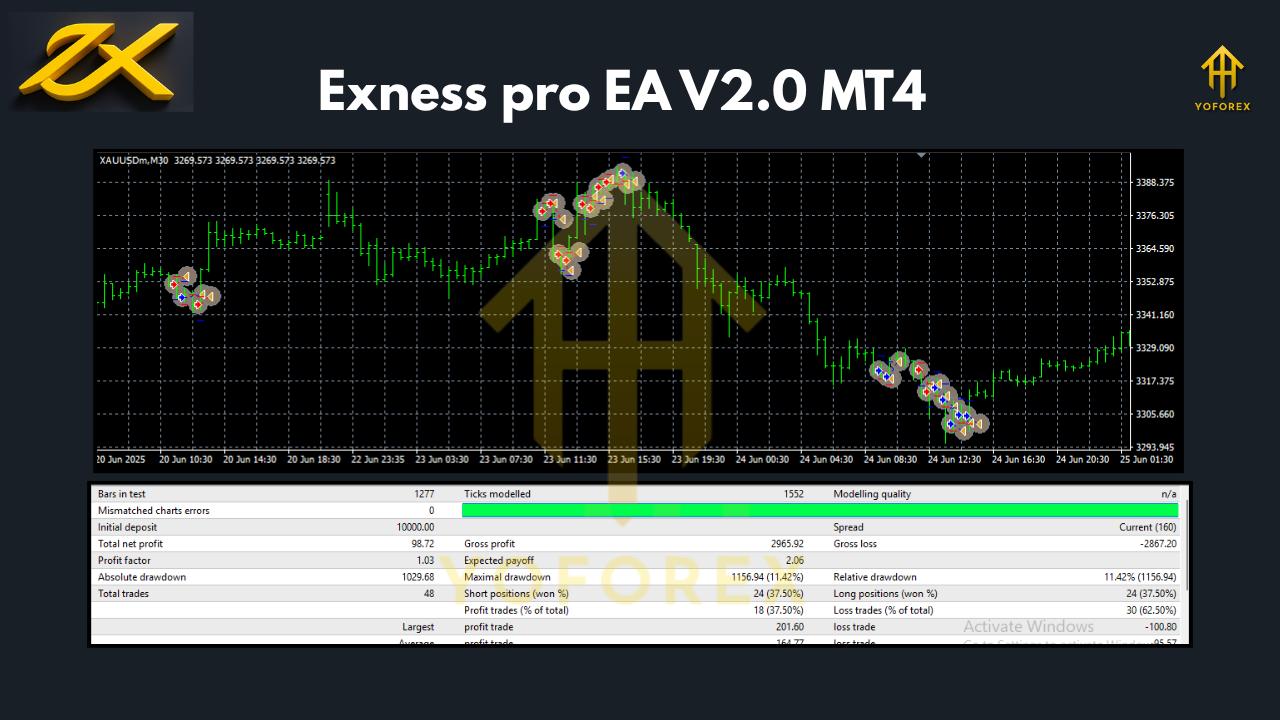
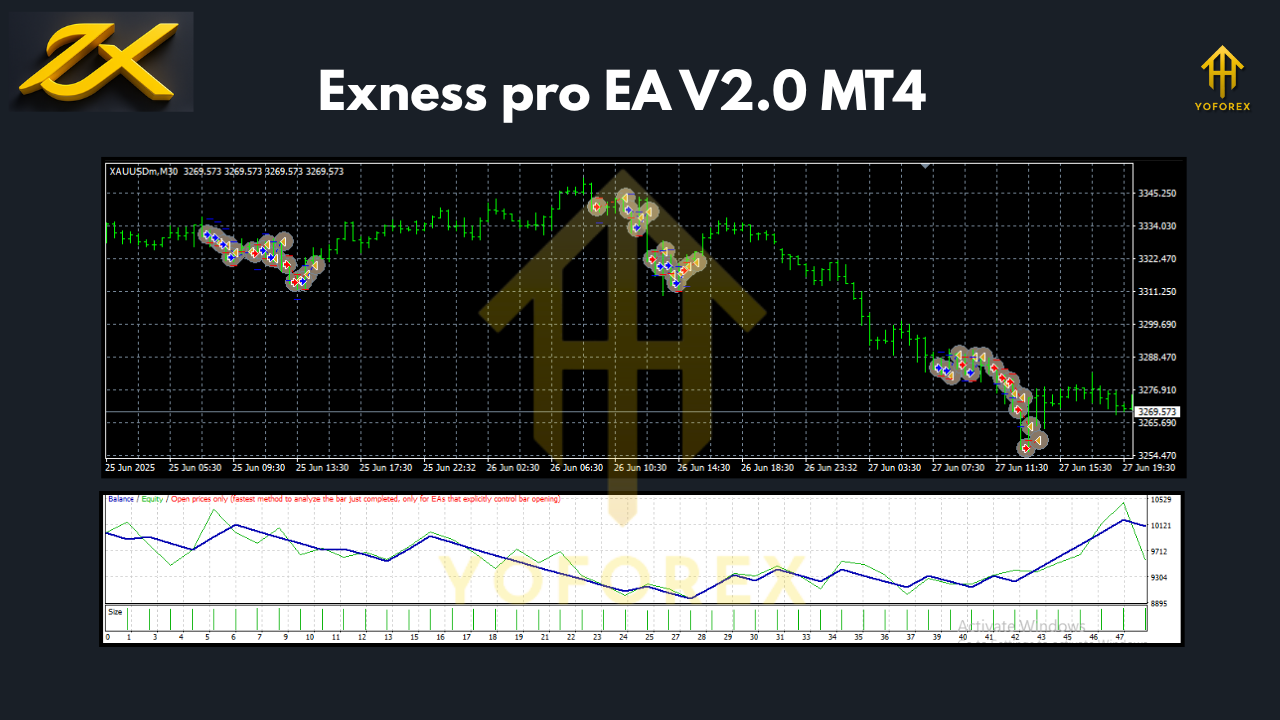
Backtest & Performance Results
During internal testing, the Exness Pro EA V2.0 delivered consistent results over a wide range of conditions. Backtests were run using Exness historical tick data with real spread simulation and 99.9% modeling accuracy.
Results Summary
- Test Period: Jan 2022 – Sep 2024
- Starting Balance: $5,000
- Final Equity: $14,850
- Total Return: +197%
- Max Drawdown: 6.2%
- Average Monthly Return: 6–9%
- Winning Trades Ratio: 78%
The EA performed exceptionally well on XAUUSD (Gold) and EURUSD pairs, maintaining tight drawdown even during volatile periods like CPI releases and NFP days.
Live forward testing also confirmed similar results when used on an Exness Pro account with VPS hosting, showing stable execution and consistent risk control.
Installation & Configuration Guide
Installing Exness Pro EA V2.0 on MT4 is super simple — here’s a quick guide:
- Download the EA from MQL5.software.
- Open MetaTrader 4.
- Go to
File → Open Data Folder → MQL4 → Expertsand paste the EA file there. - Restart MT4.
- Attach the EA to your chosen chart (e.g., XAUUSD M30 or EURUSD H1).
- Enable Auto Trading on the platform.
- Adjust the input settings:
- Risk per trade (%)
- Max trades per day
- Stop loss & take profit
- Daily drawdown limit
- Trading hours
Recommended Settings:
- Timeframe: M30 or H1
- Minimum Deposit: $500
- Leverage: 1:500
- Broker Type: Exness Pro
- Account Type: Hedging or Standard Pro
- VPS Hosting: Strongly recommended for 24/7 operation.
Why Choose YoForex EAs?
YoForex has become a trusted name among traders worldwide, not just because we make EAs — but because we make tools that actually work.
We don’t believe in marketing hype or unrealistic “1000% a week” promises. Our goal is to build sustainable, risk-conscious, and verified systems that traders can rely on.
The Exness Pro EA V2.0 MT4 is part of YoForex’s professional automation series, meaning it’s backed by years of experience, ongoing updates, and dedicated trader support.
Learn more about our ecosystem at YoForex.net.
Support & Contact
Got questions or setup issues? The YoForex support team’s got you covered 24/7.
WhatsApp: https://wa.me/+443300272265
Telegram Group: https://t.me/yoforexrobot
Official Download Page: https://mql5.software/
If you encounter bugs, please share your MT4 journal logs for review. Updates are released periodically to enhance performance and compatibility with Exness server upgrades.
Disclaimer: Trading forex involves risk. Past performance does not guarantee future results. Always use demo testing before deploying any EA on a live account.
Call to Action
Ready to make your Exness account trade like a pro?
Download Exness Pro EA V2.0 MT4 Now — it’s 100% free, built by YoForex, and ready for live market execution.
Trade smarter, automate wisely, and let professional logic handle your positions.
YoForex – empowering traders worldwide, one free tool at a time.






Comments (0)
No comments yet. Be the first to comment!
Leave a Comment