
FMM Ultimate Pro Scalper EA V1 MT4 — Speedy, Pattern-Driven Scalping for Small & Prop Accounts
If you’ve been hunting for a scalping robot that doesn’t need a massive account yet still packs pro-level logic, FMM Ultimate Pro Scalper EA V1 (MT4) fits the brief. It’s built around short-term, high-frequency decision making, analyzing the chart at each new candlestick to detect complex candlestick patterns and react fast. Whether you’re starting with a minimum deposit of just $100 or looking for a tool that can help you respect prop-firm rules, this EA aims to deliver disciplined entries, controlled risk, and smooth execution.
What Makes FMM Ultimate Pro Scalper EA Different?
Scalping is simple to describe but hard to execute consistently. Most bots either overtrade in choppy sessions or freeze when spreads widen. FMM Ultimate Pro Scalper EA V1 tackles those pain points by combining:
- Per-candle analysis: Decisions are triggered at the open of each new bar, reducing whipsaw from intra-bar noise.
- Pattern awareness: It reads clusters of candlestick behavior—engulfings, pin-style rejections, micro-breakouts—to filter low-quality signals.
- High-frequency logic: On liquid sessions, it can place multiple trades in quick succession, yet it remains selective by design.
- Risk controls tuned for small balances: With $100 minimum deposit, position sizing and protective exits are calibrated for smaller accounts first, then scale up cleanly as equity grows.
Time Frame: Any
Currency Pairs: Any
Minimum Deposit: $100
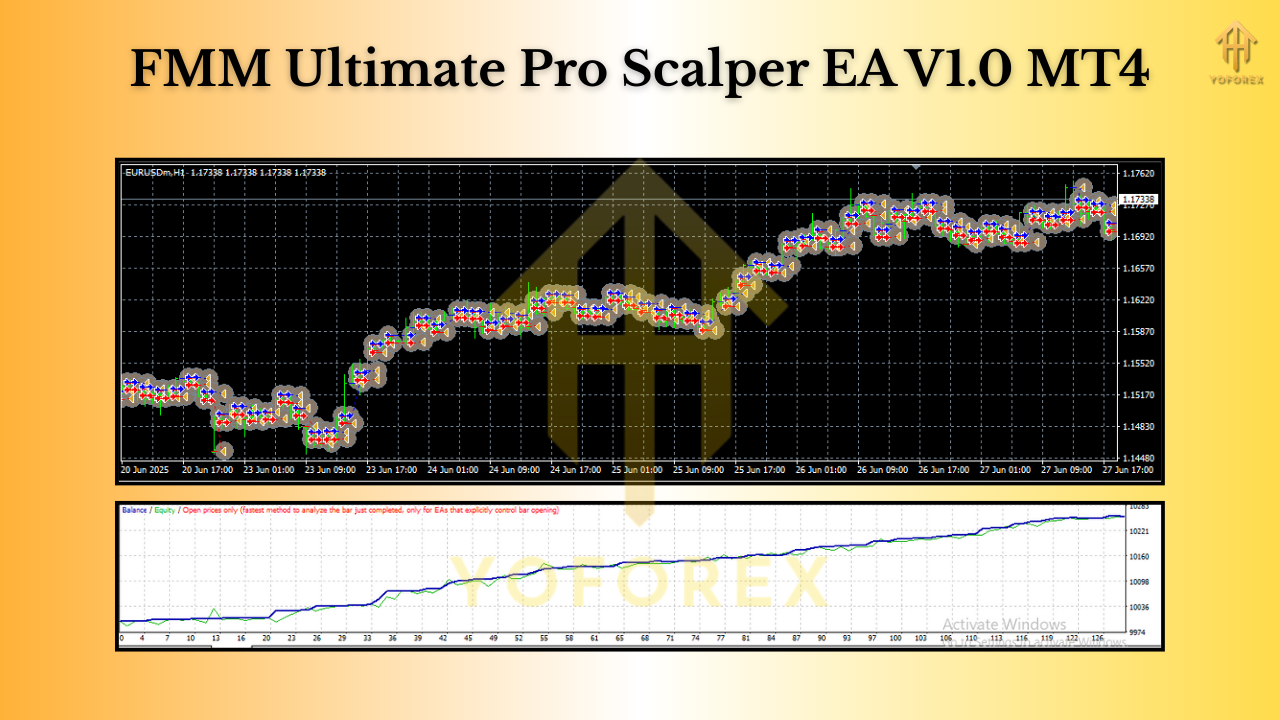
Strategy Overview: How the EA Trades
1) Market Read at Every New Candle
At each new candle, the EA refreshes its read of structure (micro-trends, momentum bursts) and candlestick context (wicks vs bodies, rejection zones). This reduces latency in decision making and helps it avoid chasing stale moves.
2) Pattern-Stacked Entries
Rather than a single trigger, entries are confirmed by a small “stack” of micro-signals—e.g., a momentum push coinciding with a rejection wick at a micro-level supply/demand area. This layered approach helps filter false breaks that often trap retail scalpers.
3) Risk-First Exits
The EA can apply:
- Hard stop-loss aligned to recent structure or an ATR slice.
- Break-even shift once price moves favorably by a set buffer.
- Trailing stop that ratchets behind impulsive pushes to capture runners when the market allows.
4) Session & Spread Awareness
Scalping lives or dies by execution quality. FMM Ultimate Pro Scalper can be configured to trade only in defined sessions (e.g., London + first half of NY), and you can set max spread and slippage tolerances to skip poor conditions.
5) Prop-Friendly Behavior
You can cap daily loss, daily trades, and equity drawdowns. This helps align the bot with common prop-firm rules while keeping risk consistent.
Recommended Use: Timeframes, Pairs & Setups
Although it’s labeled “Any Time Frame” and “Any Pair,” different contexts shine for different goals:
- For pure scalping speed: M1–M5 on liquid majors (EURUSD, GBPUSD, USDJPY) or gold (XAUUSD) during high-liquidity hours.
- For slightly calmer risk: M15–M30, still on majors, to reduce micro-noise and requotes.
- For evaluation accounts: H1 can work for stricter daily-loss limits; fewer signals but cleaner structures.
Tip: Start with one or two symbols you know well. Concentrated focus beats spraying orders across a dozen charts when you’re learning a new EA.
Key Features You’ll Use Daily
- + Pattern-aware scalping logic tuned to short-term bursts and rejections
- + Works on any pair/timeframe, with practical presets for M1–M30
- + $100 minimum deposit—friendly for small, retail accounts
- + Max spread & slippage filters to avoid bad execution windows
- + Hard SL, BE, and trailing-stop options for risk containment
- + Daily loss cap & daily trade cap (prop-friendly)
- + Optional session filters (trade only your best hours)
- + Lot sizing by balance or fixed to fit your money-management style
- + News-time caution settings (pause around scheduled events if you prefer)
- + Detailed on-chart info (entry, SL/TP markers, running P/L)
- + Minimal CPU load, designed for multi-chart deployment
- + VPS-ready for lower latency and 24/5 stability
Example Configuration (A Solid Starting Point)
Use this as a baseline, then tweak:
- Timeframe: M5
- Pairs: EURUSD, GBPUSD, USDJPY (start with one)
- Risk per trade: 0.5%–1% (prop users: lean 0.25%–0.5%)
- Stop-loss: ATR-based (0.8–1.2× ATR on M5) or recent swing
- Take-profit: 1.2–1.6× risk for scalps; enable partial close at 1R if your style prefers banked gains
- Break-even: Move to BE at +0.6–0.8R with a small lock-in buffer
- Trailing: Step behind structure once +1R is reached
- Max spread: Tight; e.g., 10–15 points (1.0–1.5 pips) on majors
- Session window: London open to NY lunch for best liquidity
- Daily loss cap: 2%–3% (prop users often set 1%–2%)
- Daily trade cap: 10–25 depending on pair and volatility
Backtesting & Forward Testing Tips
Backtest like a pro:
- Use tick-by-tick data with variable spreads.
- Run multi-year tests across different volatility regimes (calm, trending, post-news).
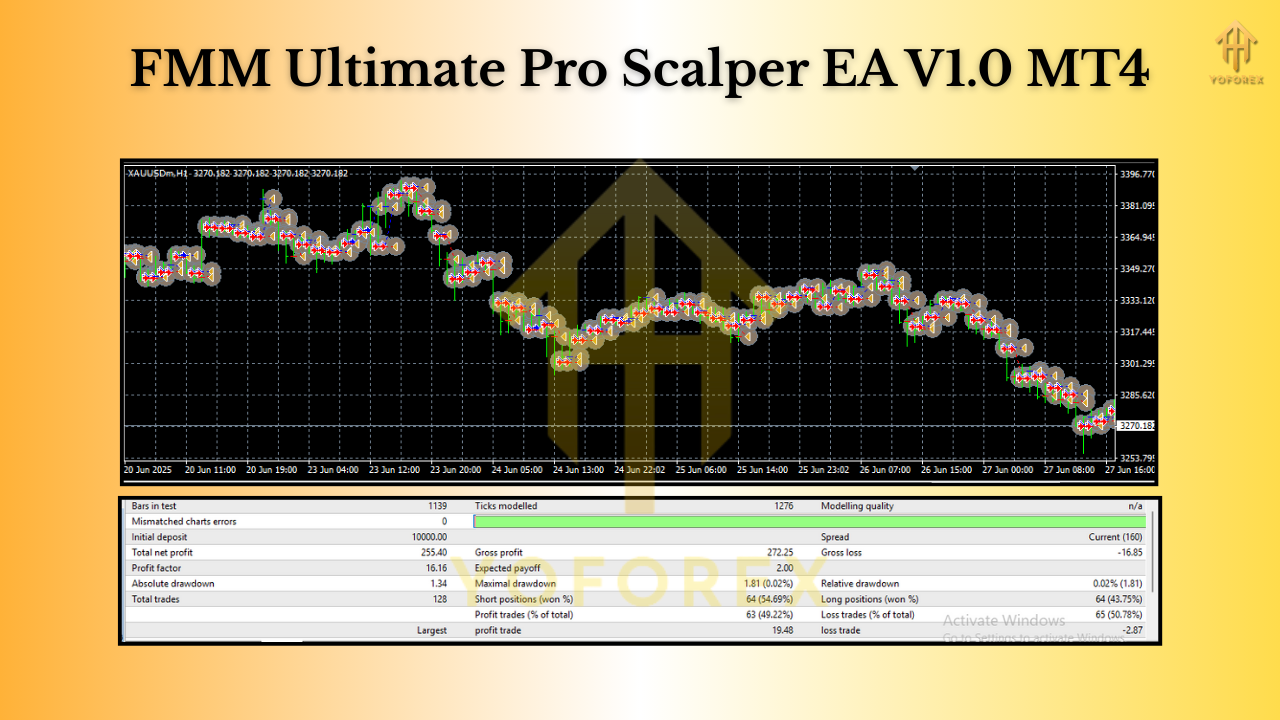
- Evaluate max drawdown, profit factor, and consecutive losses—these matter more than only net profit for scalpers.
- Check sensitivity to spread: double your typical spread in a test and see if the edge remains.
Forward test on demo:
- Run at least 2–4 weeks on a VPS.
- Compare broker feeds; scalpers can be sensitive to quote speed and execution.
- Only after you’re satisfied with behavior and slippage should you go live.
Prop-Firm Playbook (If That’s Your Goal)
- Go small on risk: 0.25%–0.5% per trade with a daily loss cap at 1%–2%.
- Define a trade window: Trade your best 4–6 hours only. Kill the FOMO.
- Pause for news: If your rule book penalizes spikes, disable around red-flag events.
- Cap total trades: Overtrading is a quick way to trip limits.
- Journal executions: Note spreads and slippage by hour; prune weak windows.
Setup Guide (MT4)
- Download & Copy the EA file into MQL4 → Experts inside your MT4 data folder.
- Restart MT4, open Navigator → Expert Advisors, and confirm the EA is visible.
- Attach to Chart (your chosen timeframe).
- In Common settings, allow Algo Trading; in Inputs, set risk, SL/TP policy, session filters, and spread guard.
- Enable AutoTrading (top toolbar).
- Watch the Journal/Experts tabs for any warnings (spread too high, slippage blocked, etc.).
- Run on a VPS for consistent uptime and lower latency.
Risk Management (For $100 Accounts & Beyond)
- Start with micro-lots. The aim is to survive learning curves.
- Compound slowly. Increase lot size only after stable weekly performance.
- Use equity-based stops. Daily loss cap protects you from black-swan chop days.
- One change at a time. Don’t tweak five inputs in a day; isolate cause-effect.
Final Thoughts & Next Steps
FMM Ultimate Pro Scalper EA V1 MT4 is built for traders who want fast, pattern-aware entries with tight risk and the flexibility to operate on any timeframe or symbol. Start on demo, dial in your risk, then go live with a plan. Respect your daily loss cap, keep the session window tight, and let the statistics compound in your favor.
If you’re a small-balance trader, the $100 minimum deposit friendliness is a big plus. If you’re chasing a prop-firm pass, the built-in discipline tools (daily caps, session filter, spread guard) are exactly what you need to stay within rules without babysitting every tick.
Call to action: Install it on a demo chart today, run it through your preferred session for two weeks, then check your metrics. If the edge fits your market and your temperament, scale with intention—not haste.
Join our Telegram for the latest updates and support






Comments (0)
No comments yet. Be the first to comment!
Leave a Comment