
⚡️ Forex Fedrik EA V3.09 MT4 – Complete Guide for Traders
In the constantly evolving world of Forex trading, automation has transformed how traders approach the market. Expert Advisors (EAs) like Forex Fedrik EA V3.09 have sparked interest among beginners and seasoned traders alike. But with so many EAs flooding the MetaTrader 4 ecosystem, what makes this particular bot worth a look?
This detailed blog post breaks down everything you need to know about Forex Fedrik EA V3.09 MT4—from its strategy and performance claims to real user risks, backtesting ideas, and safe usage tips. If you're considering automated trading, this unbiased guide is your go-to starting point.
???? What Is Forex Fedrik EA V3.09?
Forex Fedrik EA V3.09 is a scalping-based Expert Advisor developed for the MetaTrader 4 platform. Its primary goal is to open multiple trades during high-volatility periods, aiming for small profits that accumulate into larger gains over time.
While details about the official developer or origin remain unclear, this EA has gained attention via social media channels, where users promote it using demo login credentials and screenshots showcasing impressive profit curves. However, a closer look raises several questions about the legitimacy, sustainability, and transparency of the EA.
???? Key Features and Alleged Strategy
From the promotional content and shared screenshots, the EA appears to utilize a combination of:
- Scalping techniques: Entering and exiting the market within minutes to secure small gains.
- Trade stacking or grid strategy: Opening multiple trades with incremental lot sizes to average down/up.
- High-frequency signals: Based on market volatility and rapid price action.
- No Martingale by default: But risk management settings are unclear.
Although no whitepaper or official guide exists, users claim the bot is plug-and-play and suitable for beginners with minimal setup.
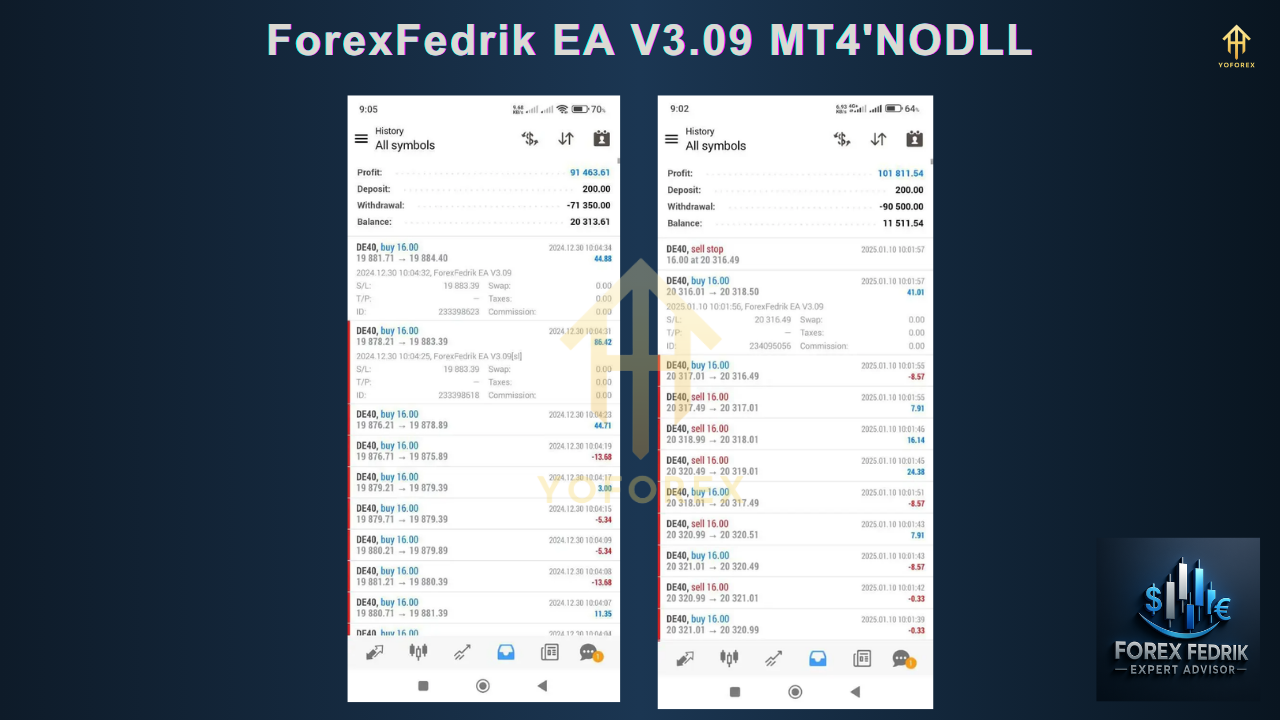
???? Performance Claims
The EA is heavily marketed with bold claims such as:
- "Make 20% daily ROI with just $100"
- "120% weekly returns guaranteed"
- "Zero losses with smart exit logic"
However, these claims are not backed by any official Myfxbook, FXBlue, or verified third-party analytics.
In fact, many posts on social media present demo accounts with manipulated balances or conveniently trimmed trading histories. As a trader, you should approach these results cautiously and always verify EA performance via independent backtesting or demo forward testing.
???? How Does It Work?
Although the exact trading algorithm is not public, here's a possible breakdown of how Forex Fedrik EA V3.09 may function based on its trading behavior:
- Market Scanner
The EA scans short-term charts (usually M1 to M15) for scalping opportunities based on momentum indicators like RSI, MACD, or stochastic signals. - Trade Triggers
Trades are executed at specific candlestick breakouts or retracements. The EA likely uses a trailing stop-loss combined with tight take-profit levels. - Lot Management
Default risk appears fixed, but without access to internal settings, it’s hard to confirm whether it includes grid, martingale, or recovery modes. - Exit Logic
Some users report that the EA closes trades once a predefined equity growth target is hit or during trend reversals.
???? How to Test Forex Fedrik EA V3.09 Safely
If you're curious about using this EA, here’s a responsible, step-by-step testing approach:
✅ Step 1: Use Your Own Demo Account
Never log in to unknown demo accounts shared on social media. Create your own MT4 demo account with your broker for safety.
✅ Step 2: Attach the EA on a Demo Chart
Use low timeframes like M5 or M15. Allow the bot to run for 1-2 weeks and record its trades using MT4 statement reports.
✅ Step 3: Run a Strategy Backtest
Using MT4’s inbuilt Strategy Tester, simulate past performance of the EA using historical data. This gives insights into drawdowns, win/loss ratio, and maximum floating loss.
✅ Step 4: Monitor Risk Settings
Be extra cautious if the EA opens too many trades or uses increasing lot sizes. These are signs of dangerous recovery methods like grid or martingale.
????️ Risks You Must Know
Forex Fedrik EA V3.09 has created buzz—but also raises red flags. Here are some of the most important risks to consider:
❌ No Transparency
There’s no official website, no documentation, and no contact info for the developers. This lack of transparency is dangerous, especially if money is involved.
❌ Public Demo Sharing
Sharing MT4 credentials for demo accounts can expose your account to manipulation or malware scripts embedded in EA files.
❌ Unverified Results
All performance results shared are based on non-verified demo accounts with no evidence of sustainable real profits.
❌ No Regulatory Oversight
As an unofficial EA, this tool doesn’t follow any financial regulations, which means there’s no recourse for lost funds.
???? Who Is It For?
Forex Fedrik EA V3.09 might appeal to:
- Beginners looking for an automated solution.
- Traders testing new scalping bots.
- Demo users experimenting with aggressive return strategies.
But not recommended for:
- Risk-averse traders.
- Real-money accounts without proper testing.
- Users without access to reliable VPS and low-spread brokers.
???? Pro Tips for Scalping EA Users
- Use a reliable VPS to reduce latency during execution.
- Choose ECN brokers with tight spreads for scalping bots.
- Keep your lot size small during testing.
- Log every trade and review its logic to understand the bot’s behavior.
- Limit exposure – Don’t run EA 24/7 without supervision, especially during high-impact news events.
???? How to Download Forex Fedrik EA V3.09 MT4
You can access the EA via this safe and direct link:
???? Download EA Zip File
Ensure that you run a full antivirus scan on any downloaded EA before launching it on MT4.






Comments (0)
No comments yet. Be the first to comment!
Leave a Comment