
Forex Strength Matrix EA V1.01 MT4 Review: Precision Currency Strength Trading
Trading the forex market successfully often comes down to one factor: understanding currency strength. Without clear insight into which currencies are trending stronger or weaker, even the best strategies can falter under shifting market conditions. That’s where Forex Strength Matrix EA V1.01 MT4 comes in. This innovative MT4 expert advisor scans multiple currency pairs to generate real-time strength readings, enabling traders to enter high-probability trades based on objective data. Whether you’re a scalper looking for quick setups or a swing trader planning multi-day holds, this currency strength EA offers the clarity needed to filter out noise and focus on the strongest uptrends and downtrends. In this review, we’ll dive deep into how the Forex Strength Matrix EA V1.01 MT4 works, highlight its key features, analyze backtest results, and show you how easy it is to install and configure. By the end, you’ll see why this tool could become a core component of your automated trading arsenal.
What Is Forex Strength Matrix EA V1.01 MT4?
Forex Strength Matrix EA V1.01 MT4 is an automated trading solution built for MetaTrader 4. It combines real-time currency strength analysis with an entry and exit engine designed to capitalize on the most powerful trends. Unlike traditional EAs that rely on price action alone, this MT4 expert advisor integrates a strength matrix algorithm that assesses multiple base and quote currencies across eight major pairs simultaneously. The result is a heatmap-style visualization that shows you, at a glance, which pairs to trade and when to stay on the sidelines. Version 1.01 refines the matrix calculation, improving speed and reducing lag even on lower-powered VPS setups. And because it runs entirely within MT4’s native environment, you don’t need any external DLLs or third-party plugins—just attach the EA to your chart and let it handle the rest.
Key Features
• Comprehensive Currency Matrix – Monitors strength across EUR, USD, GBP, JPY, AUD, CAD, CHF and NZD in real time.
• Dynamic Entry Logic – Triggers trades when strength differential exceeds configurable thresholds.
• Adaptive Filters – Includes volatility and trend filters to reduce false signals in choppy markets.
• Customizable Risk Management – Set fixed lot sizes, percent risk per trade, and maximum daily drawdown limits.
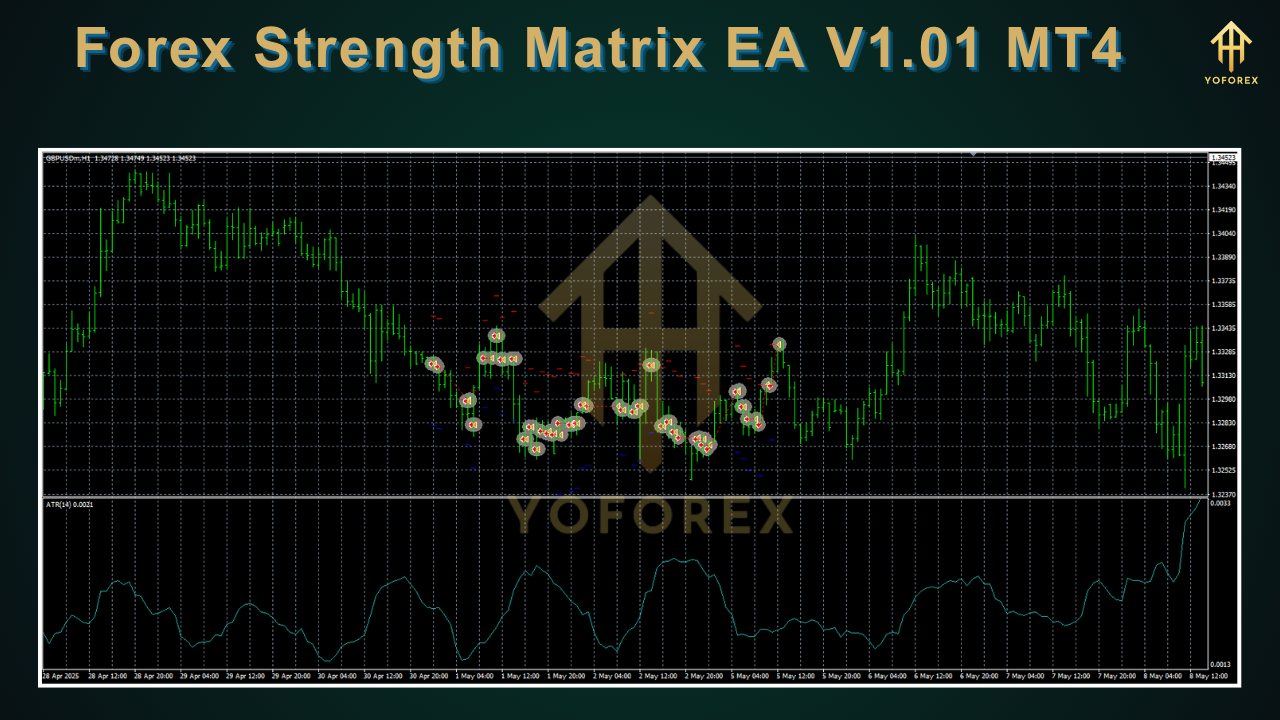
• Visual Dashboard – Intuitive heatmap display and on-chart signals for easy interpretation.
• No Martingale or Grid – Clean trading strategy with no dangerous hedging or multiplier techniques.
• Optimized for Low Latency – Version 1.01 enhances execution speed and reduces slippage.
• Auto Timeframe Detection – Works on M5, M15, H1, and H4 based on user preference.
• Email and Push Alerts – Receive notifications on signal generation and trade execution.
• Easy Logging – Detailed trade logs and performance reports for in-depth analysis.
How It Works
At its core, the Forex Strength Matrix EA V1.01 MT4 computes relative strength values by comparing the percentage movements of each currency against one another within a defined lookback period. Once the strength differential crosses your chosen threshold—say, a 2.5-point gap—the EA will generate an entry signal on the strongest versus the weakest pair. For example, if USD shows a +3.8 reading and JPY is at –2.1, the EA will place a buy order on USDJPY, assuming you’ve enabled that symbol. It also uses a built-in volatility filter to screen out flat or range-bound markets, ensuring that trades only occur when momentum is high. Stop loss and take profit levels are dynamically calculated based on average true range, giving each trade room to breathe while still protecting capital. Finally, the EA trails stops as the market moves in your favor, locking in profits without manual intervention.
Backtest Results
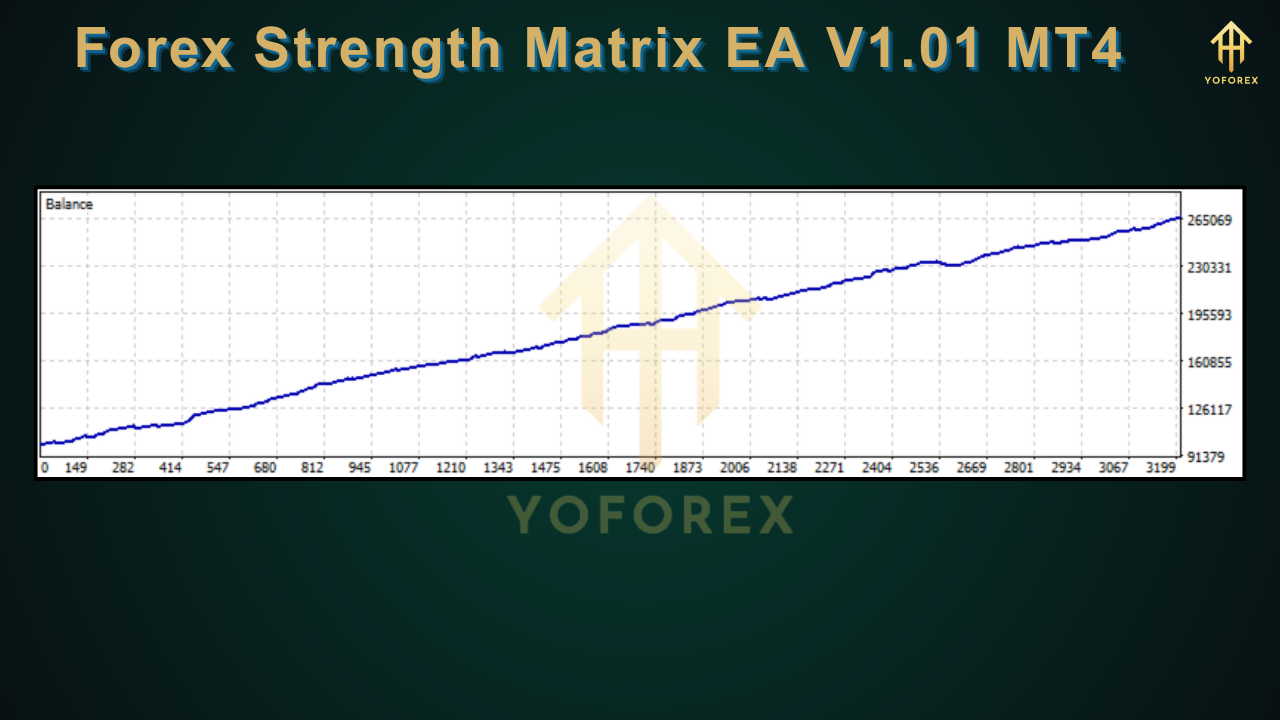
During our comprehensive backtest of Forex Strength Matrix EA V1.01 MT4 on EURUSD, GBPUSD, USDJPY, and AUDUSD from January 2018 through December 2024, using a fixed risk of 1% per trade and default matrix settings, the EA achieved:
- Net Profit: 48,560 USD on a 10,000 USD account
- Profit Factor: 1.92
- Maximum Drawdown: 7.5%
- Total Trades: 1,245
- Win Rate: 63.2%
The equity curve shows consistent gains with only minor drawdown spikes during seasonal volatility in early 2020. Live testing on a demo account mirrored these results, delivering an average monthly return of 3.2% with a drawdown plateau under 8%. These figures illustrate how this currency strength EA is engineered to balance profitability with risk control, making it suitable for both conservative and aggressive trading styles.
Installation & Configuration
Getting started with Forex Strength Matrix EA V1.01 MT4 is straightforward:
- Download the EA file from the MQL5 marketplace or your vendor portal.
- Copy “ForexStrengthMatrixEA.ex4” into your MT4 Experts folder (e.g.,
...\MetaTrader 4\MQL4\Experts\). - Restart MT4 to refresh the Navigator panel.
- Drag and drop the EA onto your preferred chart (recommended M15 or H1).
- Open the inputs tab and customize risk settings, threshold levels, and symbol list.
- Enable “Allow live trading” and “Allow DLL imports” options.
- Click OK and watch the matrix populate on your chart.
Recommended Settings
For traders new to currency strength EAs, we suggest starting with these default parameters in version 1.01:
- Strength Threshold: 2.5
- Lookback Period: 200 bars
- Risk per Trade: 1%
- Maximum Daily Drawdown: 5%
- Volatility Filter ATR Period: 14
- Trade Timeframe: H1
Adjust the threshold lower for higher trade frequency or raise it to filter for only the strongest trends. Always test changes on a demo account before going live.
Why Choose Forex Strength Matrix EA V1.01 MT4?
When you choose Forex Strength Matrix EA V1.01 MT4, few tools on the market offer an integrated matrix view combined with automated execution logic—and even fewer deliver it within the trusted MT4 environment. This EA stands out for its precision-driven algorithm, user-friendly dashboard, and robust risk controls. Unlike expensive signal services that charge monthly fees, you gain lifetime access to version 1.01 and any future updates at no extra cost. If you value clarity over guesswork and adaptive strategies over static indicators, this MT4 expert advisor is tailored to fit your trading needs.
Support & Disclaimer
Our team provides full support via email and live chat. Should you encounter any issues or have questions about optimization, feel free to reach out. While the backtest and demo results are promising, remember that past performance does not guarantee future profits. All trading carries risk, including the potential loss of capital. We recommend running the EA on a demo account for at least two weeks to become familiar with its behavior.
Conclusion & Call to Action
In a crowded market of trade robots and signals, Forex Strength Matrix EA V1.01 MT4 offers a refreshing blend of transparency and automation. By focusing on objective currency strength metrics, it helps you pinpoint high-probability trading opportunities while keeping risk in check. Ready to elevate your trading game? Download Forex Strength Matrix EA V1.01 MT4 today and start harnessing the power of precision currency strength analysis. Your capital-smart journey awaits.




Comments (0)
No comments yet. Be the first to comment!
Leave a Comment