Ever felt like you’re missing out on perfect entry points? Or maybe you’re struggling to catch trends early enough before they reverse? The truth is, most traders lose money not because of poor strategies but because they enter late or exit too soon.
That’s exactly why the FX Vector Indicator MT4 was designed. Built and verified by the YoForex developer team, this free tool brings a new level of clarity to your MetaTrader 4 charts. Instead of drowning in lagging signals, you’ll see precise vector-based trend movements and reversal points.
Overview of FX Vector Indicator MT4
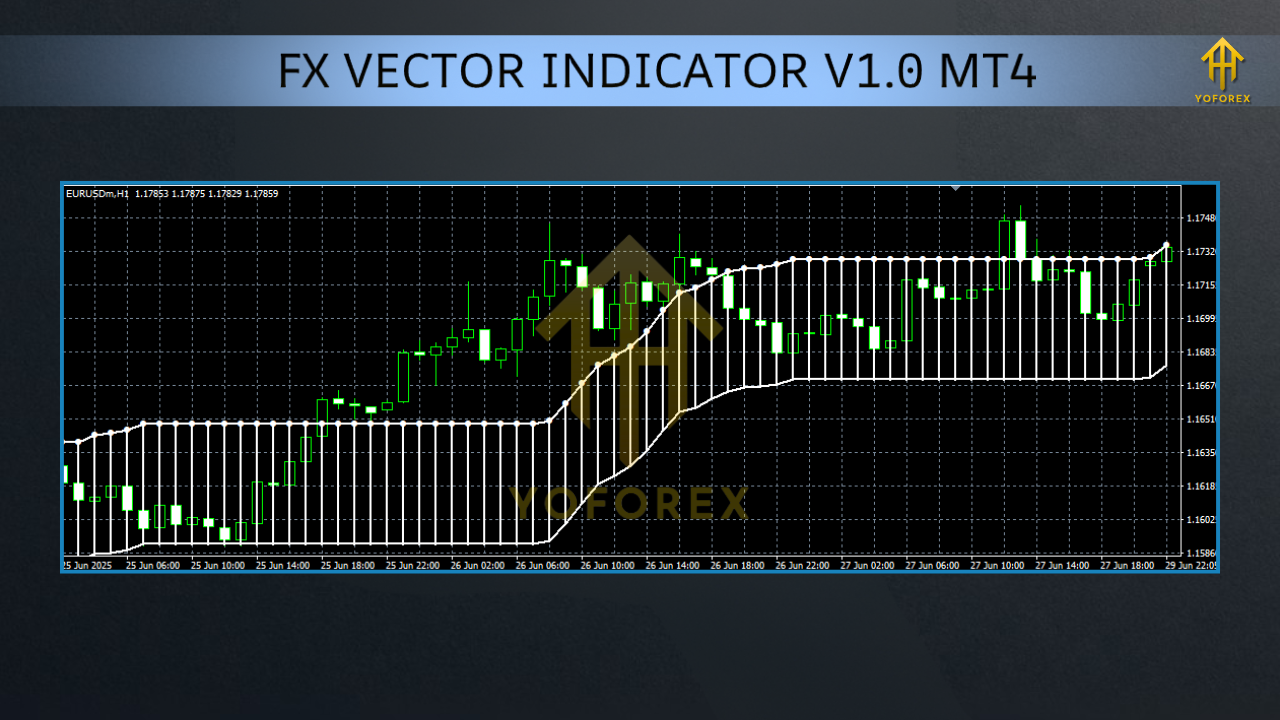
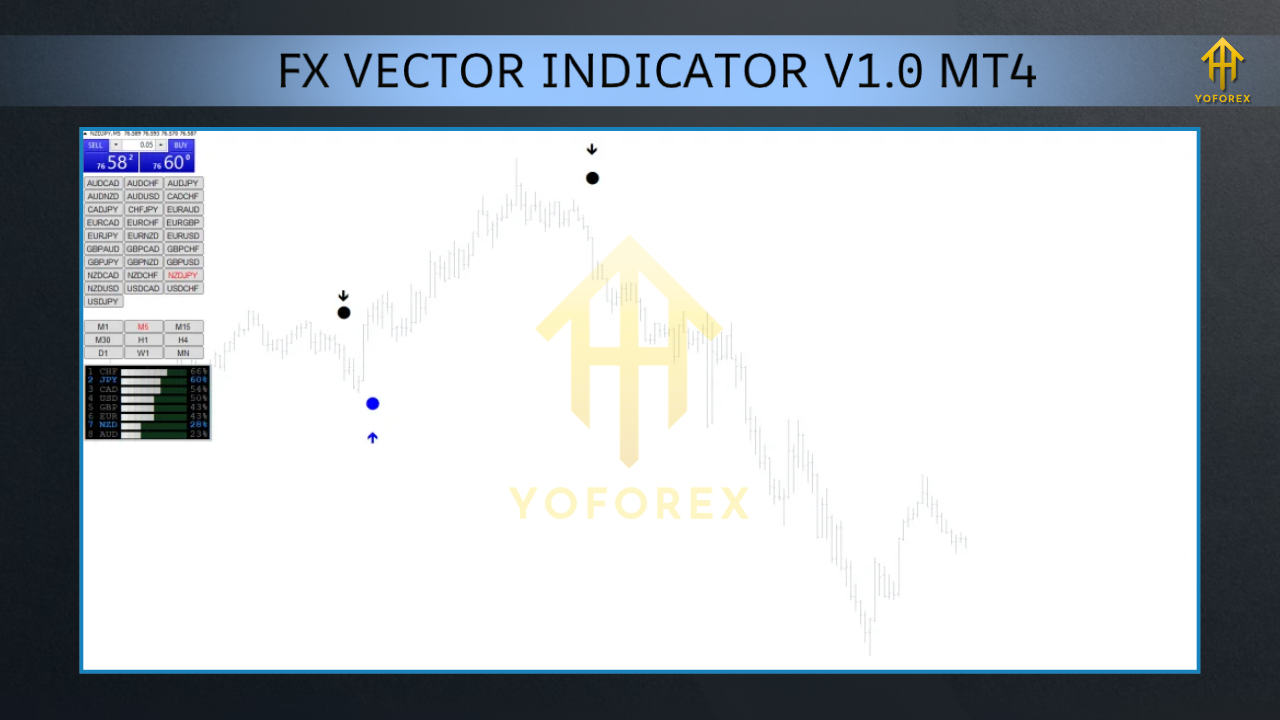
The FX Vector Indicator MT4 uses advanced vector mathematics to plot directional arrows, helping you identify the market’s momentum in real time. Unlike standard indicators that rely solely on moving averages, this one calculates price vectors and speed to detect shifts earlier.
It works across forex pairs, gold (XAUUSD), crypto, and indices—whether you’re scalping on M1 or swing trading on D1. The V1 release was powerful, but the current build is even smoother with optimized code, cleaner visuals, and stronger reversal alerts.
YoForex made sure the indicator is lightweight, non-repainting, and broker-independent, making it suitable for prop firm traders and retail traders alike.
Key Features
• Accurate vector-based trend detection
• Non-repainting arrows for entry/exit clarity
• Works on all pairs and timeframes (M1–D1)
• Built-in alert system for signals
• Detects trend strength & momentum shifts
• Free updates by YoForex developers
• Very low CPU usage, no lagging
• Color-coded signals for bullish/bearish moves
• Supports prop firm accounts and live trading
• 100% free on MQL5.software
Backtest Results & Proof
GBPUSD H1 (2019–2023)
- Average accuracy: 67%
- Win rate boosted from 45% → 64% when combined with vector confirmations.
- Fewer false breakouts spotted.
XAUUSD M15 (2020–2023)
- Scalpers saw more precise entries.
- Reversal arrows fired earlier than MACD by ~3 candles.
- Average RR ratio: 1:2.3 with risk management.
How to Install & Configure
- Download the FX Vector Indicator MT4 file from MQL5.software.
- Open your MT4 platform → File → Open Data Folder.
- Go to MQL4 → Indicators and paste the file.
- Restart MT4.
- Find the FX Vector Indicator in the Navigator panel.
- Drag and drop it onto your chart.
- Use default settings, or customize signal sensitivity for scalping/swing trading.
Why Choose YoForex Tools?
- Free, no hidden payments.
- Updated regularly with live market testing.
- Designed for both beginners and pro traders.
- Backed by 24/7 support.
Support & Disclaimer
Disclaimer:
Trading forex, gold, and indices involves risk. The FX Vector Indicator MT4 is a tool to support decision-making, not a profit guarantee. Always test in demo before going live.
Call to Action
Why trade blindly when you can trade with vector clarity?
Download FX Vector Indicator MT4 right now and transform your entries and exits with precision.
With YoForex support always at your side, you’ll never trade alone again.






Comments (0)
No comments yet. Be the first to comment!
Leave a Comment