If your chart looks like a disco—arrows everywhere, signals every two minutes—no wonder confidence drops. FXArcanum Entry V3 Indicator MT4 is built to calm that chaos. It focuses on strict, low-noise entries that survive real market messiness: trend alignment, momentum confirmation, and volatility sanity checks before you ever see an arrow. You’ll get fewer pings, but better ones; the goal is to help you stop forcing trades and start filtering them. It’s free, maintained by YoForex, and designed to be plug-and-play… coz trading should feel deliberate, not desperate.
Overview
FXArcanum Entry V3 Indicator MT4 combines three big ideas:
- Directional Bias (Trend Filter): entries only plot in the direction of the prevailing move (you choose EMA/SMMA + period).
- Impulse Confirmation (Momentum Gate): stops you from buying weak pops or shorting tired dips.
- Volatility Guard (ATR Gate): filters dead zones and panic bars; signals must occur within a “healthy” ATR range.
Add optional multi-timeframe (MTF) confluence—for example, M15 entries must agree with H1 bias—and you have a clean, rule-driven gatekeeper. Works great on EURUSD, GBPUSD, USDJPY, and XAUUSD (Gold), especially on M15–H1. Signals confirm at candle close (no repaint on closed bars); live bar previews can update—that’s normal.
You still run your own plan (SL/TP, R:R, partial exits). FXArcanum just reduces the “bad idea” count. Pair with simple ATR stops and a 1:1.5+ target and you’re suddenly trading like a grown-up, not chasing every blip… we’ve all been there.
Key Features
• Ultra-conservative logic (optional Balanced mode for a few more pings)
• Trend filter (EMA/SMMA, adjustable period) to keep trades with the flow
• Momentum confirmation to avoid phantom breakouts and micro-pullbacks
• ATR-aware gate to skip sleepy sessions and panic volatility
• MTF confluence (e.g., M15 entries must agree with H1 trend)
• Structure check (recent swing break / pullback zone proximity)
• Clean chart arrows with optional labels and timestamps
• Smart alerts: popup, sound, push, email; configurable cooldown
• Non-repainting on closed candles (no surprises after bar close)
• Session filter to focus on London/NY overlap (or your own window)
• Lightweight & VPS-friendly for multiple charts
• Preset library: Majors-M15, Majors-H1, Gold-M30 Conservative, Balanced variants
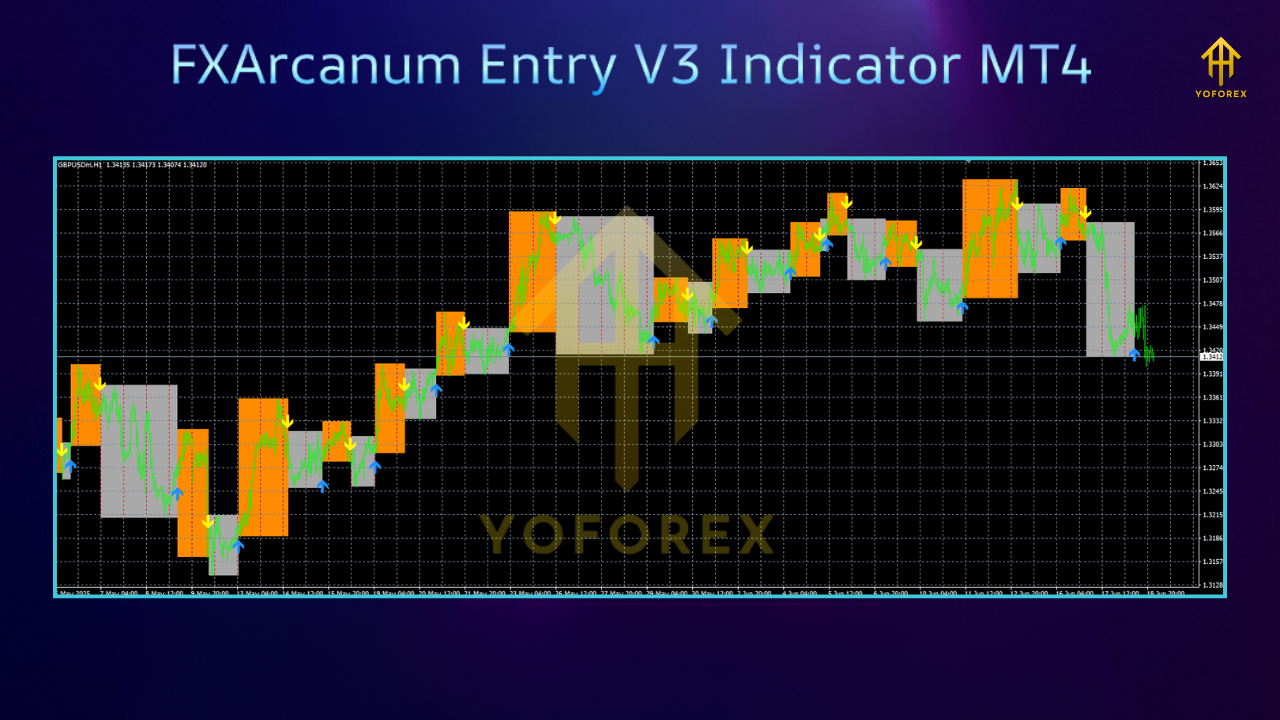
Signal Quality & How to Use (quick, practical)
Step 1: Visual test it. In MT4 Strategy Tester (Indicator mode), load EURUSD M15 with the Conservative preset. You’ll notice fewer but cleaner arrows around pullback-to-trend and momentum expansions.
Step 2: Journal for two weeks. On demo, commit to one pair + one timeframe. Use ATR stop (e.g., 1.5–2× ATR) and target ≥ 1:1.5 R:R. Note every signal you take and skip—and why. You’ll spot patterns fast.
Step 3: Tune gently. If you’re getting too few signals, nudge MomentumSensitivity a touch or switch to the Balanced preset. If entries feel late in Gold, try Gold-M30 Conservative or shift to H1 with MTF confirmation from H4.
What to expect: Less noise, saner sequences, and fewer “what was I thinking?” moments. It won’t catch every move (and shouldn’t). It’s built to say “no” a lot, so the “yes” means something.
How to Install & Configure
- Download
➜ FXArcanum Entry V3 Indicator MT4 - Copy to MT4
MT4 → File → Open Data Folder → MQL4 → Indicators → paste.ex4. - Restart MT4
Or right-click Indicators and hit Refresh. - Attach to Chart
Open EURUSD M15 (or your pair/timeframe), drag FXArcanum Entry V3 onto the chart.
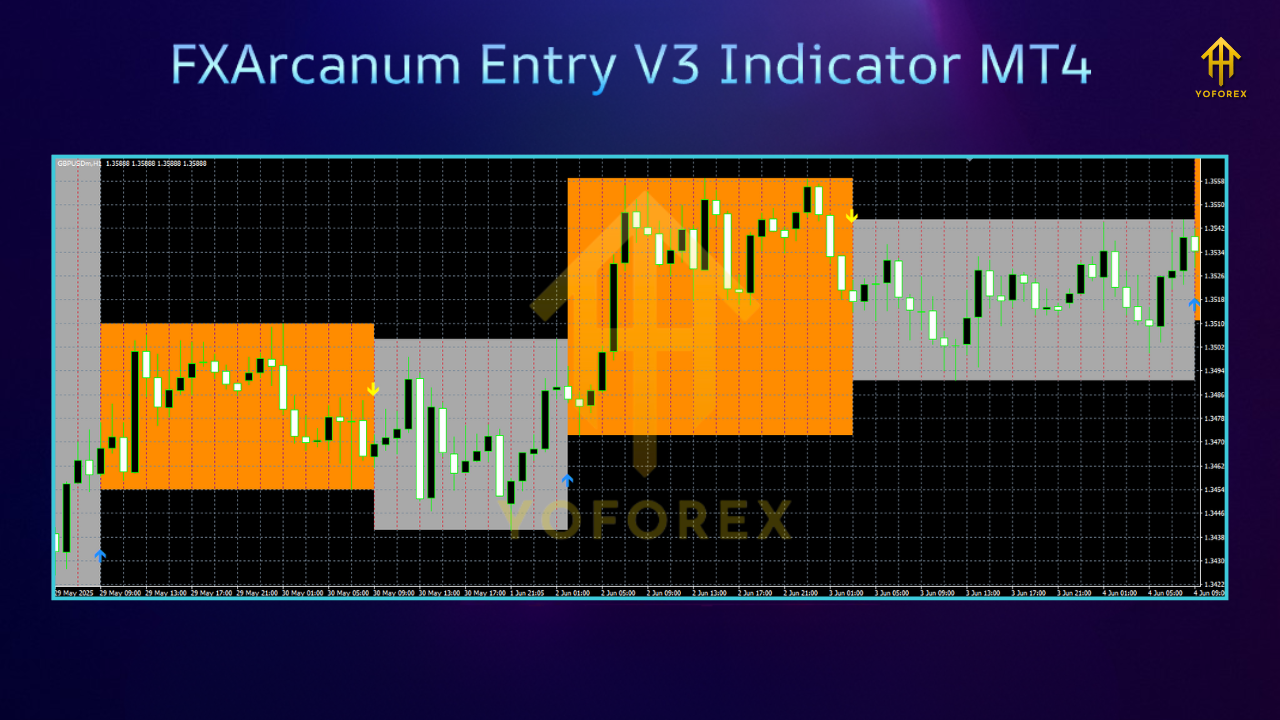
Load a Preset
FXA_Majors_M15_Conservative.setFXA_Majors_H1_Conservative.setFXA_Gold_M30_Conservative.setFXA_Majors_M15_Balanced.set
Key Inputs
- TrendPeriod / MAType: baseline trend filter.
- MomentumSensitivity: strictness of impulse confirmation (lower = stricter).
- ATRPeriod / MinATR / MaxATR: volatility envelope for eligible signals.
- MTF_ConfirmTF: set H1 for M15 trading; H4 for H1 trading.
- SessionStart/End: focus on your active window (London/NY overlap).
- AlertOptions: enable push/email; set cooldown to prevent spam.
Why Choose YoForex-Powered Tools?
YoForex ships free, documented tools that respect traders’ time. FXArcanum Entry V3 Indicator MT4 follows that playbook: strict logic, readable inputs, and ongoing updates as markets change. If you get stuck, a human answers. If we improve the logic, we ship the update—no paywall drama. Want the bigger ecosystem? Check YoForex.
Support & Disclaimer
Need help choosing a preset or setting alerts?
- WhatsApp: https://wa.me/+443300272265
- Telegram Group: https://t.me/yoforexrobot
- Download / Docs: FXArcanum Entry V3 Indicator MT4
Disclaimer: Indicators are decision support, not guarantees. Signals do not repaint on closed candles; live bars can update until close. Always test on demo first and trade your plan—SL/TP, position size, and R:R are on you. Past performance ≠ future results.
Call to Action
Ready to ditch chart noise and trade on purpose? Grab FXArcanum Entry V3 Indicator MT4 now, load a conservative preset, and give it two disciplined weeks on demo. Tighten your rules, not your teeth—cleaner entries, calmer mind. If you need us, WhatsApp and Telegram are open.
Internal Links (on MQL5.software)
- Beginner Guide to Indicators & EAs: https://mql5.software/beginner-guide
- Risk Management 101: https://mql5.software/guides/risk-management
- More Free Indicators: https://mql5.software/indicators
FAQ (great for FAQ schema)
Q1. Is FXArcanum Entry V3 Indicator MT4 free?
Yes—100% free on MQL5.software with YoForex updates.
Q2. Best pairs/timeframes?
EURUSD, GBPUSD, USDJPY, and XAUUSD on M15–H1. Gold prefers M30/H1 Conservative.
Q3. Does it repaint?
No on closed candles. Live-bar previews can change until the bar closes (normal).
Q4. Can I use it with an EA?
Yes. Many traders use FXArcanum as a filter; an EA can read buffers (if enabled) or you can trade manually.
Q5. Do I need a VPS?
Not required for an indicator. Helpful if you rely on push/email alerts while away.
Q6. Can I swing trade with it?
Absolutely. H1 with MTF confirmation from H4 is popular for swings.






Comments (1)
Plunge into the expansive sandbox of EVE Online. Shape your destiny today. Build alongside millions of pilots worldwide. Play for free
Leave a Comment