
Tired of unpredictable robots that blow accounts at the first sign of volatility? Let us introduce a smarter, more calculated solution—Gegatrade Pro EA V5.9 MT4. This EA isn’t just another high-risk martingale trap… it’s designed on a simple yet effective principle: price usually returns to its average.
Gegatrade Pro takes advantage of market behavior by trading the mean-reversion patterns seen so often in forex, particularly during consolidations and gentle trends. It’s not some magic box that claims to predict tops or bottoms—it works based on probability and market structure. Whether you're trading EURUSD, GBPUSD, or AUDJPY, Gegatrade Pro can help balance risk and reward with a well-thought-out cost-averaging system.
Let’s dive in to see why this EA is trusted by many and how you can make the most of it without risking your capital blindly.
What is Gegatrade Pro EA V5.9 MT4?
Gegatrade Pro EA V5.9 is a MetaTrader 4 Expert Advisor that exploits mean-reversion behavior in the forex market. The core logic revolves around this simple observation: the price often moves between the upper and lower bands of a trading channel.
The EA waits for the price to move towards either boundary and places a trade assuming the price will bounce back toward the average. If it does—great, it closes the trade in profit. But if the price keeps moving away, Gegatrade doesn't panic. Instead, it uses a cost-averaging strategy and a mathematical algorithm to gradually open additional positions in the same direction, with smart lot sizing and calculated intervals.
This dynamic averaging approach helps recover losing trades and eventually close the overall position in profit, assuming the market doesn't trend infinitely (which it rarely does without corrections).
Key Features of Gegatrade Pro EA V5.9
Here’s what makes this version a reliable trading assistant:
- • Adaptive Cost-Averaging Strategy
- • Trades Based on Channel Boundaries
- • Smart Recovery Algorithm with Mathematical Logic
- • Pre-configured for EURUSD but works with others (AUDJPY, GBPUSD, etc.)
- • Fully Automated with Plug & Play Setup
- • Drawdown Protection Feature Built-In
- • Can Run on Low Capital ($1000 or Cent Accounts)
- • Works Best in Sideways or Mild Trending Markets
- • Visual Monitoring Dashboard on Chart
- • Customizable TP, SL, Lot Size, and Grid Settings
- • News Filter to Avoid High Volatility Events
- • VPS Friendly for 24/5 Nonstop Trading
No martingale roulette here—it’s a calculated and progressive strategy aimed at long-term consistency.
How It Works
Let’s break down its mechanics.
- Channel Monitoring: The EA tracks upper and lower trading channel levels.
- Initial Entry: When price reaches one of the edges, it enters a trade expecting a reversal to the mean.
- Profit Booking: If the price reverts, it exits with a small profit.
- Cost-Averaging Activation: If the price continues in the wrong direction, it initiates additional trades, incrementally.
- Exit Strategy: Once the weighted average of all open trades reaches the TP zone, the basket is closed.
This is not blind doubling like traditional martingale systems. Gegatrade Pro is smarter with spacing and lot sizing, based on its internal algorithm which accounts for volatility and trend strength.
Backtest Results & Real Performance
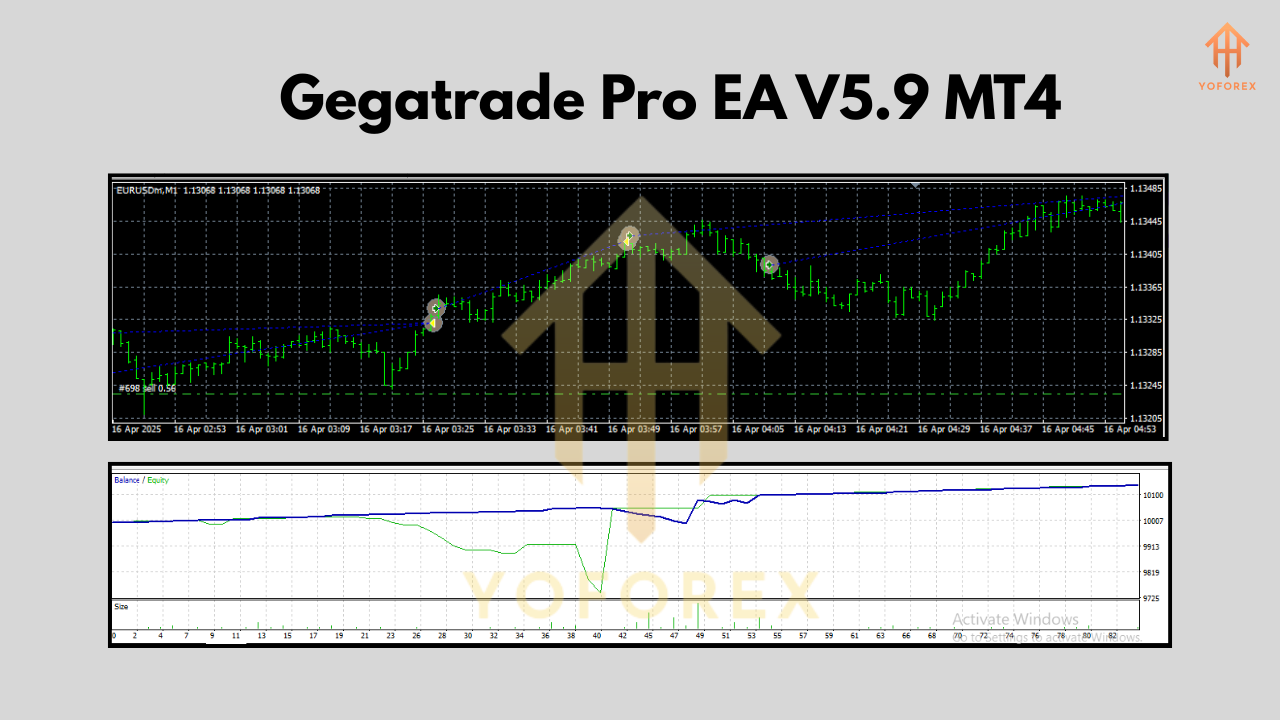
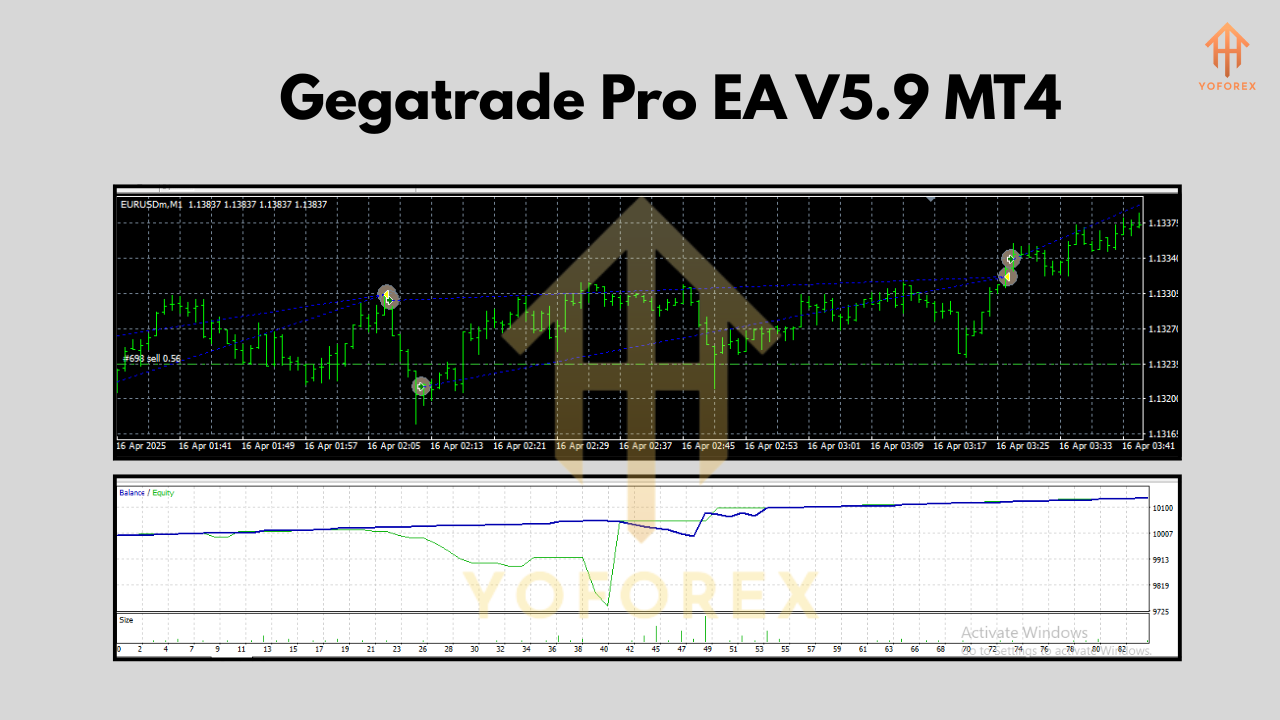
Backtests show consistent equity growth when running Gegatrade Pro on EURUSD H1 timeframe, with risk settings between conservative to moderate.
Key backtest metrics (2018–2024):
- Profit Factor: ~1.60
- Max Drawdown: 15–22% (depending on pair & settings)
- Win Rate: ~78%
- Monthly Gain: Avg 5–12% (adjustable by risk profile)
- Trade Frequency: 20–80 trades/month
Live market performance has also been positive for users who avoid high-volatility news events and monitor margin levels.
Installation & Configuration
Getting started with Gegatrade Pro EA V5.9 is quick and painless:
Step-by-Step Setup
- Download Gegatrade Pro EA from MQL5.Software.
- Open MetaTrader 4 → File → Open Data Folder.
- Navigate to
MQL4 > Expertsand paste the.ex4or.mq4file. - Restart MT4 and attach Gegatrade Pro to a chart (EURUSD H1 recommended).
- Enable AutoTrading and load the default or your custom
.setfile. - Adjust lot sizing, max orders, and news filter if needed.
Minimum deposit: $1000 standard / $10 in cent accounts
Leverage: 1:500 preferred
Broker Type: ECN/STP with low spreads
Timeframe: H1
Pairs: EURUSD (default), AUDJPY, USDJPY, GBPUSD
Why Choose Gegatrade Pro?
Simple—it doesn’t overpromise, and it’s built for traders who get how the market moves. No overfitted strategies. No magic indicators. Just solid math and logic in a package you can actually control.
YoForex recommends Gegatrade Pro because it's:
- Trusted by real traders
- Safe if configured correctly
- Transparent in strategy
- Fully adaptable for cautious or aggressive profiles
Need more proof? Check out our Beginner Guide to Forex Robots or the Top Grid Trading EAs section on MQL5.software.
Support & Risk Disclaimer
Need help setting it up or running into bugs? We’ve got your back:
WhatsApp Support
Join Telegram Community
Disclaimer: Trading is risky. Past performance is not a guarantee of future results. Always test on demo accounts and adjust risk parameters before going live.
Final Thoughts – Should You Try Gegatrade Pro EA?
If you're looking for a free, automated, and logic-backed EA that doesn’t go wild with lot sizes and still gives you decent monthly returns… Gegatrade Pro EA V5.9 MT4 is a solid choice.
Whether you're a beginner looking to explore grid strategies or a seasoned trader needing a side account for steady profits, this EA’s balance of risk control and algorithmic precision makes it stand out.
Grab your free copy now from MQL5.software and let it start working for you today!
YoForex – empowering traders worldwide, one free tool at a time.






Comments (0)
No comments yet. Be the first to comment!
Leave a Comment