Tired of watching traditional grid EAs blow accounts faster than you can say “margin call”? Yeah… been there.
Let us introduce you to something smarter — Hamster Grid EA V1.0 for MetaTrader 4. This little beast isn't just another blind grid bot. It's got brains, controls, and customizable logic to manage drawdown and optimize profits intelligently.
Whether you're a seasoned trader or just starting out, this EA gives you that sweet blend of automation and precision — without the usual grid-risk headache.
Best of all? It’s 100% free, courtesy of YoForex’s free tool vault.
Overview – What Is Hamster Grid EA V1.0?
Hamster Grid EA is a smart grid-based Expert Advisor designed for MetaTrader 4 (MT4). It places multiple trades at pre-defined intervals (grid) and manages them through smart logic rather than aggressive lot multiplication.
- Risk control settings
- Dynamic lot management
- Take-profit zoning
- Optional SL safety net
You can run it on trending pairs like USDJPY or ranging assets like EURGBP, depending on your strategy preference. It works on H1 and M30 best, but is versatile enough to adapt to most setups.
Key Features of Hamster Grid EA V1.0 MT4
- • Adaptive grid spacing based on volatility
- • Risk management with max drawdown limiter
- • Optional stop loss for account protection
- • Dynamic or fixed lot sizing
- • Smart take-profit targeting per grid level
- • Suitable for low-spread brokers (ECN/STP)
- • Time-based trading sessions (avoid news)
- • Fully customizable SL, TP, and grid intervals
- • Alerts and trade logs for transparency
- • Optimized for MT4 on both demo and live accounts
- • Can be used with cent, micro, or standard accounts
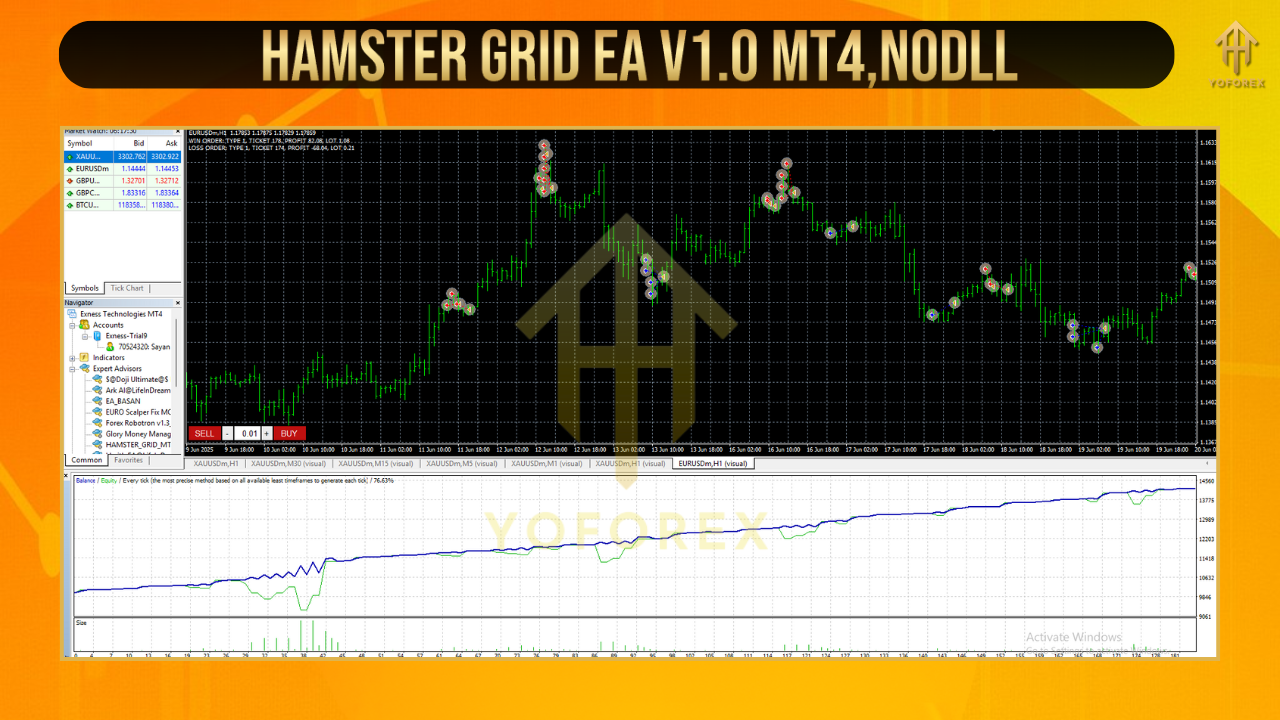
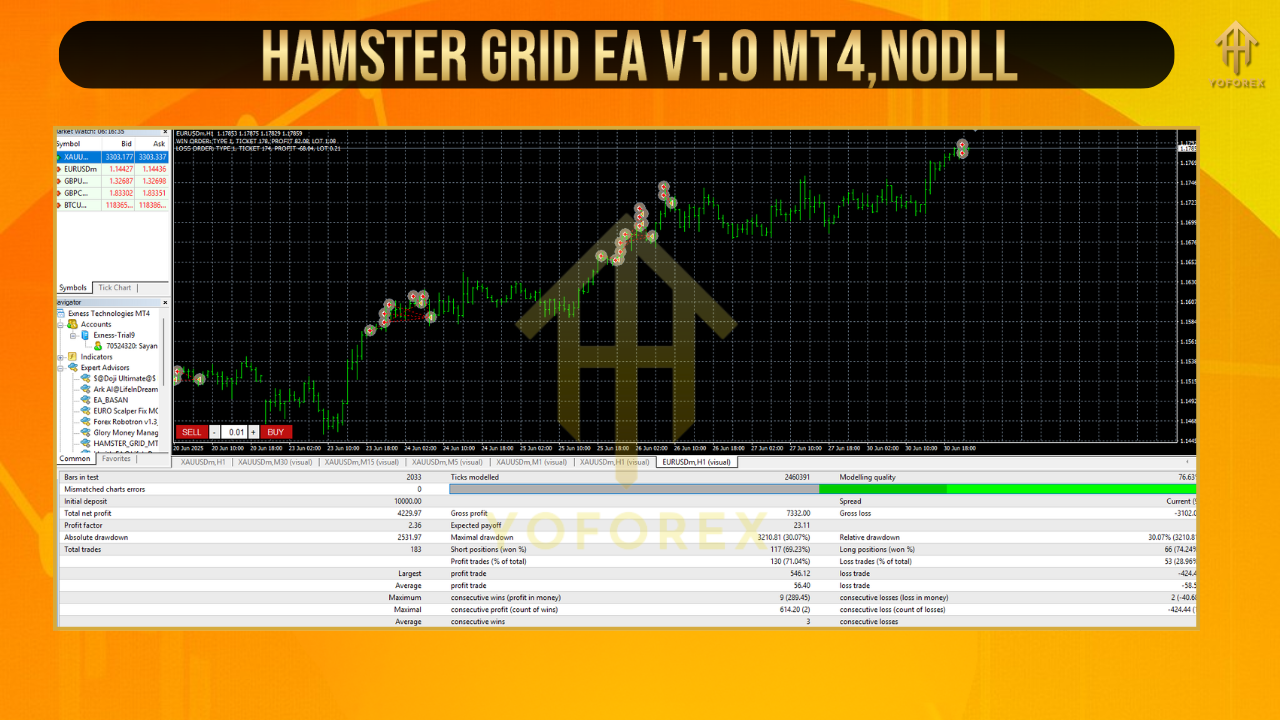
Backtest Results & Real Performance
How to Install & Configure Hamster Grid EA
- Download the
.ex4file from MQL5.software - Open MT4 →
File > Open Data Folder - Go to:
MQL4 > Experts→ Paste the file there - Restart MT4
- Attach EA to your chosen chart (EURUSD, USDJPY, etc.)
- Set your grid distance, lot size, and risk settings
Recommended Settings:
- Timeframe: H1
- Pair: USDJPY, EURUSD
- Grid distance: 15–20 pips
- Starting lot: 0.01 or 0.02
- Max trades: 5–7
- TP per cycle: 30–50 pips
- Optional: Activate trading hours to avoid news spikes
Who Is This EA For?
- Newbies testing grid systems with a safe, demo-first approach
- Intermediate traders managing moderate account sizes
- Prop firm traders (with soft martingale rules)
- Scalpers looking to automate range entries
- Part-time traders who want passive strategy execution
Why YoForex EAs Are Worth It
- Real, battle-tested bots
- Lifetime free access
- Regular updates based on trader feedback
- Dedicated Telegram & WhatsApp support
Want more? Explore other top-rated free bots like:
Need Help or Setup Support?
???? Join the discussion on Telegram: https://t.me/yoforexrobot
???? Message us on WhatsApp: https://wa.me/+443300272265
We’re here 24/7 — no bots, just real traders who’ve tested the same tools.
Disclaimer: Hamster Grid EA has been tested in both backtests and live accounts, but use demo first to adapt settings to your broker and strategy. Trading always carries risk. No guarantees. Stay responsible.
Final Words – Download & Grid with Confidence
Grid trading doesn't have to be chaotic. With smart spacing, adaptive sizing, and real control — Hamster Grid EA V1.0 MT4 gives you the best of automation and reliability.
✅ Download now, set it up, and let your strategy work for you — while you sleep, eat, or just chill.






Comments (0)
No comments yet. Be the first to comment!
Leave a Comment