
Boost Your Forex Trading Accuracy Using Happy News EA V1.5 MT4
In forex trading, nothing moves the market like significant news releases. From the U.S. Non-Farm Payrolls to interest rate decisions, these events bring instant volatility. Most retail traders hesitate to trade during such times due to the associated risks or struggle to manually catch the sharp price movements. That’s where Happy News EA V1.5 MT4 becomes a game-changer.
This Expert Advisor (EA) is engineered to exploit news-driven volatility using an intelligent pending order strategy. It eliminates emotional trading and ensures consistent, rule-based execution. Whether you're a beginner or a seasoned trader, this EA simplifies trading around economic announcements.
What Is Happy News EA V1.5 MT4?
Happy News EA V1.5 is a news trading robot built for the MetaTrader 4 (MT4) platform. Instead of constantly scanning the market, it activates only around scheduled high-impact news events.
The EA places pending Buy Stop and Sell Stop orders a few pips above and below the market price before a news event. Once a direction is triggered, it cancels the opposite order, sets your defined Stop Loss (SL) and Take Profit (TP), and manages the trade automatically.
This strategic automation helps you benefit from news breakouts—without reacting manually. No scalping, no martingale, and no risky grid systems—just clean, calculated execution.
Key Features of Happy News EA V1.5
- ✅ Built-in economic calendar integration to detect upcoming high-impact news.
- ✅ Pending order placement with customizable buffer distance.
- ✅ Auto-cancellation of untriggered orders.
- ✅ Dynamic SL and TP configuration once the trade is live.
- ✅ Designed for fast ECN broker execution.
- ✅ No martingale, grid, or hedging strategies involved.
- ✅ Lightweight for use across multiple charts simultaneously.
- ✅ Fully compatible with MT4 Build 1420 or above.
How It Functions
Before any pre-defined economic event, Happy News EA will:
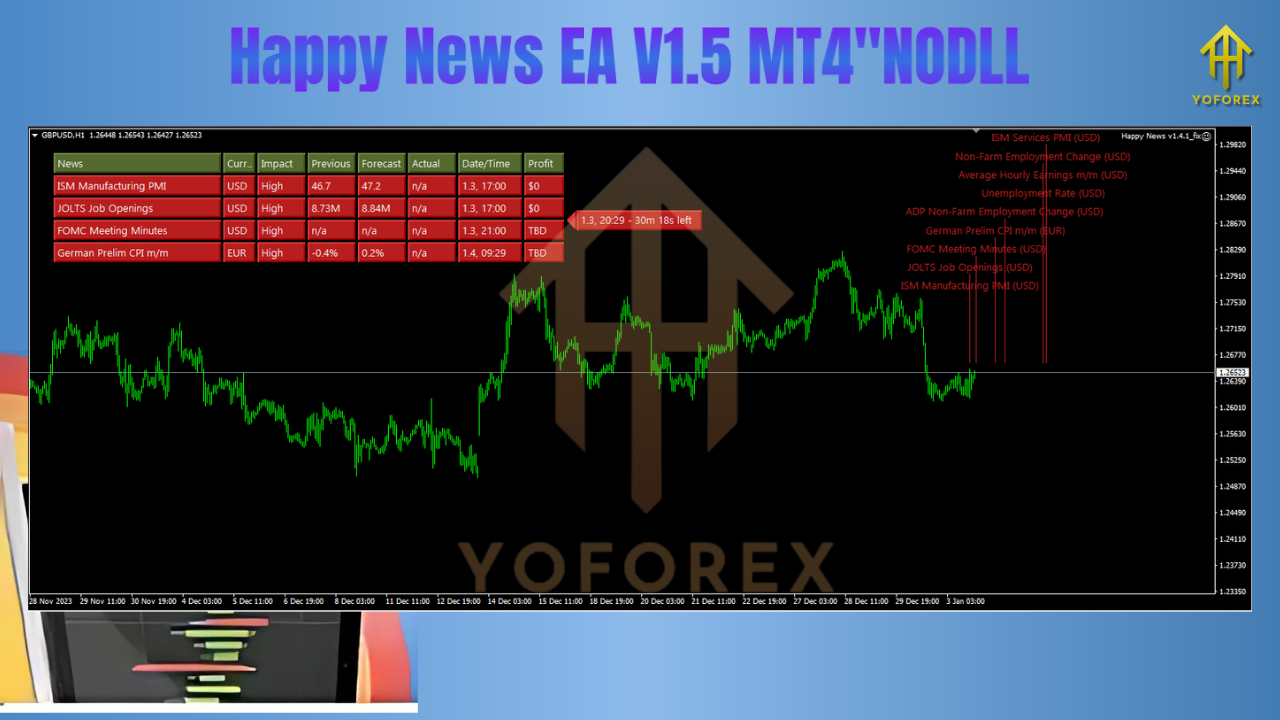
- Detect the news event using its integrated calendar.
- Place Buy Stop and Sell Stop orders with a defined buffer.
- When one order is triggered due to volatility, it will:
- Cancel the opposite pending order.
- Apply your custom SL/TP settings.
- Monitor the trade until exit.
This ensures quick entries and precise execution, even under volatile conditions, without the slippage seen in manual trading.
Recommended Setup
To optimize Happy News EA V1.5, here’s the recommended configuration:
- Currency Pairs: EURUSD, GBPUSD, AUDUSD, USDJPY
- Timeframes: M15 or H1
- Minimum Deposit: $100 (preferably more for stability)
- Broker: ECN or Raw Spread broker with ultra-fast execution
- VPS: Required; latency below 5ms preferred
- MT4 Version: Build 1420+
- Additional Setup: Enable WebRequest for news calendar integration
- Lot Size: Fixed or dynamic based on risk appetite
Performance and Backtesting Insights
Based on backtests and community results:
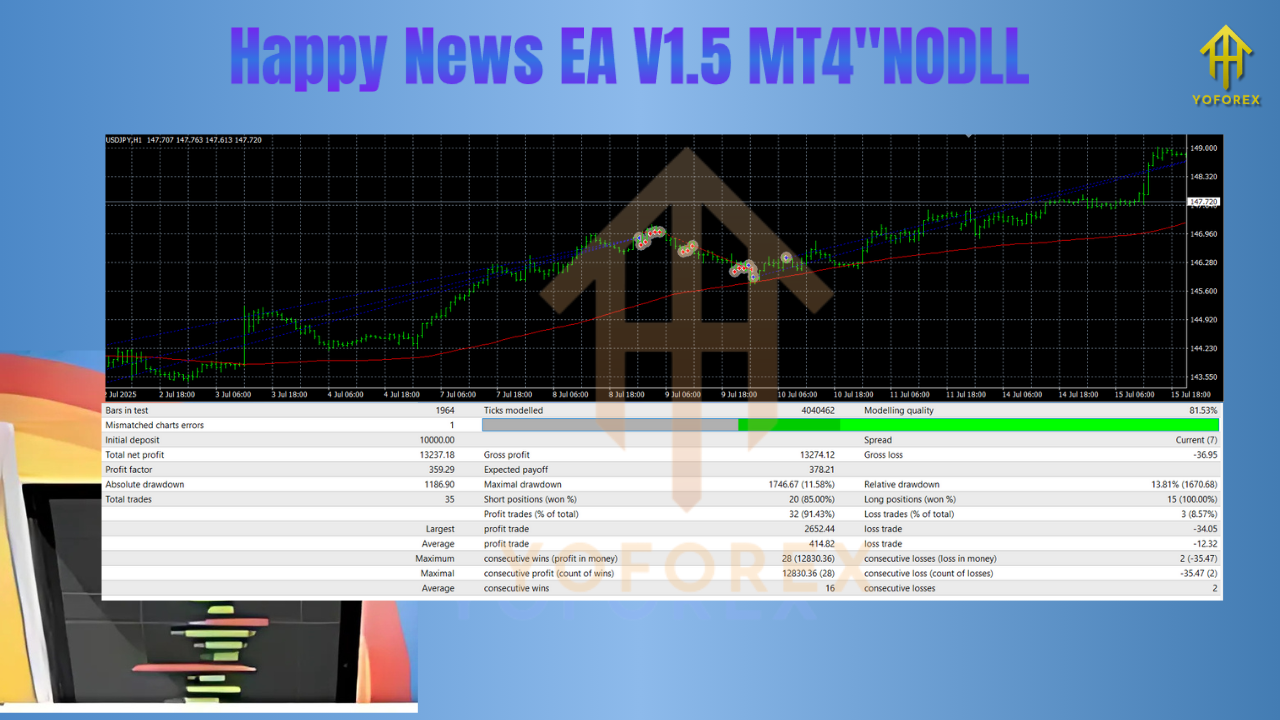
- Win Rate: Up to 80% during high-impact events
- Monthly Returns: 15%–40% depending on volatility and risk
- Drawdown: Typically below 15% with good settings
- Profit Factor: Ranges from 1.8 to 2.4 in optimal conditions
While past performance is promising, remember: real-world trading involves slippage, spread fluctuations, and news feed delays—so demo testing is vital.
Real-World Use Cases
Happy News EA V1.5 is actively used by:
- Traders targeting events like NFP, CPI, FOMC, GDP, etc.
- Part-time traders who can’t monitor the charts all day
- Those who want to reduce emotional bias in trading
- Prop firm applicants needing rule-based, low-risk strategies
Tips for Enhanced Use
- ???? Use only during major news for maximum breakout potential.
- ???? Monitor your broker’s news-time spreads and slippage.
- ???? Don’t over-leverage even if early results are strong.
- ???? Keep your MetaTrader WebRequest URLs updated to avoid calendar mismatches.
- ???? Consider upgrading to v1.6.1 for more robust news feed handling.
Installation Guide
- Place the EA file into the
Expertsfolder of your MT4 directory. - Restart MetaTrader 4.
- Drag and drop the EA on your desired chart (e.g., EURUSD M15).
- Configure the parameters: buffer size, SL/TP, lot size, etc.
- Enable WebRequest from:
Tools > Options > Expert Advisors. - Turn on AutoTrading and check the Journal or Experts tab for successful initialization.
Who Should Use Happy News EA V1.5
This EA is suitable for:
- Day traders automating economic event breakouts
- Forex beginners who want simplicity and safety
- Advanced traders adding news tactics to their portfolio
- Prop firm candidates under strict risk rules
Who Should Avoid It
This EA is not ideal if:
- You don’t use a VPS and suffer from high latency
- Your broker widens spreads too much during news
- You want a scalping or trend-following bot
- You expect guaranteed profits without configuration or testing
Conclusion
Happy News EA V1.5 MT4 offers a powerful and elegant solution for automated trading during high-impact news events. It focuses on breakout potential while maintaining risk controls and ease of use.
It doesn’t rely on flashy gimmicks or over-optimized settings. Instead, it thrives on disciplined pending order logic, news-based timing, and rule-based exits. For traders who understand the importance of timing, volatility, and news, this EA can be a game-changer.
Install it correctly, match it with a good broker, test extensively—and let Happy News EA V1.5 automate your next news breakout like a pro.






Comments (5)
Launch into the epic sandbox of EVE Online. Find your fleet today. Explore alongside hundreds of thousands of players worldwide. Play for free
Dive into the stunning sandbox of EVE Online. Start your journey today. Explore alongside hundreds of thousands of explorers worldwide. Play for free
Immerse into the epic sandbox of EVE Online. Forge your empire today. Explore alongside hundreds of thousands of pilots worldwide. Download free
Venture into the epic sandbox of EVE Online. Start your journey today. Fight alongside millions of explorers worldwide. Play for free
Plunge into the breathtaking realm of EVE Online. Forge your empire today. Explore alongside thousands of pilots worldwide. Join now
Leave a Comment