
KP EA V1.0 MT4 — Multi-Asset Trend EA for H1–M30
Tired of robots that only work on one pair or one timeframe? Same. KP EA V1.0 for MT4 was built to be your day-to-day, plug-and-trade assistant across major forex pairs and gold and crypto. If you’ve ever felt stuck switching EAs between charts every other week, this one’s designed to simplify that headache. KP EA runs smoothly on H1 to M30 and supports GBPUSD, USDJPY, EURUSD, XAUUSD (Gold), BTCUSD, and AUDCAD—so you can diversify execution while keeping your process tidy and consistent. It doesn’t promise magic; it focuses on stable logic, smart risk, and clean exits… coz that’s what actually matters.
Below you’ll find the full scoop—how it works, suggested settings, backtest guidance, and why traders keep choosing YoForex-powered tools when they want something reliable without the crazy price tag.
What is KP EA V1.0 MT4?
KP EA V1.0 MT4 is a multi-asset, trend-following Expert Advisor that blends directional bias with volatility-aware entries and strict risk management. It’s built for traders who prefer intraday to short swing execution on H1–M30 and want one EA that can adapt to different symbols without spending hours tweaking custom logic for each. The core idea:
- Identify the prevailing trend (not just a single moving average cross, but a confluence check).
- Wait for a controlled pullback or micro-range break in the trend’s direction.
- Execute with pre-defined SL/TP, then actively manage exits via trailing stop and breakeven rules.
- Filter out chaos with a spread guard and optional news avoidance window.
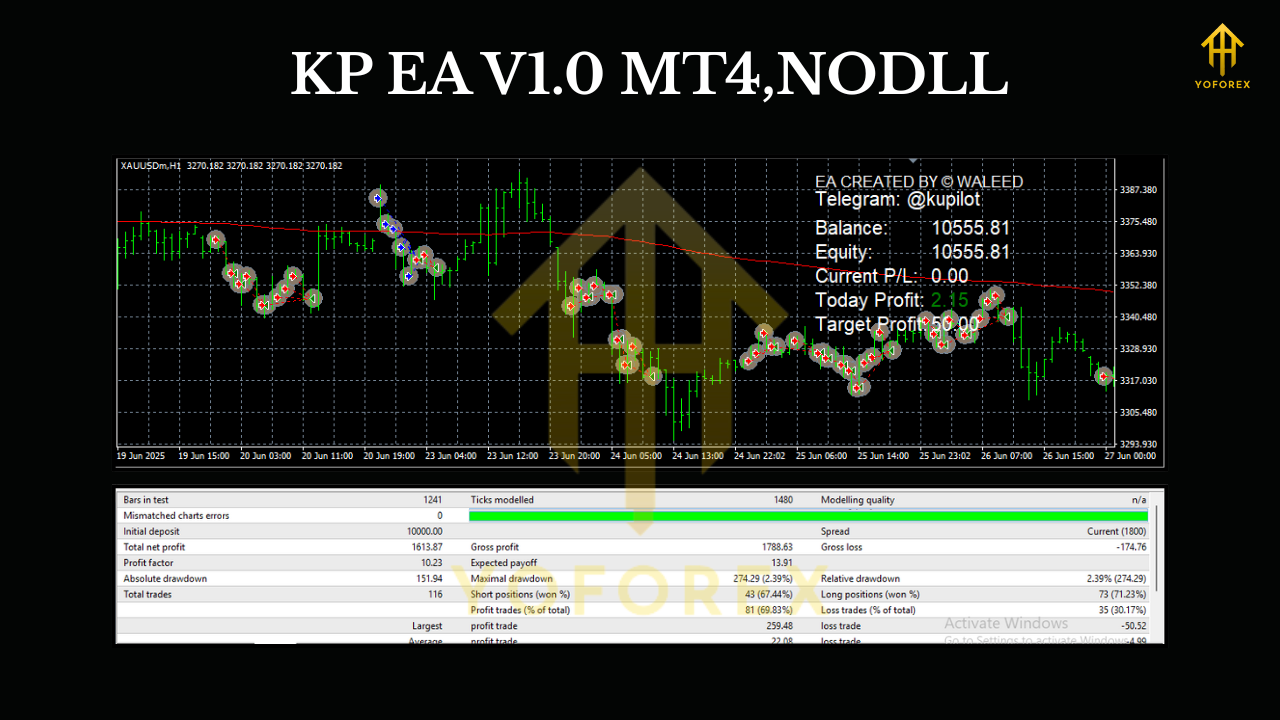
It shines on majors like GBPUSD, USDJPY, EURUSD where spreads are tight, but it’s also calibrated for XAUUSD and BTCUSD volatility, and AUDCAD for that slightly different cadence. The goal isn’t 100 trades a day; it’s a repeatable edge with rules you actually understand—and can stick with.
Key Features (Why traders like it)
- Multi-Asset Ready: GBPUSD, USDJPY, EURUSD, XAUUSD, BTCUSD, AUDCAD out of the box.
- Timeframe Flex: Optimized for H1–M30; M30 often gives more frequency, H1 often gives cleaner signals.
- Trend + Pullback Logic: Entries align with higher-probability momentum, not random chops.
- Fixed SL/TP + Trailing: Risk is always defined; profits protected as price moves.
- Breakeven Bump: Locks in trade safety after a configurable profit threshold.
- Spread & Slippage Guards: Helps avoid poor fills during wild spreads.
- News Cooldown (Optional): Pause trades around high-impact events if your broker’s feed spikes.
- Daily Loss Stop & Cooldown: Hard stop for the day to keep you in the game long term.
- Position Sizing by Risk %: You set the risk; EA calculates lots.
- Symbol-Aware Presets: Sensible defaults per asset type (majors vs. gold/crypto) so you’re not guessing.
- Prop-Friendly Mode: No martingale, no grid; clear SL per trade, which many prop rules prefer.
- Lightweight Execution: Minimal CPU load; runs fine on modest VPS.
How KP EA Approaches the Market
Direction first, entries second. KP EA determines bias using a blend of moving trend filters and volatility context. Only when price pulls back or compresses against that bias—and then re-aligns—does the EA queue an entry. This cuts down on chasing tops or bottoms and helps avoid breakouts that instantly fade.
Once in a trade:
- Stop-Loss: Pre-set in pips or ATR-based (configurable), so risk is known upfront.
- Take-Profit: A modest, asymmetric objective; a trailing stop is the real star for runners.
- Breakeven: Once price is up by X pips (or an ATR multiple), the EA can move SL to entry, trimming downside.
- Trailing: Kicks in early or late (your call), using either fixed steps or ATR to respect each symbol’s personality.
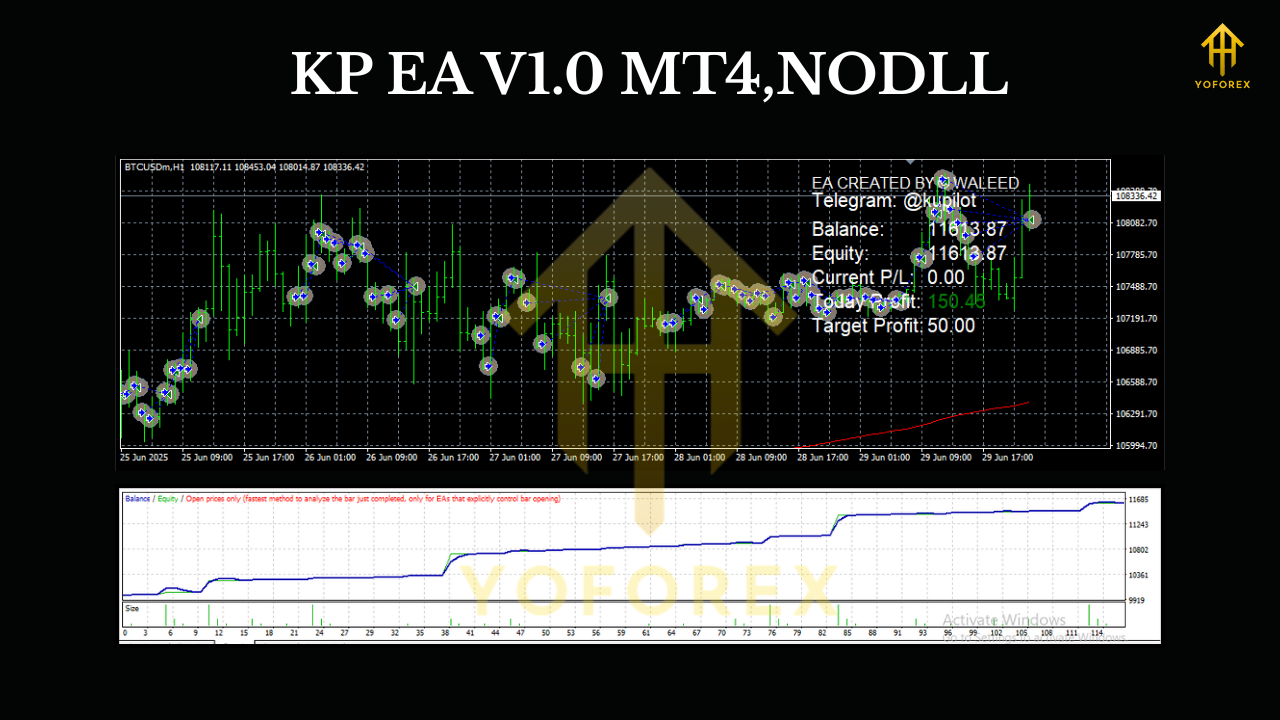
On XAUUSD and BTCUSD, volatility can be spicy. The EA’s ATR-aware settings help keep trade sizes sane and avoid over-tight stops that get clipped in normal noise. On majors, the logic favors cleaner structures—fewer fakeouts, steadier follow-through, especially on H1.
Recommended Setup & Risk
- Timeframes: H1 or M30. If you prefer fewer, higher-quality signals, stick to H1.
- Broker Type: ECN or Raw spread is ideal, with low latency VPS (under ~20–30ms if possible).
- Starting Deposit: For majors, many traders are comfortable starting around $300–$500. For XAUUSD/BTCUSD, consider $500–$1,000 due to volatility. (Not financial advice—adapt to your risk tolerance.)
- Leverage: Standard retail leverage is fine; just size positions via risk % per trade (0.5%–2% typical).
- Daily Loss Stop: Consider 2%–4% max for the account. If hit, let the EA stand down until the next session.
Quick tip: If you’re combining pairs, avoid over-concentration. Running all six symbols is fine, but consider lower risk per symbol so your aggregate exposure stays sensible.
Backtesting & Forward-Testing Guidance
We won’t throw wild profit numbers at you; markets change, and what matters is process. Here’s how we suggest testing KP EA:
- Backtest per symbol over at least 3–5 years (where data exists), on your intended timeframe (H1/M30).
- Run two passes:
- Fixed SL/TP with conservative trailing.
- ATR-adaptive SL/TP with dynamic trailing.
3. Note equity curve shape: look for smoother rises, modest drawdowns, and reasonable stagnation periods.
4. Out-of-Sample Check: Calibrate on one slice, validate on a different recent period.
5. Forward Test (Demo) 2–4 weeks: Deploy the exact backtested config on a demo or small live cent account to confirm execution quality with your broker.
What you want to see: stable expectancy, limited deep drawdowns, and behavior that matches your risk tolerance. If you hate prolonged stagnation, favor the H1 bias setup with a slightly looser trailing stop; it tends to let winners breathe and reduces churn.
Installation (MT4) & Quick Configuration
- Download KP EA V1.0 MT4 and copy the
.ex4file into MQL4/Experts in your MetaTrader 4 data folder. - Restart MT4, then open a chart (e.g., GBPUSD H1).
- Drag KP EA V1.0 onto the chart. Allow Algo Trading and DLL imports if needed.
- In Inputs, consider:
- Risk_Per_Trade: 0.5% to 1.5% to start.
- SL_Mode: Fixed or ATR.
- TP_Mode: Fixed or ATR.
- Trailing_Stop: On (start trail after +X pips or +X ATR).
- News_Filter: On if your broker’s execution gets messy at releases.
- Daily_Loss_Limit: 2%–4% for account preservation.
5. Repeat for other symbols (e.g., XAUUSD H1, EURUSD M30). One chart per symbol/timeframe.
Preset idea to start (majors):
- Risk 1.0%, SL = 1.5×ATR, TP = 1.5×ATR, trail starts at +1.0×ATR, step 0.5×ATR.
Preset idea for XAUUSD/BTCUSD: - Risk 0.5%–0.8%, SL = 2.0×ATR, TP = 2.0×ATR, trail starts at +1.5×ATR.
Not gospel—just sensible baselines. Tweak after a few weeks of observation.
Symbol Notes
- GBPUSD & EURUSD: Generally the cleanest with spreads and structure. Great for baseline tests.
- USDJPY: Often trends cleanly, but can whip during Asia session breaks; news filter helps.
- AUDCAD: Slower, mean-reversion-ish days—entries still follow trend but expect fewer runners.
- XAUUSD (Gold): Big moves, bigger wicks. Keep risk lower, widen stops, let trail do the work.
- BTCUSD: Weekend sessions exist; spreads and liquidity vary by broker. Consider disabling during low-liquidity windows if needed.
Why YoForex-Powered?
You don’t need hype; you need clarity and support. YoForex focuses on:
- Practical logic you can read, configure, and trust.
- Free access to core tools, so you’re not gated by price just to test.
- Ongoing improvements—community feedback drives updates.
- Friendly support when you hit a snag (setup, VPS, broker nuances, you name it).
If you need a hand, ping us—no drama, just solutions.
- WhatsApp: https://wa.me/+443300272265
- Telegram group: https://t.me/yoforexrobot
Risk Disclaimer
Trading involves risk. Past performance does not guarantee future results. Never trade money you can’t afford to lose. Always test on demo or a small live cent account before going full size. Your settings, broker conditions, and discipline will materially impact outcomes.
Call to Action
Ready to try it? Grab KP EA V1.0 MT4 now, set it on H1 or M30 for your favorite pairs, and give it a fair two-to-four-week forward test. If you hit any roadblock—settings, VPS, or symbol selection—reach out on WhatsApp or Telegram and we’ll walk you through it. Simple as that.






Comments (0)
No comments yet. Be the first to comment!
Leave a Comment