Master Price Action with the Level Trading 123 Indicator V1.0 (MQ4)
In the vast and often chaotic world of Forex trading, beginners frequently fall into the trap of "indicator overload." They clutter their charts with moving averages, stochastic oscillators, and Bollinger Bands until the price candles are barely visible. However, professional traders know a secret: the most powerful signals come directly from Price Action.
Enter the Level Trading 123 Indicator V1.0.
This tool is designed to strip away the noise and focus on one of the most reliable, timeless patterns in financial markets: the 1-2-3 Reversal Pattern. Whether you are scalping the M5 charts or swing trading on the H4, understanding how to read these levels is crucial. In this guide, we will explore what this indicator is, why the 1-2-3 pattern works, and how you can use this MQ4 tool to elevate your trading game.
What is the Level Trading 123 Indicator?
The Level Trading 123 Indicator V1.0 is a custom technical analysis tool developed for the MetaTrader 4 (MT4) platform. Unlike lagging indicators that tell you what happened after the price has moved, this indicator is designed to identify potential trend reversals and continuations in real-time.
It operates on the logic of the 1-2-3 Chart Pattern. This pattern is a pure price action formation that signals a change in trend direction. Identifying these patterns with the naked eye can be difficult for beginners, as it requires experience to spot the correct "swing highs" and "swing lows."
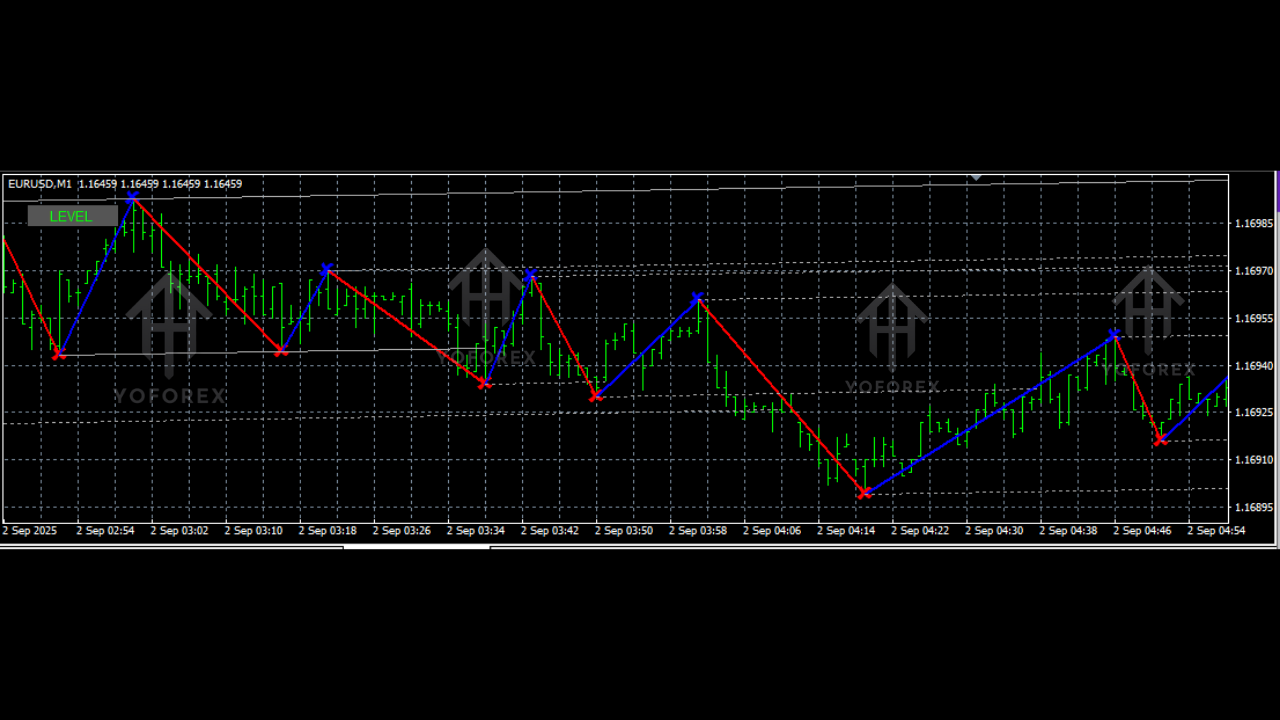
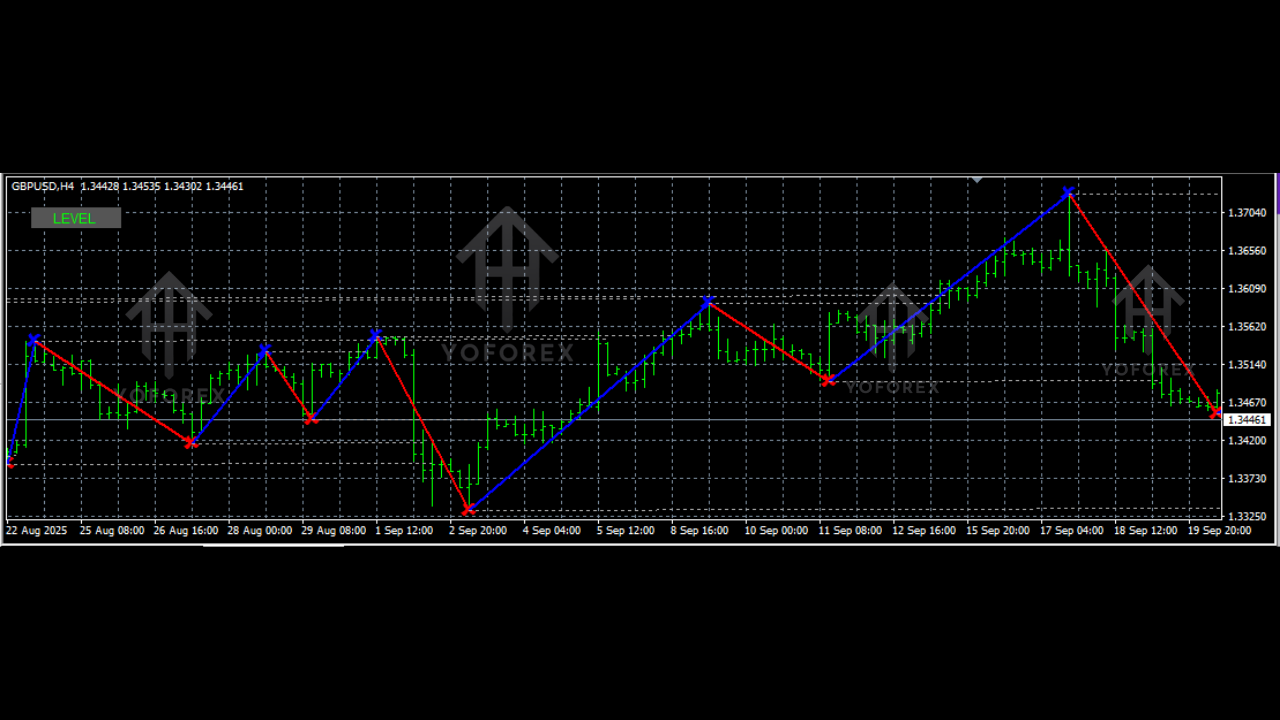
The Level Trading 123 Indicator automates this process. It scans the charts for you, identifies the validity of the pattern, and plots the crucial "Levels"—the entry point, the stop loss zone, and potential targets.
Understanding the Logic: The 1-2-3 Pattern
Before installing the tool, you must understand the theory behind it. The market moves in waves, and the 1-2-3 pattern signifies a shift in momentum.
1. The Bullish 1-2-3 (Buy Setup)
This typically occurs at the end of a downtrend.
- Point 1: The market makes a new Low (the potential bottom).
- Point 2: The price rallies up to a peak (a short-term resistance).
- Point 3: The price dips back down but fails to break the low of Point 1. It forms a "Higher Low."
- The Trigger: When price breaks above the level of Point 2, the trend is confirmed to have reversed from bearish to bullish.
2. The Bearish 1-2-3 (Sell Setup)
This occurs at the end of an uptrend.
- Point 1: The market makes a new High (the potential top).
- Point 2: The price drops to a valley (short-term support).
- Point 3: The price rallies back up but fails to break the high of Point 1. It forms a "Lower High."
- The Trigger: When price breaks below the level of Point 2, the reversal is confirmed.
The Level Trading 123 Indicator V1.0 visualizes these three points instantly, drawing the breakout line (Point 2) so you know exactly where your trade entry should be.
Key Features of Level Trading 123 V1.0
Why should you download this specific version? Here is what makes V1.0 by Swarnalata a standout choice for beginners:
- Simplicity: It does not repaint historically confirmed signals, giving you a true look at backtested performance.
- Visual Clarity: It draws clear lines on the chart. You don't need to guess where the support or resistance lies; the indicator highlights the "Level" (Point 2) that needs to be broken.
- Lightweight MQ4 File: It is coded efficiently to ensure it doesn’t slow down your MT4 terminal, even if you have it open on multiple charts.
- Beginner-Friendly: It is designed specifically for the "Beginner Guides" category, meaning the settings are optimized out-of-the-box without requiring complex parameter tweaking.
How to Install the Indicator on MT4
If you are new to MetaTrader 4, installing a custom .mq4 file might seem technical, but it is actually quite simple. Follow these steps:
- Download: Click the link below to download the
Level Trading 123 Indicator V1.0.zipfile. Extract the file to your desktop. - Open Data Folder: Open your MT4 platform. Go to File > Open Data Folder.
- Navigate: Open the
MQL4folder, then open theIndicatorsfolder. - Paste: Copy the
Level Trading 123 V1.0.mq4file and paste it into this folder. - Refresh: Close the Data Folder and restart your MT4 (or right-click the "Navigator" window and hit "Refresh").
- Load: Find the indicator in your Navigator panel and drag it onto your chart.
Trading Strategy: How to Profit with Level Trading 123
Now that you have the indicator running, how do you actually trade it? Here is a robust strategy to get you started.
The Entry Rule
The indicator will highlight the "Level 2" line.
- For Buys: Wait for a candle to close above the Level 2 resistance line. A candle close is vital because a simple wick touching the line could be a "fakeout."
- For Sells: Wait for a candle to close below the Level 2 support line.
The Stop Loss (Risk Management)
This is where beginners often fail—they don't know where to put the Stop Loss (SL).
- Conservative SL: Place your stop loss just below (for buys) or above (for sells) Point 3. If the price breaks Point 3, the pattern is invalidated, and you should be out of the trade.
- Aggressive SL: Place your stop loss below the breakout candle. This is tighter but carries a higher risk of being stopped out by market noise.
The Take Profit (TP)
- Method 1 (Fixed): Aim for a 1:2 Risk-to-Reward ratio. If your Stop Loss is 20 pips, aim for 40 pips profit.
- Method 2 (Distance): Measure the distance between Point 1 and Point 2. Project that same distance from the breakout point. This is a classic geometric target for the 123 pattern.
Pro Tips for Best Results
While the Level Trading 123 Indicator is powerful, no tool is 100% perfect. To increase your win rate, apply these filters:
- Trend Filtering: Zoom out. If the higher timeframe (e.g., Daily) is in an uptrend, prioritize the Buy signals on your lower timeframe (e.g., H1) and ignore the Sell signals. This is called "trading with the flow."
- Timeframes: This indicator works on all timeframes, but for beginners, we recommend the H1 (1-Hour) and H4 (4-Hour) charts. These timeframes filter out the "noise" found on 1-minute or 5-minute charts, making the patterns more reliable.
- Avoid News: Do not take new signals right before high-impact news events (like NFP or CPI), as volatility can cause massive spikes that invalidate technical patterns.
Why Price Action Beats Repainting Indicators
Many free indicators found online are "repainters"—they change their past signals to look perfect in hindsight. The Level Trading 123 V1.0 focuses on structural market levels. A level is either broken, or it isn't. This binary nature ("Yes/No") helps beginners develop discipline. You are not trading based on a vague feeling; you are trading based on a structural break of price.
Conclusion
The Level Trading 123 Indicator V1.0 is more than just a line on a chart; it is a training wheel for seeing market structure. By using this tool, you train your eyes to spot reversals and breakouts naturally. Whether you are looking to catch the start of a new trend or scalp short-term corrections, this MQ4 tool is an essential addition to your trading arsenal.






Comments (0)
No comments yet. Be the first to comment!
Leave a Comment