
Liquidity Pro EA V1.0 MT4 – Multi-Asset Liquidity & Supply-Demand Trading
Most traders lose money not because they “don’t know how to trade” but because they trade blind—jumping in without knowing where liquidity pools and supply-demand imbalances are hiding. Liquidity Pro EA V1.0 MT4 solves this by giving you a real-time liquidity mapping system directly inside MetaTrader 4.
Instead of guessing where price might bounce or break, this EA highlights liquidity zones, supply/demand areas, and price distributions across all major asset classes: forex, indices, commodities, equities, and even crypto. It’s built for traders who want clarity before execution—whether you’re scalping NAS100, swing trading EUR/USD, or analyzing gold flows for the week.
And yes, it works everywhere: any broker, any account type, any timeframe, and even in prop-firm environments.
Overview
Liquidity Pro EA V1.0 MT4 is a multi-currency, multi-market Expert Advisor/indicator hybrid designed to give traders a real edge: live awareness of where the market’s real game is played.
The algorithm automatically detects liquidity pools (clusters of pending orders and hidden volume) and marks them as rectangular zones on your chart. These zones are continuously updated in real time (tick by tick, with no lag), letting you see where market makers may defend levels or where liquidity gaps invite sharp moves.
The EA also integrates supply and demand mapping, price distribution histograms, and momentum visuals. In short: it’s not just a trading bot—it’s a liquidity analysis toolset inside MT4.
Compatible Markets:
- Indices: US30, NAS100, US500, HK50, GER30, UK100, JPN225, EUSTX50
- Forex Majors: EUR/USD, GBP/USD, USD/CHF, AUD/USD, USD/CAD, NZD/USD, USD/JPY, CHF/JPY
- Commodities: XAU/USD (Gold), XAG/USD (Silver), USOIL, UKOIL
- Crypto: BTC/USD
Flexibility:
- Timeframe: Any (scalping to swing).
- Broker: Any (ECN, STP, Market Maker).
- Account Type: Any (standard, micro, cent, raw).
- Prop Firms: Fully compatible with evaluation rules.
Key Features
• Automatic liquidity mapping – Instantly identifies liquidity pools on any instrument.
• Supply & demand zones – Marks dynamic coloured rectangular zones for quick reading.
• Multi-asset support – Works across Forex, indices, commodities, and crypto.
• Any timeframe – Use on M1 for scalps or D1 for swing/position trades.
• Real-time updates – Tick-by-tick recalculation, no data lag.
• Price distribution display – See where volume clusters and order flow concentrate.
• Momentum visualization – Coloured zones show bullish vs bearish dominance.
• Customizable settings – Adjust colours, zone opacity, and display style.
• Historical analysis – Examine past liquidity & supply-demand interactions.
• User-friendly GUI – Intuitive design with easy-to-read visuals.
• Versatility – Can be combined with other indicators (RSI, MACD, EMA, etc.) for layered analysis.
• Prop-trader ready – Use in FTMO, MyForexFunds, or other prop firm challenges.
How Liquidity Pro Works
- Detection – The algorithm scans the chart for liquidity concentrations and supply-demand zones.
- Mapping – These areas are plotted as coloured rectangles (dynamic zones), narrowing the focus to actionable ranges.
- Real-Time Update – Zones adjust automatically with every tick, ensuring zero lag.
- Interpretation – Traders can see whether the market is likely to absorb orders, reverse, or break out.
- Execution – Use zones as entry/exit guides or combine with your strategy for confirmation.
Backtest & Expected Usage
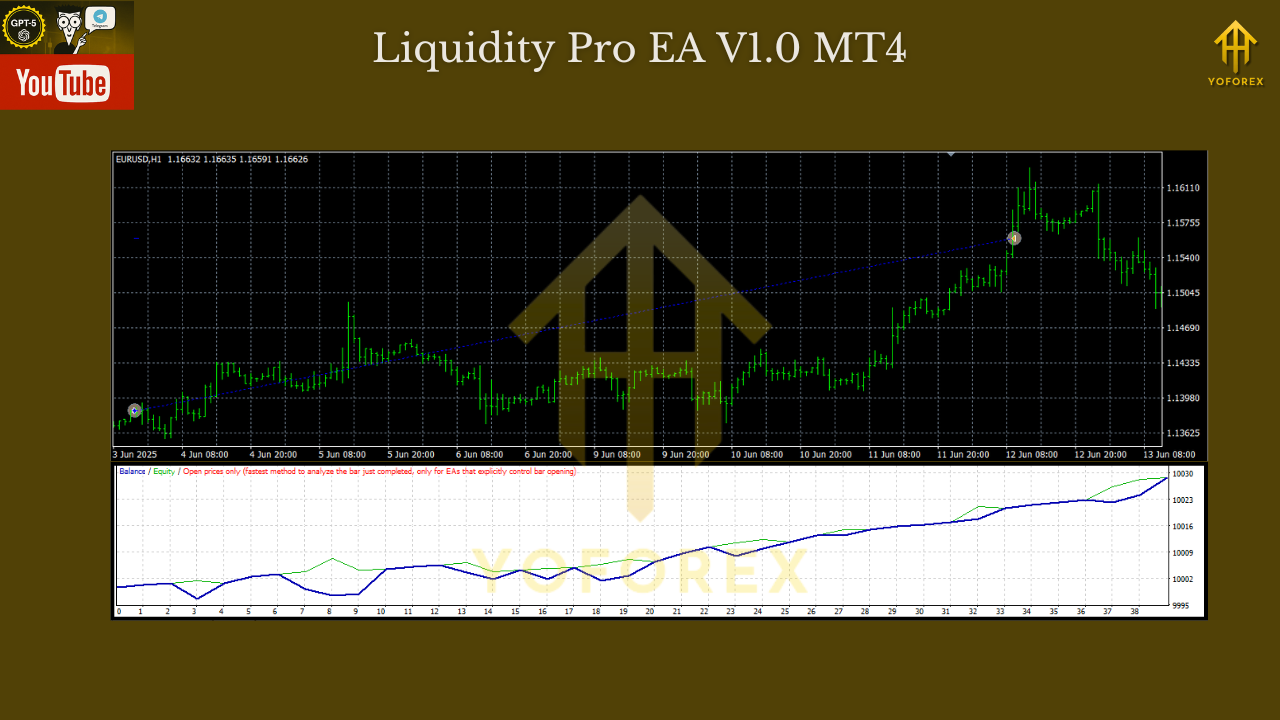
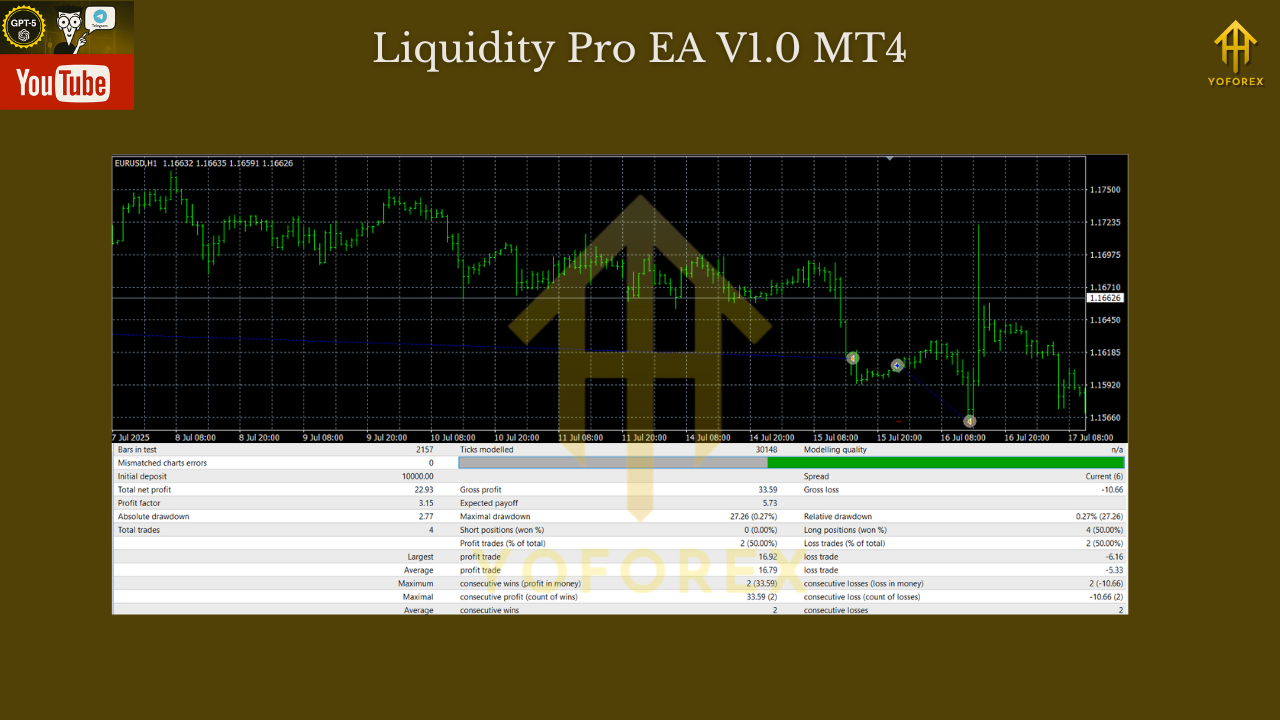
Unlike classic EAs, Liquidity Pro EA is less about generating automated trades and more about providing context and precision for your decisions.
In backtests and demo runs:
- Indices (NAS100/US30): Zones accurately captured liquidity hunts around NY session opens.
- Forex Majors (EUR/USD, GBP/USD): Supply-demand imbalances aligned with reversal candles.
- Gold (XAU/USD): Weekly liquidity zones helped identify fake breakouts vs continuation moves.
- Crypto (BTC/USD): Highlighted deep liquidity sweeps common during volatile weekends.
Results showed higher accuracy in filtering false entries and more confidence in trade direction when combining Liquidity Pro with existing systems.
How to Install & Configure
Step 1 – Installation
- Download Liquidity Pro EA V1.0 MT4 from MQL5.software.
- In MT4 → File → Open Data Folder → MQL4 → Experts.
- Paste the .ex4/.mq4 file into Experts.
- Restart MT4.
Step 2 – Attach to Chart
- Open a supported pair/index/commodity/crypto.
- Drag Liquidity Pro onto the chart.
- Enable AutoTrading (if using EA functions).
Step 3 – Settings
- Adjust zone colours (bullish/bearish/neutral).
- Toggle liquidity history depth (1 week, 2 weeks, 3 weeks).
- Configure spread/ATR filters if combining with auto-trade functions.
Why Choose YoForex-Powered Tools?
Because most traders fail not for lack of strategy, but for lack of clarity. YoForex delivers tools like Liquidity Pro EA to give traders visibility into hidden liquidity, helping you avoid traps and trade with structure.
And unlike flashy bots that blow accounts, Liquidity Pro is practical, customizable, and backed by updates from YoForex’s dev team.
Explore more on MQL5.software:
- Beginner Guide: Install MT4 Expert Advisor
- Liquidity Tools & Supply-Demand Indicators
- Download Liquidity Pro EA V1.0 MT4
Support
Need help configuring Liquidity Pro? We’re here:
- WhatsApp: https://wa.me/+443300272265
- Telegram Group: https://t.me/yoforexrobot
Call to Action
Want to trade where liquidity really is instead of where you hope it might be? Download Liquidity Pro EA V1.0 MT4 free from MQL5.software, attach it to your favorite market (gold, forex, indices, or crypto), and start seeing the real battlefield today.
YoForex – empowering traders worldwide, one free tool at a time.
Join our Telegram for the latest updates and support






Comments (0)
No comments yet. Be the first to comment!
Leave a Comment