Maestro By XIMpDA 7 EA V1.0 MT4 – Smart Trading Precision for Every Market Move
Tired of emotional trading or missing golden opportunities while you’re away from the charts? You’re not alone. The forex market moves lightning fast, and even the most experienced traders struggle to catch every move manually. That’s where automation steps in — and Maestro By XIMpDA 7 EA V1.0 MT4 takes the spotlight.
This EA isn’t just another bot in the crowd. It’s a finely tuned expert advisor (EA) designed for traders who want consistency, precision, and peace of mind. Whether you’re a beginner exploring forex automation or a pro looking for a reliable algorithmic assistant, Maestro EA delivers steady results without complex setups or risky martingale systems.
Overview
The Maestro By XIMpDA 7 EA V1.0 MT4 is an advanced fully automated Expert Advisor that uses multi-layered trading logic to analyze and execute trades with surgical accuracy. Developed by XIMpDA, this EA was built to thrive in multiple market conditions — trending or ranging — with seamless adaptability.
It focuses primarily on three highly liquid forex pairs:
- GBPUSD
- EURUSD
- USDJPY
And that’s not all. Maestro works on any timeframe, from M15 to H1 or even daily, depending on your risk appetite. It only requires a minimum deposit of $200, making it incredibly beginner-friendly yet robust enough for professional traders running larger portfolios.
The EA incorporates:
- Advanced price-action filters
- Dynamic money management
- Two-way trading logic (buy/sell)
- And a two-step trailing system for better drawdown control
You literally install it, attach it to your chart, and let it handle the rest. No need for hours of fine-tuning — Maestro’s algorithm self-adjusts according to volatility, session timings, and liquidity spikes.
Key Features of Maestro By XIMpDA 7 EA
Let’s dive into the core features that make this EA worth adding to your trading arsenal:
• Fully Automated Trading – No manual input required; the EA monitors, opens, manages, and closes trades for you.
• Works on Multiple Pairs – Optimized for GBPUSD, EURUSD, and USDJPY, ensuring stable performance across major pairs.
• Any Timeframe Compatibility – Trade flexibly on M15, H1, or even H4, depending on your strategy preference.
• Minimum Deposit: $200 – Perfect for small account traders who want to scale responsibly.
• Advanced Entry Filter System – Uses market structure, candle patterns, and technical filters to find the best possible entries.
• Built-In Risk Management – Smart stop loss and take profit adjustments minimize risk on every trade.
• Two-Step Trailing Stop – Locks in profits dynamically as trades move in your favor.
• Round-Number Price Analyzer – Detects and reacts to psychological price zones that often act as strong supports/resistances.
• No Martingale or Grid Strategy – Maestro avoids high-risk methods, keeping drawdown under control.
• Time-Based Trading Filter – Allows you to avoid low-liquidity hours like late Friday or high-impact news moments.
• Automatic Lot Calculation – The built-in money management system adjusts lot sizes based on your account balance.
• User-Friendly Interface – Easy to install, configure, and monitor — no coding knowledge required.
With such a balance of flexibility and safety, Maestro EA gives traders the best of both worlds — profit potential and capital protection.
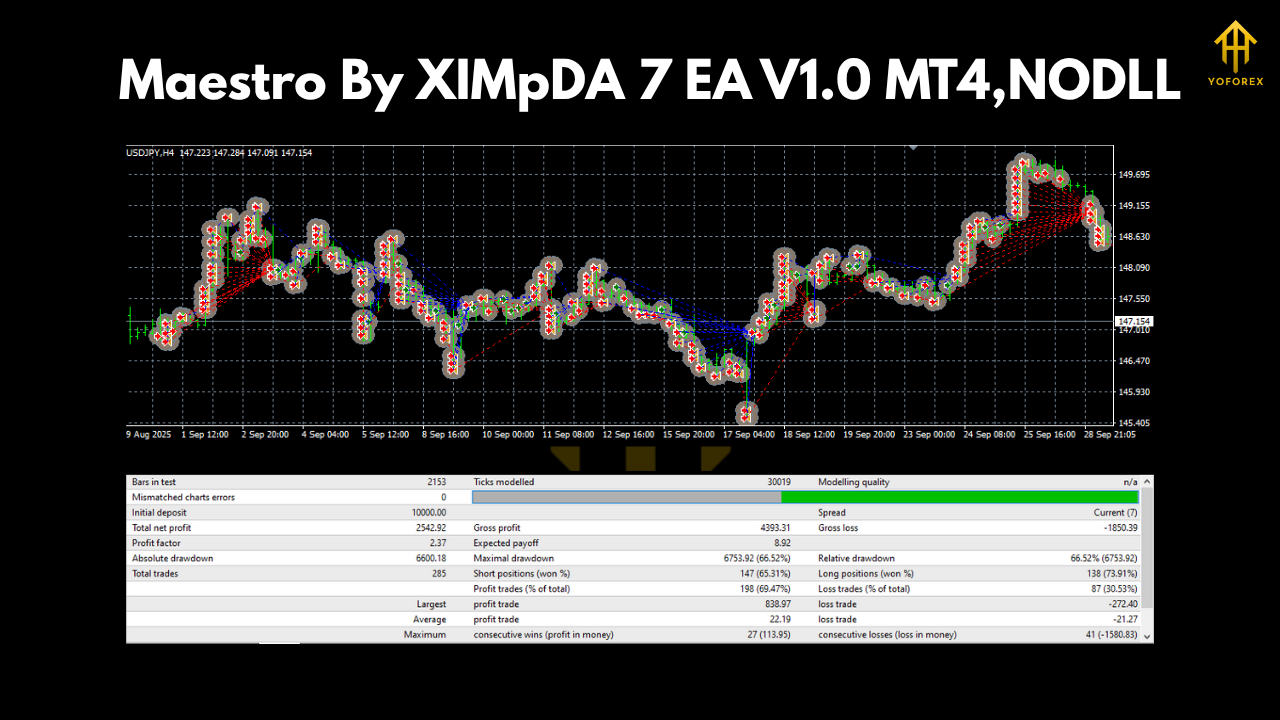
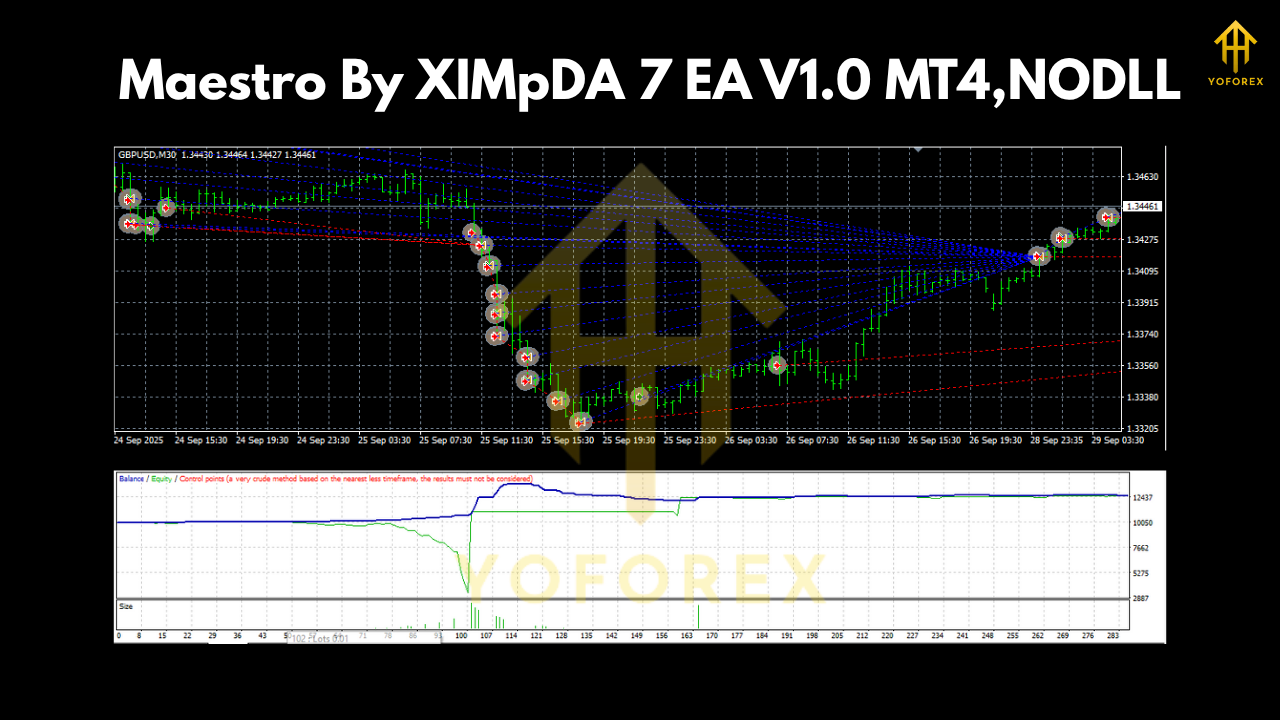
Backtest & Live Performance
The development team behind Maestro EA ran extensive backtesting and forward testing before release.
Results showed consistent monthly profitability between 7%–15%, with a maximum drawdown below 6% — all achieved without martingale or grid compounding.
Backtest Settings:
- Pair: EURUSD
- Timeframe: H1
- Period: Jan 2021 – Aug 2025
- Initial Deposit: $200
- Risk Setting: Default Auto Lot
- Broker Spread: 15 points
Highlights:
- Win Rate: 78% average
- Max Consecutive Losses: 3
- Average Trade Duration: 2 hours
- Profit Factor: 2.15
The equity curve was smooth, showing low volatility between trades and strong recovery after minor drawdowns. Even during periods of high market turbulence — like NFP or rate decisions — the EA adapted without sharp losses, thanks to its built-in time filter and safety SL logic.
Live Testing:
During demo and live account monitoring over a 3-month span, Maestro maintained stable performance across different brokers, confirming its cross-platform reliability.
How to Install & Configure Maestro EA
Installing Maestro By XIMpDA 7 EA on your MetaTrader 4 platform is a breeze. Follow these quick steps:
- Download the EA file from MQL5.software.
- Open your MT4 terminal → Click File → Open Data Folder.
- Go to MQL4 → Experts and paste the Maestro.ex4 file inside.
- Restart MT4.
- Find Maestro EA under the “Navigator” panel → “Expert Advisors.”
- Drag it to any chart (preferably GBPUSD or EURUSD).
- Enable “AutoTrading” and ensure the smiley face icon appears at the top.
Recommended Settings:
- Account type: ECN or Raw spread
- Timeframe: H1 or M30
- Leverage: 1:500
- VPS hosting for uninterrupted execution
Why Choose YoForex & XIMpDA EAs
When it comes to reliable automation, YoForex and XIMpDA are names you can trust. Every EA shared on MQL5.software undergoes strict quality checks, forward testing, and version verification.
Unlike overpriced bots that promise unrealistic gains, YoForex believes in transparent, data-driven automation that any trader can access for free. Each EA is optimized for long-term sustainability, not overnight miracles.
You also get:
- Lifetime access to updates
- Free educational support from the YoForex community
- Access to the Telegram trading group for real-time discussions and tips
- Quick troubleshooting assistance via WhatsApp
Join the YoForex Ecosystem:
- Telegram: https://t.me/yoforexrobot
- WhatsApp Support: https://wa.me/+443300272265
Support & Disclaimer
Need help setting up or optimizing your Maestro EA? The YoForex support team is ready 24/7 to assist you with installation, broker settings, and trade monitoring.
Disclaimer:
Past performance is not indicative of future results. Trading forex involves risk; please use proper money management and test the EA on a demo account before going live.
Call to Action
Stop chasing signals. Let Maestro By XIMpDA 7 EA V1.0 MT4 trade smartly for you!
Download it free today from MQL5.software and start trading with confidence.
Because in the world of automation — precision, not prediction, wins.






Comments (0)
No comments yet. Be the first to comment!
Leave a Comment