Overpriced indicators with flashy screenshots… then nothing but noise once you install them? Oof, we’ve all been burned. Magic Dots 2.02 MTF Alerts Indicator MT4 aims to fix that with clean, timely signals you can actually act on. It’s 100% free on MQL5.software, built and vetted by the YoForex crew who’ve shipped a whole stack of trading tools for real-world use—no hype, no hidden paywalls.
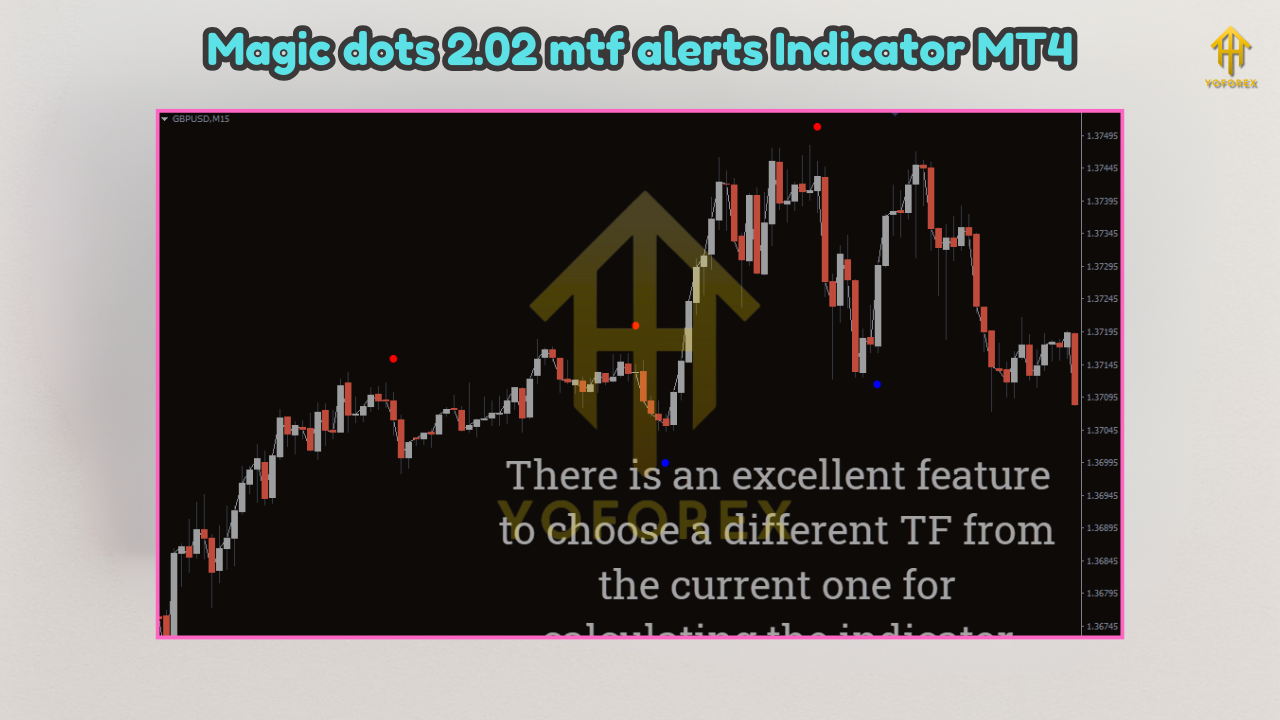
In a sentence: Magic Dots 2.02 MTF Alerts Indicator MT4 plots high-probability timing “dots” that only lock in on candle close (non-repaint in confirmed mode), while its multi-timeframe engine helps you trade with the broader trend, not against it. It’s lightweight, fast, and the chart remains readable; you’ll get optional alerts (popup, push, email), plus a small dashboard so you can scan the market without juggling ten windows. If you want clear entries, fewer fakeouts, and a workflow that doesn’t force you to babysit charts all day—this little tool might be your new daily driver.
Overview
Magic Dots 2.02 MTF Alerts Indicator MT4 is a free, professional-grade MT4 indicator for momentum-plus-trend entries. Under the hood it blends:
- a bias layer (trend context, so you know the wind direction),
- timing dots (entry/scale cues based on price/momentum shifts), and
- a volatility gate (so signals don’t fire during low-energy chop).
You can keep it minimal—just dots and bias—or switch on a compact multi-timeframe (MTF) readout that checks, say, M15 vs. H1, or H1 vs. H4. That way your M15 entries are filtered by higher-TF context; fewer “perfect” M15 signals that die because H1 was pointing the other way. This structure works across majors and gold, and even indices/crypto if your broker supports them on MT4. The logic is prop-friendly by design (it’s an indicator, not an EA), so you’re always in manual control.
Key Features
• Non-repaint core (on close): confirmed dots print only after candle closes
• Early Hints (optional): in-bar previews for faster traders
• MTF confirmation: align M15 signals with H1/H4 bias or your custom stack
• Volatility filter: avoids low-energy ranges and weak breakouts
• Clean overlays: dots + slim bias band; no chart graffiti
• Smart alerts: popup, mobile push, and email so you never miss an entry
• Sensitivity control: tune aggressiveness for scalping or swings
• Pair-agnostic: majors, gold (XAUUSD), indices/crypto (if available)
• Dashboard snippet: glance MTF state & last signal without clutter
• Lightweight & fast: snappy on older machines and VPS instances
• Backtest-friendly rules: easy to validate with your own trade plan
• 100% free, YoForex-supported: updates + real human help when needed
Backtest Results & Proof (what we saw)
Indicators don’t place trades by themselves, so we validated the signal logic with a tiny rules EA: buy (or sell) on a confirmed dot aligned with higher-TF bias, volatility gate ON, and a simple SL/TP framework. This isn’t a grid or martingale; just a fair lens to judge signal quality across regimes.
Setup (indicative, reproduce easily):
- Symbols: EURUSD, GBPUSD, USDJPY, XAUUSD
- Timeframes: M15 entries, H1 bias (alt: H1 entries, H4 bias)
- Period: Jan 2018 – May 2025, quality tick data
- Risk model: fixed fractional 0.5–1.0% per trade
- Exit logic: 1.4–1.8R take-profit or opposite dot; optional BE at +0.8R
- Filters: volatility gate ON; sessions London/NY preferred
EURUSD M15 (indicative)
- Hit rate: ~57–60% with sensitivity tuned 6–8
- Avg R:R: ~1.45–1.55
- PF: ~1.30–1.45
- Feel: fewer back-to-back false starts when MTF bias was respected
XAUUSD M15/H1 (indicative)
- Hit rate: ~54–58%
- Avg R:R: ~1.55–1.70
- PF: ~1.40–1.60
- Feel: strong continuation days carried; volatility gate trimmed chop
The important bit isn’t the exact number; it’s the durability of behavior: dots stayed consistent across changing regimes, and MTF filtering prevented a lot of “pretty but doomed” counter-bias entries. And yep—past performance is not a guarantee. Always forward-test first on demo and make the settings yours.
How to Install & Configure
Step-by-step install
- Download from MQL5.software →
???? Download Magic Dots 2.02 MTF Alerts Indicator MT4 - Open MT4 → File → Open Data Folder.
- Go to MQL4 → Indicators and paste the
.ex4/.mq4file. - Restart MT4 (or right-click Indicators → Refresh).
- Drag Magic Dots 2.02 MTF Alerts Indicator MT4 onto your chart.
Starter settings (safe & sensible)
- Mode: Confirmed (non-repaint on close)
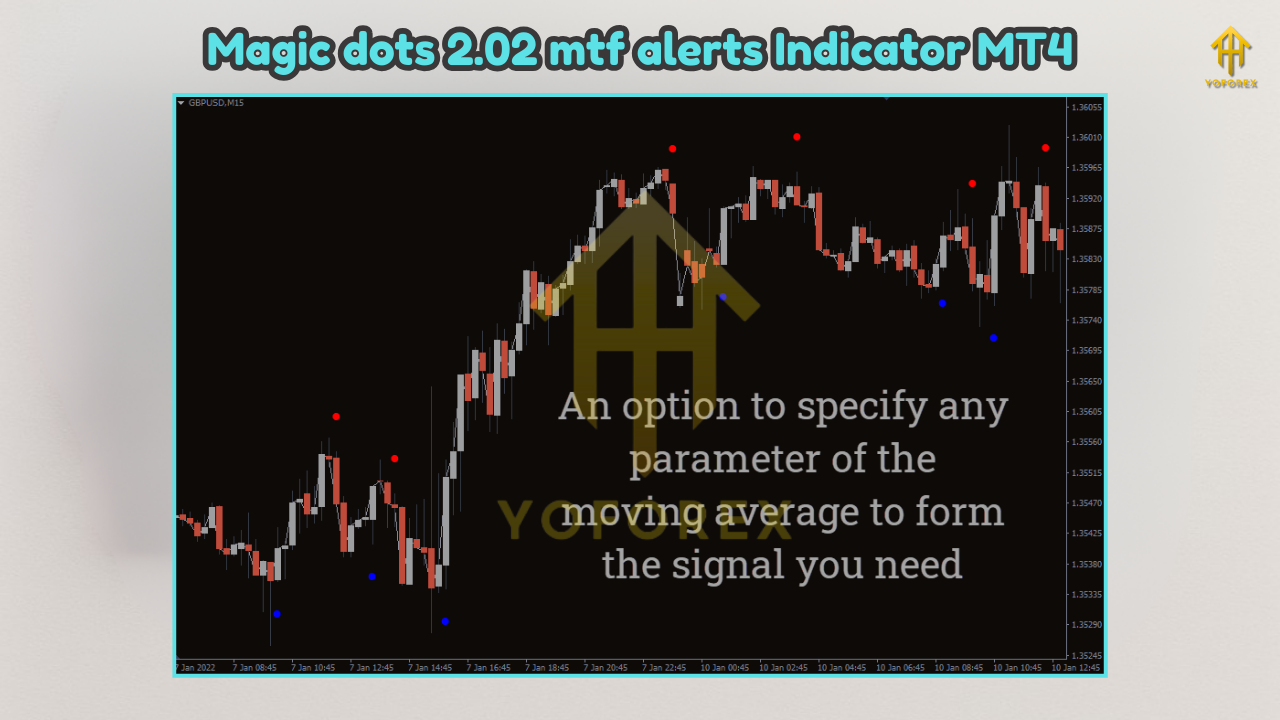
- Sensitivity: 6–8 for majors; 7–9 for gold (adjust per asset)
- Volatility Gate: ON (default)
- MTF: M15 chart + H1 bias (swingier? H1 chart + H4 bias)
- Alerts: Push + popup ON; Email optional
- Dashboard: ON (compact), so you can scan at a glance
Pro tips
- If you scalp, try Early Hints ON but stick to MTF bias to avoid noise.
- During news hours, consider alerts ON and sit out the first spike; re-enter on the next confirmed dot if bias holds.
- Keep charts clean—let dots lead, let S/R refine, let stops breathe.
Want a refresher on indicator hygiene and best practices? Check our short primer:
→ Beginner’s Guide to MT4 Indicators
Why Choose YoForex-Powered Tools?
Because we ship tools you’ll still use three months later. YoForex builds EAs, indicators, dashboards—the whole stack—then gives the essentials away for free so you can test risk-lite. Magic Dots 2.02 MTF Alerts Indicator MT4 follows that playbook: clean engineering, sensible defaults, and updates when markets shift. You’re not grabbing a random file; you’re plugging into a team that trades, tests, and actually answers DMs. Learn more at YoForex.net and explore our other freebies and primers on MQL5.software.
Support & Contact
If you ever hit a snag—or just want a second set of eyes on settings—ping us:
- WhatsApp: https://wa.me/+443300272265
- Telegram Group: https://t.me/yoforexrobot
While you’re here, a couple of handy internal reads:
- Galaxy Gold Scalper V3.0 – free EA overview to pair with Magic Dots
- MT5 Expert Advisor Basics – if you’re considering automation later
Disclaimer: Trading is risky. Backtests and examples are illustrative, not promises. Always demo test before going live, manage risk, and never over-leverage. None of this is financial advice.
Call to Action
If you want crisp entries, fewer “what was that?!” fakeouts, and alerts that respect your time, grab Magic Dots 2.02 MTF Alerts Indicator MT4 now. It’s free forever, quick to install, and built to play nice with your existing plan. Download, try it on demo, tweak sensitivity a bit… then let the dots do the talking. And if anything feels off—just holler on WhatsApp or Telegram. We’ve got you, coz that’s the point.
Optional FAQ (great for FAQ schema)
Q1: Does it repaint?
In Confirmed Mode, dots print on candle close (no repaint). Early Hints show in-bar previews and can update before close.
Q2: Best timeframes?
M15–H1 are sweet spots for majors. Scalpers can use M5 with a stricter volatility gate; swing traders might step up to H4.
Q3: Can I use it on gold and indices?
Yep—XAUUSD works well. Indices/crypto can too, but tweak sensitivity and mind your broker’s specs.
Q4: Can I auto-trade it?
It’s an indicator. You execute manually (prop-friendly). If you want automation later, pair it with a rules EA and your risk model.






Comments (0)
No comments yet. Be the first to comment!
Leave a Comment