
MarketReact EA V3.5 MT4 – Dual-Mode BBMA Power for Smart Entries
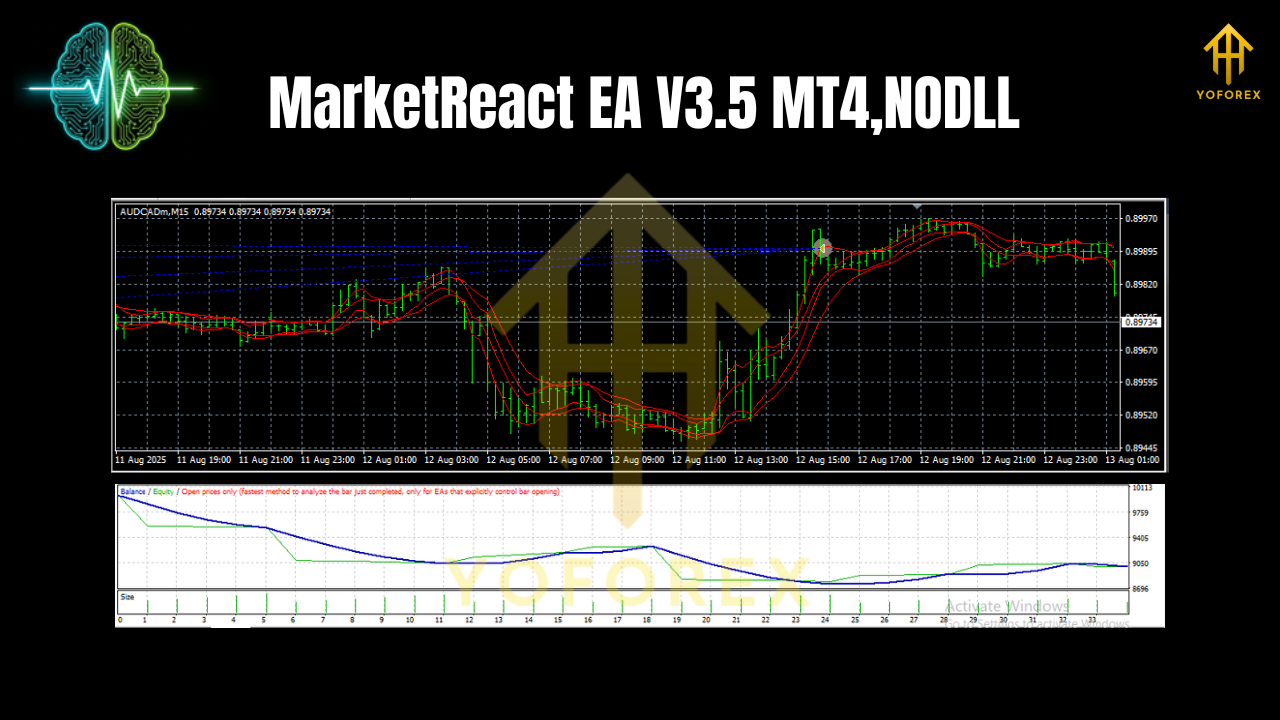
If you’ve ever wished you could switch between two pro-level strategies without changing robots, MarketReact EA V3.5 for MT4 is built for exactly that. It packs an aggressive grid engine for range phases and a disciplined trend-following mode for cleaner, single-position swings—both running on a high-probability BBMA (Bollinger Bands + Moving Average) entry framework. In short: one Expert Advisor, two battle-tested workflows, less fiddling.
Pairs: AUDNZD, AUDCAD, EURUSD · Timeframe: M15
Why MarketReact EA?
Markets aren’t static. London whipsaws, New York breaks out, Asia drifts… and forcing one rigid method through all sessions is how traders burn accounts. MarketReact EA V3.5 embraces the reality of shifting volatility. It lets you:
- Lean on a grid when price is contained and mean-reverting.
- Flip to a trend approach when momentum kicks in, taking one clean, well-managed position.
Under the hood, the BBMA logic anchors entries so you’re not buying highs or selling lows “just coz price looks spicy.” You get structured signals built around Bollinger Band extremes, mean reversion to the middle band, and a moving-average bias filter to keep you on the right side of the micro-trend most of the time.
How the BBMA Engine Guides Entries
BBMA (Bollinger Band & Moving Average) is popular because it’s simple yet robust:
- Bollinger Bands (period 20, dev 2 by default) identify stretch and contraction; pierces and rejections hint at exhaustion or continuation.
- Middle band & an additional MA filter (e.g., EMA 20/50) set context—bullish, bearish, or neutral.
- Re-tests and closes back inside the bands provide higher-probability “reactive” entries—hence the name MarketReact.
V3.5 tightens the entry confirmation so you don’t jump the gun on the first touch. It prefers controlled pullbacks or rejection wicks supported by the MA slope, which is especially helpful on M15 for AUDNZD, AUDCAD, and EURUSD where micro-structure matters.
Two Trading Modes in One EA
1) Grid (Range/Mean-Reversion) Mode
Designed for quieter or oscillating sessions, this mode scales in with controlled step sizes. The point isn’t to “martingale into oblivion”—that’s a no go. Instead, it uses fixed or dynamic step distances, a capped number of layers, and equity/symbol guards so exposure stays sane. Typical use cases:
- Asia session drift on AUD-crosses (AUDNZD, AUDCAD)
- Boxy pre-news conditions on EURUSD when spreads are tight
What it aims to do: harvest small, frequent mean-reversion moves around the middle band. It’ll also respect spread filters and time filters to avoid late-session slippage.
2) Trend (Single-Position) Mode
When the market breaks structure and the MA slope confirms, the EA enters a single, clean position with logical stops (often below/above a recent swing or outside the bands) and rule-based trade management—think trailing, partials (if enabled), and exit on momentum fade. Great for:
- London/NY momentum bursts on EURUSD
- AUD crosses catching commodity-linked impulses following macro headlines
What it aims to do: ride the path of least resistance without cluttering the chart.
Institutional-Style Safety Layer (What Traders Care About)
You asked for “institutional-grade” protection—here’s what that typically includes in MarketReact EA V3.5’s configuration toolkit:
- Max daily loss & equity stop (hard brakes when the line is crossed)
- Per-symbol exposure cap (no runaway stacking)
- Session & news windows (optional time filter to sit out chaos)
- Spread & slippage guards (skip bad-liquidity moments)
- Max orders / max grid depth (strict ceilings)
- Auto lot sizing by risk % or fixed lots for prop-style consistency
- Hard SL/TP + trailing logic (no naked exposure)
These controls matter more than any clever entry. They keep you in the game.
Recommended Market & Setup
- Pairs: AUDNZD, AUDCAD, EURUSD
- Chart: M15 for a sweet balance of signal frequency vs. noise
- Account: Low-spread ECN, fast execution, 1:200–1:500 leverage recommended (but use what your risk plan allows)
- VPS: Strongly advised for stability and latency
Tip: Start with the trend mode in higher-energy sessions (London/NY) and the grid mode in quieter times (late Asia). You can also run two charts per pair—one per mode—with distinct magic numbers to keep trades separated.
Key Features at a Glance
- Dual strategy core: Grid for ranges, Trend for momentum
- BBMA entries: Bollinger + MA context for smarter timing
- No martingale: Controlled step/grid logic with caps
- Risk-first design: Daily loss, equity stop, and exposure limits
- Adaptive filters: Spread, time/session, and optional news window
- Clean management: Trailing stop, partial exits (if enabled), time-based closes
- Auto or fixed lots: Choose your risk style
- Prop-friendly parameters: Cap daily drawdown and per-trade risk
- Multi-pair ready: Tuned for AUDNZD, AUDCAD, EURUSD on M15
- Magic number separation: Safely run multiple modes or pairs
Installation & Quick Configuration (MT4)
- Copy the EA to
MQL4/Experts/and restart MT4. - Open M15 charts for AUDNZD, AUDCAD, and EURUSD.
- Enable algo trading and allow DLL imports if required by your broker.
- Attach the EA to each chart; set unique magic numbers per chart/mode.
- Choose Mode:
MODE = GRID(range harvesting)MODE = TREND(single-position momentum)
6. Risk & Exposure:
RiskPerTrade(e.g., 0.5–1.0%) for Trend modeMaxGridLayers,GridStepPoints,MaxDailyLoss%,MaxSymbolExposure%for Grid mode
7. Filters:
MaxSpreadPoints,TradingSessions, optionalSkipNewsMinutesBeforeAfter
8. SL/TP & Trailing:
- Trend: logical SL outside band/swing, TP at RR 1.5–2.0, enable trailing after +0.8–1.0R
- Grid: basket TP in points or equity %, emergency SL active
Always forward-test on demo for a few days to ensure broker specifics (spreads, execution) align with your settings.
Practical Usage Notes (Pairs & Timing)
- AUDNZD & AUDCAD (M15): Often calmer. Grid mode can shine in Asia; Trend mode can catch commodity-driven moves.
- EURUSD (M15): Tends to trend during London/NY—Trend mode can capture breaks. Use Spread guard around rollover and news.
When to dial down risk: Major data releases (CPI, NFP), unexpected central-bank comments, illiquid holidays.
Backtesting & Forward-Testing Approach (No Hype, Just Process)
Instead of throwing wild percentages, here’s a sensible validation routine you can follow:
- Backtest 5–10 years per pair on M15 using quality tick data; model both modes separately and together.
- Walk-forward test (e.g., 6-month chunks) to see if parameters generalize.
- Monte Carlo on trade sequences and slippage assumptions to stress the edge.
- Forward-test on demo for 2–4 weeks; record execution quality, skipped trades (spread), and equity stability.
- Then micro-live (0.01 lots or prop sim) to validate under real conditions.
This discipline will tell you far more than any headline number.
Example Parameter Starters
- Trend Mode:
RiskPerTrade = 0.7%SL = swing + buffer,TP = 1.8R,TrailStart = 1.0R,TrailStep = 0.5RMA Filter = EMA 50 slope,Band Period = 20, Dev = 2MaxSpread = 20–25 points (5-digit)
- Grid Mode:
MaxGridLayers = 4–6,GridStep = 80–120 points(pair-dependent)BasketTP = 12–20 points avg,EquityStop = 6–8%,MaxDailyLoss = 3–5%SkipNews = true,Sessions = custom- Note: keep lot size conservative; add layers sparingly.
Conclusion
MarketReact EA V3.5 MT4 earns its name by reacting intelligently to what the market is actually doing—ranging or trending—and giving you a turnkey way to operate either style without juggling multiple robots. With BBMA entries, dual modes, and serious risk controls, it’s a practical tool for traders who value adaptability over dogma. Start on demo, tune your risk, and let the EA do the heavy lifting on AUDNZD, AUDCAD, and EURUSD (M15).





Comments (0)
No comments yet. Be the first to comment!
Leave a Comment