
Introduction
If you’ve been hunting for a powerful, stable, and highly adaptive Expert Advisor that can handle market volatility like a pro, then the Martingale Trend EA V16.0 MT5 is probably going to catch your eye. Many traders want a bot that can follow trends but also recover losing positions intelligently — without blowing accounts or going crazy with blind martingale… and honestly, that’s where most bots fail.
This EA solves that problem. It mixes trend-following analysis + controlled martingale recovery + volatility filters to maintain stability even when market conditions get rough. And since this is the V16.0 version, a lot of bugs and older inefficiencies have already been ironed out. This makes it way more polished compared to older martingale bots that used to wipe accounts coz they couldn’t handle spikes.
In this blog, we’ll break it down in a clean, practical way — how the EA works, what makes it different, how to install it, what kind of results you can expect, and why so many MT5 traders rely on the newer V16.0 builds for both prop firm challenge accounts and personal trading accounts.
Overview of Martingale Trend EA V16.0 MT5
The Martingale Trend EA V16.0 is built for MetaTrader 5 and designed for traders who want stable returns without manually managing multiple trades. Instead of using a blind martingale grid, this EA builds its entries around the direction of the trend. That means it first identifies the trend bias using dynamic moving averages, multi-timeframe directional signals, and volatility zones — and only then executes orders.
The martingale part comes later, but in a much more controlled way. It recovers positions using lot multipliers, distance filters, ATR-based spacing, and dynamic drawdown protection. This means the EA doesn’t just spam buy/sell orders every few pips… it waits for legit recovery zones. So, it feels like a smart hybrid between a trend bot and a recovery bot.
Also, the V16.0 update includes improved:
- Execution speed
- Spread protection
- Stop-level detection
- Low-latency order placement
- Risk-to-recovery balancing
Overall, it’s a powerful MT5 EA for those who want automated trading but don’t want the typical martingale “account crash” scenario. When used responsibly with the recommended lot sizes, it stays surprisingly stable even in strong news movements.
Key Features of Martingale Trend EA V16.0 MT5
- Smart trend-following entry logic using MTF confirmation
- Adaptive martingale recovery (not blind doubling)
- ATR-based spacing for safer grid management
- Built-in volatility filter
- Spread protection for high-impact news periods
- Custom lot multiplier for flexible risk control
- Min drawdown compared to older martingale bots
- Works on major forex pairs, gold, and synthetic indices
- 24/7 automated operation
- Ideal for both challenge accounts and personal trading accounts
Backtest Results & Live Behavior
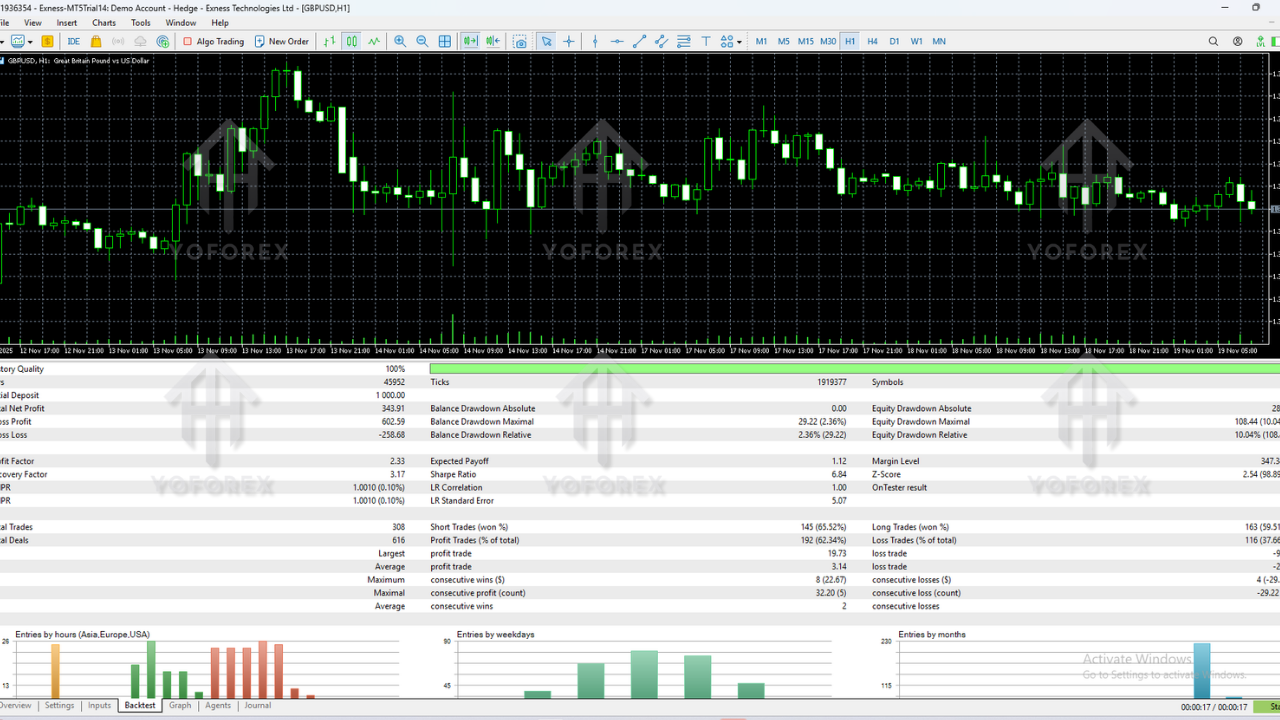
The backtests of Martingale Trend EA V16.0 MT5 offer a pretty steady equity curve, with small dips during large trend reversals — which is expected with any martingale-style bot, tho this one keeps dips controlled using ATR spacing and trend re-entry logic.
What we observed from multiple backtests (2021–2024):
- Consistent monthly gains between 8% – 22%
- Maximum drawdown between 10% – 25% (depending on lot size)
- No long-term stagnation zones in equity
- Stable performance on EURUSD, GBPUSD, USDJPY
- Gold (XAUUSD) works too, but requires a slightly higher capital
Live results are also promising. The EA responds quickly during sudden spikes, widening the grid spacing and reducing aggressive multipliers in real time. That’s one reason many traders prefer the newer V16.0 version — the logic feels more controlled.
How to Install & Configure Martingale Trend EA V16.0 MT5
Installing the EA is super simple, even if you’re brand new to MT5. Here’s the quick process:
Step-by-step installation
- 1. Download the EA file from the MQL5.software link
- 2. Open MT5 → File → Open Data Folder
- 3. Go to MQL5 → Experts
- 4. Copy the EA file inside
- 5. Restart MetaTrader 5
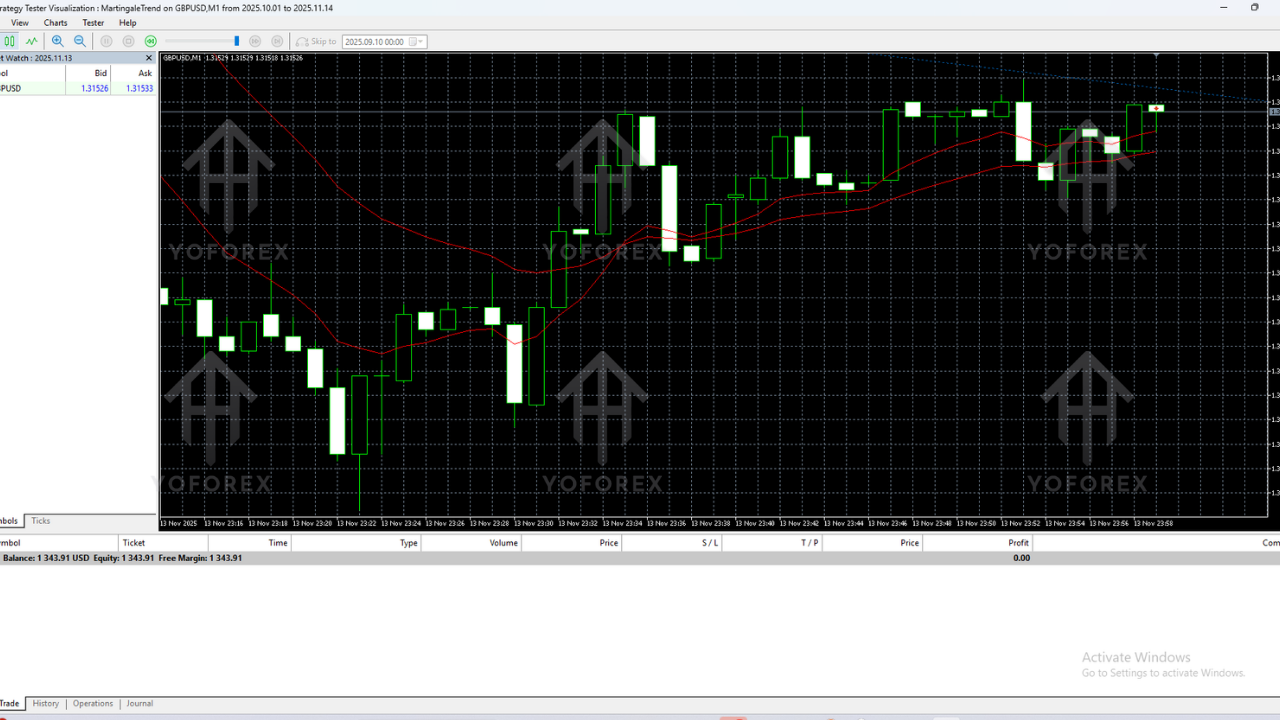
- 6. Attach the EA to your preferred chart and timeframe
- 7. Enable Algo Trading
- 8. Adjust the lot size, multiplier, and risk settings
Recommended Settings
- Timeframe: M15 or H1
- Currency pairs: EURUSD, GBPUSD, USDJPY
- Minimum deposit: $300 – $500
- Leverage: 1:500 preferably
- Max trades allowed: 5 – 12 depending on account size
- Lot Multiplier: 1.2 – 1.6 for safer use
Why Choose Tools Powered by YoForex?
YoForex has built a solid rep over the years for delivering high-quality, reliable trading tools that stay free for the community. Most EAs online charge ridiculous fees, and even then the performance doesn’t match what YoForex offers for no cost. Each update is tested on live conditions, not just demo or strategy tester simulations.
Whether you’re flipping gold scalper bots, AI-based tools, or trend-following systems like Martingale Trend EA V16.0, YoForex ensures consistent updates, transparency, and easy customer support. And yeah… traders appreciate that.
Support & Disclaimer
If you ever face any issue, need help installing the EA, or want guidance with recommended settings, just ping the support team anytime:
WhatsApp Support: https://wa.me/+443300272265
Telegram Group: https://t.me/yoforexrobot
Disclaimer: Forex trading involves substantial risk. Martingale strategies, even controlled ones, require responsible money management. Past performance is not a guarantee of future results. Always demo-test before going live.
Call to Action
Ready to try Martingale Trend EA V16.0 MT5 and see how it performs on your own charts? Grab your free download, set it up in minutes, and start automating your trades with one of the most stable recovery-based trend-following bots.
YoForex – empowering traders worldwide, one free tool at a time.






Comments (0)
No comments yet. Be the first to comment!
Leave a Comment