Introduction to the TTM Scalper Indicator
The TTM Scalper Indicator is a powerful tool for forex traders looking to capitalize on short-term price movements in the dynamic forex market. Designed for MetaTrader 4 (MT4), this indicator is particularly effective for scalping strategies, helping traders identify potential reversal points with precision. In this blog post, we’ll explore how to use the TTM Scalper Indicator on MT4 for trading major currency pairs like EUR/USD, USD/JPY, GBP/USD, and XAUUSD (Gold) on the M5 (5-minute) and H1 (1-hour) timeframes, with a minimum deposit of $200. We’ll cover setup, strategies, risk management, and practical tips to optimize your trading performance.
What is the TTM Scalper Indicator?
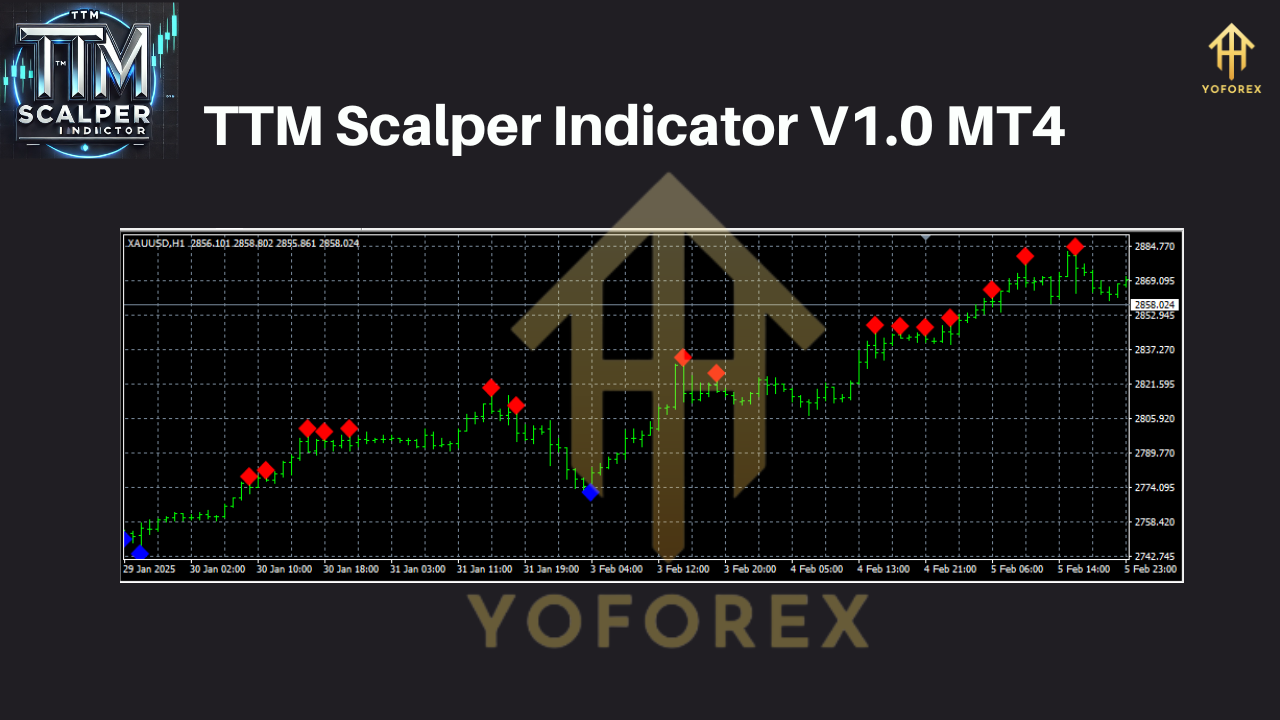
The TTM Scalper Indicator, inspired by John Carter’s methodologies in Mastering the Trade, is a swing trading tool that identifies potential price reversals by marking pivot highs and lows on the chart. It generates visual signals in the form of colored bars or arrows, making it user-friendly for both novice and experienced traders. A blue vertical bar signals a potential bearish reversal (sell), while a red bar indicates a possible bullish reversal (buy). The indicator is versatile, compatible with multiple timeframes, and works across various financial instruments, including forex pairs and commodities like XAUUSD.
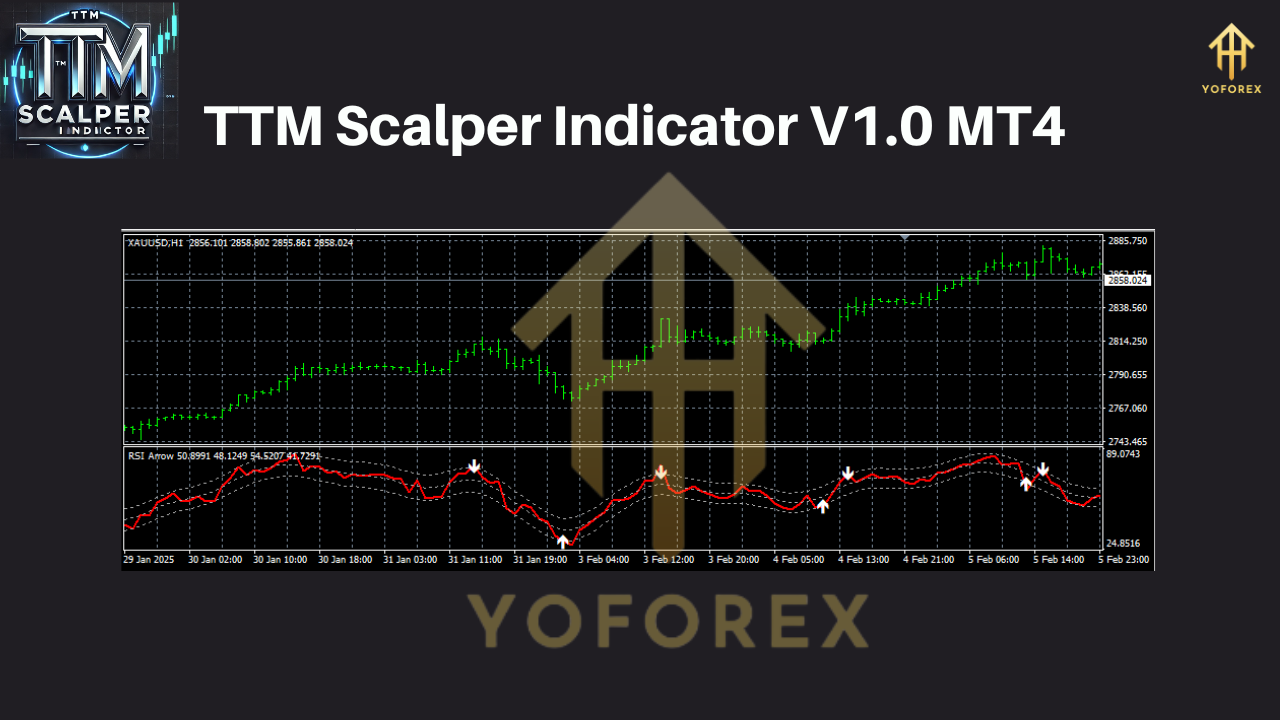 Key Features:
- Reversal Detection: Identifies pivot highs (sell signals) and pivot lows (buy signals) based on price action.
- Multi-Timeframe (MTF) Compatibility: Effective on M5 and H1 timeframes for scalping and short-term trading.
- Visual Simplicity: Colored bars or arrows make signals easy to interpret.
- Versatility: Suitable for forex pairs (EUR/USD, USD/JPY, GBP/USD) and XAUUSD.
Setting Up the TTM Scalper Indicator on MT4
To begin using the TTM Scalper Indicator, you’ll need to install it on your MT4 platform. Here’s a step-by-step guide:
- Download the Indicator: Obtain the TTM Scalper Indicator file (e.g., TTM_scalper.mq4) from a reputable source, such as ForexCracked or IndicatorsPot. Ensure the file is free of malware.
- Install on MT4:
- Open MT4 and navigate to File > Open Data Folder.
- Go to MQL4 > Indicators and copy the .mq4 file into this folder.
- Restart MT4 to load the indicator.
- Apply to Chart:
- Open a chart for EUR/USD, USD/JPY, GBP/USD, or XAUUSD.
- Set the timeframe to M5 or H1.
- Drag the TTM Scalper Indicator from the Navigator panel onto the chart.
- Adjust settings (if needed) or use default parameters for standard scalping.
- Enable AutoTrading: Ensure the “AutoTrading” button is active if combining the indicator with an Expert Advisor (EA).
With a minimum deposit of $200, use a micro account with a broker offering low spreads and high leverage (e.g., 1:100 or higher) to maximize trading flexibility while managing risk.
Trading Strategy with the TTM Scalper Indicator
The TTM Scalper Indicator is ideal for scalping due to its ability to detect short-term price reversals. Below is a structured trading strategy tailored for EUR/USD, USD/JPY, GBP/USD, and XAUUSD on M5 and H1 timeframes.
1. Timeframe Selection
- M5 (5-Minute): Best for fast-paced scalping, capturing quick price movements. Ideal for traders with time to monitor charts actively.
- H1 (1-Hour): Suitable for traders seeking fewer but more reliable signals, reducing noise and false signals.
2. Currency Pairs and XAUUSD
- EUR/USD: High liquidity, low spreads, and predictable volatility make it a scalping favorite.
- USD/JPY: Strong trends and volatility, especially during Asian sessions, suit the TTM Scalper’s reversal signals.
- GBP/USD: Higher volatility requires tighter risk management but offers significant profit potential.
- XAUUSD: Gold’s volatility on M5 makes it ideal for scalping, but use H1 for trend confirmation to avoid false signals.
3. Entry Rules
- Buy Signal: A red bar appears below a candle, indicating a pivot low (potential bullish reversal). Confirm with:
- Price action near a support level or trendline.
- A bullish candlestick pattern (e.g., engulfing or pin bar).
- Optional: Fast EMA (7) crossing above slow EMA (14) for trend confirmation.
- Sell Signal: A blue bar appears above a candle, signaling a pivot high (potential bearish reversal). Confirm with:
- Price action near a resistance level or trendline.
- A bearish candlestick pattern.
- Optional: Fast EMA (7) crossing below slow EMA (14).
- 4. Exit Rules
- Take Profit (TP): Set TP at 1:1 or 1:2 risk-reward ratio (e.g., 5-10 pips on M5, 20-30 pips on H1).
- Stop Loss (SL): Place SL 2-3 pips beyond the recent pivot high/low or use a fixed SL (e.g., 5 pips on M5, 15 pips on H1).
- Trailing Stop: On XAUUSD, use a trailing stop (e.g., 10 pips) to lock in profits during volatile moves.
5. Filtering Signals
To improve accuracy, combine the TTM Scalper with:
- Trend Confirmation: Use the H1 timeframe to confirm the broader trend. Trade in the direction of the trend for higher success rates.
- Additional Indicators: Incorporate MACD, RSI, or Bollinger Bands to filter false signals. For example, enter a buy trade only if RSI is above 30 (not oversold).
- Volume Analysis: On XAUUSD, use a volume indicator to confirm strong momentum at reversal points.
 Risk Management for a $200 Account
With a $200 minimum deposit, disciplined risk management is critical to avoid account blowouts. Follow these guidelines:
- Risk Per Trade: Risk 1-2% of your account per trade (e.g., $2-$4). For a 5-pip SL, use a lot size of 0.01 (micro lot).
- Leverage: Use moderate leverage (1:100 to 1:200) to maintain flexibility without overexposure.
- Daily Trade Limit: Cap trades at 3-5 per day to avoid overtrading, especially on M5.
- Avoid News Events: Use a news indicator to pause trading during high-impact events (e.g., NFP, ECB announcements) to minimize volatility risks.
- Demo Testing: Backtest the strategy on a demo account for at least 1-2 months to ensure profitability before going live.
Practical Tips for Success
- Broker Selection: Choose a broker with low spreads (e.g., 0.5-1 pip on EUR/USD) and fast execution to optimize scalping. Recommended brokers include IC Markets or Pepperstone.
- Session Timing: Trade during high-liquidity sessions (London, New York) for EUR/USD and GBP/USD. For USD/JPY, focus on the Asian session. XAUUSD is volatile across all sessions but peaks during U.S. hours.
- Backtesting: Use MT4’s Strategy Tester to evaluate the TTM Scalper’s performance on historical data for each pair and timeframe.
- Psychological Discipline: Scalping requires focus and quick decision-making. Avoid revenge trading after losses and stick to your plan.
- Combine with Price Action: The TTM Scalper is not a standalone tool. Use support/resistance levels, trendlines, and candlestick patterns to enhance signal accuracy.
Pros and Cons of the TTM Scalper Indicator
Pros:
- Easy to use with clear visual signals.
- Effective for scalping volatile pairs like XAUUSD and GBP/USD.
- Free to download from reliable sources.
- Works on both M5 and H1, catering to different trading styles.
Cons:
- Prone to false signals in choppy markets; requires filtering.
- Demands constant chart monitoring on M5, which may not suit all traders.
- Limited effectiveness without additional technical analysis tools.
Conclusion
The TTM Scalper Indicator on MT4 is a valuable tool for traders aiming to profit from short-term price movements in EUR/USD, USD/JPY, GBP/USD, and XAUUSD. By combining its reversal signals with trend confirmation, additional indicators, and strict risk management, traders can achieve consistent results even with a modest $200 account. Whether you’re scalping on M5 or trading short-term swings on H1, the TTM Scalper offers flexibility and precision when used correctly. Start by testing the strategy on a demo account, refine your approach, and trade during high-liquidity sessions to maximize success. With discipline and practice, the TTM Scalper Indicator can become a cornerstone of your forex trading arsenal.
Join our Telegram for the latest updates and support






Comments (0)
No comments yet. Be the first to comment!
Leave a Comment