MAX Xauusd EA V1.0 MT5 — A Focused Gold Engine for M5, M30 & H1
Gold can be calm one minute and absolutely feral the next. MAX Xauusd EA V1.0 (MT5) is built to live in that reality—reading XAUUSD’s rhythm and reacting with clear, risk-first logic across M5, M30, and H1. Whether you want higher trade frequency (M5), balanced participation (M30), or slower, steadier swings (H1), this EA gives you a structured way to engage XAUUSD without guess-trading every spike.
It’s not about chasing every candle. It’s about defining risk, letting the setup come to you, and managing positions with discipline—so your equity doesn’t hinge on hope. Below you’ll find the complete quick-start: what MAX does, how to install it cleanly, recommended practices per timeframe, and the operational playbook that keeps you in control.
What MAX Xauusd EA Is (and isn’t)
MAX Xauusd EA V1.0 is a MetaTrader 5 Expert Advisor dedicated to XAUUSD. It’s designed to operate on M5, M30, and H1 timeframes so you can match the engine to your preferred pace:
- M5: More signals, tighter stops, greater sensitivity to spread/slippage; best on low-spread ECN/Raw accounts.
- M30: Middle ground—cleaner structure than M5, still decent trade count.
- H1: Fewer but higher-quality setups; less noise, more room for trends.
MAX is risk-aware by design. You control risk-per-trade, daily guardrails, and trading windows; you can also block toxic time (e.g., minutes around major news). If you’re coming from discretionary gold trading, the biggest shift is consistency: same rules, every day, no vibes.
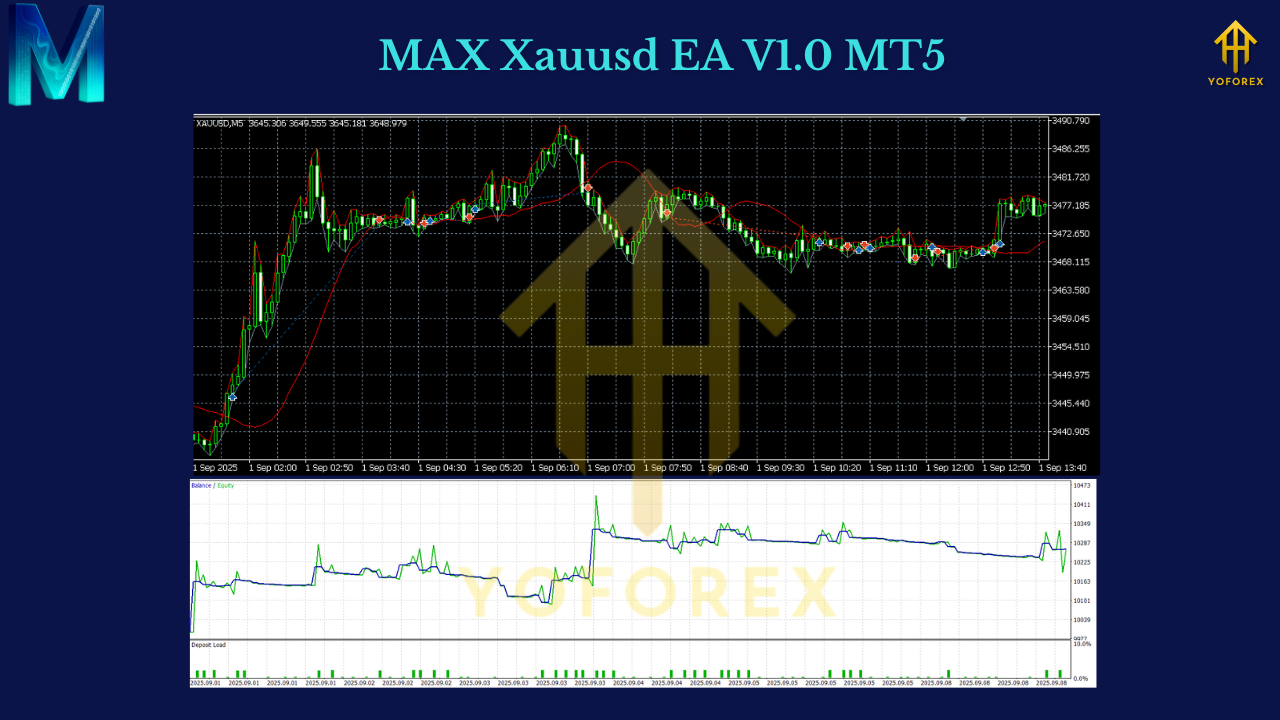
Core Benefits
- • Purpose-built for Gold: One symbol, three timeframes, tuned for XAUUSD’s volatility profile.
- • Flexible execution speed: Pick M5/M30/H1 to match your risk tolerance and schedule.
- • Risk control first: Risk-% sizing, max spread filter, daily loss cap, and trading windows.
- • Volatility-aware stops: ATR/structure-based SL so stops aren’t sitting on noise.
- • Smart exit options: Fixed R:R targets, break-even shift, or ATR trailing for runners.
- • Session filters: Prefer London/NY overlap when liquidity is deepest (optional, but recommended).
- • Broker-sensible: Designed to behave on ECN/Raw accounts; slippage/spread checks to avoid junk fills.
- • Lightweight: VPS-friendly, minimal overhead, straightforward logs/alerts.
- • No overtrading by design: One clear job per chart; no “firehose” behavior in chop.
How It Thinks (Plain English)
- Identify opportunity: The EA watches price action and volatility context for conditions that historically lead to continuation (trend-style) or clean reversion (if enabled).
- Confirm, don’t guess: It avoids single-bar FOMO by checking acceptance beyond a level or confirming momentum bias.
- Place risk-defined trades: You set risk % per trade; the EA derives lot size from stop distance (ATR/structure).
- Manage the outcome: As price moves, you can lock to break-even, take partials at 1–1.5R, or trail via ATR to let winners run.
- Stand down in trash conditions: If spreads balloon or a news lockout is active, entries are skipped—because sometimes the best trade is no trade.
Which Timeframe Should You Use?
M5 – Fast lane
- Use if: You want activity and can handle variance; spreads are tight (ECN/Raw), VPS is solid.
- Tips: Start with smaller risk % (e.g., 0.3–0.5%/trade). Tighten max-spread and slippage filters. Expect more scratches; that’s normal.
M30 – Balanced
- Use if: You prefer a mix of signal count and structure clarity.
- Tips: Risk 0.5–1.0% depending on comfort. Consider partial TP at 1–1.5R plus a softer trail.
H1 – Calm operator
- Use if: You prefer cleaner swings, fewer decisions, lower noise.
- Tips: Risk 0.5–1.0%; allow slightly wider stops and let winners breathe. News pauses still matter.
Recommended Starter Settings (Tweak Later)
- Risk per trade:
- M5: 0.3–0.5%
- M30/H1: 0.5–1.0%
- Max daily loss (equity): 3–4% → disable for rest of day if hit.
- ATR period: 14 (common baseline)
- SL distance: 1.5–2.2 × ATR depending on TF (wider on H1)
- TP/Exit style:
- Majors on Gold (M30/H1): Partial at 1–1.5R, then ATR trail
- M5: Either 2.0R fixed or a tighter trail after BE
- Max spread: Broker-dependent; set a realistic cap based on your average + some headroom
- Trading window: Prefer London + NY overlap; skip thin Asia unless spread is consistently good
- News lock: Optional 15–30 minutes before/after CPI/NFP/FOMC (strongly advised if your broker widens spreads)
Keep a small change log. Adjust one variable at a time and let it play through at least a few dozen trades before judging.
Installation (MT5) — 60-Second Checklist
- Download the EA file.
- MT5 → File → Open Data Folder → MQL5/Experts → paste EA.
- Restart MT5. In Navigator → Experts, drag MAX Xauusd EA V1.0 onto an XAUUSD chart.
- Set your desired timeframe (M5, M30, or H1).
- Open Inputs, set risk %, exit style, spread cap, and trading window.
- Click AutoTrading (make sure algorithmic trading is permitted).
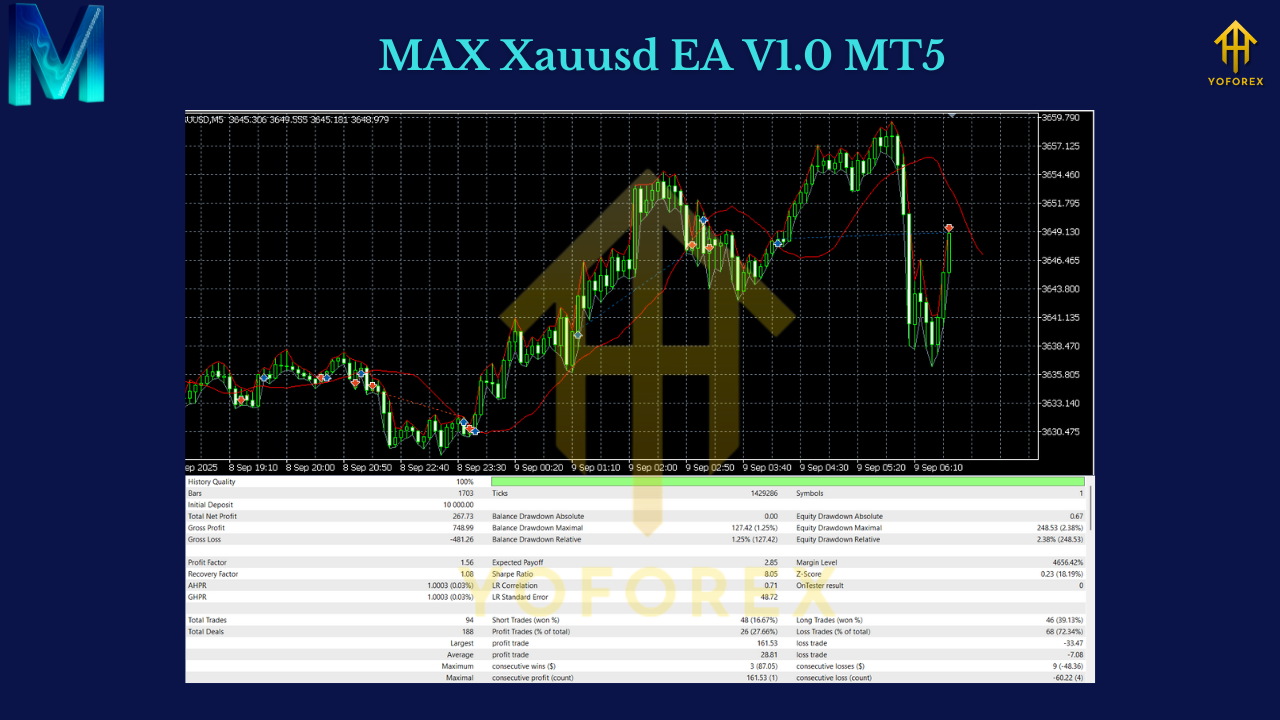
- Test on demo first (2–4 weeks recommended), then go live small.
Backtesting & Forward Testing (Do Both)
- Backtest:
- Use tick or every-tick equivalent with realistic spreads/commission.
- Cover 3–5+ years including shocks (COVID, inflation surges, war headlines).
- Focus on max drawdown, profit factor, R:R distribution, and behavior around news.
- Forward test (demo):
- Same broker/account type you’ll use live.
- Track spread by session, slippage, order fills.
- After 2–4 weeks of sanity, go live at half your demo risk for a week, then step up.
No set file beats the microstructure of your actual broker. Data first; scaling later.
Risk Management Playbook
- Small, consistent risk beats sporadic big bets.
- Daily loss guard: If you clip 3–4%, stop for the day—mental capital matters.
- No martingale/grid: Keep growth organic via compounding and consistent edges, not size escalation.
- Prop-firm angle: If you’re in a challenge, mirror the firm’s daily/overall drawdown with stricter limits inside the EA, and avoid red-news windows.
Broker & VPS Tips
- Account type: ECN/Raw spread with transparent commissions.
- Slippage: Expect some on Gold—set a sensible tolerance; too strict → missed trades, too loose → bad fills.
- Symbol suffixes: Watch for XAUUSD.pro/.m/etc. Attach the EA to the exact symbol you’re trading.
- VPS: Yes. A reliable 24/5 VPS reduces disconnects and timing issues, especially on M5.
Troubleshooting
- “No trades firing?” Check AutoTrading, market hours, symbol suffix, max-spread gate (may be too strict), and news lock.
- “Backtest looks great, live not so much.” Welcome to execution reality. Tighten spread/slippage filters, prefer London/NY, and reduce risk while you calibrate.
- “Too many small losses on M5.” Consider M30 or H1, or add a partial TP at 1–1.5R to bank “first bite” gains.
Final Word
MAX Xauusd EA V1.0 MT5 gives you a straight path to trade Gold with rules that don’t crumble when the tape gets loud. Pick your speed—M5 for activity, M30 for balance, H1 for patience—set conservative risk, and let the system do the repetitive work. You won’t catch every move, and that’s fine. The goal is repeatability: small, controlled losses and sensible upside when XAUUSD runs.
Disclaimer: Trading involves risk. Past performance is not indicative of future results. Always forward-test on demo and never trade money you can’t afford to lose.
Join our Telegram for the latest updates and support






Comments (0)
No comments yet. Be the first to comment!
Leave a Comment