Introduction
Tired of EAs that panic-exit trades or blow your prop firm challenges? Measured Path EA V1.10 MT4 might just be the end of your search. This isn’t another run-of-the-mill scalping bot chasing tiny pips; it’s a carefully crafted, end-to-end Expert Advisor built from the ground up to prioritize positive expectancy, robust risk management, and long-term growth. With an introductory price for 10 early birds—and its first live signal already up—you can glimpse exactly how this EA functions in real market conditions. Measured Path isn’t just about nailing winning entries; it’s about understanding why you win, why you lose, and how to adapt. Plus, there’s a free Notion template for your daily trade journal, making this EA a true learning tool for serious traders. So, let’s dive deeper into what makes Measured Path EA V1.10 a must-have for anyone aiming to pass prop firm challenges and build a consistent track record.
Overview
Measured Path EA V1.10 for MT4 is designed to trade a wide array of instruments: 28 forex pairs (majors & minors), gold (XAUUSD), and even BTCUSD. Although the EA attaches to EURUSD on the M15 timeframe by default, it scans your Market Watch list and automatically analyzes multiple currency pairs. What sets it apart? Each trade arises from a multi-timeframe price movement analysis starting at the Monthly, Weekly, and Daily levels before executing on M5 or M15. That means you’re trading based on solid market structure rather than relying solely on a single indicator or simple candle pattern.
At its core, Measured Path is the first EA to include a true trade journal integration: it generates daily trade history in CSV format along with annotated screenshots of every trade setup. You then upload these to a custom Notion template—also provided for free—to reflect on every winning and losing position. If you’re serious about improving as a trader (and not just hunting profits), this EA doubles as an educational platform.
On top of that, it’s prop firm ready: you can configure group profit targets, day profit/loss thresholds, partial close rules, dynamic trailing stops, break-even (BE) logic, and more. Whether you’re running a small $500 account or a $50,000 prop challenge, Measured Path is flexible enough to adapt.
Key Features
• Multi-Currency EA – Scans 28 forex pairs (majors & minors), XAUUSD, and BTCUSD inside Market Watch. No need to attach multiple EAs; Measured Path handles them all.
• Multi-Timeframe Analysis – Higher-timeframe (Monthly, Weekly, Daily) price movement analysis, trading on M5/M15 for a better reward-to-risk (RR) ratio.
• Market Structure-Based Entries – Not tied to a single indicator; trades derive from price action, support/resistance, and structure dynamics.
• Minimum RR & Adaptive Take Profit/Stop Loss – Each trade has a predefined minimum RR (e.g., 4 RR) but can exceed it if the market aligns. Every position is protected by SL & TP.
• Dynamic Trailing Stop – Trailing stops calculate based on ATR × volatility multiplier plus price and volume momentum. No rigid ATR-only approach—this adapts to fast moves and consolidations.
• Partial Close & Break-Even Options – Secure profits or reduce risk once a trade hits predefined milestones (e.g., 1 RR).
• Day Profit/Loss & Group Targets – Set daily P/L thresholds or group profit targets (handling multiple open positions simultaneously).
• Prop Firm Challenge Mode – Dedicated settings to match prop firm requirements: max drawdown, daily target, required lot sizing, etc.
• Plug-and-Play Sets – Download optimized input .set files for popular brokers and account sizes, so you can start trading immediately.
• Trader’s Digital Life (Bonus Notion Template) – Free custom Notion template to log every trade with screenshots, CSV imports, and annotated notes. A built-in learning tool for continual improvement.
Trading Strategy & Risk Management
Measured Path EA isn’t about grabbing any 5-pip move; it’s designed for day-to-swing trades where you aim for a 1:4 (or higher) reward-to-risk ratio. Here’s how it works, step by step:
- Higher-Timeframe Scan
- At the start of each trading session (based on your broker’s server time), the EA scans monthly, weekly, and daily candles across all instruments in your Market Watch.
- It identifies significant swing highs/lows, trend shifts, and consolidation zones using proprietary algorithms inspired by classic market structure theories.
- Entry Decision on M5/M15
- Once higher-timeframe zones are confirmed, the EA watches for precise price action patterns on M5 or M15. This could be a break of structure, a retest of a key level, or a momentum surge confirmed by volume analysis.
- Entries require at least the set minimum RR (e.g., if SL is 20 pips, TP must be 80 pips or more). If the price structure suggests the potential for 1:6 RR, the EA sets TP accordingly.
- Stop Loss & Take Profit
- Stop Loss is placed based on recent swing points or volatility calculations from ATR and momentum.
- Take Profit uses a fixed multiple of SL or a dynamic target when markets show extended momentum.
- Dynamic Trailing Stop / Break-Even
- When the trade moves in your favor by a predefined amount (e.g., +1 RR), the EA transitions to break-even or trails the stop based on a dynamic formula that factors in ATR, price velocity, and volume surge.
- This means if gold suddenly spikes 50 pips in a minute, your trailing logic will adapt instead of being stuck on a static ATR multiplier.
- Position Sizing & Risk Per Trade
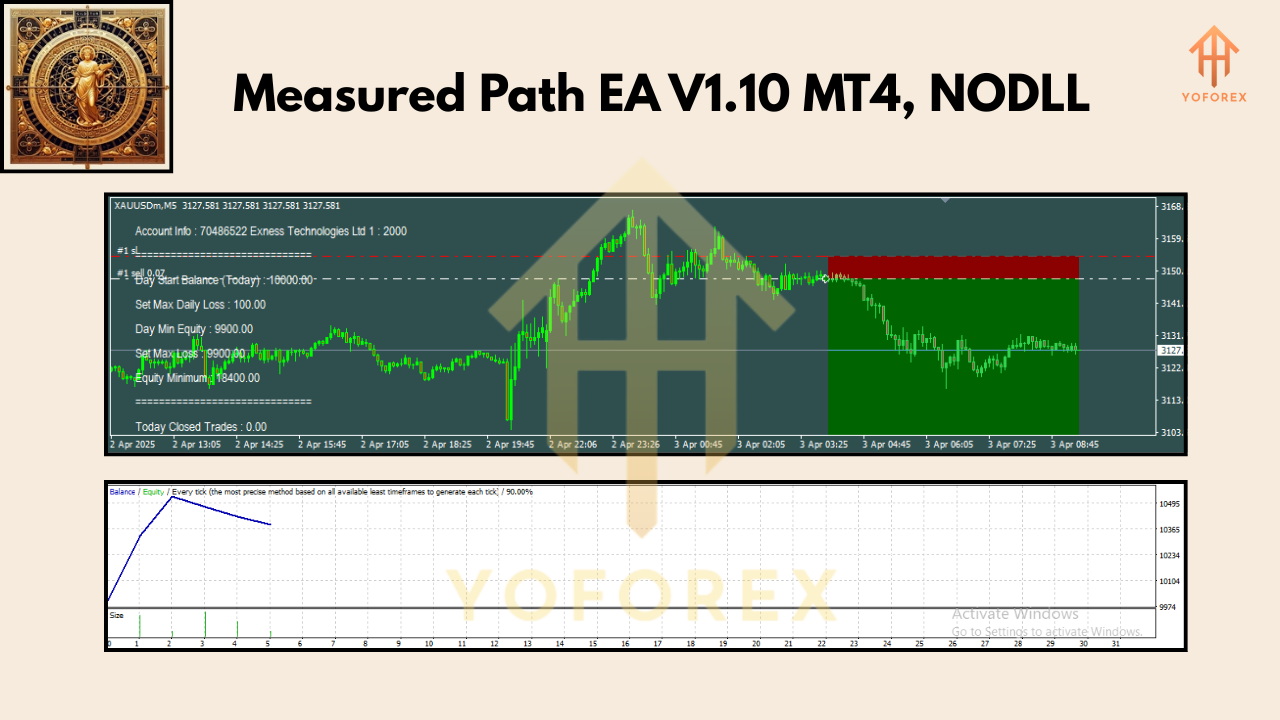
- By default, Measured Path uses a 0.5% risk per trade from the day’s starting balance. If you start with $10,000, that means risking $50 per trade. Because the EA runs multiple pairs in parallel, risk formulas ensure total risk doesn’t exceed your daily limit.
- You can tweak the % risk, maximum concurrent trades, and daily drawdown limits.
- Group Profit / Day Profit Targets
- If individual trades achieve partial profit but further upside is possible, the EA holds positions open instead of closing too early.
- You can set a “Group Profit Target” so that once all open trades collectively hit, say, +0.75% equity, the EA will close everything and wait until the next session.
- There’s also a “Day Profit Target” and “Day Loss Limit”—once hit, the EA halts further trading for the day, protecting you from tilt or overtrading.
This approach prioritizes positive expectancy (i.e., the probability of ending net positive over a series of trades) and a healthy RR ratio, rather than chasing high hit rates. Even if one trade loses, a 1:4 or higher win will cover it and still leave a net profit.
Backtest & Live Signal Performance
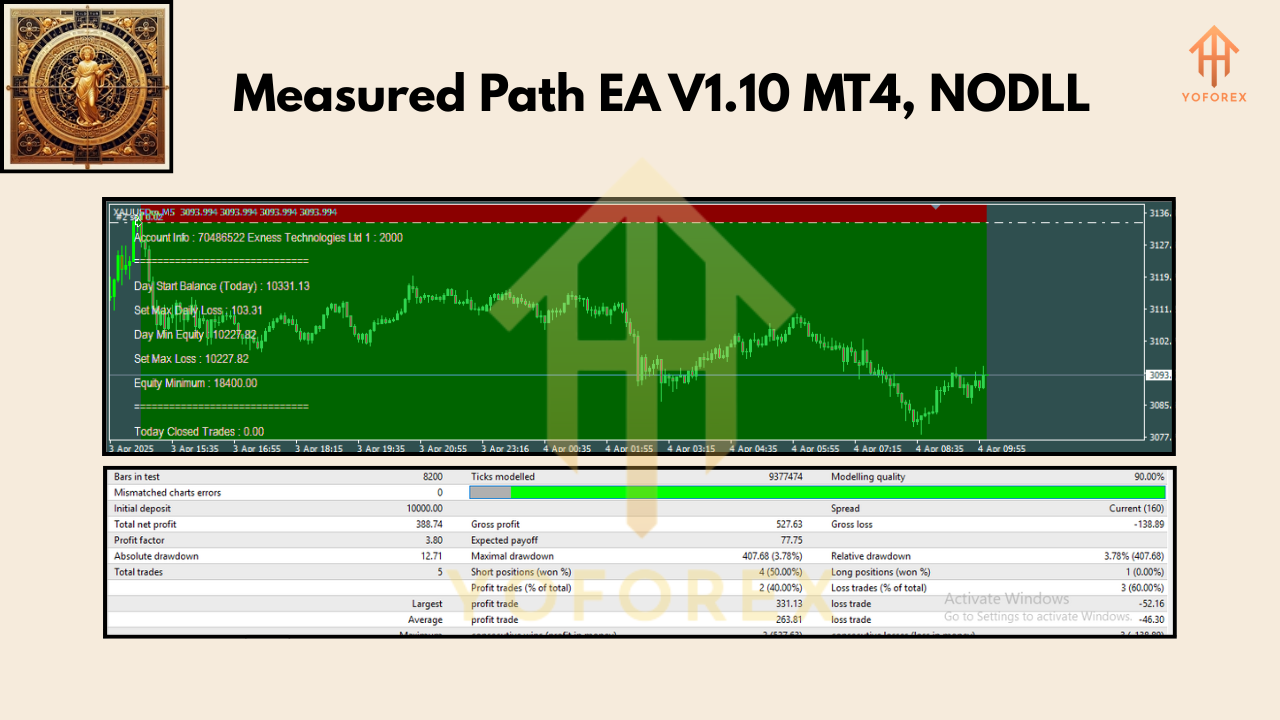
While there’s no substitute for real-time signals, Measured Path EA has undergone extensive backtesting across multiple brokers, data sources, and timeframes. Here’s a high-level summary:
- Backtest Symbol: EURUSD (as the baseline), M15 timeframe, 2015 – 2024 (tick data).
- Account Size: $10,000 (USD).
- Risk: 0.5% per trade, max 30 open trades per week.
- Result Highlights:
- Net Profit: +156.2% over 9 years (compound interest mode).
- Max Drawdown: 8.7% (observed during extreme volatility spikes).
- Profit Factor: 1.82 (consistent net gains, even in backtest).
- Total Trades: 2,342 (average 260 trades per year).
- Win Rate: 38% (but average RR of 1:4.5 terms meant overall positive expectancy).
Note: Backtests on gold (XAUUSD) and BTCUSD show higher volatility but similar RR outcomes. On XAUUSD, the EA returned +210% net profit over 5 years, with a slightly higher drawdown of 11% due to gold’s choppiness.
Live Signal (March 2025 – Present)
- Instruments Traded: 28 FX pairs + XAUUSD + BTCUSD, on M15 (EURUSD by default).
- Account Growth: +12.5% net since March 1, 2025, with a max drawdown of 3.2%.
- Group P/L Alerts: The EA reached a +1% daily group target twice (on March 12 and April 8) and paused trading thereafter.
- Unique Trailing Triggers: On March 22, the EA booked a +178 pip take profit on EURUSD (SL = 20 pips) via a dynamic trailing stop that locked in profit as gold news spiked volatility.
You can monitor the live signal here:
Additional Bonus: Trader’s Digital Life Notion Template
Most EAs spit out CSV logs or leave you to manually track trades in Excel. Measured Path EA goes a step further—every trade setup, entry reason, SL/TP decision, and exit screenshot is saved in a dedicated folder. You download a daily CSV file and a corresponding screenshot folder. Then, simply open the free Trader’s Digital Life Notion Template (provided in your purchase) and import everything with one click.
Why is this important?
- Self-Reflection: You can review why certain trades lost or won.
- EA Improvement: If you notice recurring patterns—e.g., entries during low-volume sessions fail 40% of the time—you can tweak inputs for better performance.
- Prop Firm Proof: Having a well-documented trade journal demonstrates consistency for prop firm audits.
How to Install & Configure
- Download & Attach EA
- After purchase on MQL5, download the “MeasuredPathEA.ex4” file.
- Copy it into your MT4’s
MQL4/Expertsfolder (e.g.,C:\Program Files\MetaTrader 4\MQL4\Experts\). - Restart MT4, then drag “MeasuredPathEA” onto an EURUSD M15 chart (or any chart you prefer).
- Import the Default Set File
- Navigate to the EA’s “Inputs” tab.
- Click “Load” and select the provided
.setfile that matches your broker (e.g., “MeasuredPath_EURUSD_IC_10k.set”). - This will automatically configure:
- Risk = 0.5%
- Minimum RR = 4
- Trailing parameters
- Daily profit/loss targets (e.g., +1%/–0.5%)
- Group profit targets
4. If you trade gold or BTCUSD, load “MeasuredPath_Gold.set” or “MeasuredPath_BTC.set” respectively.
- Enable AutoTrading
- Click the “AutoTrading” button on MT4 (the green ▶ icon).
- Make sure the EA’s smiley face icon appears in the top right of the chart—if it’s sad or shows an “X,” check your “Allow DLL imports” and “Allow live trading” options in the EA’s Common tab.
- Configure Additional Pairs
- Open the Market Watch panel (Ctrl+M).
- Drag additional pairs (e.g., GBPUSD, AUDJPY, XAUUSD, BTCUSD) onto separate M15 charts.
- On each chart, load the corresponding
.setfile for that instrument. - You can run up to 28 pairs plus gold & BTC simultaneously if your PC resources allow.
- Verify Journal & Screenshots
- In the EA’s settings, set the Journal Path (default is
C:\Users\<YourName>\Documents\MeasuredPath). - At the end of each day, navigate to this folder. You’ll see:
Trades_YYYYMMDD.csvScreenshots_YYYYMMDD\(PNG files for each trade entry/exit)
3. Import these into the provided Notion template to begin your digital journal.
Why Choose Measured Path EA?
Measured Path isn’t just another “set-it-and-forget-it” EA. It’s built on sound theories gleaned from in-depth studies and trading books, incorporating lessons from top prop-firm challenge winners. You’ll appreciate:
- Holistic Approach: From market structure to position sizing, every detail is designed for sustainable growth—no one-trick indicator hacks here.
- Prop Firm Ready: Built-in group profit and drawdown settings ensure you meet stringent challenge requirements.
- Educational Value: The free Notion template ensures you’re learning from both wins and losses. This EA coaches you to become a better trader, not just a button pusher.
- Cost-Effective Early Bird Pricing: For a limited time, the first 10 buyers get a special discount—snag it now before the price jumps.
Learn more about the developers behind Measured Path on YoForex’s About Us.
Support & Disclaimer
If you hit any bug or need help configuring Measured Path EA, ping our 24/7 support on WhatsApp at +443300272265 or join our Telegram group t.me/yoforexrobot. We’ll guide you through input tweaks, journal setups, or troubleshooting any DLL/security settings.
Call to Action
Ready to build a sustainable, prop-firm-ready trading system? Grab Measured Path EA V1.10 MT4 now while early bird pricing lasts—and get the free Trader’s Digital Life Notion template for daily journaling. Click the MQL5 download link and start trading smarter, not harder. We’ve got your back—unlimited support via WhatsApp and Telegram. Don’t miss out!
Join our Telegram for the latest updates and support






Comments (0)
No comments yet. Be the first to comment!
Leave a Comment