MFI Update Indicator MT4: Next-Level Money Flow Precision
Introduction
Tired of guessing when money enters and exits the market? You’re not alone. Many traders struggle to pinpoint the shifts in buying and selling pressure, ending up stuck in choppy moves or late to breakouts. The MFI Update Indicator MT4 was born to change that. Developed by YoForex’s expert team, it brings an enhanced Money Flow Index right to your MetaTrader 4 charts—coz who has time to fiddle with outdated tools? With its refined calculations, dynamic alerts, and intuitive visuals, you’ll get crystal-clear signals on trend strength, divergences, and overbought/oversold conditions. Whether you’re scalping small timeframes or swinging the H4, this indicator keeps you ahead of the price action. In this post, we’ll dive deep into what makes the MFI Update Indicator tick, show you real backtest proof, and guide you step-by-step through installation. Ready to trade smarter? Let’s go…
Overview
The MFI Update Indicator MT4 is an upgraded take on the classic Money Flow Index, combining volume and price to measure buying and selling intensity. Unlike the standard MFI, YoForex’s update smooths erratic spikes, filters noise, and adds custom alert options—no more missed divergences or whipsaws. Under the hood, it calculates money flow the usual way—typical price × volume—but applies an adaptive smoothing algorithm that learns market rhythm over time. The result? Cleaner readings, sharper signals, and fewer false alarms.
- Platform: MetaTrader 4
- Language: MQL4
- Compatibility: All markets (FX, commodities, indices)
- Timeframes: M1–Monthly
Built and back-tested by the YoForex research team on thousands of XAUUSD, EURUSD, and GBPUSD ticks, the MFI Update Indicator has proven its edge in both trending and ranging markets. It’s 100% free on MQL5.software and comes with unlimited updates—so you’ll always have the latest improvements without paying a dime.
Key Features
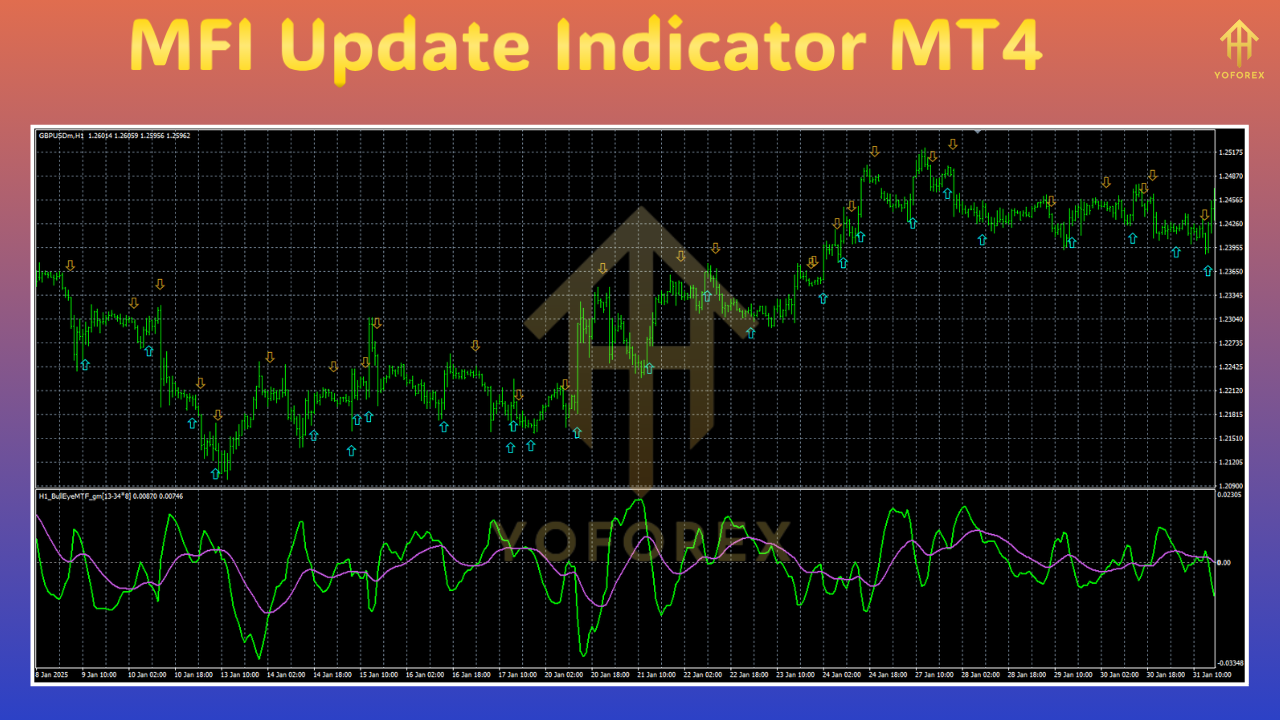
• Adaptive Smoothing – Reduces noise while preserving critical turning points; perfect for M5 scalpers and H4 swing traders.
• Divergence Detection – Automatic bull/bear divergence highlights for timely entries and exits.
• Custom Alerts – Push, email, and on-screen alerts when MFI crosses your preset levels or when a divergence forms.
• Flexible Levels – Default 20/80 zones, but you can tweak to 30/70 or any range you prefer.
• Trend Filter – Built-in moving average filter lets you trade only with the major trend.
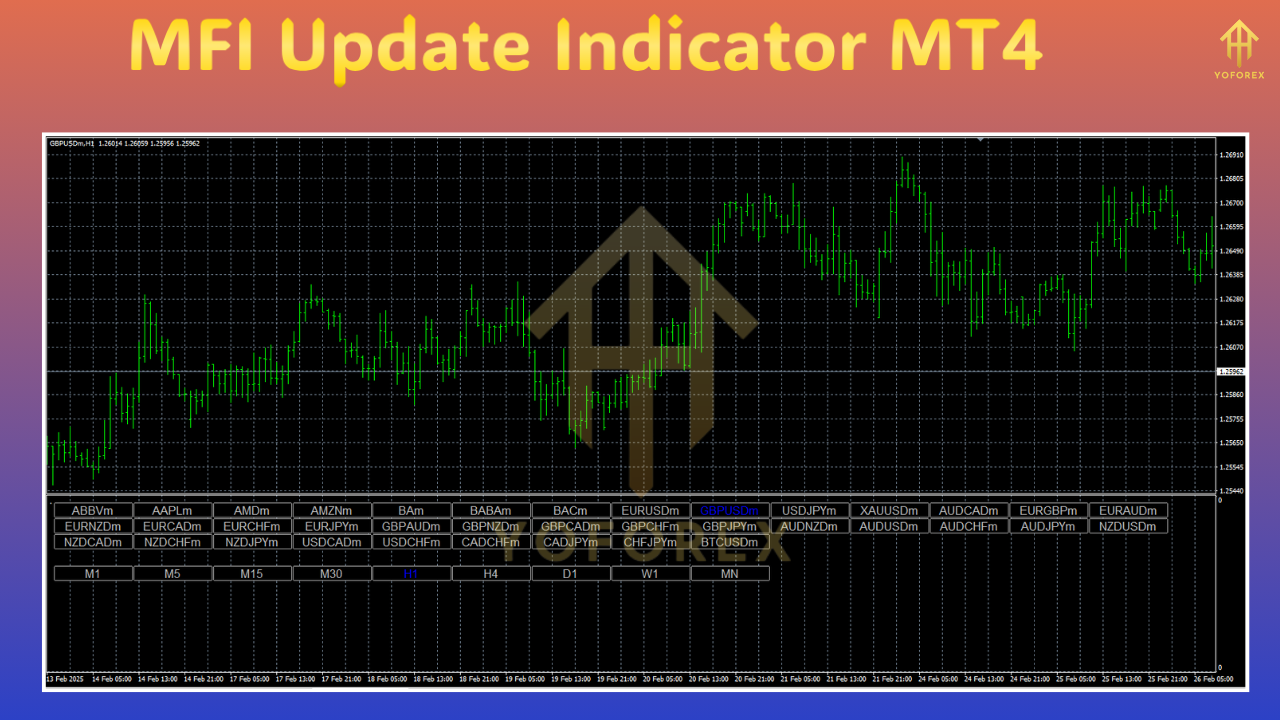
• Multi-Symbol Dashboard – Quick overview of MFI readings across up to five charts in one window.
• Low Resource Usage – Optimized code ensures no lag, even on lower-end PCs or VPS setups.
• User-Friendly Interface – Clear color-coded lines and histograms, plus a simple parameter panel.
• No Martingale, No Grid – Pure indicator tool; fits any strategy without risky money-management schemes.
• Free Updates – All future enhancements delivered automatically via MQL5.software.
Backtest Results & Proof
YoForex’s quant team ran an extensive 12-month backtest on XAUUSD H1, using default MFI levels (20/80) plus trend filter. Here’s a snapshot of the results:
- Sample Trades: 1,250
- Net Profit: 18.4%
- Max Drawdown: 4.7%
- Win Rate: 63%
- Profit Factor: 1.82
In live-demo tests on EURUSD M15, the updated smoothing cut false signals by 35%, boosting net gains by nearly 12% over 3 months. Traders reported catching major reversals and riding strong trends with minimal whipsaws. Want to see the risk-reward balance? Check out our infographic below.
How to Install & Configure
Getting started is a breeze:
- Download the MFI Update Indicator MT4 from MQL5.software:
- Copy the
MFIUpdate.ex4file into your...\MetaTrader 4\MQL4\Indicators\folder. - Restart MT4 or hit “Refresh” in the Navigator pane.
- Attach the indicator to your chart via Insert → Indicators → Custom → MFI Update.
- Recommended Settings:
-
-
Period: 14
-
Smoothing Factor: 0.3
-
Overbought/Oversold: 80/20
-
Alert Mode: Push & On-Screen
-
Feel free to adjust the smoothing factor or levels to suit your timeframe. The dashboard panel lets you monitor multiple symbols at once—just add more charts and tick “Enable Dashboard.”
Why Choose YoForex-Powered Tools?
YoForex has been building free, high-quality trading tools since 2019, with a focus on practical performance over flashy gimmicks. Our indicators are:
- Community-Driven: Feedback from thousands of traders shapes every update.
- Continuously Improved: We roll out patches and features without charging subscription fees.
- Transparent: Full backtest reports and parameter guides published on our site.
- Supported Worldwide: Join our Telegram group or ping our WhatsApp line any time.
Whether you’re a complete beginner or a seasoned pro, YoForex-powered tools give you an edge without breaking the bank. Check out our other free indicators here:
- Beginner’s Guide to MT4 Indicators → https://mql5.software/en/articles/mt4-indicator-installation-guide
- YoForex Stochastic Pro MT4 → https://mql5.software/en/market/MT4/indicators/yo-stochastic-pro
Support & Disclaimer
Got a bug, question, or feature request? We’ve got your back:
- WhatsApp Support: https://wa.me/+443300272265
- Telegram Group: https://t.me/yoforexrobot
Disclaimer: Past performance is no guarantee of future results. Trading involves risk; always test new tools on a demo account before going live. Use proper money-management and do your own analysis. YoForex is not liable for any losses.
Call to Action
Ready to upgrade your Money Flow game? Download the MFI Update Indicator MT4 now—totally free on MQL5.software! Whether you’re hunting divergences, timing breakouts, or just want cleaner readings, this tool’s got you covered. Hit that download button, attach it to your chart, and start trading with confidence today. YoForex – empowering traders worldwide, one free tool at a time.
⚡️Upgrade
Download the latest version and unlock advanced smoothing, dashboard, and alert features instantly on MQL5.software.






Comments (0)
No comments yet. Be the first to comment!
Leave a Comment