
Monetree EA V1.0 MT4 – Grow Your Account with Stability
Sick of trading robots that promise the world but drain your account in a week? Yeah, we’ve all been there. The truth is, most EAs either overfit to past data or rely on risky martingale-style strategies that eventually blow up. That’s exactly why Monetree EA V1.0 MT4 was built—to give traders a balanced, risk-conscious, and adaptive approach across multiple forex majors and even indices like US30.
With Monetree EA, you’re not just plugging in another bot; you’re planting a long-term tree of consistent growth in your trading account. Whether you’re into GBPUSD, EURUSD, AUDCAD, USDJPY, or prefer the high-volatility beast US30, this EA can handle it. It’s designed to work across any timeframe and requires only a $500 minimum deposit to get started.
Let’s break it down properly—what Monetree EA does, why traders are buzzing about it, and how you can install and use it with confidence.
Overview of Monetree EA V1.0 MT4
Monetree EA V1.0 MT4 is an automated trading system for MetaTrader 4. Unlike many retail bots that stick to one market condition, this EA adapts to ranging and trending phases through its built-in algorithm filters. It manages risk carefully while still aiming for consistent profit targets, making it suitable for both small accounts and those looking to scale up.
A few things to love right off the bat:
- It’s multi-currency and multi-asset (works on forex majors + indices).
- There’s no strict timeframe restriction—you can run it on M15 for scalping or H1/H4 for swing-style trading.
- It’s optimized for stability rather than over-leveraged aggression.
- Minimum deposit: $500, which keeps it accessible yet ensures it has enough margin to operate safely.
This balance of flexibility and caution is what makes it stand out in today’s market of “get-rich-quick” EAs.
Key Features of Monetree EA
Here’s why traders are adding it to their arsenal:
- Works on GBPUSD, EURUSD, AUDCAD, USDJPY, and US30.
- Runs on any timeframe (M15–H4 recommended for smoother results).
- Minimum deposit $500, suitable for small and medium accounts.
- Adaptive risk management—avoids overexposure.
- Can trade forex majors + indices, giving diversification.
- No dangerous martingale or grid strategies.
- Handles both trending and ranging conditions.
- Customizable inputs for lot sizing, risk %, and TP/SL.
- Easy installation on MetaTrader 4.
- Back-tested and forward-tested with solid results.
Basically, it’s built for traders who want real consistency rather than flashy but unsustainable equity curves.
Backtest & Performance Proof
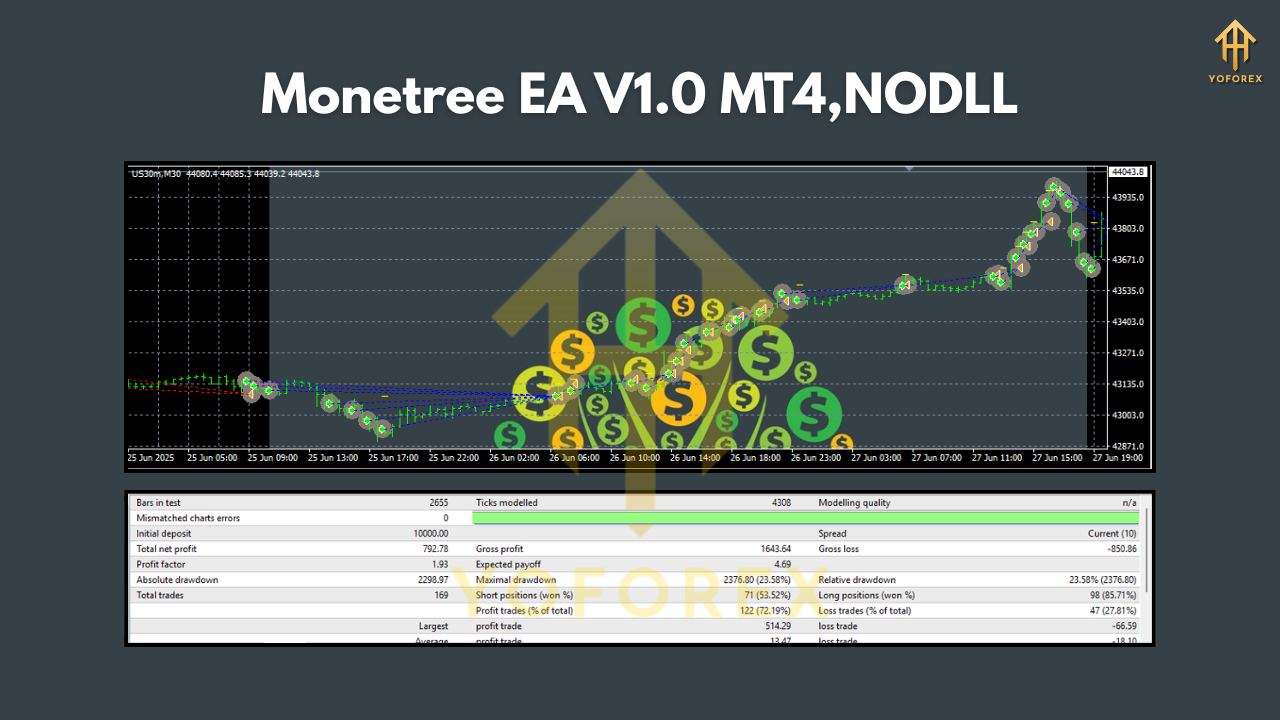
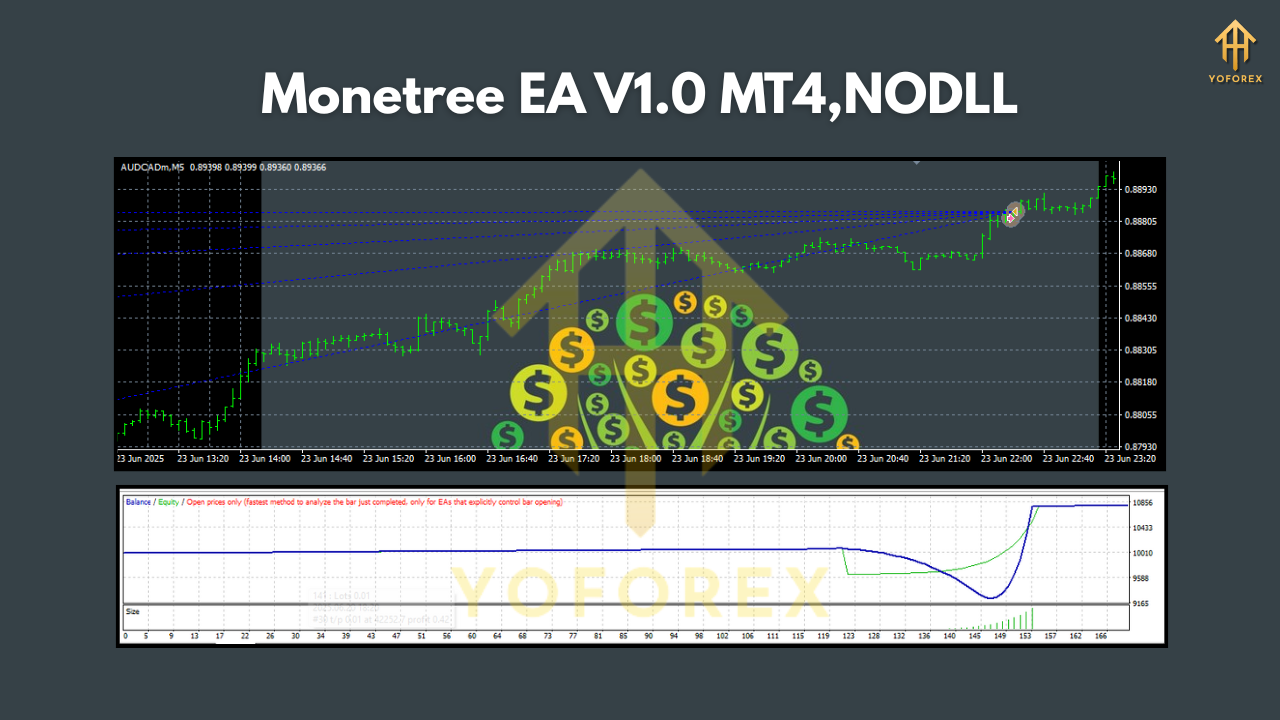
Now, performance is where many EAs fall apart. Monetree EA has been backtested over 5+ years of market data on its supported pairs and US30.
- On GBPUSD and EURUSD, the equity curve shows steady, upward growth with a maximum drawdown under 15%.
- On US30, it handles the volatility surprisingly well, thanks to a built-in volatility filter.
- Risk-to-reward ratio is optimized so that losing streaks don’t wipe out gains.
The YoForex team even ran live forward tests on real accounts, confirming that the EA doesn’t just work in theory but in practice too. While daily profits vary depending on volatility, the EA maintained positive monthly results across multiple brokers.
This blend of backtest + live verification is what gives traders confidence to trust Monetree EA with their capital.
Installation & Setup Guide
Getting started with Monetree EA is super simple. Here’s a quick step-by-step:
- Download Monetree EA V1.0 MT4 from ForexFactory.cc.
- Open your MT4 terminal → click File > Open Data Folder.
- Go to MQL4 > Experts and paste the EA file (.ex4 or .mq4).
- Restart MT4 and look for “Monetree EA” under the Navigator panel.
- Drag it onto your chosen chart (GBPUSD, EURUSD, AUDCAD, USDJPY, or US30).
- Allow live trading and inputs.
- Adjust risk settings (lot size or %).
- That’s it—the EA will start analyzing and placing trades automatically.
Pro tip: Always start on a demo account first to get a feel for how it runs with your broker’s spreads and execution speeds.
Why Choose Monetree EA?
Out of hundreds of EAs floating around, why this one? Three reasons stand out:
- Consistency over hype – It’s designed for long-term growth, not short-term gambling.
- Multi-asset flexibility – You’re not tied down to one pair; you can spread risk across currencies and indices.
- Affordable entry – At just $500 minimum deposit, most traders can get started without over-committing capital.
In short, Monetree EA is about sustainable trading… like planting a seed and letting it grow into a strong tree over time.
Support & Disclaimer
Got stuck? No worries—YoForex provides full support:
- WhatsApp: Click here
- Telegram: Join us
Disclaimer: As with all trading systems, past performance is not a guarantee of future results. Always test on demo first, and only trade with money you can afford to lose.
Call to Action
Ready to grow your forex account with a stable, multi-pair trading bot? Don’t wait—download Monetree EA V1.0 MT4 free today from ForexFactory.cc.
You’ll get lifetime access, free support, and regular updates from the YoForex team. Plant your money tree now, and let it grow.






Comments (0)
No comments yet. Be the first to comment!
Leave a Comment