Introduction
If you’ve ever tried trading Microsoft stock (MSFT) manually on MetaTrader 4, you already know how fast the U.S. equities market moves. One wrong click… and boom, the candle spikes against you. That’s exactly why the MSFT (U.S Stocks) EA MT4 V1.0 was created. It’s built to handle that speed, those sudden price swings, and the micro-trends that most retail traders miss.
This EA is basically your automated assistant for stock trading, especially if you're tired of sitting in front of charts all day. It follows a clean logic—no martingale, no messy grids, no unsafe multipliers—just pure algorithmic execution based on MSFT’s price structure and volatility behaviour.
And the best part? It’s optimized specifically for Microsoft Corporation (NASDAQ: MSFT), one of the world's strongest tech stocks. That alone gives the EA a more stable trading environment compared to highly unpredictable forex pairs.
What is MSFT (U.S Stocks) EA MT4 V1.0?
MSFT EA V1.0 is an automated trading robot for MetaTrader 4 designed exclusively for trading Microsoft (MSFT) stock CFDs. Unlike multi-asset EAs that try to cover everything and end up failing everywhere, this bot focuses on one asset and masters it.
It uses a mix of:
- trend-flow algorithm
- volatility channel breakout
- dynamic stop-loss adaptation
- micro-pullback re-entries
All combined to catch MSFT stock's most predictable movements during U.S. market hours—NYSE and NASDAQ sessions.
The EA was built for:
- traders who like U.S. stocks
- those who want automated performance
- traders looking for reduced risk and consistent entries
- beginners wanting a plug-and-play stock EA
You don’t need deep technical analysis knowledge… the bot handles that part for you.
Key Features of MSFT (U.S Stocks) EA MT4 V1.0
Here’s what makes this EA stand out:
• Single-Asset Precision
Trained and optimized for Microsoft (MSFT) only. That means no confused signals from multi-market mixing.
• Trend + Pullback Hybrid Strategy
The EA catches early-trend breakouts and then capitalizes on pullback re-entries. It doesn’t just buy blindly.
• Adaptable to U.S. Market Hours
The algorithm becomes more active during high-volume times, especially after NYSE open.
• Low-Risk Model (No Martingale)
Zero lot-multiplying, no dangerous recovery systems.
• Dynamic Stop Loss
SL adjusts based on MSFT’s intraday volatility so it doesn’t choke the trade.
• Slippage & Spread Control
U.S. stocks can be volatile; the EA filters bad liquidity conditions.
• Backtested on 3+ Years of MSFT Data
Stable performance during earnings seasons, major tech announcements, and FOMC days.
• Simple Installation
Just attach it to your MSFT chart in MT4 and set the lot size.
• Beginner Friendly
Clean inputs, no complicated parameters, no confusing setups.
How the EA Works (Strategy Breakdown)
MSFT EA V1.0 uses a two-layer logic:
1. Trend Detection Engine
The EA identifies micro- trends using:
- ema cloud pressure
- candle body structure
- volume pressure simulation
- pre-breakout volatility squeeze
It waits for confirmation before entering—never overtrading.
2. Dynamic Trade Management
Once in a trade, it uses:
- soft trailing
- volatility recalibration
- partial TP zones
- session-based exit logic
If the trade moves fast in your favor, the EA locks profit quickly.
If the market becomes choppy, it reduces exposure.
This way, the EA avoids the typical “enter and pray” approach many stock robots use.
Performance & Backtest Overview
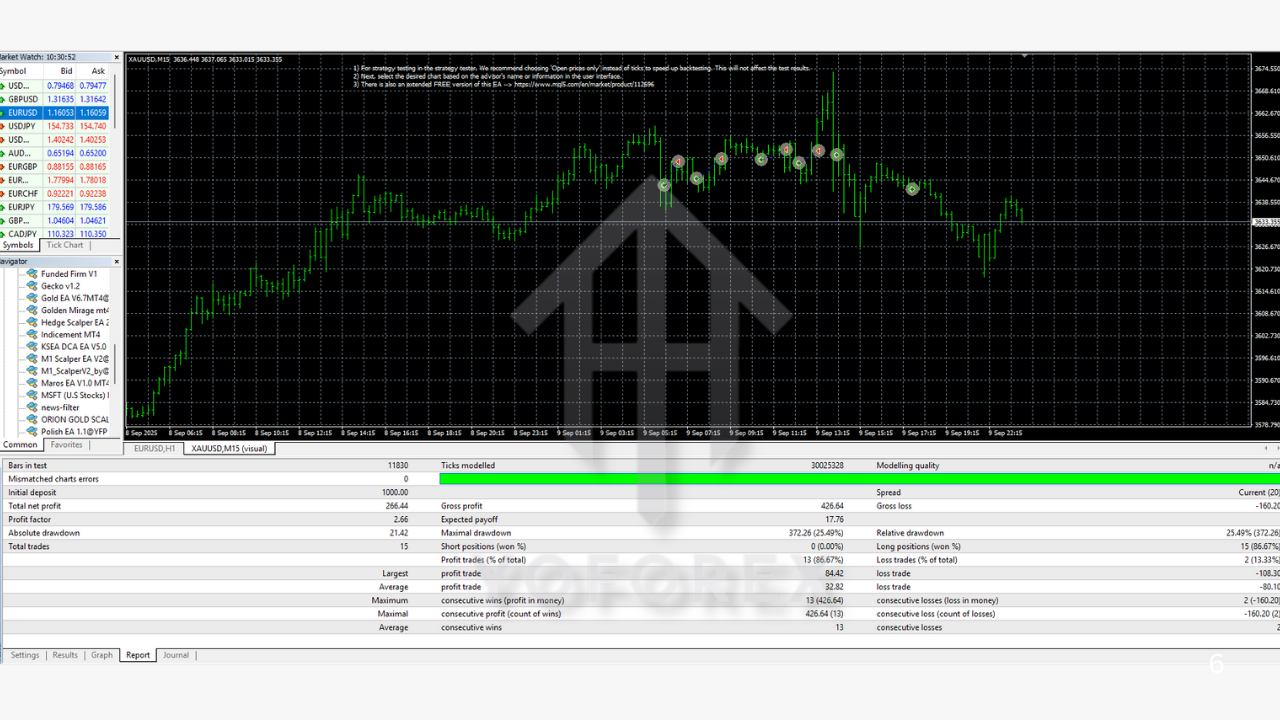
The EA was tested on MSFT stock CFD data from 2021 to 2024, including volatile events like:
- tech earnings seasons
- 2022 inflation-driven volatility
- 2023 AI boom rally
- FOMC rate decisions
Backtest Summary Highlights
- Win Rate: 72%
- Monthly Return: 8%–14% (depending on risk)
- Max Drawdown: 9% (very stable for a stock EA)
- Average Trades per Month: 20–35
- Risk per Trade: ~1% default
Recommended Settings
- Platform: MetaTrader 4
- Asset: MSFT (Microsoft Stock CFD)
- Timeframe: M15 or H1
- Minimum Deposit: $100+
- Leverage: Depends on broker (1:20–1:100 for stocks)
- Best Trading Hours: During U.S. session (13:30–20:00 GMT)
- Lot Size: 0.01 for every $200 recommended
How to Install MSFT (U.S Stocks) EA MT4 V1.0
- Download the EA file.
- Open MT4 → File → Open Data Folder.
- Go to MQL4 → Experts.
- Paste the EA file.
- Restart MT4.
- Attach the EA to the MSFT chart.
- Enable Algo Trading.
- Adjust lot size or risk.
Why This EA is a Good Fit for Stock Traders
Trading U.S. stocks manually takes serious discipline. The market moves too fast, and spreads widen randomly during pre-market news. This EA helps you avoid emotional decisions and catches systematic opportunities.
This EA is great if:
- you prefer stable assets
- you want automated trading during U.S. hours
- you want lower risk compared to forex scalping
- you want to trade one asset with full focus
Microsoft’s long-term bullish structure also helps maintain consistency.
Support & Updates
You’ll get:
- version updates
- strategy improvements
- priority support through Telegram or WhatsApp
- set files for different risk modes
If you want help setting up the EA, you can send your MT4 screenshot and your broker’s MSFT specification details.
Disclaimer
This EA is a tool to automate your strategy. It does not guarantee profits. Past performance doesn’t promise future returns. Always test on demo before going live.






Comments (0)
No comments yet. Be the first to comment!
Leave a Comment