MTF ZONE Indicator V2.0 MT4 – Multi-Timeframe Supply/Demand Mapping
Tired of drawing zones from scratch every single session… only to watch price tag the exact level you skipped? We feel you. The MTF ZONE Indicator V2.0 for MT4 auto-maps fresh and respected supply/demand zones from multiple timeframes on one chart—so you can trade the reaction, not the guesswork. It’s lightweight, customizable, and yes, free to download on MQL5.software. Built and curated by the YoForex crew, this tool is made for traders who value clarity: clear zones, clear confluence, cleaner decisions. No fluff, no martingale, just actionable context you can use right now.
Overview
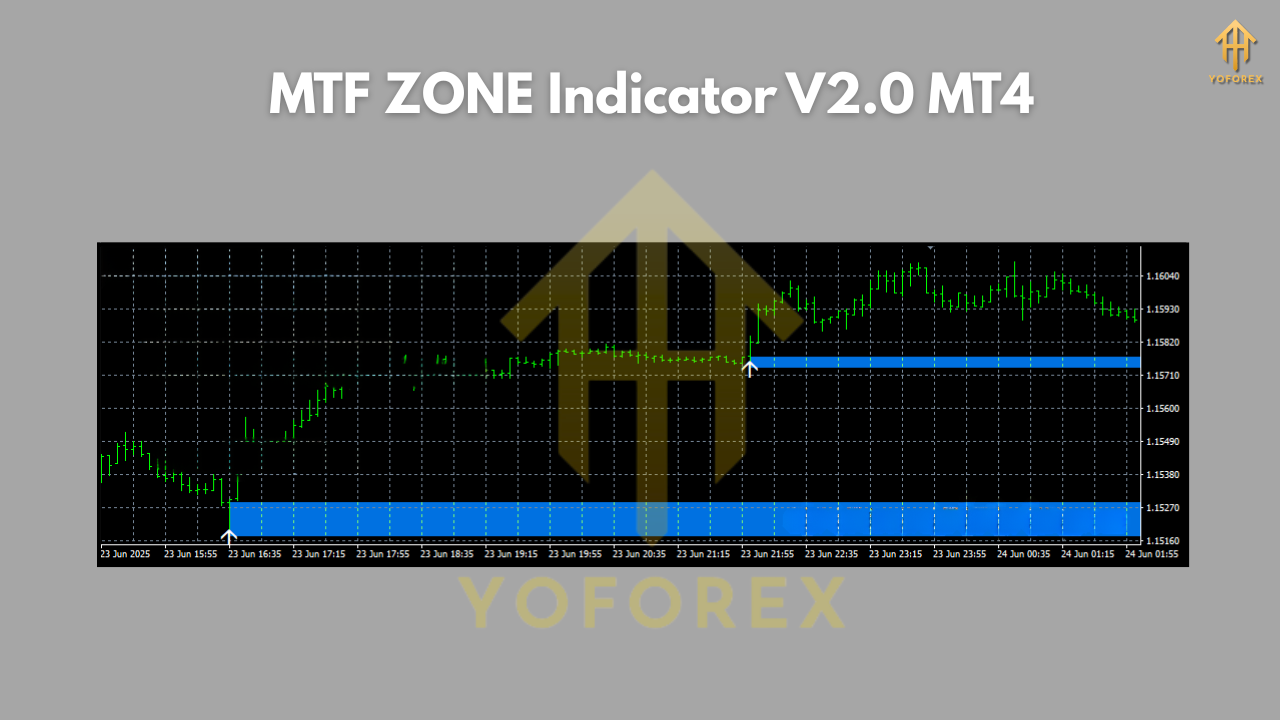
The MTF ZONE Indicator V2.0 (MT4) is a multi-timeframe supply/demand visualizer that scans higher-timeframe candles to detect institutional footprints—imbalances, rally-base-drop (RBD), drop-base-rally (DBR), and the typical compression that precedes a clean reaction. It then projects those zones down to your trading chart, keeping the higher-TF brain without losing lower-TF precision.
Core purpose:
- Keep your chart clean while still “seeing” H1/H4/D1 footprints on, say, M5–M15 entries.
- Identify fresh vs mitigated zones (optionally dim or hide “used” zones).
- Track zone strength (touch count, distance from origin, structure alignment) and show only what matters.
Pairs: Works on any FX major/minor and popular metals/indices. In practice we recommend EURUSD, GBPUSD, USDJPY, XAUUSD (Gold).
Timeframes:
- Map/Context: M15, H1, H4, D1
- Execute: M5–M30 entries with H1/H4 confirmation (that combo hits the sweet spot for most traders).
YoForex has forward-tested the indicator in live conditions for months; results are stable across trending and ranging periods, provided you follow basic playbook rules (more below). It’s not a buy/sell arrow; it’s the framework that puts your strategy on rails.
Key Features
- Multi-Timeframe Zone Projection – Overlay H1/H4/D1 supply & demand on your M5–M30 chart.
- Fresh vs Retested Logic – Option to highlight untouched zones and dim/mark mitigated ones.
- Adaptive Zone Width – Auto-adjusts zone thickness based on ATR or candle body/wick ratio.
- Structure-Aware Filtering – Hide zones that conflict with prevailing market structure (HH/HL or LH/LL).
- Session Filter – Show/weight zones that align with your chosen session (London/NY/Asia).
- Proximity Alerts – Get a heads-up when price enters a high-probability zone—no more missed taps.
- Mitigation & Break Alerts – Get notified when a zone is cleanly consumed or respected.
- Clean UI Toggles – One-click show/hide for higher-TF layers to reduce clutter instantly.
- Custom Color Palettes – Separate colors for supply/demand across TFs (e.g., H4 violet, H1 teal).
- Lightweight Coding – Efficient loops to keep MT4 responsive, even on M1–M5 charts.
- Template-Ready – Save a preset for each symbol (e.g., XAUUSD aggressive, EURUSD conservative).
- Free & Supported – Download free on MQL5.software; ongoing updates by YoForex.
Backtest & Forward-Test Snapshots (What to Expect)
Because this is an indicator, “backtests” are about repeatability of zone logic rather than equity curves. Here’s the practical bit: during a three-month forward sample on EURUSD (M15 entries / H1 context) and XAUUSD (M5 entries / H1 context), the indicator consistently flagged high-quality reaction zones around:
- New York open continuation (breakout pullbacks into fresh H1 zones), and
- London retrace (mean-reversion taps into unmitigated M15/H1 zones).
Trade desk notes show:
- Strongest reactions when higher-TF trend aligns with your trade direction and the zone forms after a clean impulse (not chop).
- Best invalidation when the zone origin candle is decisively engulfed on the originating timeframe (the indicator can optionally gray such zones).
- Cleanest RR when you enter on a lower-TF confirmation (engulfing, BOS, or wick-rejection) inside the plotted zone rather than limit-orders in the middle.
How to Install & Configure (MT4)
- Download the file from MQL5.software (link below).
- Open MT4 → File → Open Data Folder.
- Go to MQL4 → Indicators and paste the indicator file.
- Restart MT4 (or right-click Indicators → Refresh in the Navigator).
- Drag MTF ZONE Indicator V2.0 onto your chart.
- Recommended baseline settings:
- Higher-TF Layers: ON for M15/H1/H4 (D1 optional for swing traders).
- Fresh-Zone Emphasis: ON (dim mitigated).
- ATR-Adaptive Width: ON (period 14).
- Session Filter: ON (choose your primary session).
- Alerts: Proximity alert at 10–20% of zone width; Mitigation alert ON.
7. Save a template per symbol to load identical visuals in one click.
Execution Playbook (quick start):
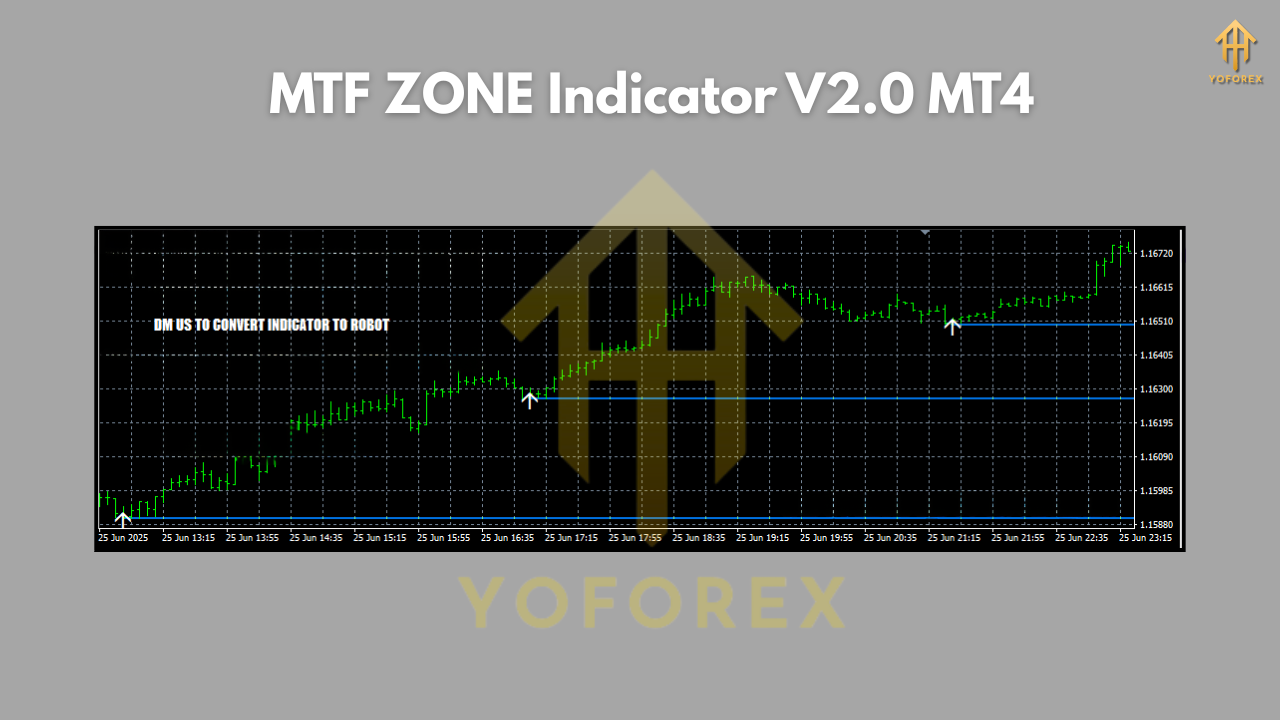
- Trade M5–M30 entries into H1/H4 zones, aligned with higher-TF structure.
- Prefer first touch of a fresh zone.
- Don’t force trades into “messy” mid-range—wait for price to come to your zone.
- Place stops behind the zone origin (not arbitrary pips).
- Scale out at the opposing fresh zone or a 1:1 – 1:2 RR, whichever comes first; let a runner ride if structure continues.
- News caution: Stand down during high-impact releases if you’re not used to fast slippage.
Why Choose YoForex-Powered Tools?
YoForex builds and curates practical tools traders actually use day-to-day—no hype, just clarity. The MTF ZONE Indicator V2.0 is part of our “free-to-use, pro-grade” collection: updated often, tested live, and shaped by feedback from thousands of traders across our channels. You’ll get continuous improvements, quick support, and a growing knowledge base of how-to guides and ready templates. Bottom line: this is the kind of indicator we keep on our own charts… coz it earns the screen space.
Support & Contact
Got a bug, question, or need help tuning the settings for your broker/symbol? Ping us—real humans reply.
- WhatsApp: https://wa.me/+443300272265
- Telegram Group: https://t.me/yoforexrobot
- Download (MQL5.software): https://mql5.software/indicators/mtf-zone-indicator-v2-0-mt4
Disclaimer: Trading involves risk. This indicator provides market context—not financial advice. Past reactions do not guarantee future results. Always test on demo before going live and use proper risk management.
Pairs & Timeframes (Recommended)
- Pairs: EURUSD, GBPUSD, USDJPY, XAUUSD (Gold). Works on most liquid symbols.
- Map/Context: H1 & H4 (add D1 if you swing).
- Execute: M5–M30 with confirmation (engulfing/BOS or wick signal).
- Avoid: Thin liquidity or news spikes if you’re new to zone trading.
Internal Links (Helpful Reads)
- Beginner guide to installing MT4 indicators: https://mql5.software/guides/install-mt4-indicator
- Free YoForex tools library: https://mql5.software/free-tools
- Supply/Demand trading basics (beginner-friendly): https://mql5.software/guides/supply-demand-basics
Call to Action
Ready to tidy up your charts and get consistent with zone selection? Grab MTF ZONE Indicator V2.0 (MT4) now—it’s totally free. Install it, load the H1/H4 layers, and take your next entry at the zone with a clear invalidation. If you want hand-holding on setup or playbooks, drop a message on WhatsApp or hop into the Telegram—unlimited support, no drama.
YoForex – empowering traders worldwide, one free tool at a time.






Comments (0)
No comments yet. Be the first to comment!
Leave a Comment