Ninja FX EA V6.04 MT4 – precision, risk control, and day-to-day consistency
Tired of bots that look flashy but fall apart the moment the market breathes? Ninja FX EA V6.04 MT4 keeps it clean and disciplined. Built for MetaTrader 4 and tuned for H1–M30 execution, this expert advisor focuses on controlled risk, consistent entries, and smooth position management—so you’re not glued to the screen or fighting wild equity swings. If you’ve been hunting a set-and-supervise solution for majors, indices, and even crypto, this one’s built to go the distance… coz steady > spicy, every single week.
Ninja FX MT4 is designed for GBPUSD, EURUSD, BTCUSD, AUDCAD, NZDCAD, and US30 (Dow Jones). That’s a deliberately mixed basket—two liquid majors, two cross pairs, a crypto, and a blue-chip index—to help diversify exposure while keeping spreads tight and execution snappy. You’ll get a professional approach to entries, protective stops, and trailing logic that aims to bank partial gains and let runners do their thing when momentum is on your side.
What makes Ninja FX EA V6.04 MT4 different?
Discipline first, profits next. The core idea is simple: remove fuzz, focus on asymmetric opportunities, and do it with strict downside control. Ninja FX EA V6.04 MT4 doesn’t rely on martingale or blind grids that balloon risk. Instead, it uses volatility-aware stops and a position model that scales smartly—only when the market confirms.
- Timeframes: H1 and M30
- Pairs/Assets: GBPUSD, EURUSD, BTCUSD, AUDCAD, NZDCAD, US30
- Platform: MetaTrader 4
- Style: Systematic trend-following with momentum filters, plus mean-reversion safeguards on choppy days
- Risk: Fixed-fractional or per-trade lot control (your choice)
- Management: Break-even and ATR-based trailing options
In short, it’s the EA you run when you want rules you can explain—and trust.
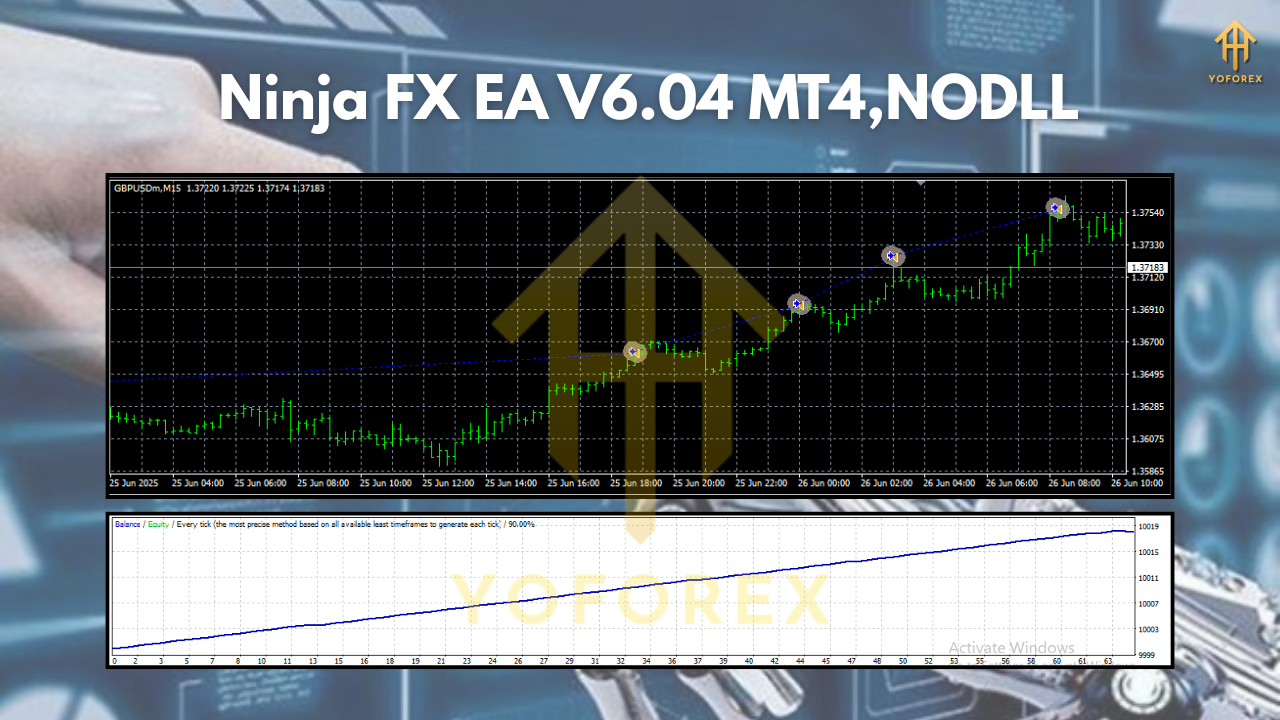
Strategy, simplified (but not dumbed down)
The engine behind Ninja FX EA V6.04 MT4 combines directional momentum with volatility normalization. Here’s the gist in plain English:
- Market State Filter (Are we trading or chilling?)
The EA scans recent price structure and volatility bands to decide if conditions are acceptable. If chop is extreme or spreads spike, it stands down. No FOMO. - Signal Generation (Where’s the edge?)
Signals trigger when price momentum aligns with short-term trend direction and the volatility window is “fair”—not too quiet, not too hot. This is especially crucial on BTCUSD and US30 where whipsaws can be savage. - Execution & Protection (Get in clean, defend the account)
Orders are placed with predefined SL based on ATR or recent swing structure. Optional break-even kicks in after the first impulse. You can enable partial take-profits or trail a portion of the position to ride extended moves. - Session Awareness (Because time matters)
While the EA can run 24/5, many users prefer London/NY overlap for GBPUSD/EURUSD and the first half of NY for US30. BTCUSD is 24/7 in theory, but spreads and liquidity vary—run it only when your broker’s conditions are decent.
No complicated dashboards, no bizarre settings that force you into guesswork. You get understandable inputs and a balanced default template to start with.
Key features you’ll appreciate
- Clean entries aligned with short-term trend and momentum confirmation
- Risk-first logic with ATR or swing-based stop placement
- No martingale, no blind grid—capital protection comes first
- Break-even & trailing stop options to lock progress and let winners run
- Partial take-profit to reduce exposure while keeping skin in the game
- Session/time filters for tighter control over when the EA trades
- Pair-specific tuning for majors, crosses, crypto, and US30
- Spread & slippage guards to avoid bad fills during volatile spikes
- Error handling & restart safety so the EA keeps its head if MT4 hiccups
- Backtestable with tick data and simple forward-testing workflow
- Lightweight codebase for smooth VPS performance
- Readable settings with comments, so you don’t feel lost in inputs
Recommended markets & timeframes (and why)
- GBPUSD (H1/M30): Highly liquid, steady sessions, great for momentum models.
- EURUSD (H1/M30): Similar benefits; tight spreads help cost control.
- US30 (H1): Strong directional pushes; use conservative risk because gaps happen.
- BTCUSD (H1): Opportunistic; mind spreads/commissions and throttle risk, especially around news.
- AUDCAD & NZDCAD (H1/M30): Often slower and mean-reverting, which balances the portfolio. Great for diversification.
You don’t have to run all six instruments. Start with GBPUSD + EURUSD to get a feel, then add US30 if you want intraday momentum bursts and AUDCAD/NZDCAD to smooth equity. Add BTCUSD last once you’ve dialed in broker conditions and your risk tolerance.
Setup, risk & money management
A quick, practical starting plan (tweak to taste):
- Install Ninja FX EA V6.04 MT4 on clean H1 charts for GBPUSD and EURUSD.
- Set risk per trade via fixed lots or %-risk. Newer users often start at 0.5%–1% risk per position; pros will choose their own comfort zone.
- Enable break-even after the trade moves 1R in your favor (or use the default preset).
- Trail a portion of the position to capture extended moves—especially on US30 trend days.
- Session filter: Activate London/NY overlap for majors; keep BTCUSD restricted to your broker’s best-liquidity hours.
- Forward test on demo for at least 2–3 weeks before going live.
- VPS recommended for 24/5 stability and low latency.
The EA is not a magic money machine (nothing is). The edge comes from sticking to a rule-set and refusing to let one bad day morph into a bad month. That’s exactly what Ninja FX MT4 is optimized for.
Backtesting & forward-testing notes
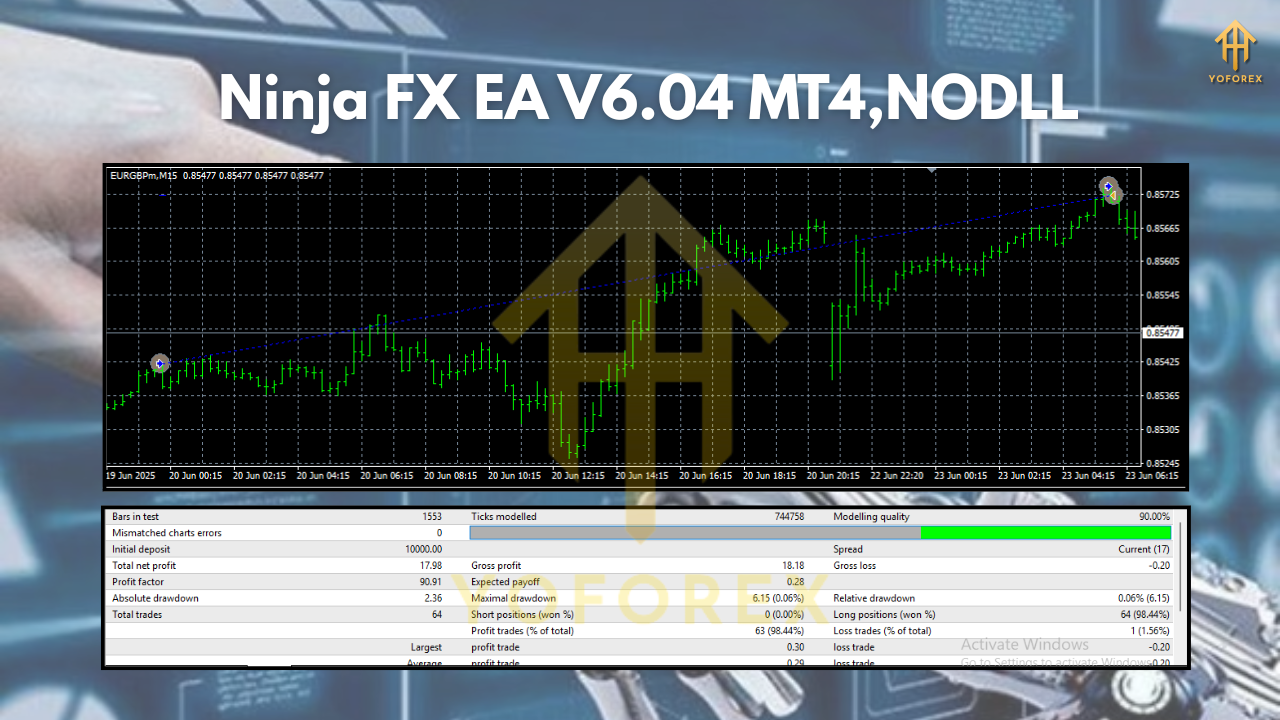
Backtests are useful for stress-testing logic and getting a feel for how the EA behaves in different regimes—quiet ranges, trend bursts, news weeks, etc. Run tick-data tests with variable spreads where possible and include commission so results reflect reality. Then do a small forward test with your broker to verify slippage, spreads, and swap—especially on US30 and BTCUSD. You’ll often find the forward curve is smoother when you limit trading to sessions with solid liquidity and set realistic trailing rules.
Remember: past performance doesn’t guarantee future results. What you’re looking for is process reliability—consistent logic that doesn’t blow up when the wind changes.
Tips from live users (the “little” stuff that helps)
- Don’t over-optimize. If a setting looks insane in backtests, it probably is.
- Cut out bad hours. Use the time filter. Trading during rollover/spread spikes is asking for trouble.
- Mind correlation. Running GBPUSD and EURUSD together is fine, but size accordingly.
- Keep logs tidy. Review entries once a week; small tweaks beat big overhauls.
- Stay calm. One red day doesn’t define the system; look at the weekly/monthly rhythm.
Who is Ninja FX EA V6.04 MT4 for?
- Traders who want structure and clarity—not guesswork.
- Busy professionals who prefer set-and-supervise, not manual micro-management.
- Prop-firm aspirants who need drawdown discipline and stable behavior.
- Anyone building a multi-asset MT4 portfolio: majors + indices + a touch of crypto.
If that’s you, Ninja FX EA V6.04 MT4 fits like a glove. It’s built to be practical, not flashy; consistent, not chaotic. You’ll still need patience and solid risk management, tho—that’s part of the craft.
Final word
There’s no holy grail, but there is a better way to automate: aim for controlled risk, clean entries, and repeatable rules across different markets. Ninja FX EA V6.04 MT4 brings exactly that mindset to H1–M30 trading on GBPUSD, EURUSD, BTCUSD, AUDCAD, NZDCAD, and US30. Start on demo, study the logs, and let the data guide your tweaks. When you’re ready, scale with respect for risk and enjoy a calmer way to trade.






Comments (0)
No comments yet. Be the first to comment!
Leave a Comment