Forex trading requires precision, and having the right tools can make all the difference. The Pin Trend Indicator MT4 is a popular technical analysis tool designed to help traders identify market trends with high accuracy. Whether you're a beginner or an experienced trader, this indicator can enhance your trading strategy by providing clear buy and sell signals.
In this comprehensive guide, we’ll explore:
- What the Pin Trend Indicator MT4 is
- Key features and benefits
- How to install and set it up
- Best trading strategies using this indicator
- Tips for maximizing its effectiveness
What is the Pin Trend Indicator MT4?
The Pin Trend Indicator MT4 is a MetaTrader 4 (MT4) tool that helps traders detect trend reversals and continuations. It uses a combination of price action and moving averages to generate trading signals, making it ideal for Forex, stocks, and cryptocurrency markets.
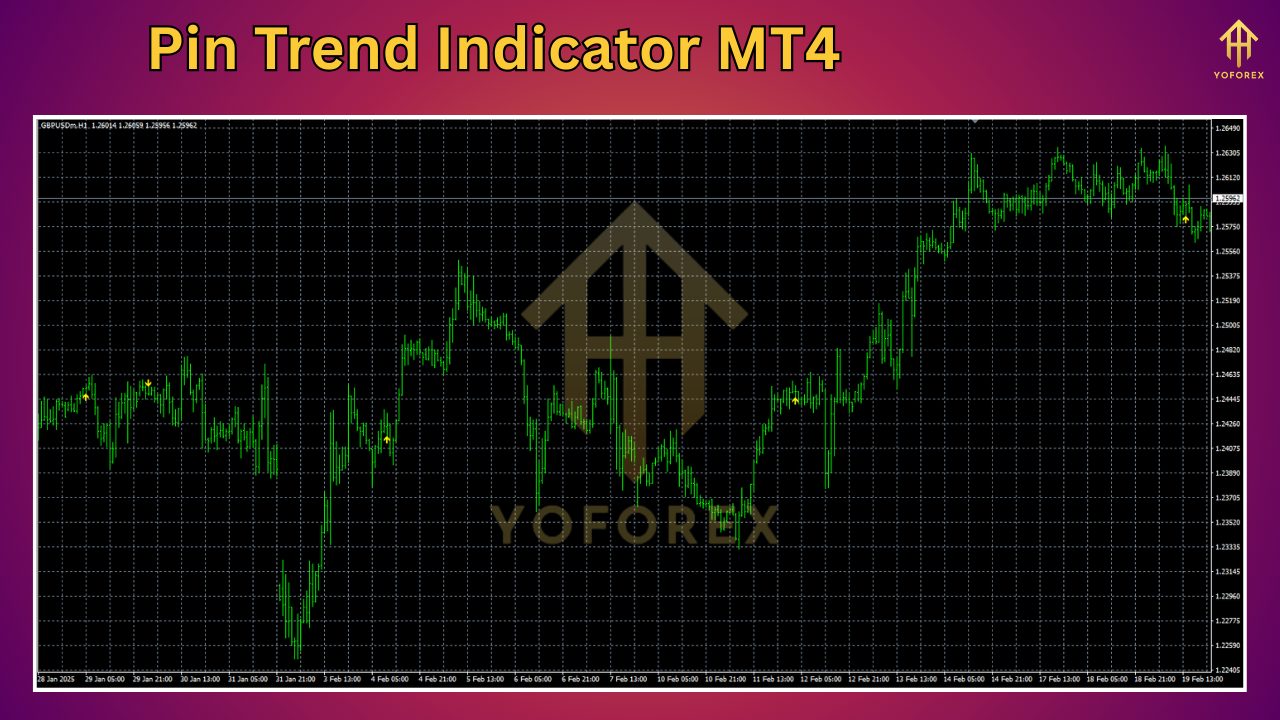
Unlike traditional indicators that lag, the Pin Trend Indicator provides real-time insights, helping traders make informed decisions. Its visual signals (arrows and trend lines) simplify trend identification, making it suitable for both scalpers and swing traders.
Key Features of the Pin Trend Indicator MT4
-
Accurate Trend Detection
-
Identifies bullish and bearish trends with clear arrows.
-
Works across multiple timeframes (M1 to H4).
-
-
User-Friendly Interface
-
Easy-to-read signals (green for buy, red for sell).
-
Customizable settings for personal trading preferences.
-
-
Multi-Asset Compatibility
-
Effective on Forex pairs, commodities, indices, and cryptocurrencies.
-
-
No Repainting
-
Signals remain consistent, avoiding false entries.
-
-
Alerts & Notifications
-
Optional pop-up/sound alerts for new trading opportunities.
-
How to Install the Pin Trend Indicator in MT4
Step-by-Step Installation Guide
-
Download the Indicator File
-
Get the
.ex4or.mq4file from a trusted source.
-
-
Open MetaTrader 4
-
Launch your MT4 platform.
-
-
Navigate to File > Open Data Folder
-
Go to
MQL4 > Indicatorsand paste the downloaded file.
-
-
Restart MT4
-
Close and reopen the platform to activate the indicator.
-
-
Attach the Indicator to a Chart
-
Drag and drop the Pin Trend Indicator onto your preferred chart.
-
-
Configure Settings (Optional)
-
Adjust parameters like sensitivity, colors, and alerts as needed.
-
Best Trading Strategies with Pin Trend Indicator MT4
1. Trend-Following Strategy
- Entry: Buy when a green arrow appears in an uptrend. Sell when a red arrow appears in a downtrend.
- Exit: Close the trade when the opposite signal appears or use a trailing stop.
2. Support & Resistance Breakout Strategy
- Combine the Pin Trend Indicator with support/resistance levels.
- Enter trades when the indicator confirms a breakout with a strong signal.
3. Scalping Strategy (M1-M5 Timeframes)
- Use the indicator on lower timeframes for quick trades.
- Set tight stop-losses to minimize risk.
Tips for Maximizing the Pin Trend Indicator’s Effectiveness
✅ Combine with Other Indicators – Use alongside RSI, MACD, or Moving Averages for stronger confirmation.
✅ Avoid Overloading Charts – Too many indicators can cause confusion. Stick to 2-3 complementary tools.
✅ Backtest Before Live Trading – Test the indicator on historical data to ensure reliability.
✅ Use Proper Risk Management – Always set stop-loss and take-profit levels.
Pros & Cons of the Pin Trend Indicator MT4
Pros:
✔ High accuracy in trending markets
✔ Easy to interpret signals
✔ Works on multiple assets
✔ Customizable alerts
Cons:
✖ May produce false signals in ranging markets
✖ Requires confirmation from other indicators for best results
Conclusion
The Pin Trend Indicator MT4 is a powerful tool for traders looking to capitalize on market trends. Its simplicity, accuracy, and real-time signals make it a valuable addition to any trading strategy. By combining it with proper risk management and additional technical analysis, traders can significantly improve their success rate.
Ready to try the Pin Trend Indicator? Download it today and start trading with confidence!
FAQs
Q: Is the Pin Trend Indicator free?
A: Some versions are free, while premium versions offer advanced features.
Q: Can I use this indicator for scalping?
A: Yes, it works well on lower timeframes (M1, M5).
Q: Does it repaint?
A: No, the Pin Trend Indicator does not repaint, ensuring reliable signals.
Q: Which pairs work best with this indicator?
A: Major Forex pairs like EUR/USD, GBP/USD, and Gold (XAU/USD) perform well.
By following this guide, you can leverage the Pin Trend Indicator MT4 to enhance your trading performance.
Happy trading!






Comments (0)
No comments yet. Be the first to comment!
Leave a Comment