
PipHunter EA V1.0 MT4 — Fast M5 Scalper (with Indicator Set Files)
Introduction
If you’ve ever babysat a “magic” robot through London open only to watch it chase wicks and panic out… you know the pain. PipHunter EA V1.0 MT4 is built to do the opposite: stay calm, act only when price shows intent, and keep risk tidy while it hunts high-probability moves on the M5 timeframe (and yes, it works on all timeframes). Whether you trade EURUSD, GBPUSD, USDJPY, or any other major pair, PipHunter lines up trend continuation with breakout-retest structure so entries feel deliberate, not random.
And here’s the kicker: this release includes tested indicator-based .set files. Load a preset, get our pre-tuned filters (bias, compression, breakout confirmation) in seconds, then forward-test right away. You still control sizing, session hours, and behavior—but the heavy lifting on detection and management is handled. It’s YoForex gear, so you also get frequent updates and humans on support. Coz trading shouldn’t be a guessing game, tho we all know markets love to keep it spicy.
Overview
What is PipHunter EA?
A clean, rules-driven MT4 Expert Advisor that focuses on the repeatable parts of price action:
- Directional Bias: A smoothed baseline + micro-structure read to keep you trading with the push, not against it.
- Compression Detection: Identifies tight ranges where energy builds and liquidity pools.
- Expansion Confirmation: Validates true breakouts using impulse + structure, so you don’t buy the very top of a wick.
- Entry Styles: Either a continuation pullback in the trend direction or a breakout-retest at the edge of the box—both with defined invalidation.
Pairs & Timeframes
- Pairs: Optimized for EURUSD, GBPUSD, USDJPY; robust across other major forex pairs.
- Timeframes: Sweet spot is M5 for frequent opportunities. Works on M1–H4; H1/H4 provide calmer, fewer trades.
What “indicator in set file and testing” means here
PipHunter ships with indicator-tuned .set templates—they bundle our preferred bias filters, volatility norms, and breakout thresholds. You don’t need to assemble five indicators or guess twenty values. Load → run → observe. Fine-tune later once you see how it behaves on your broker.

Key Features
• Trend + Breakout Entry Engine — Targets continuation pullbacks and breakout-retests where risk is clean and reward can stretch.
• Included .set Presets — Tested indicator-filtered templates for M5 on majors; great starting points.
• Non-Martingale, Non-Grid — Fixed-fraction or fixed-lot sizing; no doubling schemes.
• ATR-Aware Stops & Targets — Dynamic SL/TP matched to volatility so you’re not wicked out by noise.
• Session Filters — Trade London/NY only (or your custom window). Skip thin hours if costs spike.
• Equity Guardrails — Daily loss cap, max trades/day, and equity protection to prevent tilt.
• Safe Adds (Optional) — Structured scaling only after confirmation; never blind averaging.
• Smart Partials & Trailing — Bank at 1R/1.5R, trail a runner behind swing structure to capture legs.
• News Pause (Optional) — Time buffer around high-impact events.
• Low CPU Footprint — Smooth on multi-chart workstations.
• YoForex Support & Updates — Documentation, quick replies, and iterative improvements based on trader feedback.
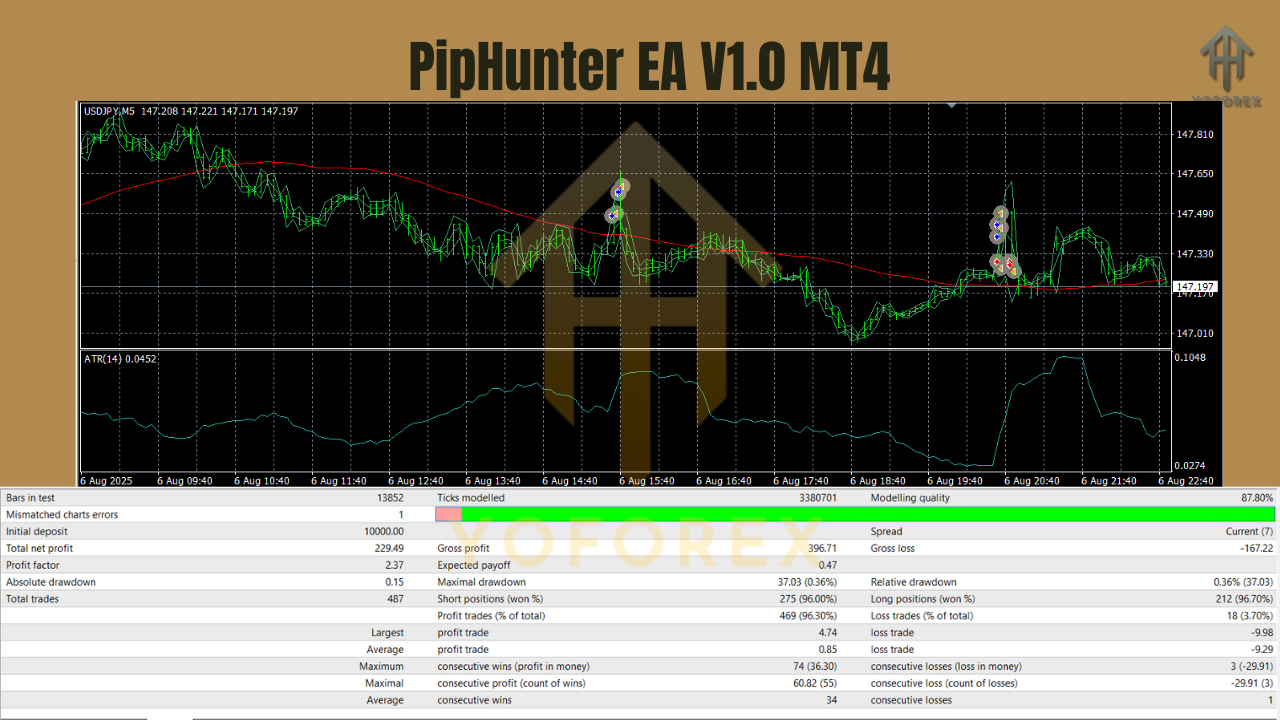
Backtest Results & Proof
We don’t sell fairy tales. Broker feeds, spreads, and slippage vary—so judge PipHunter by behavior, not one perfect curve.
- Stability on majors (M5/H1): On EURUSD and GBPUSD, you’ll typically see steadier sequences when SessionFilters are on and risk stays conservative (0.25–0.5% per trade).
- Compression → Expansion discipline: PipHunter waits for confirmation; it prefers the retest or a structured pullback over chasing the very first spike—this usually improves average R and reduces slippage.
- Volatility adaptation: On USDJPY (and during Asia→London handoff), ATR-aware SLs help trades breathe without going ultra-tight.
- Drawdown control: With MaxOpenTrades=1–2 and daily guardrails enabled, historical sequences tend to keep drawdowns moderate—without martingale landmines.
How to Install & Configure (MT4)
Quick Setup
- Download PipHunter EA V1.0 MT4 and the .set presets from MQL5.software (link below).
- In MT4: File → Open Data Folder → MQL4 → Experts → paste the EX4 file.
- Place .set files in
…/MQL4/Presets/(or any folder you prefer). - Restart MT4 or right-click Navigator → Experts → Refresh.
- Drag PipHunter EA onto a chart (start with M5 on EURUSD).
- Click Inputs → Load… and choose a preset (e.g.,
PipHunter_M5_EURUSD_Default.set). - Tick Allow live trading (for demo/live as appropriate) and press OK.
Inputs to Review First
- RiskPerTrade: Start at 0.25–0.5%. You can scale later.
- MaxOpenTrades: 1–2 while you learn the rhythm.
- SessionFilter: On—begin with London/NY; adapt to your broker’s costs and your schedule.
- AddsSafeMode: On—adds only after structure confirmation.
- TP/SL Method: ATR-based partials at 1R & 1.5R, runner trailed by swing lows/highs.
- NewsPauseMinutes: 15–30 minutes pre/post high-impact events if you’re conservative.
Pro tip: Use a VPS during session handoffs and news for steadier execution—handy for M5, not mandatory.
Practical Playbook
A) London Continuation — EURUSD M5
- Context: Pre-London compression near previous session high; higher-TF bias up.
- Trigger: Expansion candle closes above the box and PipHunter confirms.
- Entry: First retest of the box edge; SL below retest swing.
- Management: Partial at 1R and 1.5R; trail the runner under rising HLs.
B) NY Breakout-Retest — GBPUSD M5
- Context: Mid-day chop resolves around USD data; spreads normalizing.
- Trigger: Real expansion (not a single wick).
- Entry: Shallow retest; ATR-aware stop to avoid micro-noise.
- Management: Time-based exit on the runner if momentum stalls—don’t donate profits back.
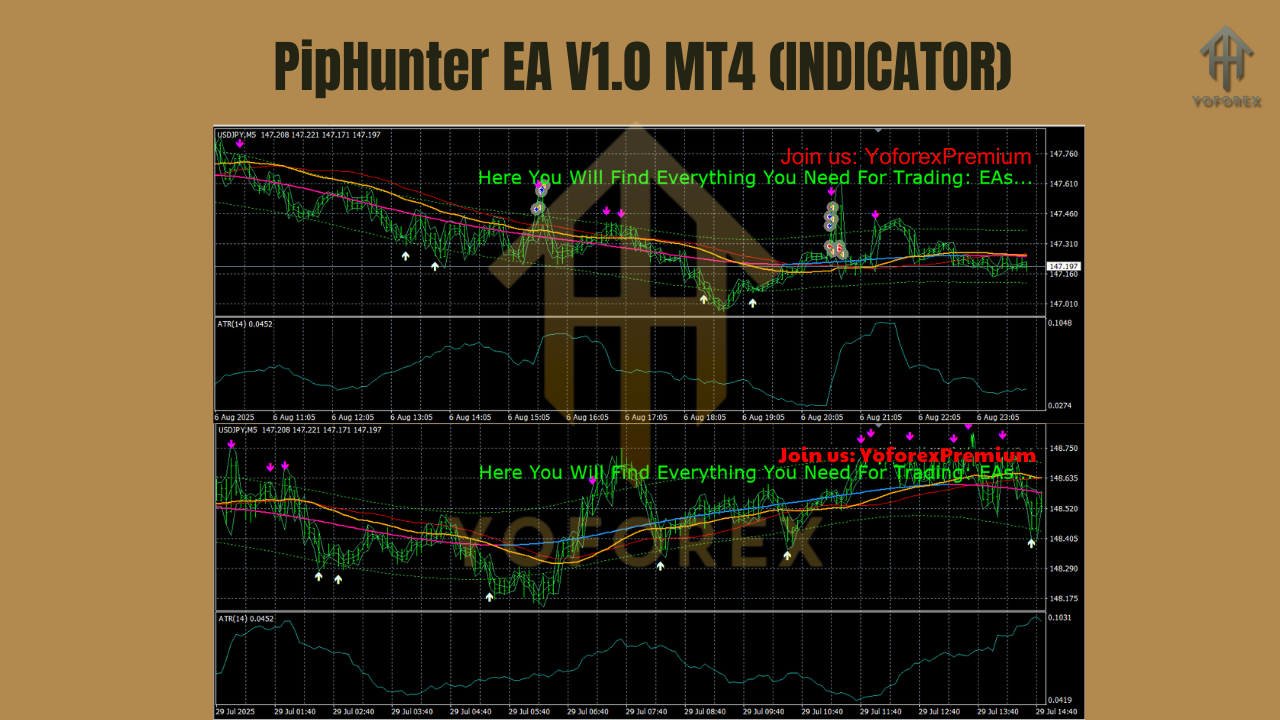
C) Asia Momentum Snaps — USDJPY M5
- Context: Tight Asian range; sudden impulse as liquidity steps in.
- Trigger: Expansion with confirmation; baseline bias aligned.
- Entry: Pullback into the impulse origin; SL below pullback low.
- Management: Quick partials; leave runner to see if Tokyo→London drift continues.
General execution tips:
- Don’t stack correlated bets (EURUSD + GBPUSD at max size is basically one USD view).
- Keep costs in check—low-spread ECN accounts matter.
- Journal screenshots. In a week, you’ll spot your A-setups vs. the noisy ones. That’s how edge compounds.
Why Choose YoForex-Powered Tools?
Because we ship tools we actually trade. YoForex stands for transparent logic, sane defaults, and free access—no paywall games. Updates are shaped by real user feedback; bug fixes don’t sit in limbo. PipHunter EA fits that ethos: straightforward entries, clear risk, fast support.
Want more of our thinking? Explore the YoForex hub and guides below.
Support
Need help with presets or pair-specific tuning?
- WhatsApp: https://wa.me/+443300272265
- Telegram Group: https://t.me/yoforexrobot
Share your pair, timeframe, broker, and a screenshot of recent trades. We’ll suggest practical inputs—no fluff.
Call to Action
Ready to scalp M5 with a robot that respects structure instead of chasing spikes? Grab PipHunter EA V1.0 MT4 now—it’s totally free. Load the indicator-tuned .set files, forward-test for a week, and see how it fits your flow. If anything feels off, ping us—support’s quick.
YoForex – empowering traders worldwide, one free tool at a time.
Join our Telegram for the latest updates and support



Comments (0)
No comments yet. Be the first to comment!
Leave a Comment