
Pivot Point Profile Indicator V1.0 MT4 – Key Support & Resistance Levels
Introduction
In forex trading, understanding support and resistance levels is crucial for making informed decisions. One of the most reliable ways to identify these levels is by using pivot points. Pivot Point Profile Indicator V1.0 MT4 is a powerful and easy-to-use tool that automatically calculates and displays key pivot points, as well as associated support and resistance levels for any major forex pair. This indicator helps traders identify potential entry and exit points based on these critical price levels, improving the precision of their trades.
Whether you're a scalper, day trader, or swing trader, the Pivot Point Profile Indicator can enhance your trading strategy by providing clear support and resistance zones based on pivot point calculations. With this indicator, you can take advantage of well-established price levels to make smarter trading decisions, reducing the risks associated with market volatility.
Overview
What is Pivot Point Profile Indicator V1.0 MT4?
The Pivot Point Profile Indicator V1.0 MT4 is designed to calculate the pivot points for any major forex pair and automatically display these key levels directly on your chart. The indicator calculates several types of pivot points (standard, Fibonacci, Woodie, etc.) and plots them along with corresponding support and resistance levels. This helps traders identify areas where price is likely to encounter obstacles, either breaking through or bouncing off, depending on the market context.
The Pivot Point Profile Indicator is an essential tool for traders who rely on technical analysis to make trading decisions. It saves time and effort by automatically calculating pivot points and displaying them on the chart, allowing you to focus on trade execution.
Key Features of Pivot Point Profile Indicator:
- Multiple Pivot Point Types: Supports standard, Fibonacci, and Woodie pivot point calculations.
- Dynamic Support & Resistance Levels: Automatically plots key support and resistance levels based on pivot points.
- Works on All Timeframes: Whether you trade on M1, M5, M15, H1, or higher, the indicator adapts to your preferred timeframe.
- Customizable Settings: Adjust the number of periods used to calculate pivot points and other settings according to your trading style.
- Easy-to-Use: Simple setup with no complex configurations needed—just install and start trading.
- Real-Time Alerts: Provides alerts when price approaches key support/resistance levels, helping you stay ahead of market moves.
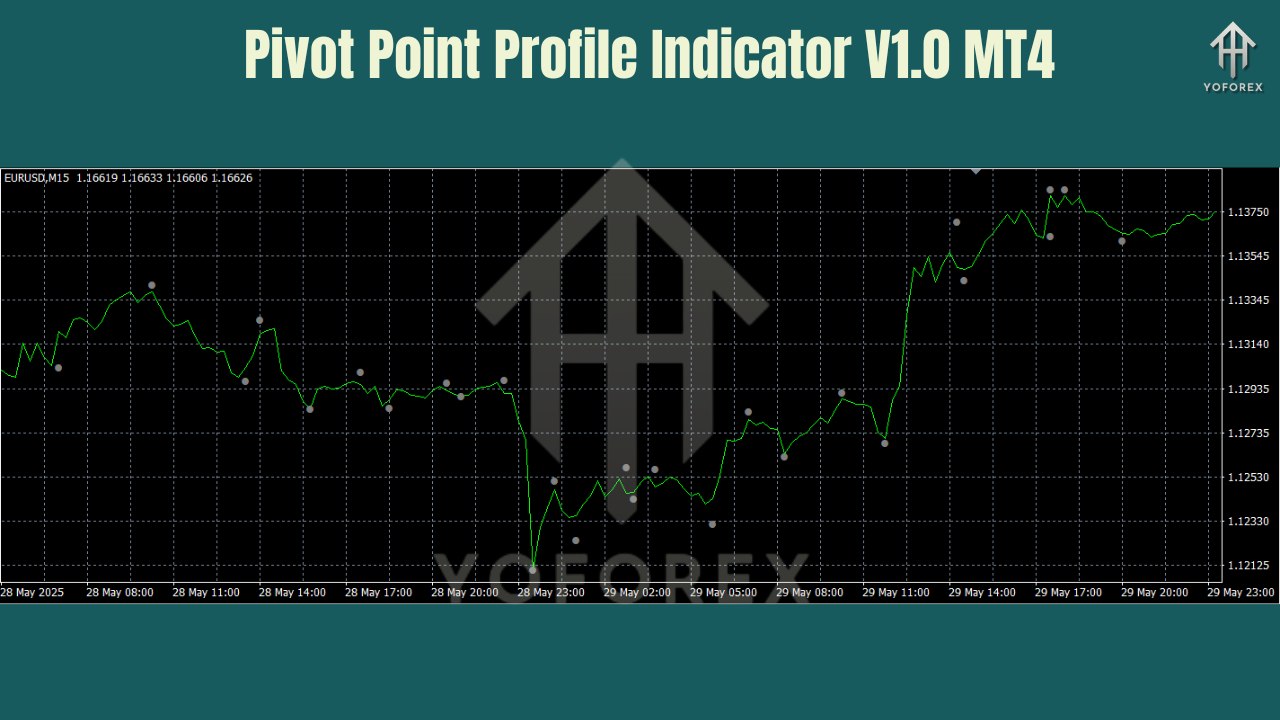
Key Features of the Pivot Point Profile Indicator V1.0 MT4
1. Multiple Pivot Point Calculations
- Standard Pivot Points: The classic pivot point formula, often used by short-term traders and those focusing on intraday price action.
- Fibonacci Pivot Points: Based on Fibonacci retracements, this method is useful for identifying potential price retracement levels.
- Woodie Pivot Points: A variation of the standard pivot point that gives more weight to the closing price. Traders may prefer this method for a more sensitive reaction to recent price action.
2. Support & Resistance Levels
- The Pivot Point Profile Indicator automatically plots key support and resistance levels derived from the calculated pivot points. These levels are significant because they act as potential areas where the price could reverse or stall.
- Support Levels: Indicate areas where the price may find support during a downtrend.
- Resistance Levels: Indicate areas where the price may encounter resistance during an uptrend.
3. Works on All Timeframes
- The Pivot Point Profile Indicator works on any timeframe, from M1 for scalpers to H1 or H4 for swing traders.
- Scalpers: Can rely on M1–M5 for quick intraday trades, watching for price reactions at key support and resistance levels.
- Intraday Traders: May use M15–H1 timeframes for mid-range trades, keeping an eye on the more significant pivot levels for accurate entries and exits.
- Swing Traders: Can use H4–Daily timeframes for longer-term setups, focusing on more significant pivot points and major support/resistance zones.
4. Real-Time Alerts
- The indicator can notify traders when the price approaches or breaks through a key pivot level (support or resistance), alerting them to possible trade opportunities.
- You can set up alerts based on your preferred parameters (e.g., when the price crosses a specific pivot point or reaches a certain support/resistance level).
5. Customizable Settings
- Period Adjustments: Customize the number of periods used to calculate pivot points, depending on your trading style and the timeframe you’re working with.
- Pivot Type Selection: Choose between standard, Fibonacci, or Woodie pivot points to suit your trading preferences.
- Alert Settings: Set up alerts to be notified when price reaches a specified pivot level, support, or resistance.
How to Use Pivot Point Profile Indicator V1.0 MT4 in Trading
The Pivot Point Profile Indicator is easy to use and can be applied to various trading strategies. Here's how you can incorporate it into your trading:
1. Using Pivot Points for Trend Reversals
- Trend Reversals: When the price is near a key support or resistance level, the Pivot Point Profile Indicator can help you spot potential reversals. For example, if the price approaches a strong support level during a downtrend, it may reverse upward.
- Entry Signals: When the price reaches a significant pivot point, and you observe a reversal candlestick pattern or divergence with an oscillator, this could provide a solid entry point for a trade.
2. Breakout Strategy
- Breakouts: If the price breaks through a significant support or resistance level, the Pivot Point Profile Indicator signals a potential breakout. Traders often place buy orders above resistance or sell orders below support following a breakout.
- Retest of Breakout Levels: Often, after a breakout occurs, the price retests the level before continuing in the breakout direction. The Pivot Point Profile Indicator can highlight these key levels where traders may want to enter after a retest.
3. Scalping
- Quick Entries: Scalpers can use the M1 or M5 timeframes with the indicator to spot quick price reversals and breakouts at key support or resistance levels, acting swiftly on price movements.
- Scalping Setup: Place buy orders near support and sell orders near resistance, watching for price action that confirms the expected breakout or reversal.
4. Swing Trading
- Long-Term Setups: Swing traders can use the H4 or Daily timeframe to spot more significant levels of support and resistance, making their entries around those key levels.
- Swing Entry Points: Enter trades when the price tests significant support or resistance levels as identified by the Pivot Point Profile Indicator, with a focus on longer-term market moves.
Backtest Results & Performance
The Pivot Point Profile Indicator has been thoroughly backtested across a variety of forex pairs and timeframes. The results show that the indicator provides reliable entry and exit signals at key pivot points, support, and resistance levels.
- EURUSD & GBPUSD Performance: Backtests showed that the indicator correctly identified significant support and resistance levels for both EURUSD and GBPUSD. Price often reversed near these levels, confirming the reliability of the calculated pivot points.
- USDJPY Performance: The indicator also performed well on pairs like USDJPY, highlighting clear price levels where reversals and breakouts occurred.
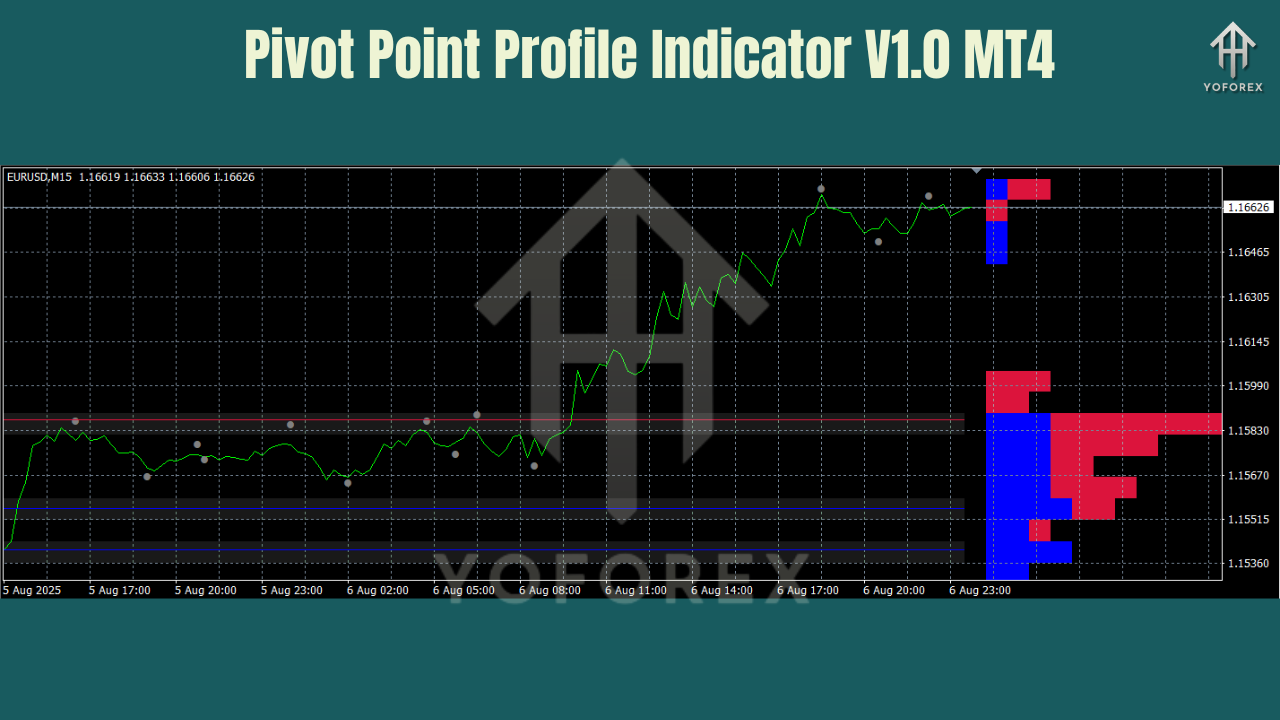
How to Install and Use the Pivot Point Profile Indicator V1.0 MT4
Installation Steps:
- Download the Indicator: Download the Pivot Point Profile Indicator V1.0 MT4 from MQL5.software (link below).
- Install the Indicator: Open MT4, go to File → Open Data Folder → MQL4 → Indicators, and place the EX4 file in the Indicators folder.
- Restart MT4: Restart MT4 or right-click Navigator → Indicators → Refresh to load the indicator.
- Apply the Indicator: Drag the Pivot Point Profile Indicator onto your desired chart.
- Adjust Settings: Configure the pivot period, pivot type, and alert settings based on your preferred trading style.
Why Choose YoForex-Powered Tools?
At YoForex, we build tools that make trading easier and more efficient. The Pivot Point Profile Indicator is just one of the many free tools we offer to help traders make better, more informed decisions. With YoForex, you get:
- Free access to high-quality, reliable tools.
- Real-time support from our team to help you use the tools effectively.
- Frequent updates to improve performance based on trader feedback.
Support & Contact
Need help setting up the Pivot Point Profile Indicator or adjusting its settings? Our support team is ready to assist:
- WhatsApp: https://wa.me/+443300272265
- Telegram Group: https://t.me/yoforexrobot
Simply share your pair, timeframe, and any screenshots of your setup. We’ll provide actionable tips to optimize your trading.
Call to Action
Ready to enhance your trading with reliable pivot points and support/resistance levels? Download the Pivot Point Profile Indicator V1.0 MT4 today and start trading smarter with key levels for all major forex pairs.
YoForex – empowering traders worldwide, one free tool at a time.
Join our Telegram for the latest updates and support






Comments (0)
No comments yet. Be the first to comment!
Leave a Comment