
Profit Hunter Indicator V1 MT4 — Spot cleaner trends, skip the noise
Pairs: EURUSD, GBPUSD, USDJPY, XAUUSD (Gold), AUDUSD
Time Frames: M15, M30, H1, H4 (M5 for aggressive scalping)
If you’ve been hopping from one flashy indicator to the next and still getting whipsawed, you’re not alone. Markets love to fake out retail traders with late signals, laggy crossovers, and repainting messes. Profit Hunter Indicator V1 for MT4 is built to cut through that noise. It blends trend + momentum + volatility context so you can stalk high-probability entries and manage exits with a plan, not a hunch. No magic wand here… just solid logic, clean visuals, and trade rules you’ll actually follow.
What is Profit Hunter Indicator V1?
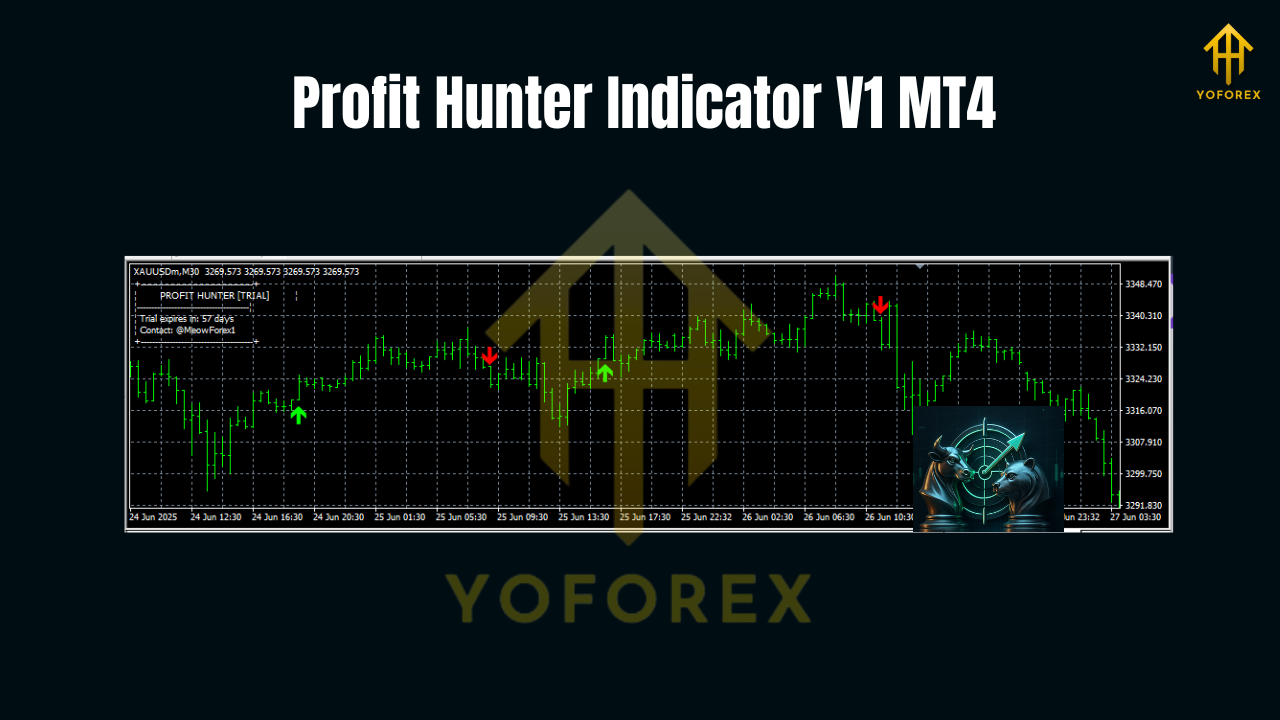
Profit Hunter Indicator V1 (MT4) is a multi-signal overlay that highlights trend direction, shows dynamic pullback zones, and prints entry/exit cues only after conditions align. The idea is simple: ride the main move, avoid chop, and bail out early when momentum fades. It’s designed for day traders and swing traders who want readable, rules-based confirmations without turning their charts into a Christmas tree.
At a glance, you’ll see:
- A clear trend ribbon on the chart (bullish/bearish bias)
- Pullback bands adjusted by volatility (when to buy dips/sell rallies)
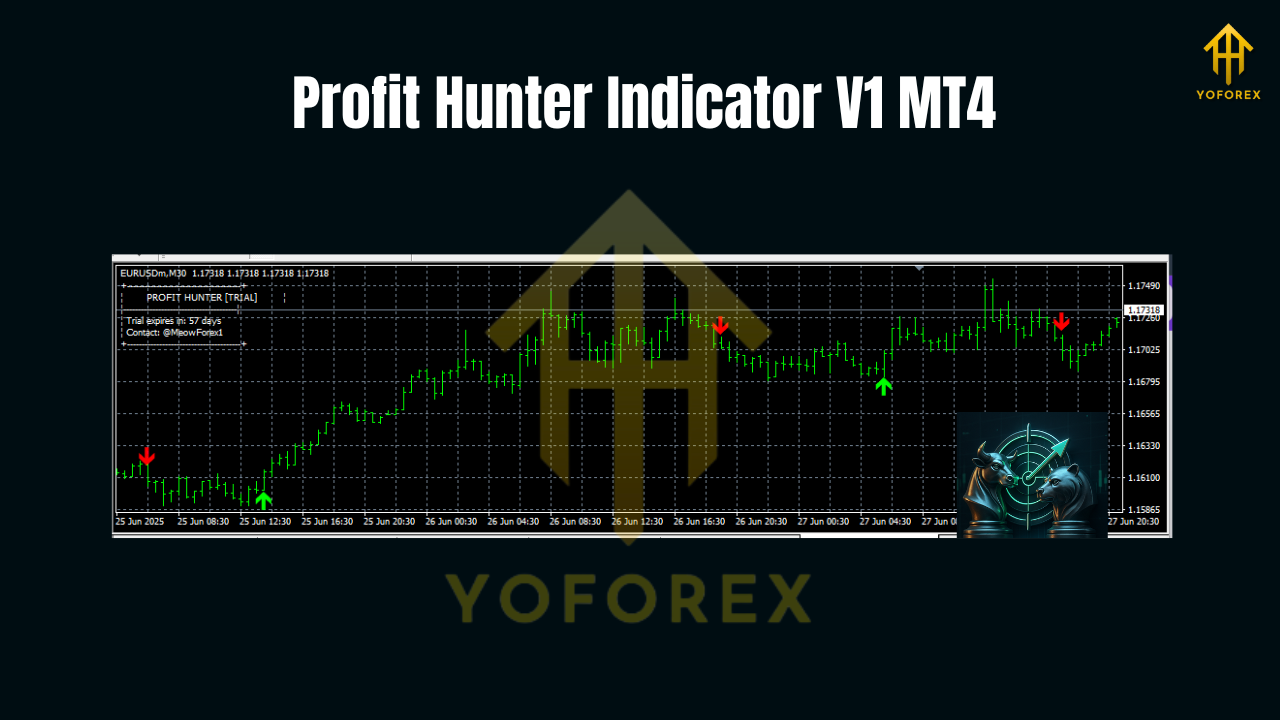
- Momentum spikes and breakout arrows (potential entries)
- Exit cues when momentum cools or price tags opposite band
It’s lightweight, so you can run it on multiple charts or build a scanner around it. And once a candle closes, signals lock in (live candles can update, as usual).
Who is it for?
- Scalpers who want fast confirmations on M5–M15 without guessing
- Intraday traders who need alignment across M15/M30/H1
- Swing traders who want to enter on pullbacks in H1/H4 trends
- Prop-firm traders who must control drawdown and minimize overtrading
If you like combining clean chart structure with objective rules, this will feel like home.
How Profit Hunter works
Without drowning you in math, here’s the gist of what’s happening:
- Trend Core – A composite bias derived from smoothed moving baselines and a higher-timeframe look-ahead check (not repainting—just reading HTF close), so you don’t fight the bigger move.
- Volatility Bands – ATR-adaptive pullback zones. When price returns to a band in the direction of trend and momentum flips back, that’s your “hunt.”
- Momentum Filter – A short burst detector (think rate-of-change + candle body/true range skew) to avoid entering during dead periods.
- Structure Radar – Optional recent swing markers; useful for partial exits or moving stops.
You don’t need to tweak much—default settings are battle-tested for majors and XAUUSD.
Best pairs & timeframes
- Pairs: EURUSD, GBPUSD, USDJPY, XAUUSD (Gold), AUDUSD
- Timeframes: M15 (scalping/intraday), M30 and H1 (intraday), H4 (swing)
- Broker conditions: Works on standard/ECN; tighter spreads help, coz you’ll catch smaller pullbacks with better R:R.
For ultra-aggressive scalping, M5 is possible, tho you’ll want a zero-lag VPS and low-latency broker to keep fills tight.
Strategy recipes you can start with
1) M15 “Pullback Hunt” (Intraday)
- Bias: Trade only in the direction of the ribbon (green = long; red = short).
- Entry: Wait for price to touch or slightly pierce the volatility band against the trend, then print a momentum arrow back with the bias.
- Stop: 1× ATR below/above recent swing (or just beyond the band).
- Take-profit ideas: First scale at 1.5R, trail the rest behind the opposite band or last swing.
- Filter: Avoid entries 5 minutes before/after major news.
2) H1 “Trend Ride” (Low-stress)
- Bias: Use H1 ribbon; optionally confirm with H4 bias in the same direction.
- Entry: First pullback after a fresh bias flip + arrow.
- Stop: Below prior swing or 1.2× ATR.
- Exit: Trail below/above the opposite band; consider partial exits at nearby market structure (previous high/low).
3) H4 “Swing Fade to Trend”
- Bias: Trade with H4 ribbon only.
- Entry: When price returns to the mid-band from extremes and momentum arrow prints with trend.
- Stop: Below swing or 1.5× ATR (H4 needs more breathing room).
- Exit: Staggered profit taking at 1.5R and 3R; trail the rest.
Risk management
- Keep per-trade risk under 1% (0.5% is even better on M15).
- Skip low-liquidity sessions and major red-flag news for scalps.
- Limit yourself to 2–4 quality trades per session; more isn’t better.
- Log screenshots of your entries/exits; patterns jump out when you review.
Installation (MT4 quick start)
- Download the indicator file (
.ex4). - In MT4, go to File → Open Data Folder.
- Navigate to MQL4 → Indicators and copy the file there.
- Restart MT4 (or right-click Navigator → Indicators and hit Refresh).
- Drag Profit Hunter Indicator V1 onto your chart.
- In the inputs, start with defaults; set alerts on if you want push/email.
Tip: Save a template once you like the look (right-click chart → Template → Save Template). Then you can deploy the same layout to other pairs in seconds.
Key settings explained
- Trend Period: Controls smoothness of the ribbon. Higher = fewer flips, slower; lower = snappier but noisier.
- ATR Multiplier: Widens/narrows bands. Wider bands = fewer but better pullbacks.
- Momentum Threshold: How strong a burst must be to print an arrow. Start with default; adjust only if you trade a very volatile symbol.
- Alerts: On-screen, sound, email, and push notifications. Handy if you scan multiple charts.
Pro tips for cleaner execution
- Multi-timeframe alignment: If you’re trading M15, peek at M30/H1. When they agree, win rate improves.
- Structure + bands: Enter at band + near a minor structure; confluence matters.
- Session matters: London session for majors, NY overlap if you’re trading gold.
- Don’t chase arrows: If the candle closed far from the band, let it go. There will be another setup.
Final thoughts
Profit Hunter Indicator V1 MT4 helps you do what pros quietly do—trade with the trend, enter on controlled pullbacks, and exit when momentum fades. It won’t predict the future; it just organizes the present so you can act with confidence. If you’re tired of cluttered screens and second-guessing, this is a clean, practical alternative.
Join our Telegram for the latest updates and support






Comments (0)
No comments yet. Be the first to comment!
Leave a Comment