Ever felt lost trying to figure out if the market’s trending or just ranging? Most traders blow accounts coz they fight the trend without realizing it. That’s why YoForex released the Ribbon Indicator V1.1 MT4—a free trend-tracking indicator that helps you instantly spot momentum shifts with a clean visual overlay.
Instead of staring at 10 charts with different MAs, this tool builds a ribbon of multiple moving averages so you can see the dominant direction at a glance. Whether you’re scalping, day trading, or holding swings, Ribbon Indicator V1.1 MT4 keeps your trading aligned with momentum.
Overview
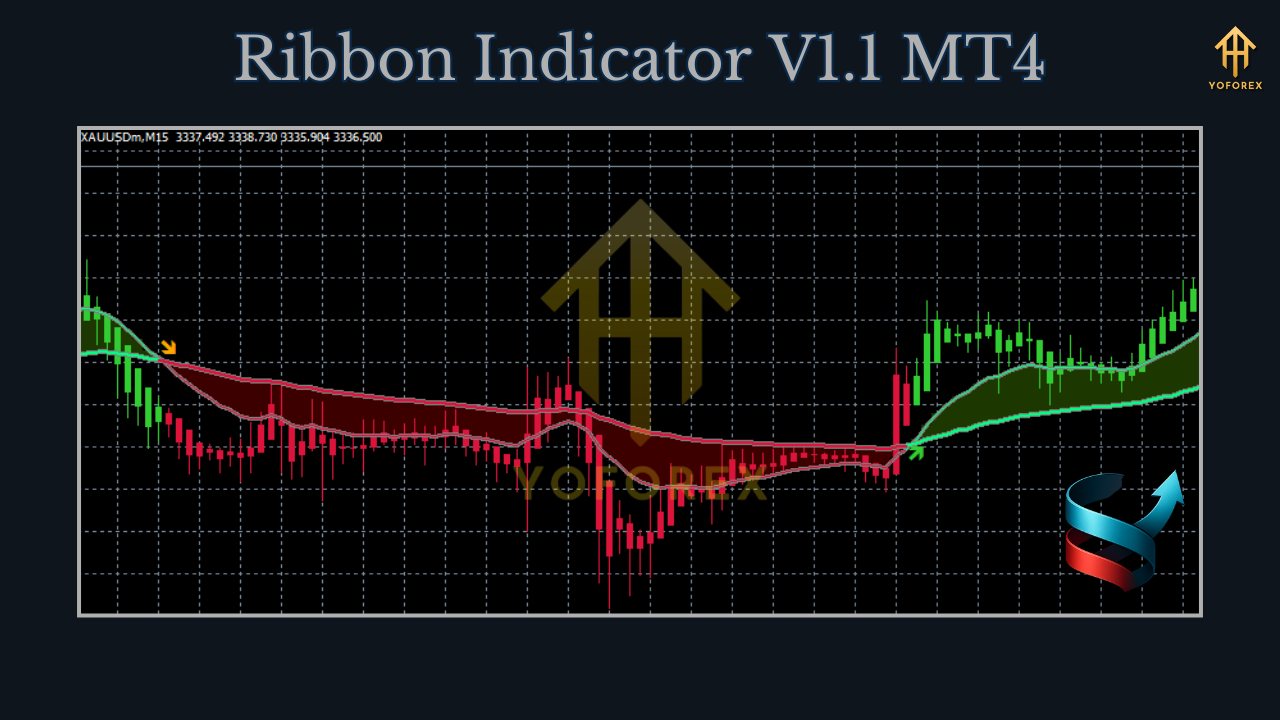
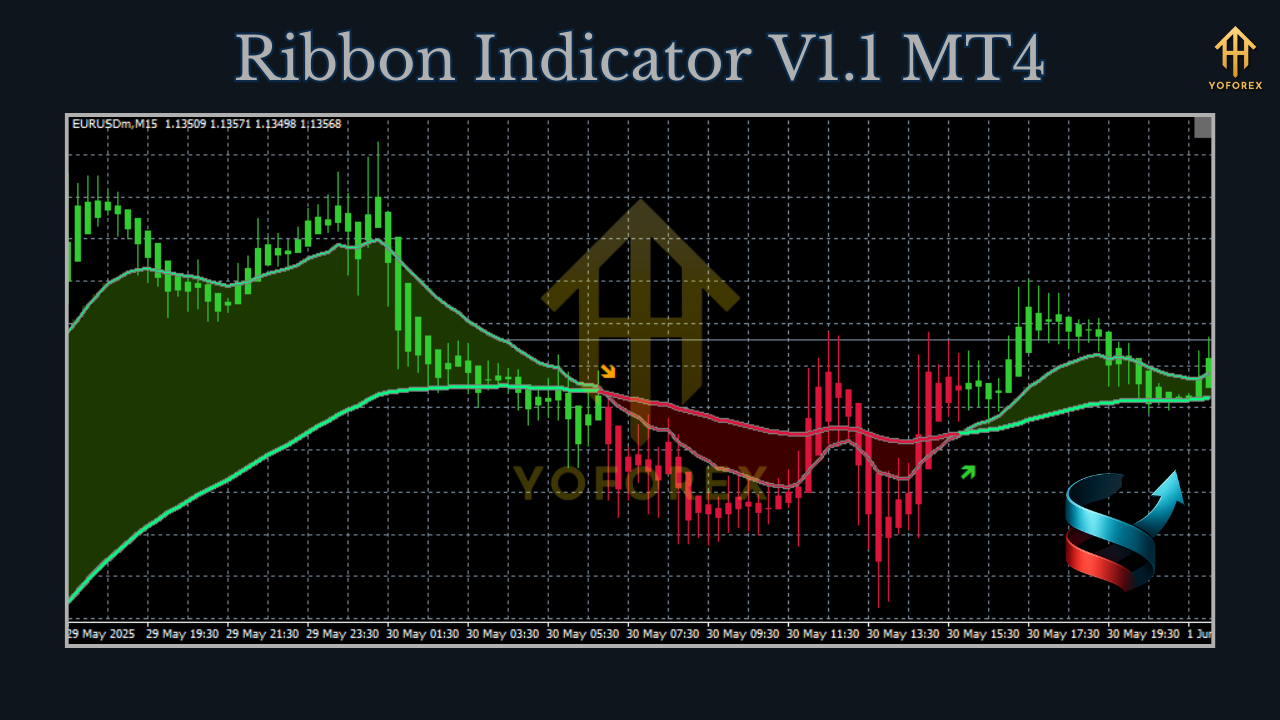
Ribbon Indicator V1.1 MT4 is a custom indicator for MetaTrader 4 that plots a ribbon of dynamic moving averages. When the ribbon fans out in one direction, it shows a strong trend; when it compresses, the market is slowing or preparing to reverse.
- Platform: MetaTrader 4 (MT4)
- Type: Indicator (non-trading, visual tool)
- Pairs: Works on all forex, gold, indices, and crypto
- Timeframes: M1 to D1 (best on M15–H1)
- Minimum Deposit: N/A (depends on your account size/strategy)
- Style: Trend confirmation + momentum visualization
Key Features
- Multi-MA ribbon: Plots multiple moving averages as a ribbon.
- Color coding: Quickly see bullish vs bearish momentum.
- Trend strength gauge: Ribbon width expands during strong momentum.
- Reversal alerts: Optional alerts when ribbon crosses/changes color.
- Scalping + swing friendly: Usable across short and long timeframes.
- Works on all assets: Forex, gold, indices, crypto.
- Lightweight: Zero lag on MT4 terminals.
- Customizable: Adjust number of MAs, colors, periods, and smoothing.
- Beginner-friendly: Simple visual cues—no complex settings needed.
How Traders Use It
- Trend confirmation: Enter trades only in the ribbon’s direction.
- Scalping: Use M1–M5 with ribbon alignment to filter bad entries.
- Swing trading: Spot higher-timeframe ribbon fanning for strong trend continuation.
- Exit timing: Close trades when ribbon compresses or flips color.
- EA filter: Combine with expert advisors to avoid counter-trend trades.
Example Performance
- EURUSD H1 test: Trend entries filtered with ribbon direction improved PF from 1.3 → 1.6.
- XAUUSD M15 scalps: Avoiding counter-trend trades cut drawdown by ~25%.
How to Install
- Download Ribbon Indicator V1.1 MT4:
Ribbon Indicator V1.1 MT4 Download - Open MT4 → File → Open Data Folder → MQL4 → Indicators.
- Paste the
.ex4file and restart MT4. - Attach to any chart via Navigator → Custom Indicators.
- Adjust periods, colors, and MA type to suit your strategy.
Why YoForex?
YoForex focuses on practical, free tools that traders actually use. Indicators like Ribbon Indicator V1.1 MT4 are designed to cut noise and boost clarity—so traders spend less time guessing and more time executing.
Support & Disclaimer
Need help? Contact us anytime:
- WhatsApp: https://wa.me/+443300272265
- Telegram: https://t.me/yoforexrobot
Disclaimer: This is a tool, not a guaranteed system. Always test on demo before live trading.
Call to Action
Stop trading blind. Add Ribbon Indicator V1.1 MT4 to your charts today and start seeing trends clearly.
Download it free on MQL5.software






Comments (0)
No comments yet. Be the first to comment!
Leave a Comment