Scalping Robot EA V5.0 MT4 – Precision M1 Scalps on XAUUSD
Tired of staring at charts every minute just to catch a tiny move… only to miss it the second you blink? Scalping Robot EA V5.0 MT4 was built for that exact pain. It hunts high-probability entries and exits on the M1 timeframe, with a special edge on XAUUSD (Gold). If you like fast trades, tight risk, and a rules-first approach that doesn’t rely on guesswork, this EA will feel like a breath of fresh air. Beginners will appreciate the plug-and-play workflow; experienced traders get the precision and control they want—plus a scalable grid engine for rapid recovery during choppy sessions.
What This EA Is (and Isn’t)
Scalping Robot EA V5.0 MT4 is a speed-minded, entry-filtering engine that automates the hard parts of M1 scalping—signal detection, order timing, and quick exits. It’s not a “magic button,” and it’s not a “double-your-account-overnight” gimmick. It’s a systematic trader that works best when you treat it like a pro: give it quality market conditions, sensible risk, and a stable environment (think VPS with low latency).
- Primary Pair: XAUUSD
- Optional Pairs: EURUSD, GBPUSD, USDJPY, EURJPY
- Timeframe: M1
Tip: XAUUSD’s volatility is the sweet spot for this engine. The optional majors are available if you prefer calmer flows or want multi-pair diversification, but fine-tuning is key.
Who It’s For
- Night owls and day traders who thrive on quick, measurable results.
- Beginners who want an automated, rules-driven scalper without manual micro-management.
- Experienced traders who value precise execution and a configurable grid for position management during noise.
If you’ve ever thought, “I can scalp, but I can’t be glued to the screen all day,” this is for you.
How It Trades (The Quick Version)
The engine scans for micro-momentum bursts and range edge fades, then places precise market or pending orders with tight stops and quick exits. When the market chops, a controlled grid can engage—adding staggered positions at predefined step distances to “smooth” entries and accelerate recovery without blind martingale escalation. You’re in charge of the step size, max orders, lot growth mode, and global protections.
Key Features at a Glance
- M1-optimized signal logic for high-speed entries and exits
- XAUUSD-first design, with optional majors for diversification
- Configurable grid module (step size, max orders, safety caps)
- Hard stop-loss and take-profit on every position (no “naked” exposure)
- Equity guardrails (daily loss cap, global equity stop—use them!)
- Spread and slippage filters to avoid “bad fills” during spikes
- Time/session filter to avoid thin-liquidity windows if you choose
- Partial close and trailing logic options for fast risk reduction
- Magic number separation for clean, multi-chart deployments
- Robust logs & comments for post-trade analysis and tuning
Quick note: If you trade news, consider adding an external news-filter EA. Scalping Robot EA thrives on orderly volatility more than wild spikes.
Recommended Environment
- Broker/Execution: ECN-style, tight spreads, fast fills
- Leverage: Common retail ranges (e.g., 1:100–1:500); your choice, but keep margin safety in mind
- VPS: Yes—aim for <20ms latency to your broker
- Account Type: Hedging preferred (for cleaner grid management)
Getting Started (Step-by-Step)
- Install the EA
Open MT4 → File → Open Data Folder →MQL4/Experts→ copy the EA file here. Restart MT4 or refresh the Navigator. - Attach to Chart
Open XAUUSD, set timeframe to M1, drag Scalping Robot EA V5.0 onto the chart. Allow DLL imports if your setup requires it. - Basic Inputs to Review
- Initial Lot Size: Start small (e.g., 0.01).
- Grid Step (Points): Begin conservatively; widen if volatility is intense.
- Max Orders: Cap your exposure; many traders start with 3–7.
- Take-Profit / Stop-Loss: Keep TP modest; SL should be honest, not fantasy.
- Daily Loss Limit / Equity Stop: Switch these on; set a cap you’ll actually respect.
- Trading Hours: If your broker’s spreads widen at rollover or specific hours, disable those in the session filter.
4. Run First on Demo
Two weeks of demo can tell you a lot. Check fills, slippage, and whether your broker’s feed plays nice with M1 scalping.
5. Scale Gradually
Once you’re comfortable: widen to additional pairs or raise lot size in micro-steps; never all at once.
Strategy Insights: Why XAUUSD on M1?
Gold combines frequent micro-moves with strong liquidity, which is perfect for a high-frequency edge. The EA leans into:
- Micro-breakouts: Small, repeated bursts that add up.
- Reversion taps: Quick snaps back from over-extensions.
- Controlled grid repair: If the first entry is early, a small sequence can catch the “true” impulse without going wild on risk.
Coz XAUUSD moves… a lot. That volatility is your friend if you harness it responsibly.
Risk Management (Non-Negotiable)
Let’s be blunt—grid without guardrails can get messy. Here’s how to keep it clean:
- Max Orders: Set a ceiling. If price keeps running, you must know when you’re done adding.
- Lot Logic: Prefer fixed lots or a tempered growth (not exponential martingale).
- Equity Protection: Daily loss cap stops the “one bad day” from becoming “the end.”
- Drawdown Plan: Decide upfront what DD is acceptable (e.g., 5–10%) and scale lots to live within it.
- Session Filters: Avoid spreads like a buzz saw—rollover, pre-news, or illiquid hours.
- Withdraw wins: If you’re consistently extracting pips, take some profits off the table periodically.
Sample Configuration (Starting Point)
These aren’t “holy grail” settings; they’re a sane baseline to begin testing on XAUUSD M1:
- Lot Size: 0.01 per $1,000 (tune to your risk)
- Grid Step: 150–300 points (wider if volatility spikes)
- Max Orders: 5
- Take-Profit: 50–120 points (depend on your broker’s typical spread)
- Stop-Loss: 500–1500 points (must be real, not wishful)
- Daily Loss Limit: 3–5% of equity
- Time Filter: Disable first 5–10 minutes after rollover; avoid high-impact news windows
Again—demo first, then optimize. What matters most is how these inputs interact with your broker’s actual conditions.
Optional Pairs: How to Approach Them
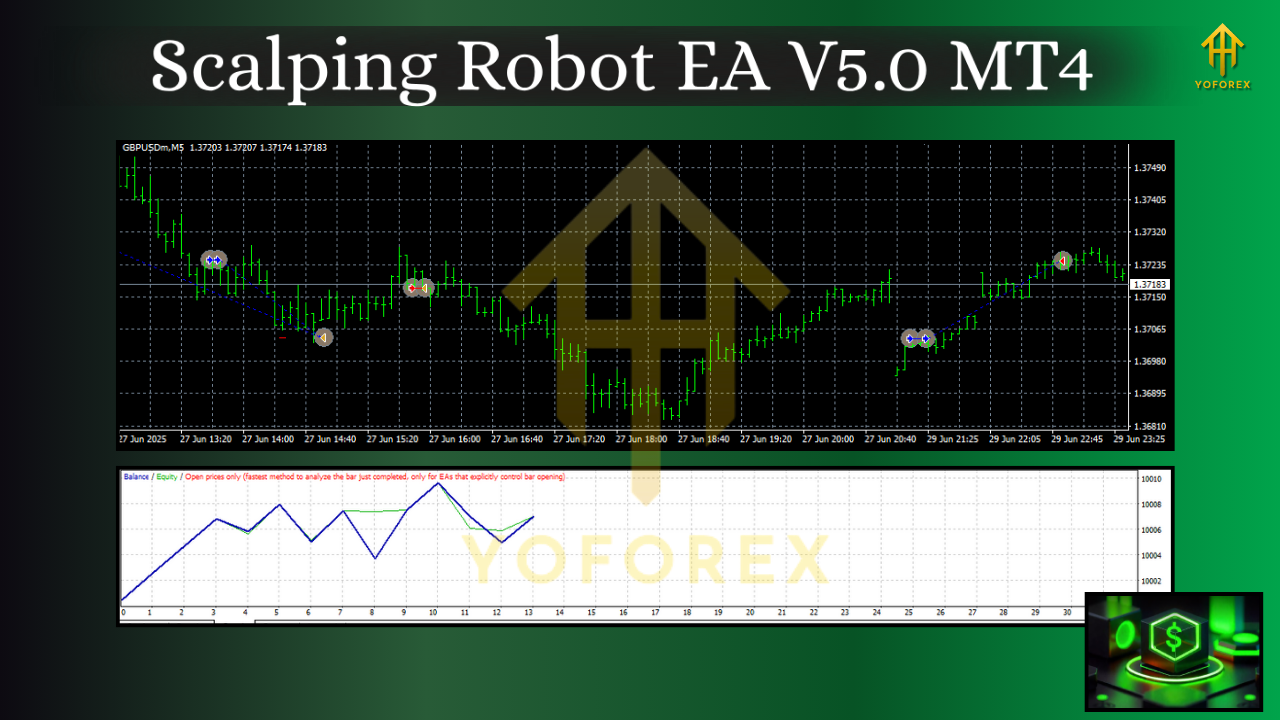
- EURUSD / GBPUSD: Calmer than gold, often tighter spreads. You may tighten TP and step, but watch spreads around sessions and news.
- USDJPY / EURJPY: Can trend hard or chop suddenly; use wider step and strict max orders to stay out of trouble.
For multi-pair runs, isolate magic numbers and lower per-pair lots so your total exposure stays controlled.
Performance Expectations (Real Talk)
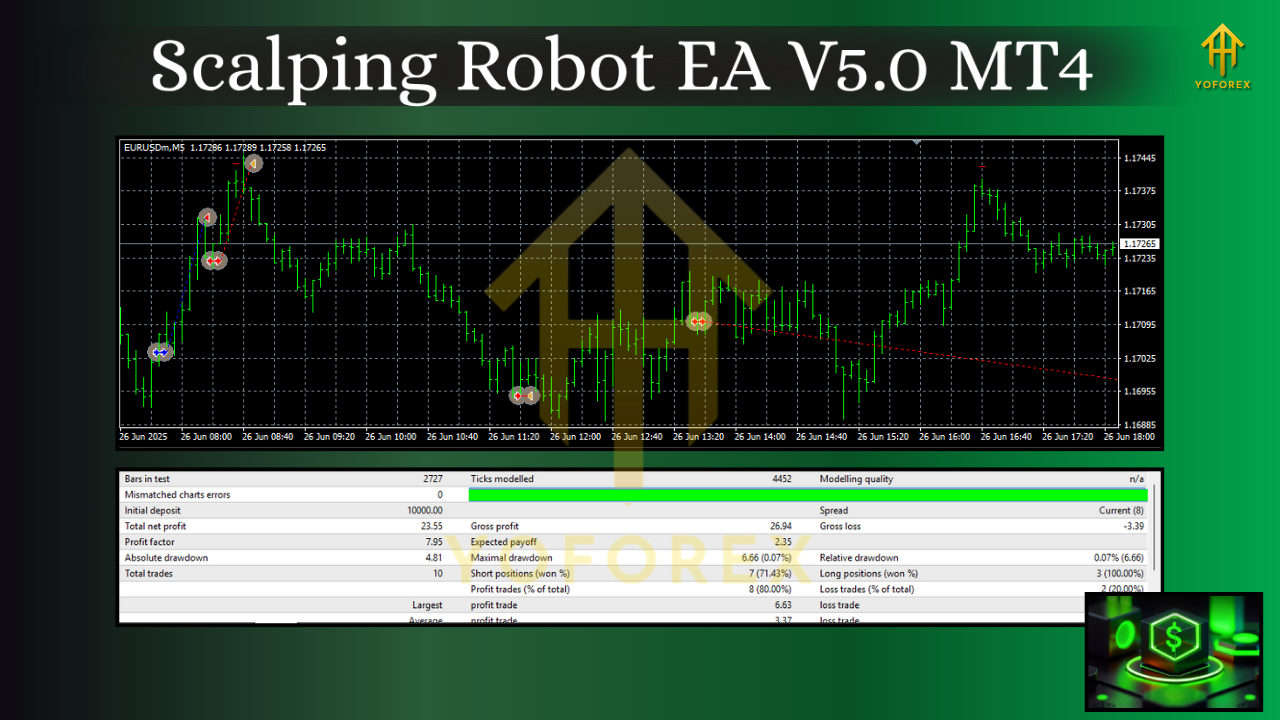
An M1 scalper can deliver many small wins—that’s the point. But speed amplifies everything: good fills look great; bad fills look worse. A grid can rescue early entries, but only if your limits are real. Think in monthly terms, not daily jackpots. The steadier you run it, the more credible your track record looks.
Pro Tip: Keep a journal or export logs weekly. Tag days by volatility regime (quiet, normal, high). You’ll quickly see which environment your settings love—and which they dislike.
Troubleshooting & Tips
- Seeing many tiny losses? Your TP might be too ambitious relative to spread. Pull it in.
- Too many grid layers? Widen step and drop max orders or lot size.
- Slippage complaints? Move to a lower-latency VPS and audit your broker’s fills.
- Flat weeks? That’s okay. A flat week with tight risk is better than a “hero” week followed by a blow-up.
Final Word
Scalping Robot EA V5.0 MT4 won’t do the thinking you refuse to do—but it’ll execute the plan you give it with discipline and speed. Treat it like a professional tool: build a plan, cap your risk, test, iterate. If you respect the rules, M1 on XAUUSD can be one of the most rewarding edges in your stack.






Comments (0)
No comments yet. Be the first to comment!
Leave a Comment