
SessBreak Advanced EA V1.0 – Free MT5 Session Breakout
Tired of EAs that overtrade during noisy hours, then ghost you when the real move comes? Same, and it’s why SessBreak Advanced EA V1.0 exists. This free MT5 expert advisor from the YoForex family is built for disciplined, rule-based session breakouts, not vibes. You pick the session window, it maps a dynamic high/low range, and when price breaks with conviction—boom, the plan executes. Prefer to hold through the close? It can run multi-day positions with tightly defined risk. Want to trim risk and lock in gains? You’ve got break-even-plus and partial close options. No martingale, no drama.
If you’ve been looking for a session breakout EA that you can actually configure to your schedule, assets, and risk appetite—without paying a fortune—SessBreak Advanced EA is your new playground. It’s free on MQL5.software, backed by YoForex updates, and friendly to both intraday and swing-style traders. Let’s get into what it does (and coz transparency matters, also what it doesn’t).
Overview
SessBreak Advanced EA V1.0 is the most complete member of the SessBreak lineup so far—crafted for precision breakouts across custom time windows. You define the measurement window (start hour + lookback hours). The EA then calculates a session high/low channel and waits. No chasing. When price breaks outside the defined range, it places trades according to your directional bias and risk model.
Here’s where it gets especially flexible:
- Directional Bias by Day: Trade long-only on Monday, short-only on Tuesday, both on Wednesday… you get it. Tune your calendar like a pro.
- Smart Risk: Choose fixed money risk or % equity risk; the EA handles lot size math from your SL distance and instrument specs.
- Adaptive Exits: Use the opposite side of the channel as stop loss, set fixed SL/TP percentages, or attach previous day’s high/low TP logic for swing continuation.
- Multi-Day Handling: Hold winners for hours or days with an optional max holding time. Great when an index or commodity trends past the close.
- BreakEven+ & Partial Close: Kick SL to entry (or better) on profit triggers and optionally bank half to de-risk.
- Trend & Volatility Filters: MA filter to trade with (or against) trend; volatility and body-range filters to skip low-quality setups.
- End-of-Day Automation: Flatten positions or cancel pendings at exact hours so you sleep fine.
The aim isn’t to catch every wiggle. It’s to codify your edge—sessions, structure, bias—so execution stays clean, even when you’re away from the screen.
Key Features
• Custom Session Channel — Define start hour + hours back to form a precise high/low range.
• Per-Day Directional Bias — Long/short/both/none for each weekday; surgical control.
• Fixed or % Risk — Lot size auto-calculated from SL and tick value; no guesswork.
• Adaptive SL/TP — Opposite channel side, fixed %s, or previous day’s H/L as target logic.
• Multi-Day Position Engine — Let trends breathe; set a max holding time in hours.
• BreakEven+ with Partial Close — Move SL beyond entry and optionally close half at trigger.
• MA Trend Filter (SMA/EMA/etc.) — Trade with trend, or flip to fade momentum—your call.
• Volatility Cap — Skip trades when the channel is excessively wide.
• Body-Range Filter — Require a meaningful previous day’s candle body before engaging.
• End-of-Day Auto-Close — Close positions and/or pending orders at exact hours.
• Clear Logs & Alerts — Know what triggered a trade and why.
• No Martingale. No Grid. — One idea = one risk packet; drawdown stays sane.
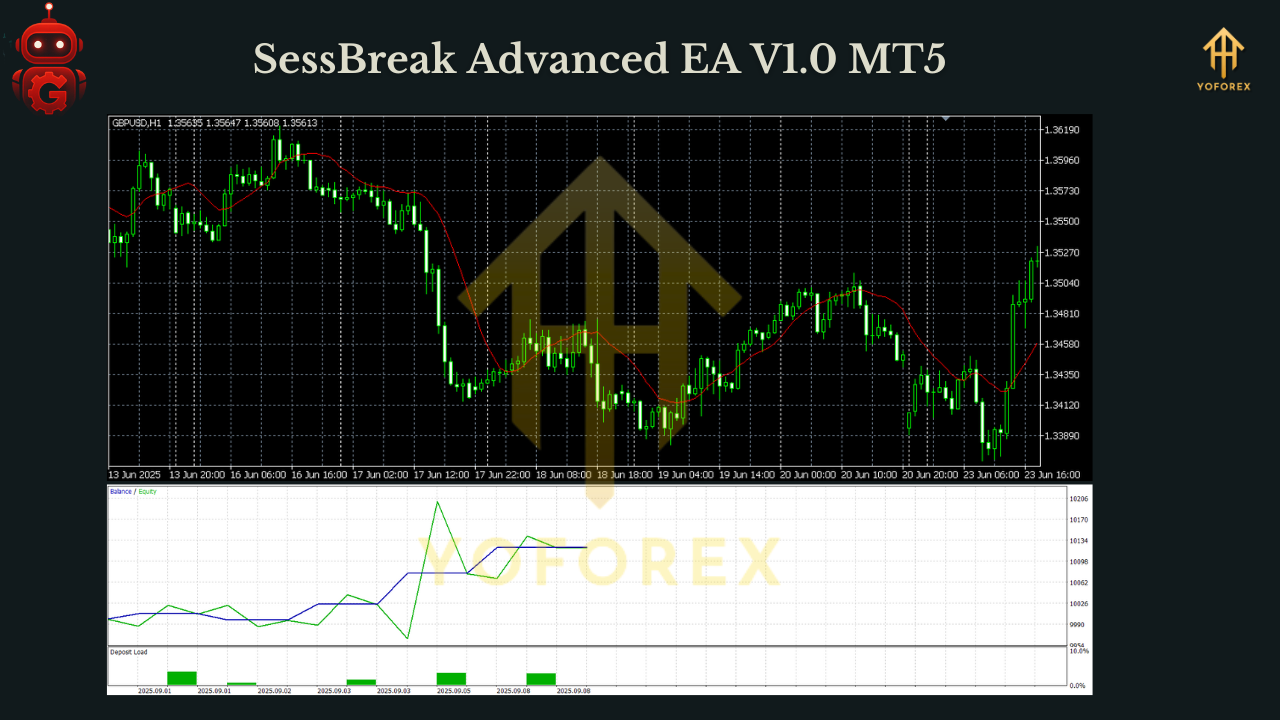
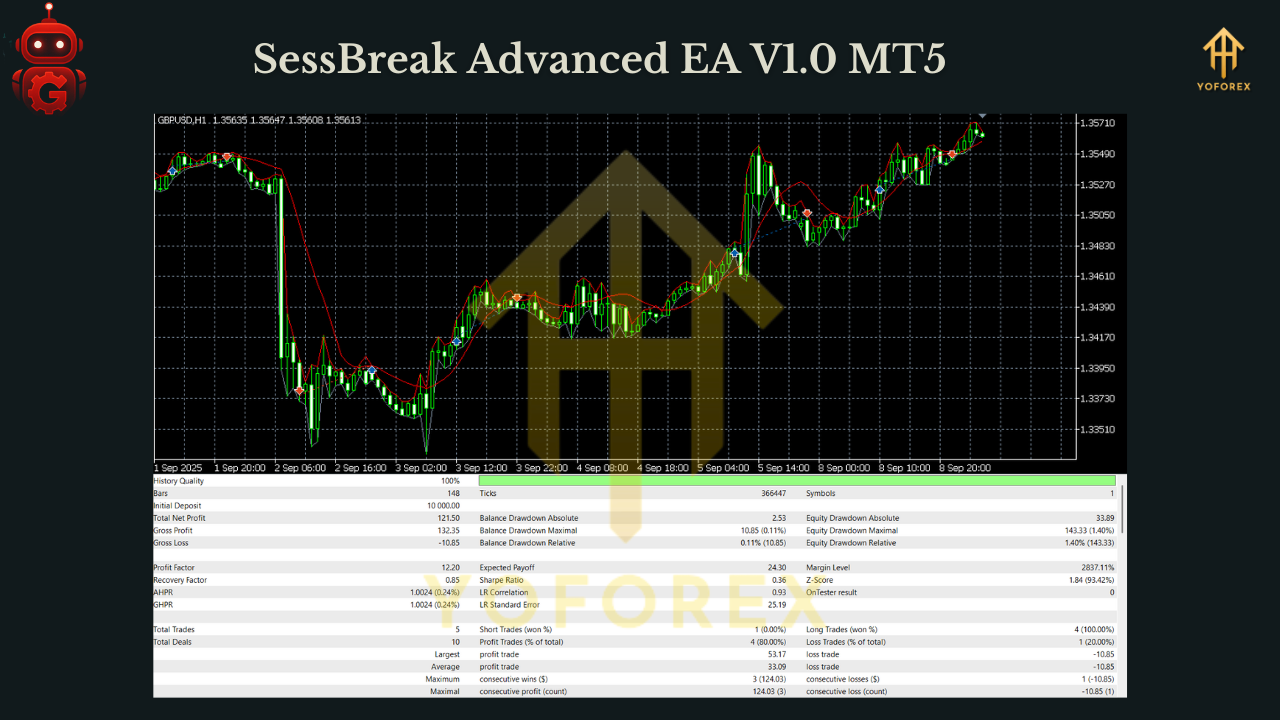
Backtest Results & Proof (What to Expect)
Because SessBreak Advanced EA is session-driven, outcomes depend on the asset’s microstructure and your chosen window. In our internal research runs (think multiple years, multiple assets), two patterns show up consistently:
-
Clean ranges + liquidity = crisp breakouts
When sessions are orderly (e.g., pre-US open or London range), breakouts often expand. Using per-day bias to align with known seasonality can smooth equity curves. With BreakEven+ and a partial close, you’ll frequently turn early green into “house money” as the rest of the trade seeks a stretch target (like previous day’s high/low). -
Disorderly days = fewer or skipped trades
Wide channels and messy opens? Good. The volatility filter and body-range filter do their job by reducing forced entries. This is where the tool shines: it sits out when the edge is weak—which is exactly what your discretionary self wishes it did on a bad day.
How to Install & Configure
Step 1 — Download & File Placement
- Download SessBreak Advanced EA V1.0 from MQL5.software (link below).
- In MetaTrader 5: File → Open Data Folder → MQL5 → Experts; copy the .ex5/.mq5 file.
- Restart MT5, or right-click Experts → Refresh.
Step 2 — Chart Setup
- Open the instrument and timeframe you want to trade (commonly M5–H1 for session plays).
- Drag SessBreak Advanced EA onto the chart.
- Check “Allow Algo Trading” and “Allow live trading”.
Step 3 — Inputs (starter idea)
- Session Window: Start 12:00, Hours Back 8 (example for forming a pre-US range).
- Bias by Day: Long-only Mon/Wed, Short-only Tue/Thu, Both Fri (example logic—tune per asset).
- Risk Model: 0.5%–1.0% equity risk per trade (prop-friendly).
- Stops/Targets: SL = opposite channel; TP = previous day’s H/L or fixed 1.5R–2R.
- BreakEven+: Trigger at +1R → move SL to entry+; Partial Close 50% on trigger.
- MA Filter: EMA 50 with “trade with trend” enabled (optional).
- Volatility Cap: Set a max channel width (e.g., 1% of price).
- End-of-Day: Close positions at 21:58 platform time if your broker tends to widen spreads.
Step 4 — VPS & Broker Tips
- Run on a low-latency VPS close to your broker’s servers.
- Prefer RAW/ECN accounts with stable spreads around your session times.
- Avoid stacking multiple heavy EAs on the same terminal.
Why Choose YoForex-Powered Tools?
Because YoForex ships free, trader-first automation and keeps shipping updates. We care about risk frameworks as much as edge; we won’t ask you to grid into oblivion or double down under stress. The goal with SessBreak Advanced EA is to let disciplined traders codify their session logic—with per-day bias, volatility governance, and end-of-day hygiene—so your rules fire even when you’re busy. You get a realistic tool, a supportive community, and ongoing improvements without hidden strings. That’s the promise, and yeah, we actually keep it.
Explore more on MQL5.software:
- Beginner Guide: Install an MT5 Expert Advisor
- Breakout & Session EAs Collection
- Download SessBreak Advanced EA V1.0 MT5
Support
Hit a snag or want help tuning per-day bias?
- WhatsApp: https://wa.me/+443300272265
- Telegram: https://t.me/yoforexrobot
We’ll help you align session windows to your asset and timezone, pick risk presets, and debug odd execution behavior. Don’t hesitate—reach out.
Call to Action
Ready to put your session playbook on autopilot? Grab SessBreak Advanced EA V1.0 (free) on MQL5.software, attach it to your chosen instrument and session window, and let the rules work—while you stay calm. If you need presets or want help designing the ideal window for your market, ping us on WhatsApp or Telegram. You build the plan; the EA executes it, cleanly.
YoForex – empowering traders worldwide, one free tool at a time.
Join our Telegram for the latest updates and support






Comments (0)
No comments yet. Be the first to comment!
Leave a Comment